DR Checker
DR Checker verifies your site's security to build user trust, though it's currently paused.
Visit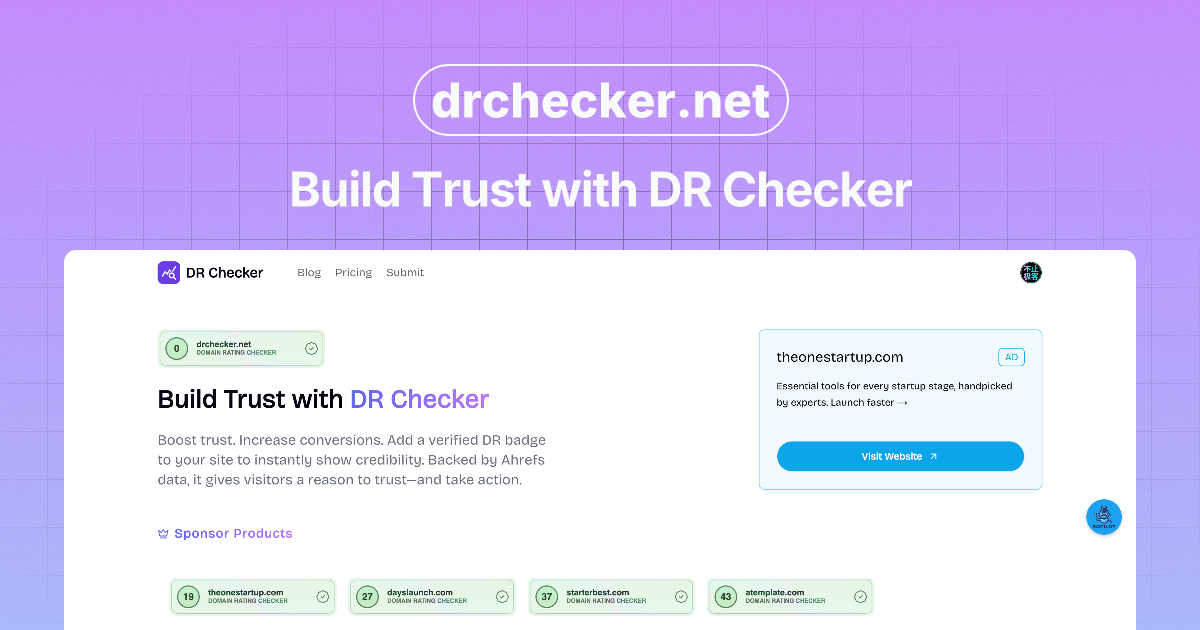
About DR Checker
DR Checker (or DrCheck) is a web-based diagnostic tool that acts as a dedicated physician for your website's health, specifically focusing on its network of links. In the digital world, a broken or malicious link is more than just a minor annoyance; it's a direct hit to your credibility, user experience, and search engine rankings. This tool is built for the vigilant website owner, the meticulous developer, and the SEO-conscious marketer who understands that a clean site is a high-performing site. Its core value proposition is delivering peace of mind through automation. Instead of manually checking hundreds of pages, DR Checker deploys advanced crawling technology to comprehensively scan your entire site structure, uncovering everything from simple 404 errors to more insidious links pointing to expired domains or potentially harmful websites. While the service appears to be in a temporarily paused state, its intended design promises an intuitive interface that democratizes technical maintenance, making critical security and performance audits accessible to users of all skill levels. In my opinion, in an era where trust is paramount, a tool that proactively safeguards your site's integrity is not just useful—it's essential.
Features of DR Checker
Advanced Site-Wide Crawling
This isn't a superficial link checker. DR Checker employs robust crawling technology designed to navigate complex website structures, including deep pages, dynamic content, and intricate menus. It systematically follows every internal and external link it can find, ensuring no problematic connection is left hiding in a forgotten blog post or an old product page. This thoroughness is what separates a professional audit from a basic, unreliable scan.
Broken Link & 404 Error Detection
The foundational feature of any link checker, executed with precision here. DR Checker identifies every link that leads to a dead end—those frustrating "404 Page Not Found" errors. It catalogs them, often specifying the source page and the broken destination URL. This allows you to either remove the link, update it, or implement a proper redirect, directly improving user experience and stopping valuable link equity from leaking into the digital void.
Malicious & Suspicious Link Identification
This is where DR Checker elevates itself from a maintenance tool to a security asset. It doesn't just look for broken links; it analyzes the destinations of your outbound connections. The tool flags links that point to known malicious sites, expired domains that could be squatted by bad actors, or URLs with poor reputation scores. This is crucial for protecting your visitors and maintaining your site's standing with search engines, which penalize links to spammy neighborhoods.
Actionable SEO & Health Reporting
Data is useless without insight. DR Checker compiles its findings into clear, comprehensive reports that highlight the issues sorted by severity and type. These aren't just technical logs; they are actionable to-do lists for site optimization. By showing you exactly which pages are hosting the most broken links or risky connections, it enables targeted cleanup efforts that directly contribute to better SEO health and a more trustworthy site profile.
Use Cases of DR Checker
Pre-Launch Website Audits
Before flipping the switch on a new or redesigned website, a final audit with DR Checker is a non-negotiable step. It ensures that all internal navigation works flawlessly and that no placeholder or test external links have slipped into the live code. Launching with broken links creates an immediate poor first impression, and this tool helps you present a polished, professional product from day one.
Ongoing SEO Maintenance
Search engines like Google use crawl health as a ranking factor. Regularly scheduled scans with DR Checker allow SEOs and website managers to proactively find and fix broken links before they accumulate and harm site authority. It’s a core practice for preserving hard-earned rankings and ensuring search engine bots can smoothly crawl and index all your valuable content without hitting dead ends.
Enhancing User Experience & Trust
From a user's perspective, encountering a broken link is frustrating and erodes trust in your website's credibility. For content-heavy sites like blogs, news portals, or educational resources, using DR Checker to routinely purge these dead links is critical. It ensures a smooth, uninterrupted journey for your audience, which increases engagement, reduces bounce rates, and fosters loyalty.
Security Hygiene & Risk Mitigation
Websites can become compromised over time as linked-to external sites expire or turn malicious. Digital marketers and security-conscious admins use DR Checker as a monitoring tool to identify these risky outbound connections. Removing links to compromised sites protects your visitors from phishing scams or malware and safeguards your site from being flagged as dangerous by browsers or security plugins.
Frequently Asked Questions
What exactly does DR Checker scan?
DR Checker performs a comprehensive scan of your website's link ecosystem. It crawls through your pages to identify all internal links (pointing to other pages on your site) and external links (pointing to other domains). For each link, it checks the HTTP status code to find broken links (like 404 errors), validates the URL format, and can assess the reputation of external destinations to flag potentially malicious or suspicious connections.
Who is the ideal user for DR Checker?
The tool is incredibly versatile. It's perfect for website owners and managers who want to maintain a professional site without deep technical knowledge. Developers and webmasters can use it for technical audits and pre-launch checks. SEO specialists and digital marketers rely on it for ongoing optimization and protecting their site's search ranking health. Essentially, anyone responsible for a website's performance and credibility can benefit.
How often should I run a website link check?
The frequency depends on how dynamic your website is. A large, frequently updated blog or news site might benefit from a weekly or bi-weekly scan. A more static brochure website could be checked monthly or quarterly. A best practice is to run a scan after any major content update or site migration. Regular, scheduled checks are key to preventing the gradual accumulation of link rot.
The service says it's "temporarily paused." What does that mean?
This typically indicates that the DR Checker web application is not currently accepting new scans or allowing users to access its full functionality at this moment. It could be due to maintenance, server updates, a service redesign, or other operational reasons. You would need to check the official DR Checker website or contact their support for the most current status and information on when the service will resume.
Explore more in this category:
Similar to DR Checker

AI UGC Video Generator
Create AI UGC video ads from product URLs, images, or scripts with lifelike creators, voices, captions, and clear calls to action.
ContextBolt SEO
Research keywords, competitors, backlinks and AI visibility inside Claude or Codex, with findings saved to your SEO dashboard.

UpSearch
AI-powered SEO growth platform that turns search evidence into prioritized actions.

Built2WinWeb AI SEO
A development studio and AI‑native infrastructure provider that builds high‑performance, agent‑ready websites and AI discovery tools.