
Interhubz
Interhubz perfectly syncs Intercom chats to HubSpot as clean, single timeline entries.
Visit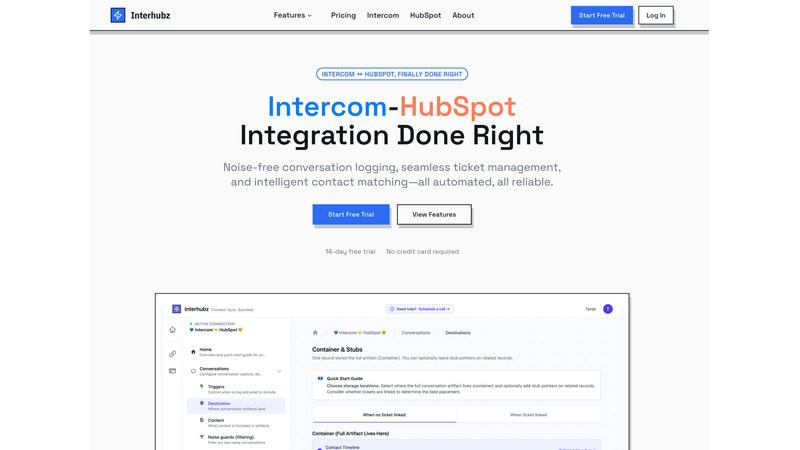
About Interhubz
If you run support on Intercom and sales or customer success on HubSpot, you've felt the pain. The standard integration is a mess, flooding your precious HubSpot timeline with 8+ fragmented, unreadable entries for every single conversation. It buries critical context, creates duplicate contacts, and makes ticket management a manual nightmare. Interhubz is the definitive solution, built by operators who have lived this frustration. It's not just another connector; it's an intelligent synchronization layer designed to bring order to the chaos. The core value proposition is breathtakingly simple: one clean, formatted HubSpot timeline note per Intercom conversation. This single change eliminates timeline pollution, preserves full context with transcripts and attachments, and enables seamless, bi-directional ticket management. It's built for teams that demand reliability and clarity, automating the sync so your people can focus on the customer, not on juggling tabs and cleaning data. After testing countless integrations, Interhubz stands out as the curated, opinionated choice for anyone serious about aligning their support and revenue operations.
Features of Interhubz
One Rich Note Per Conversation
This is the flagship feature that makes everything else possible. Instead of the typical deluge of individual message logs, tag changes, and assignment notes, Interhubz consolidates an entire Intercom conversation into a single, beautifully formatted HubSpot timeline entry. It includes the full transcript, a summary, any file attachments, and a direct link back to the conversation in Intercom. This transforms your CRM from a cluttered log into a readable, actionable record of customer interactions.
Intelligent Contact & Company Matching
Duplicate contacts are a CRM killer, and basic integrations that match only by email are notoriously fragile. Interhubz employs advanced algorithms that match contacts using email, phone number, and even custom unique properties you define. This multi-layered approach ensures contacts are matched accurately the first time, maintaining a single source of truth in HubSpot and keeping your data pristine without any manual de-duplication work.
Bi-Directional Ticket Spine
This feature finally closes the loop between support and sales. With Interhubz's embedded inbox app, you can create a HubSpot ticket directly from an Intercom conversation with one click. Once linked, the ticket's stage and owner sync in real-time both ways. If a rep updates the stage in HubSpot, it reflects in Intercom, and vice-versa. This eliminates the status drift and manual update hell that plagues other setups, creating a truly unified workflow.
Configurable Noise Guards
A clean CRM is a useful CRM. Interhubz understands that not every automated bot response or spam message deserves a permanent home in HubSpot. Its intelligent noise guards allow you to set filters—like minimum message counts, conversation duration, or excluding auto-closed chats—to prevent low-value interactions from ever syncing. This automated curation ensures only meaningful customer conversations populate your sales team's timeline.
Use Cases of Interhubz
For Support Teams Handing Off to Sales
When a support conversation reveals a sales-qualified lead (SQL), the handoff should be seamless. With Interhubz, the agent can one-click create a linked HubSpot ticket from the Intercom chat. The sales rep receives a single, rich note in the contact's timeline with the entire conversation context, understanding the lead's pain points instantly without having to ask the customer to repeat themselves.
For Customer Success Managing Renewals & Upsells
Customer Success Managers (CSMs) using HubSpot need full visibility into support history to manage accounts proactively. Interhubz provides a complete, organized record of every support interaction directly within the HubSpot contact and company records. This allows CSMs to spot trends, identify at-risk accounts, and find upsell opportunities based on actual usage and issues, all without ever leaving their primary CRM.
For Operations Teams Ensuring Data Hygiene
For ops professionals tasked with maintaining CRM integrity, Interhubz is a lifesaver. It automates reliable contact matching to prevent duplicates and uses noise guards to filter out system noise. This drastically reduces manual data cleanup, ensures reporting accuracy, and provides a reliable, automated sync that the entire revenue team can trust.
For Executives Needing a Unified Customer View
Leaders need a clear picture of the customer journey without wading through clutter. Interhubz delivers a executive-ready timeline in HubSpot. Each conversation is a coherent story, not a series of broken fragments. This provides leadership with the clean data needed to analyze support impact on revenue, churn, and customer satisfaction effectively.
Frequently Asked Questions
How does Interhubz handle duplicate contacts?
Interhubz uses a sophisticated, multi-property matching engine to intelligently find and link to existing HubSpot contacts. It checks against email addresses, phone numbers, and custom unique ID fields you specify. When it finds a match, it logs the conversation to that existing contact record. If no match is found, it can create a new one. This process is designed to prioritize data integrity and prevent duplicate creation automatically.
Can I filter which Intercom conversations sync to HubSpot?
Absolutely. This is the core of the Noise Guards feature. You can configure filters to exclude conversations based on criteria like being auto-closed, having only one message (often a bot), or involving specific tags. You can set minimum thresholds for message count or conversation duration to ensure only substantial, human-led interactions are logged in your CRM.
Does the ticket sync work in both directions?
Yes, and this bi-directional sync is a critical advantage. When you create a linked HubSpot ticket from Intercom, the connection is maintained. If the ticket stage or owner is updated in HubSpot, that change is reflected in the Intercom conversation. Similarly, if a support agent changes the conversation state or assignee in Intercom, the linked HubSpot ticket updates accordingly, ensuring both teams are always in sync.
How long does setup take?
One of Interhubz's strongest selling points is its simplicity. Setup is designed to take about 10 minutes. It uses one-click OAuth for both Intercom and HubSpot, so no API key management is needed. You then walk through a short configuration to set matching rules and noise guards, often using the smart defaults provided. After that, the sync begins automatically based on your triggers.
Explore more in this category:
Similar to Interhubz


benchmark.directory
An independent directory of 146 AI tools. Every listing was paid for, set up and used on real work. Nobody can buy a place or a score.

saasgrow.ai
Get your SaaS tool discovered. Free listing, honest screening, a dofollow link — and no way for anyone to outbid you.

Tools Network
Tools Network is a curated directory that brings the internet's best AI tools together in one organized place. Spanning 25+ categories



Luffy
Luffy is an AI employee in Slack that connects to your tools and gets work done across them using the full context of your workspace.

UseWok
Done-for-You SaaS Visibility for Search & AI | UseWok