StudyPal
StudyPal transforms PDFs and videos into engaging study kits with summaries, flashcards, and quizzes for effective.
Visit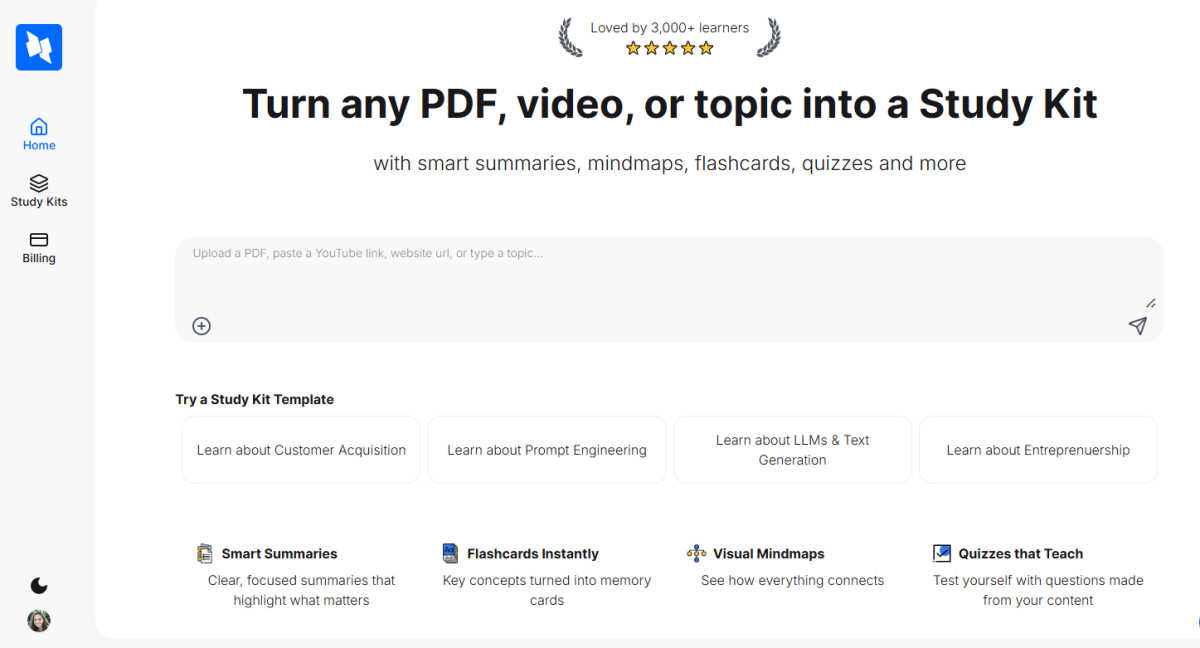
About StudyPal
Let's face it: traditional studying methods are outdated and often ineffective. If you're overwhelmed by a sea of PDFs, searching for clarity within endless YouTube playlists, or struggling with disorganized notes, StudyPal is here to revolutionize your learning experience. This AI-powered study companion is not merely another flashcard app; it is a holistic system that transforms any source material—be it intricate academic documents, lengthy video tutorials, or even straightforward topics—into a fully interactive and personalized study kit. StudyPal excels in providing crystal-clear summaries that distill complex information into easily digestible formats, complemented by visual mind maps that help you visualize connections and relationships. With instant flashcards for quick recall and auto-generated quizzes to reinforce your understanding, StudyPal creates a continuous learning loop tailored to your unique style. The built-in AI tutor enhances this experience by serving as a 24/7 resource for clarifying difficult concepts. Whether you are a student gearing up for exams, a professional seeking to enhance your skills, or simply a curious individual exploring new interests, StudyPal adapts to your pace, saving you significant time and improving information retention. It's like having a dedicated study partner at your fingertips.
Features of StudyPal
Smart Summaries
StudyPal offers smart summaries that distill content into concise, focused highlights. These summaries emphasize the key points, saving you from sifting through irrelevant information and allowing you to grasp crucial concepts quickly.
Flashcards Instantly
Transform essential concepts into flashcards instantly with StudyPal. As you engage with your study materials, the app automatically generates memory cards that facilitate quick revisions and enhance retention, making studying more efficient.
Visual Mindmaps
With StudyPal's visual mindmaps, you can see how concepts interconnect. This feature provides a holistic view of your study material, helping you understand relationships between topics and aiding in better recall during exams or discussions.
Quizzes that Teach
Test your knowledge with quizzes generated directly from your content. These quizzes not only assess your understanding but also provide immediate feedback, reinforcing learning and allowing you to identify areas needing further review.
Use Cases of StudyPal
Efficient Exam Preparation
When it comes to cramming for finals, StudyPal is an invaluable tool. It streamlines the study process, allowing you to convert lecture notes and reading materials into study kits that save you time while maximizing your understanding.
Professional Upskilling
For professionals aiming to pivot their careers or enhance their skills, StudyPal is perfect. It can condense complex industry materials into manageable study kits, enabling you to learn new concepts at your own pace without feeling overwhelmed.
Hobby Exploration
If you're a curious mind eager to explore new hobbies or interests, StudyPal can turn any topic into an engaging study experience. Whether it's learning a new language or picking up coding, the app tailors the content to keep you motivated.
Group Study Sessions
StudyPal is ideal for group study sessions. You can collaboratively create study kits that include summaries, flashcards, and quizzes, ensuring that everyone in the group benefits from the structured material and shared insights.
Frequently Asked Questions
How does StudyPal transform my study materials?
StudyPal utilizes AI to analyze your materials—be it PDFs, videos, or topics—and generates interactive study kits that include summaries, flashcards, quizzes, and mindmaps tailored to your learning style.
Can I use StudyPal for different subjects?
Absolutely! StudyPal is versatile and can accommodate a wide range of subjects, from science and mathematics to history and arts. It adapts to the content you provide, making it suitable for any learning area.
Is there a mobile version of StudyPal?
Yes, StudyPal offers a mobile-friendly platform, allowing you to access your study kits and resources anytime, anywhere. This flexibility ensures that you can study on the go, making learning more convenient.
How does the AI tutor work?
The built-in AI tutor is designed to assist you with any difficult topics or concepts you encounter. You can ask questions, seek clarifications, and receive tailored explanations, making your study experience even more personalized and effective.