
Threat Watch
Threat Watch instantly reveals your cybersecurity health by scanning for compromised accounts and dark web threats.
Visit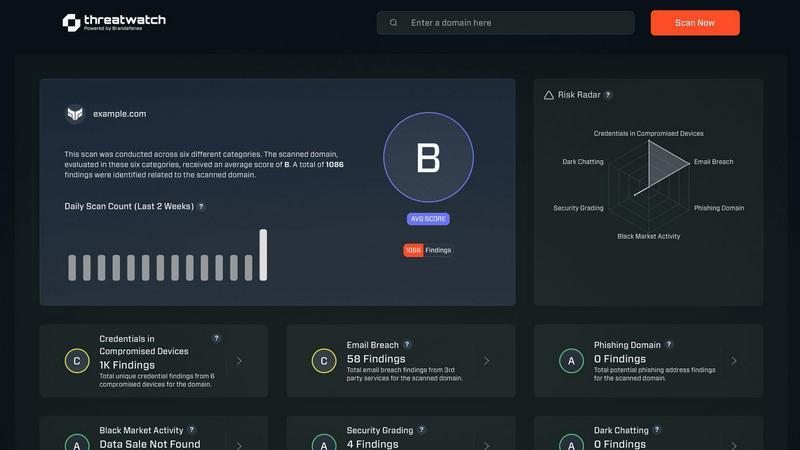
About Threat Watch
Let's cut through the noise: in today's digital jungle, feeling secure is an illusion unless you have the right intelligence. That's where Threat Watch comes in, and frankly, it's one of the most straightforward and actionable cybersecurity health dashboards I've seen for businesses. This isn't just another alarmist scanner; it's a curated intelligence platform designed to give you a clear, real-time snapshot of your most critical exposures. The core genius of Threat Watch is its focus on the tangible threats that actually cause breaches: compromised employee credentials, hijacked devices, phishing traps, and your data being traded on the dark web. It meticulously analyzes your organization's digital footprint across these key categories, delivering what I like to call a "cyber vital signs" report. It's built for proactive leaders—from the resource-strapped startup founder to the enterprise CISO—who are tired of operating in the dark and need prioritized insights, not just raw data. The main value proposition is undeniable: speed and clarity. You get automated, continuous assessments that tell you exactly what's wrong and, by implication, where to direct your team's efforts first. If you believe that prevention is infinitely cheaper than reaction, Threat Watch provides the foundational intelligence to make that possible.
Features of Threat Watch
Comprehensive Cyber Health Score
This is your north star. Threat Watch doesn't just dump data on you; it synthesizes findings from compromised credentials, devices, phishing, and dark web exposure into a single, understandable health score. This immediate grade is invaluable for benchmarking your posture, tracking improvements over time, and communicating risk to non-technical stakeholders. It turns complex threat data into a clear, actionable metric.
Real-Time Dark Web Surveillance
This is the feature that often delivers the biggest "oh no" moments—and that's a good thing. Threat Watch continuously monitors underground forums, marketplaces, and leak sites for your organization's data. If employee emails, company passwords, or internal documents appear for sale, you're alerted immediately. This proactive surveillance is critical for containing breaches before they're exploited at scale.
Compromised Credential Detection
Relying on employees to know they've been pwned is a losing strategy. Threat Watch automates this by cross-referencing your corporate email domains against vast databases of known breaches. It instantly identifies which employee accounts have leaked passwords, allowing your IT team to enforce resets before those credentials can be used in a targeted attack.
Phishing & Impersonation Monitoring
Beyond data breaches, Threat Watch scours the internet for phishing kits and fake domains impersonating your brand. It looks for suspicious sites using your company's name, logos, or similar URLs designed to trick customers or employees. Discovering these campaigns early allows you to take them down swiftly, protecting your brand's reputation and your users.
Use Cases of Threat Watch
Proactive Risk Management for IT Teams
Instead of waiting for a breach to happen, IT and security teams can use Threat Watch as their daily briefing. The platform prioritizes risks, allowing them to focus on resetting compromised accounts, isolating infected devices, and issuing phishing warnings before a major incident occurs. It transforms their role from reactive firefighting to strategic defense.
Executive & Board-Level Reporting
For leaders who need to understand cyber risk without technical jargon, the Cyber Health Score and clear category breakdowns are perfect. A CISO can use Threat Watch reports to visually demonstrate the organization's exposure, justify security budget requests, and show tangible improvement over time, building crucial boardroom confidence.
Due Diligence for Mergers & Acquisitions
Before acquiring or merging with another company, you need to know what you're buying into. Threat Watch can provide a rapid assessment of the target company's exposed credentials, dark web presence, and phishing risk. This cybersecurity due diligence can reveal hidden liabilities and inform negotiation or integration strategies.
Enhanced Security Posture for Remote Workforces
With employees using personal devices and accessing corporate data from everywhere, the attack surface has exploded. Threat Watch helps identify compromised personal emails linked to work accounts and malicious software on remote devices, providing essential visibility for securing a distributed workforce.
Frequently Asked Questions
How does the free scan work?
The free scan is a brilliant, no-commitment way to see the power of the platform. You simply provide your company's primary domain name (e.g., yourcompany.com). Threat Watch then performs a non-intrusive scan of its databases and monitoring sources for compromised credentials, dark web mentions, and phishing sites associated with that domain. You get an immediate snapshot of your exposed surface area without needing to install any software.
What kind of alerts will I receive?
You'll receive prioritized, actionable alerts, not noise. These include specific notifications when employee credentials are found in a new data breach, when your company is mentioned on a dark web forum, when a new phishing domain targeting your brand is registered, and if company-owned IP addresses are associated with malware infections. Each alert includes context and recommended steps.
Is Threat Watch suitable for a small business without a dedicated IT person?
Absolutely, and this is one of its strongest suits. The interface is designed for clarity, not complexity. The health score and categorized results make it easy for a business owner or office manager to understand the top risks. For very small teams, even just using it to identify and reset compromised employee passwords is a massive security win.
How is this different from my antivirus software?
Antivirus software is a vital internal guard—it tries to stop malware already on a device. Threat Watch is an external intelligence service. It looks for threats outside your walls: stolen data on the internet, phishing campaigns, and discussions about your company on the dark web. They are complementary layers; one protects the endpoint, the other gives you strategic warning about incoming attacks.
Explore more in this category:
Similar to Threat Watch
tallycounterweb.com
Online tally counter for tracking attendance, workouts, inventory, sports scores, visitors, habits, and everyday counting tasks.
UpSearch
AI-powered SEO growth platform that turns search evidence into prioritized actions.
Optilise
Optilise is a Dutch Power BI consultancy helping SMEs get a grip on their numbers with clear BI software and solutions. We make companies self suffici

Tooladda
ToolAdda offers a collection of over 138 free, browser-based tools for calculations, PDF manipulation, image editing, and more. All tools run client-s
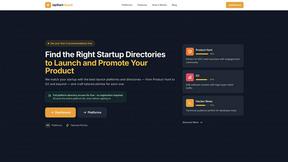
UpStart
UpStart Quest is my go-to for matching your startup with the best launch directories and crafting tailored pitches that actually get results.
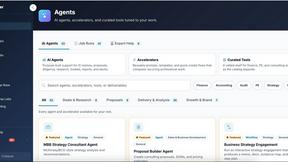
Decker
Decker is my favorite deliverable OS that turns consultant work into AI training data, letting you build, learn, and earn from every deck and memo.
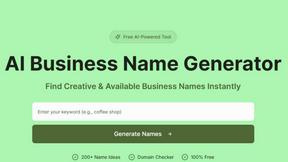
AI Business Name Generator
Unleash your creativity with our AI Business Name Generator, crafting unique and memorable names for your startup or brand in seconds.
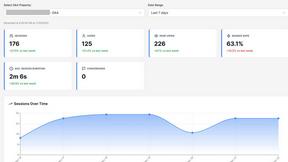
Opal44
Opal44 simplifies your website traffic insights with AI-driven, jargon-free explanations and actionable tips.