
Cosy
Cosy automates Slack onboarding and member introductions, saving you hours while fostering a vibrant community.
VisitPublished on:
November 13, 2025
Pricing:

About Cosy
Cosy is an innovative automation platform designed specifically for Slack, aiming to enhance community engagement and streamline administrative tasks for community managers. In a world where time is of the essence, Cosy steps in to alleviate the burdens of manual member onboarding, introductions, and content management. It empowers community leaders, founders, and managers to foster a vibrant and connected environment without the usual administrative grind. With features like automated onboarding sequences, personalized member introductions, and a searchable member directory, Cosy transforms the way communities interact. By automating these processes, it not only saves hours of manual effort but also cultivates a sense of belonging among members. The core value proposition is simple yet powerful: boost member engagement while freeing up your time for strategic initiatives and fostering genuine human connections. If you're managing a community on Slack, embracing Cosy is not just beneficial; it is essential for maximizing satisfaction and efficiency.
Features of Cosy
Automate Onboarding
Cosy simplifies the onboarding process by allowing you to create and automate up to 10 distinct welcome DM sequences. These messages can be sent from you, a team member, or the Cosy bot, ensuring new members receive a warm welcome tailored to your community’s culture. You can customize messages with names, links, and emojis, and set delays for when the messages are sent, making the onboarding experience seamless and efficient.
Connect Your Members
With Cosy, engagement is taken to the next level by automatically introducing members to each other in DMs. You can set this up to happen on a regular basis, allowing members to connect and engage without any manual effort. Each introduction occurs in a 3-person DM, making it easy for members to kickstart conversations and build relationships within the community.
Member Directory
Cosy provides a user-friendly, searchable member directory that lives within Slack. This directory allows members to fill out their profiles with custom fields that you can define. With easy search and filter options, community members can find others based on their interests or expertise, thus facilitating better connections and enhancing overall community engagement.
Content Highlights
Stay on top of your community’s conversations with Cosy’s content highlights feature. You can instantly access the top 10 most engaged posts in a specific channel or across all channels, as well as a list of unreplied messages. This helps you keep the conversation flowing and ensures that important topics are not overlooked, fostering a vibrant community dialogue.
Use Cases of Cosy
Efficient Member Onboarding
Imagine welcoming new members to your Slack community without lifting a finger. With Cosy, you can automate onboarding messages that provide essential information and resources, making new members feel valued and informed right from the start.
Enhanced Member Connections
Utilize the automated introduction feature to regularly connect community members. This is especially useful for larger communities where individuals may feel isolated. By facilitating introductions, you create a more engaged and connected network.
Streamlined Member Directory Management
Instead of sifting through countless messages to find who does what, use the member directory to enable members to create and manage their profiles. This allows for quick searches and connections based on shared interests or skills, enhancing collaboration and networking.
Amplified Content Engagement
By utilizing the content highlights feature, community managers can easily track engagement levels across posts. This allows you to surface key discussions and topics that are resonating with members, making it easier to curate content and keep the community engaged.
Frequently Asked Questions
How does Cosy automate member onboarding?
Cosy automates onboarding by allowing you to create customizable welcome DM sequences that are sent to new members based on your preferences. You can set triggers for when to send messages, ensuring that every new member feels welcomed, even outside regular hours.
Can I customize the member directory?
Absolutely! Cosy lets you define custom fields for member profiles, enabling members to fill in information that is relevant to your community. This customization helps facilitate better connections and interactions among members based on shared interests and skills.
How often can members be introduced to each other?
You can customize the frequency of introductions based on your preferences. Members can be introduced on a regular cadence of every 1, 2, 3, or 4 weeks, allowing for continual engagement and relationship-building within the community.
What types of content can be highlighted?
Cosy can highlight the top 10 most engaging posts in a specific channel or across all public channels. It can also identify posts that have not received replies, helping community managers keep track of important discussions and foster ongoing engagement.
Explore more in this category:
Similar to Cosy
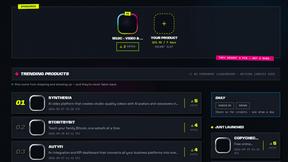
DebutPin
A launch platform where products keep collecting visibility, feedback and connections long after launch day.

Product Launch Checklist
A free launch checklist for SaaS, apps, AI tools and more. Every step says why it matters and when you can skip it.
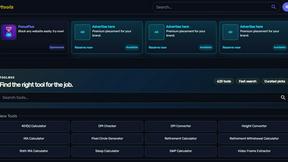
Kody Tools
Free collection of online developer utilities, code formatters, and digital converters designed to streamline your daily workflow.
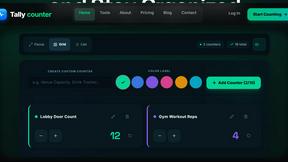
tallycounterweb.com
Online tally counter for tracking attendance, workouts, inventory, sports scores, visitors, habits, and everyday counting tasks.
Forms Plugin
The #1 Native Form Builder Plugin for Framer - No Code, No Embeds, No External Platforms.

DockGroups
Your Dock, your rules. Simple and clean. Workflows in one click