
Best Productivity & Management tools (255+)
Discover 255+ best productivity & management tools. Compare features, pricing, and reviews. Free and paid options available.

@fuck.it - email with attitude
Private email. Pure. Secure. Exclusive. No ads, no tracking, no data selling. GDPR compliant, EU-hosted.

xfiles
PDFs, images and audio. No uploads. No account. No added watermarks.

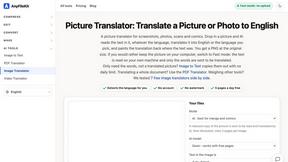
AnyFileKit
Free browser file tools: translate the text in pictures, compress, convert and edit images, PDFs and video. No sign-up.
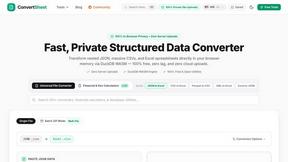
ConvertSheet
Fast, private client-side file converter and developer spreadsheet suite. Convert JSON, CSV, Excel, XML, and Parquet with zero server uploads.
Clara Vale
Growth studio offering free calculators, spreadsheet templates and planners for side hustles, budgeting, freelancing and everyday life.

MD TO TEXT
Paste Markdown below to remove formatting, keep readable text, and copy clean output for AI workflows, docs cleanup, and publishing.

Suparelay
Call landlines and mobiles in 200+ countries from your browser. The person you call needs no app. Prepaid, from about 2 cents a minute.
Novastart
Apps and files on an infinite canvas where people and AI agents work together.

Verla AI
Verla is an AI academic assistant for university and college students, combining AI essay writing, academic research, AI detection, AI humanization.

JevModel
Turn text or JSON into structured Choice, Score and Noul decisions with probabilities.
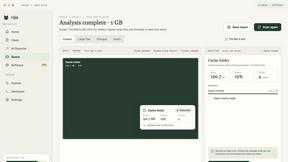
Nijia
See where Mac storage goes, review items before cleanup, inspect developer workspaces, and monitor system health. Try every feature free for 7 days.
JustTools
JustTools offers a growing collection of free online tools that run directly in your browser, with no sign-up and no uploads.

Memorable Contact
AI-powered relationship memory that helps you remember people, the context behind your connections, and reconnect when it matters.
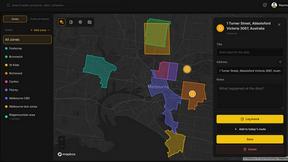
BetterKnocks
One powerful software for D2D (Door to door) fields reps to manage their sales and their teams to easily track territories and complete powerhouse CRM

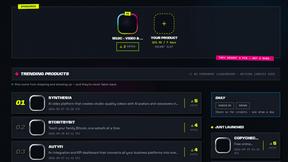
DebutPin
A launch platform where products keep collecting visibility, feedback and connections long after launch day.
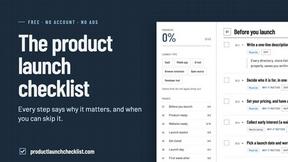
Product Launch Checklist
A free launch checklist for SaaS, apps, AI tools and more. Every step says why it matters and when you can skip it.
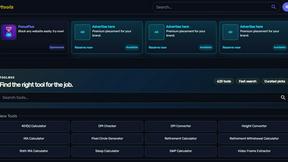
Kody Tools
Free collection of online developer utilities, code formatters, and digital converters designed to streamline your daily workflow.
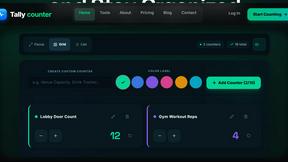
tallycounterweb.com
Online tally counter for tracking attendance, workouts, inventory, sports scores, visitors, habits, and everyday counting tasks.
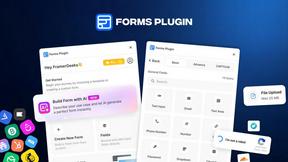
Forms Plugin
The #1 Native Form Builder Plugin for Framer - No Code, No Embeds, No External Platforms.

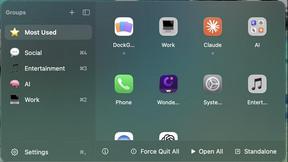
DockGroups
Your Dock, your rules. Simple and clean. Workflows in one click


Screen Tester
Free online screen tester for checking dead pixels, colors, brightness, contrast, refresh rate, and display quality.
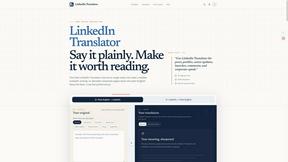
LinkedIn Translator
Turn rough notes into credible LinkedIn writing, or decode professional jargon into plain English.



PerPageFax
PerPageFax lets you send a fax online from any browser for a flat $0.50 per page — no account, no subscription, no fax machine.

Clipy
Free, no-watermark screen recorder + instant share links. A Loom alternative: record, stop, share. No signup, no time cap, no app to watch.


Tooladda
ToolAdda offers a collection of over 138 free, browser-based tools for calculations, PDF manipulation, image editing, and more. All tools run client-s
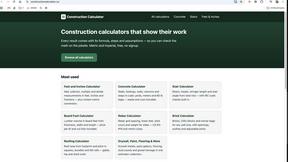
Construction Calculator
Free construction calculators with formulas, steps, and assumptions.


Glanced
Follow news, blogs, newsletters, and podcasts in a free RSS reader, with AI summaries, top stories, full-text search, saved searches, and a catalog.

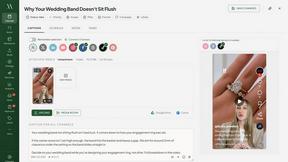
Maeve Social
All-in-one social media project management with no-login client approvals

Luffy
Luffy is an AI employee in Slack that connects to your tools and gets work done across them using the full context of your workspace.


Postqued
Schedule and publish social content across 10 platforms with one dashboard, API, and MCP built for teams and AI agents.
Popular Alternatives in Productivity & Management
About Productivity & Management tools
Productivity and Management tools help individuals and teams organize work, manage projects, track time, communicate effectively, and accomplish more in less time. This category includes project management platforms, task managers, time trackers, team communication tools, note-taking apps, and workspace organization solutions.
Whether you are managing a complex project with multiple stakeholders, organizing personal tasks, tracking billable hours, coordinating a remote team, or building a personal knowledge management system, these tools provide the organizational infrastructure for productive work.
Compare productivity and management tools by their task management features, collaboration capabilities, integration ecosystem, customization options, and pricing to find the right tools for your work style and team needs.
FAQs for Productivity & Management
What types of productivity tools are listed?
This category includes project management platforms, task and to-do managers, time tracking tools, team communication apps, note-taking and knowledge management tools, calendar and scheduling apps, and workspace organization solutions.
Which productivity tool is best for teams?
The best tool depends on your team size, workflow, and collaboration style. Look for platforms with shared workspaces, task assignments, real-time updates, integrations with your existing tools, and communication features that match how your team works.
Can productivity tools integrate with other software?
Yes. Most productivity tools offer extensive integrations with email, calendar, communication, file storage, and development tools. Many also support automation through Zapier, Make, or native webhook integrations.
How do time tracking tools work?
Time tracking tools let you log hours manually or through automatic timers, categorize time by project and task, generate reports for billing or analysis, and integrate with project management tools for comprehensive work tracking.
Are there free productivity tools?
Yes. Many productivity tools offer generous free tiers with core task management, basic project features, and limited team collaboration. Premium plans unlock advanced features, larger team support, and more storage.
How do I choose the right productivity tool?
Consider whether you need individual task management or team collaboration, your preferred workflow methodology, required integrations, and budget. Test free tiers of several tools to find the interface and feature set that matches your work style.