
YouTube to Transcript
Effortlessly convert any YouTube video to accurate, free transcripts with no signup or limits in over 100 languages.
VisitPublished on:
February 1, 2026
Pricing:

About YouTube to Transcript
YouTube to Transcript is an innovative web-based utility that empowers users to convert any YouTube video into a readable text format quickly and efficiently. Whether you are a content creator, student, researcher, or professional, this tool is designed with your needs in mind. The main value proposition of YouTube to Transcript lies in its simplicity and accessibility; users can extract high-quality transcripts from videos by simply pasting the URL, without the hassle of signing up or facing hidden fees. This makes it an indispensable resource for those who want to create content, study lectures, or conduct research without wasting time. With its multi-language support and clean formatting options, YouTube to Transcript opens doors to a world of possibilities for enhancing productivity and improving understanding of video content.
Features of YouTube to Transcript
Completely Free
YouTube to Transcript is entirely free to use with no hidden costs or premium tiers. Users can access the full functionality of the tool without worrying about subscription fees, making it a budget-friendly option for anyone needing transcripts.
Multi-Language Support
The tool offers translation into over 125 languages, allowing users to access content from YouTube videos in their preferred language. This feature is particularly beneficial for non-native speakers and those conducting research across different linguistic contexts.
Unlimited Usage
There are no restrictions on video duration or the number of transcripts that can be generated. Users can transcribe everything from short clips to lengthy documentaries, providing unparalleled flexibility and convenience for all types of needs.
Clean Formatting
Transcripts can be exported in a clean format suitable for various purposes, whether for SEO optimization, note-taking, or content repurposing. This feature ensures that users have access to professionally formatted text that enhances their productivity.
Use Cases of YouTube to Transcript
Content Creation
Content creators can use YouTube to Transcript to generate transcripts of their videos for blog posts, SEO optimization, or social media content. This not only boosts engagement but also improves accessibility for diverse audiences.
Academic Research
Students and researchers can benefit from this tool by transcribing lectures or interviews, making it easier to analyze and reference video material. It streamlines the research process, saving time and effort in note-taking.
Language Learning
Language learners can use the transcripts to follow along with videos, enhancing their understanding and comprehension. By translating transcripts, they can practice new vocabulary in context, making learning more effective.
Accessibility Support
Individuals with hearing impairments can benefit from the transcripts generated by YouTube to Transcript, providing them with access to video content that they might otherwise miss. This feature promotes inclusivity and equal access to information.
Frequently Asked Questions
Is YouTube to Transcript free to use?
Yes, YouTube to Transcript is completely free, with no hidden fees or premium tiers. Users can access all features without any cost.
How do I get a transcript of a YouTube video?
Simply copy the YouTube video URL, paste it into the designated input field on the website, and click the generate button. The transcript will be extracted automatically.
How long does it take to generate the transcript?
The transcript generation process is instantaneous. Users will receive the extracted text within seconds after submitting the video URL.
Can I download the transcript?
Yes, users have the option to either copy the transcript to the clipboard or download it as a TXT file for easy access and storage.
Similar to YouTube to Transcript
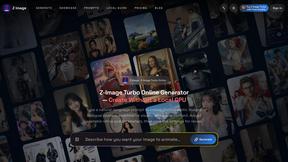
Z Image Turbo
Create photorealistic images, bilingual posters, ecommerce visuals, and social content online with Z Image Turbo.
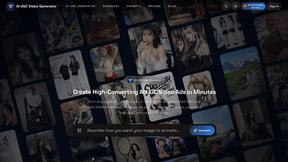
AI UGC Video Generator
Create AI UGC video ads from product URLs, images, or scripts with lifelike creators, voices, captions, and clear calls to action.
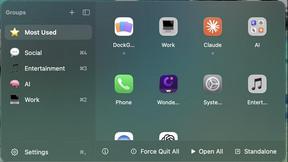
DockGroups
Your Dock, your rules. Simple and clean. Workflows in one click
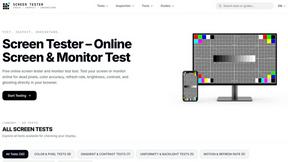
Screen Tester
Free online screen tester for checking dead pixels, colors, brightness, contrast, refresh rate, and display quality.
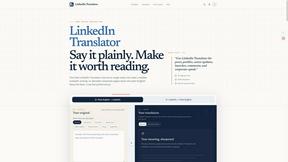
LinkedIn Translator
Turn rough notes into credible LinkedIn writing, or decode professional jargon into plain English.

