
ConvertBankToExcel
Effortlessly convert PDF bank statements to Excel and other formats in under 30 seconds with 99% accuracy.
VisitPublished on:
February 5, 2026
Pricing:

About ConvertBankToExcel
ConvertBankToExcel is an innovative, AI-powered platform designed specifically for accounting professionals to streamline the process of converting bank statements into usable formats. This technology addresses the cumbersome task of manual data entry, which is often time-consuming and prone to errors. By automatically extracting transaction data from PDF bank statements, ConvertBankToExcel enables users to convert files into popular formats like Excel, CSV, and QuickBooks in a matter of seconds. With a proven accuracy rate of over 99%, verified by CPAs, this tool is trusted by more than 50,000 accounting professionals who have collectively processed over 1 million bank statements. Ideal for CPAs, bookkeepers, and financial analysts, ConvertBankToExcel not only saves time but also enhances productivity and accuracy, allowing professionals to focus on more strategic tasks.
Features of ConvertBankToExcel
99%+ Accuracy Rate
ConvertBankToExcel boasts an impressive accuracy rate of over 99%, verified by CPA professionals. This ensures that the data extracted from bank statements is reliable and precise, significantly reducing the risk of errors in financial reporting and analysis.
Fast Processing Time
The platform is designed for efficiency, processing bank statements in under 30 seconds on average. This rapid turnaround time allows accounting professionals to quickly import data into their accounting systems, enhancing workflow and saving valuable time.
Extensive Bank Support
With support for over 20 major US and Canadian banks, ConvertBankToExcel is versatile and widely applicable. It automatically detects the bank associated with the statement, streamlining the conversion process and ensuring compatibility with various banking institutions.
Multiple Export Formats
ConvertBankToExcel offers a wide range of export formats, including Excel, CSV, QuickBooks (QBO/QFX/OFX/IIF), JSON, and XML. This flexibility allows users to choose the format that best fits their needs, whether for manual analysis, importing into accounting software, or for personal finance management.
Use Cases of ConvertBankToExcel
Mortgage Applications
Accounting professionals can utilize ConvertBankToExcel to prepare organized bank statements for mortgage applications. This ensures that lenders receive accurate and well-structured financial documentation, facilitating smoother approval processes.
Tax Preparation
During tax season, ConvertBankToExcel can significantly ease the burden of organizing financial statements. Users can quickly convert bank statements into formats required for tax filing, helping ensure compliance with IRS regulations and deadlines.
Visa Applications
Many visa applications require proof of financial stability. With ConvertBankToExcel, users can convert their bank statements into clear and concise formats that meet the requirements of visa and immigration applications, enhancing their chances of approval.
Business Financial Management
Small business owners can leverage ConvertBankToExcel to maintain accurate financial records. By converting bank statements into manageable formats, they can track expenses, revenue, and overall financial health more effectively, aiding in better decision-making.
Frequently Asked Questions
How does ConvertBankToExcel ensure the security of my data?
ConvertBankToExcel employs bank-grade encryption to protect your data during the conversion process. Additionally, all uploaded files are automatically deleted after 24 hours to ensure maximum security and privacy.
Can ConvertBankToExcel handle both digital and scanned PDFs?
Yes, ConvertBankToExcel's AI-powered OCR technology is capable of processing both digital and scanned PDF bank statements. This means you can convert a wide variety of statement formats with ease.
Is there a limit to the number of pages I can convert for free?
Yes, ConvertBankToExcel offers a free tier that allows users to convert up to 7 pages daily without the need for a credit card. This is a great way to test the platform before committing to a paid plan.
What accounting software can I import my converted statements into?
Converted statements can be imported into popular accounting software including QuickBooks, Quicken, and Xero. This compatibility makes it easy for users to integrate their financial data into their existing systems.
Similar to ConvertBankToExcel

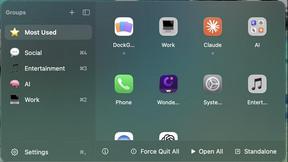
DockGroups
Your Dock, your rules. Simple and clean. Workflows in one click


Screen Tester
Free online screen tester for checking dead pixels, colors, brightness, contrast, refresh rate, and display quality.


IZIPAY
IZIPAY is a virtual and physical crypto card service that lets users top up with digital assets and pay online like with a regular card.

LinkedIn Translator
Turn rough notes into credible LinkedIn writing, or decode professional jargon into plain English.
