
Shiru Notes
Shiru Notes is a secure minimalist app that effortlessly captures your thoughts and ideas with privacy and simplicity.
Visit
About Shiru Notes
Shiru Notes is an innovative note-taking application designed with simplicity and privacy at its core. In a world where digital noise often overshadows genuine thought, Shiru Notes provides a serene environment for individuals to capture their ideas and reflections. Catering to those who value both security and a distraction-free experience, this tool is perfect for students, professionals, and anyone who enjoys the art of writing. Its minimalistic interface helps users focus solely on their thoughts without the constant interruptions of social media or notifications. With features like automatic saving and robust encryption, Shiru Notes ensures that your personal musings remain confidential and secure. It is a sanctuary for private writing, transforming the mundane act of note-taking into an enriching experience that merges the ease of digital technology with the simplicity reminiscent of pen and paper. Whether you are brainstorming, journaling, or planning, Shiru Notes is your companion for clear and intentional writing.
Features of Shiru Notes
Simple by Design
Shiru Notes boasts a minimal interface that prioritizes your thoughts above all else. This distraction-free design encourages you to focus on what really matters—your ideas. With no unnecessary clutter, you can find clarity and inspiration effortlessly.
Instant Save
Gone are the days of worrying about losing your notes. Shiru Notes features an instant save functionality that automatically saves your work as you type. This means you can capture your thoughts freely without the fear of losing them mid-sentence.
Private & Secure
Your privacy is paramount with Shiru Notes. The application employs top-notch encryption to ensure that your notes are accessible only to you. Feel confident in the knowledge that your personal reflections and ideas are protected from prying eyes.
Write with Intention
The editor in Shiru Notes is designed to provide a calm space for your thoughts to flow naturally, much like a blank page awaiting your pen. This intentional design allows you to write with clarity and purpose, fostering creativity and deeper reflection.
Use Cases of Shiru Notes
Personal Journaling
Shiru Notes serves as an ideal platform for personal journaling. Whether you are documenting your daily experiences, emotions, or aspirations, the app provides a serene space for you to reflect and grow without external distractions.
Academic Note-Taking
Students can greatly benefit from Shiru Notes during lectures or study sessions. The instant save feature ensures that all vital information is captured seamlessly, making it an excellent tool for revising and organizing thoughts.
Creative Brainstorming
For writers and creatives, Shiru Notes is a sanctuary for brainstorming ideas. Its simple design encourages free thought, allowing you to capture fleeting inspirations before they slip away, much like cherry blossoms in the wind.
Project Planning
When it comes to detailed project planning, Shiru Notes offers a streamlined approach to jot down goals, steps, and ideas. The app’s privacy features mean you can plan without worrying about sharing your strategies prematurely.
Frequently Asked Questions
How do I access Shiru Notes?
You can access Shiru Notes by signing up for a free account on their website. This is quick and easy, allowing you to start using the application without any upfront costs.
Is my data safe with Shiru Notes?
Absolutely! Shiru Notes employs advanced encryption techniques to ensure that your notes remain private and secure. Your data is accessible only to you, providing peace of mind.
Can I use Shiru Notes on multiple devices?
Yes, Shiru Notes is designed to be cloud-based, which means you can access your notes from multiple devices. This enhances your flexibility and ensures you can write whenever inspiration strikes.
What happens if I forget my password?
If you forget your password, Shiru Notes provides a password recovery option. Simply follow the on-screen instructions to reset your password and regain access to your notes.
Explore more in this category:
Similar to Shiru Notes
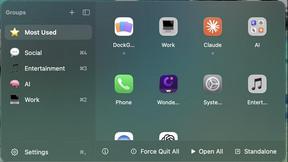
DockGroups
Your Dock, your rules. Simple and clean. Workflows in one click


Screen Tester
Free online screen tester for checking dead pixels, colors, brightness, contrast, refresh rate, and display quality.

LinkedIn Translator
Turn rough notes into credible LinkedIn writing, or decode professional jargon into plain English.


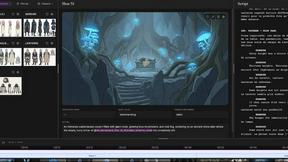
ScreenWeaver
Write the script, build the storyboard from it, and drive AI video prompts, all in one project.

PerPageFax
PerPageFax lets you send a fax online from any browser for a flat $0.50 per page — no account, no subscription, no fax machine.