
securememo.app
Securememo.app is my favorite open-source, zero-knowledge memo service for truly private notes.
Visit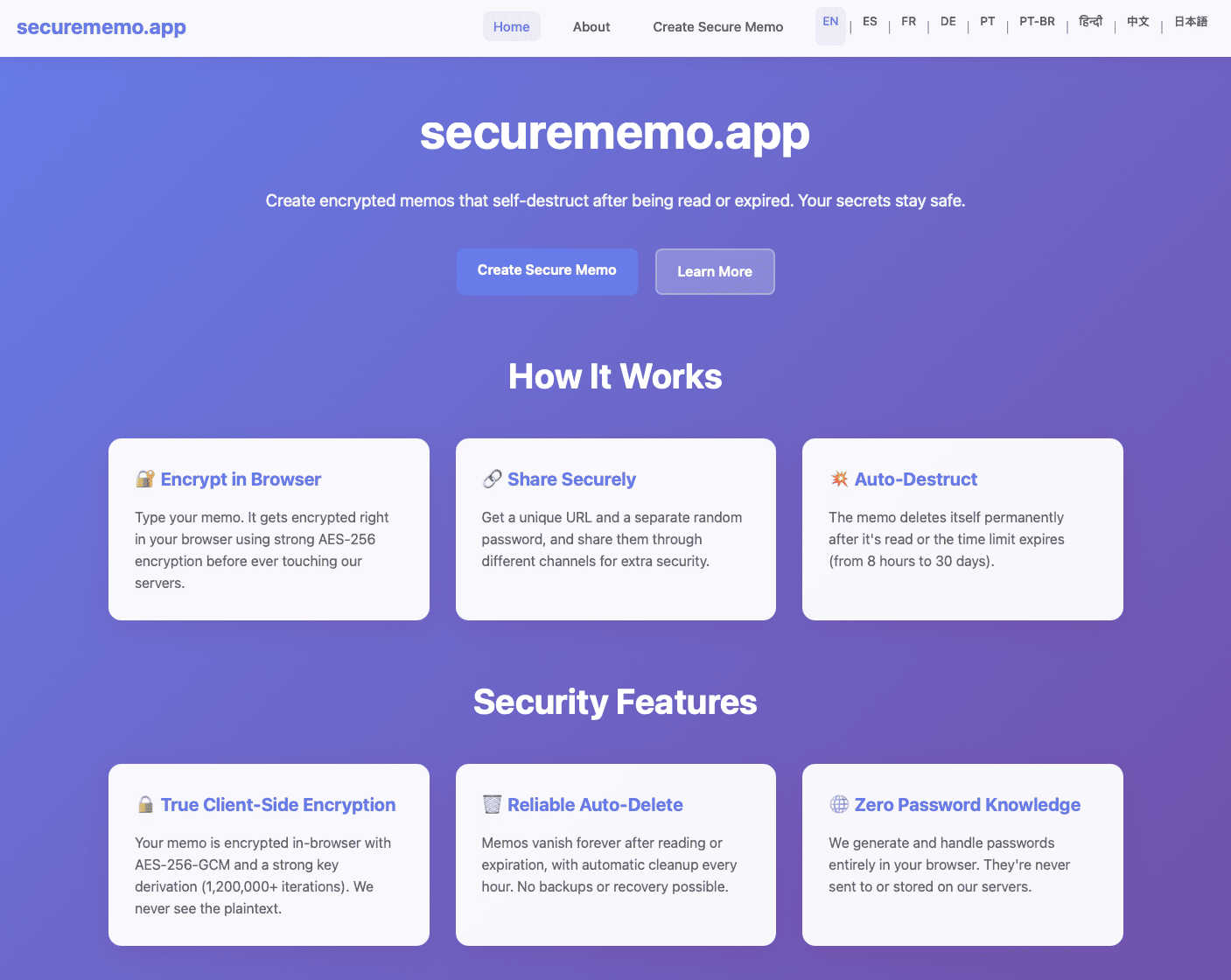
About securememo.app
In a digital world where data breaches are a daily headline and privacy feels like a luxury, securememo.app emerges as a refreshingly simple yet powerful antidote. This is not just another note-taking app; it's a privacy fortress disguised as a minimalist memo pad. At its core, securememo.app is a web-based service for creating and sharing encrypted, self-destructing notes. Its genius lies in its uncompromising philosophy: you should be the only person who can ever read your sensitive information. This tool is tailor-made for security-conscious individuals, journalists communicating with sources, professionals sharing confidential business data, or anyone who has ever hesitated before typing a password, a secret key, or personal details into a standard messaging app. The main value proposition is absolute, client-side encryption with zero knowledge architecture. This means your data is encrypted on your own device before it ever touches their servers, and they have zero ability to decrypt it. Combined with the fact that no account is required, it offers a level of anonymity and ease-of-use that is, in my opinion, a masterclass in privacy-first design. It cuts through the complexity of PGP keys and security software, delivering military-grade protection in a package you can use in under 30 seconds.
Features of securememo.app
Client-Side, Zero-Knowledge Encryption
This is the cornerstone feature that makes securememo.app exceptional. All encryption and decryption happen directly within your web browser. When you type a memo, it is instantly scrambled using a strong password on your machine before a single character is sent over the internet to their servers. Because the service never receives or stores your encryption password, they have "zero knowledge" of your data's contents. This architecture ensures that even if their servers were compromised, your notes would remain unreadable gibberish to the attackers. It places the key to your data squarely and solely in your hands.
Self-Destructing Notes with Unique Links
Every memo you create generates a one-of-a-kind, random URL. This link is the only way to access that specific encrypted note. The real magic, however, is the self-destruct mechanism. Once the note is opened and decrypted with the correct password, it is permanently deleted from the server. This creates a single-view, ephemeral communication channel. There's no archive, no history, and no way to retrieve the note after it's been read, making it perfect for transmitting information that should not persist.
No-Accounts-Anonymous Access
Forget usernames, passwords, or email sign-ups. securememo.app requires absolutely no personal information to use. You simply visit the website and start creating a secure memo. This prioritizes user anonymity and drastically lowers the barrier to entry. There's no profile to hack, no database of user emails to leak, and no digital trail linking the memo back to your identity. This frictionless approach is a bold and correct stance for a tool of this nature.
Strong, Random Password Generation
Security is only as good as its weakest link, which is often a human-created password. securememo.app brilliantly solves this by automatically generating a robust, cryptographically random password for each memo right on your device. You don't have to think of one. This password must be shared with your recipient through a separate, secure channel (like a Signal message or in person). This "two-channel" method—link in one place, password in another—is a security best practice that the app enforces by design, making it incredibly difficult for an interceptor to gain access.
Use Cases of securememo.app
Sharing Sensitive Login Credentials
Instead of sending a password over email or Slack (a horrifying practice), use securememo.app. Send the unique link to your colleague via your work chat, and text the auto-generated password to their phone. They get one-time access to the credentials, and the note vaporizes after reading. It's the most secure way to share a WiFi key, a server password, or a database connection string without it sitting in a chat log forever.
Secure Communication for Journalists and Sources
For whistleblowers or confidential sources needing to pass documents or information to a journalist, this tool is ideal. The source can encrypt the information, share the link and password via different anonymous methods, and rest assured that the data cannot be intercepted by a third party and will disappear after the journalist views it. It provides a level of operational security that is critical in these scenarios.
Sending Private Financial or Legal Details
Need to send an account number, a tax document snippet, or a confidential clause from a contract to your lawyer or accountant? Email is a terrible choice. A securememo.app link ensures the data is encrypted in transit and at rest, and the self-destruct feature means it won't linger in an inbox where it could be accidentally forwarded or discovered later during a system audit.
One-Time Secret Sharing for Personal Use
We all have personal secrets: a safe combination for a family member, recovery codes for an important account, or a private message you don't want saved. This app is perfect for those moments. It’s quicker and more secure than setting up encrypted email, and it leaves no permanent record, giving you peace of mind for sharing life's small but critical secrets.
Frequently Asked Questions
Is securememo.app really secure if it's a website?
Absolutely. The security model is what matters. Because the encryption happens in your browser (client-side) with a key they never possess, the website is merely a delivery mechanism for the encrypted data blob. Even if someone intercepted the data from their servers, it would be useless without the password, which never travels with it. This is considered a highly secure zero-knowledge architecture.
What happens if the recipient loses the password?
The note is permanently inaccessible. The service is designed with this intentional fragility to guarantee security. Since the password is generated on the creator's device and the service has no knowledge of it, there is no "Forgot Password" option. This underscores the importance of sharing the password through a reliable secondary channel. If it's lost, the encrypted note is effectively digital shredding.
How long do the notes last if they aren't opened?
Based on the standard functionality of such services, notes typically have a built-in expiration timer (e.g., 7 days, 30 days) in addition to the self-destruct-on-read feature. This ensures that even if a link is never accessed, the encrypted data is purged from the server after a set period, preventing abandoned data from accumulating. The exact duration should be confirmed on the securememo.app site.
Do I need to install any software or browser extension?
No installation is required. securememo.app works directly in your modern web browser (like Chrome, Firefox, or Safari). The entire encryption engine runs on the webpage you load. This makes it incredibly portable—you can create or view a secure memo from any device, anywhere, without leaving a trace on the device itself after you close the browser tab.