
SocialCal
Effortlessly schedule and manage posts across ten platforms with one click, saving you hours each week.
Visit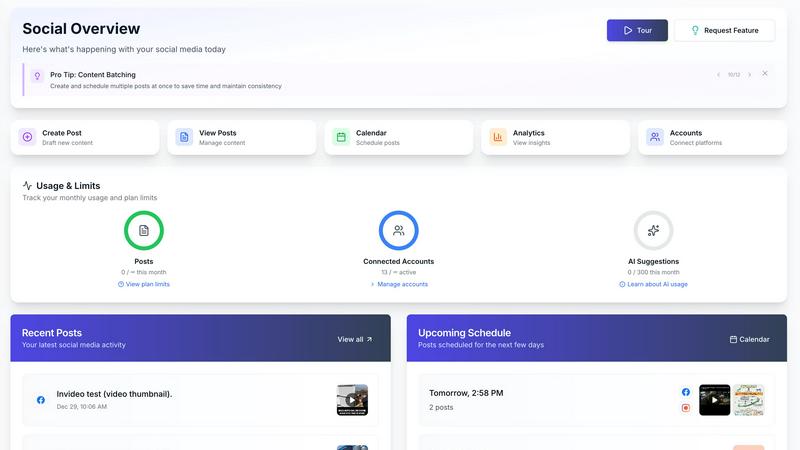
About SocialCal
SocialCal is a revolutionary all-in-one social media management platform that tackles the chaos of juggling multiple apps and maintaining a consistent posting schedule. Designed for solo creators, small teams, and savvy marketers, SocialCal makes social media management a breeze. Its primary value proposition is simple yet powerful: create content once and share it seamlessly across ten major platforms, including Instagram, TikTok, LinkedIn, X (formerly Twitter), Threads, and Bluesky. With its intuitive interface and robust features, SocialCal automates tedious tasks like scheduling and caption writing using cutting-edge AI technology. By streamlining the social media management process, SocialCal promises to save users 15+ hours per week, allowing them to focus on what really matters—creating impactful content. Whether you're managing multiple clients or your own brand, SocialCal is built to empower you with enterprise-level capabilities without the complex pricing or learning curve.
Features of SocialCal
Multi-Platform Posting
With SocialCal, you can post to ten different platforms with just a single click. This feature eliminates the need for cumbersome cross-posting, allowing you to reach a broader audience effortlessly. Connect with your followers on Instagram, X, Facebook, LinkedIn, TikTok, Threads, and more without the hassle of switching between apps.
Smart Scheduling
SocialCal's smart scheduling feature optimizes your posting times for maximum engagement. The tool analyzes your audience's behavior and suggests the best times to post, ensuring that your content gets the visibility it deserves. This means you can schedule your posts ahead of time and rest easy knowing they will land in your audience's feeds when they are most active.
AI Caption Writer
Say goodbye to writer's block with SocialCal's AI caption writer. This feature generates captions in various tones to suit your brand's voice and engage your audience effectively. Whether you need something professional, humorous, or casual, the AI delivers tailored suggestions that save you time and enhance your posts.
Analytics Dashboard
Track your performance with SocialCal's analytics dashboard, which provides insights across all platforms. This feature allows you to measure engagement, reach, and growth metrics, enabling you to refine your content strategy based on data-driven decisions. Understand what works and what doesn't, and adjust your approach accordingly to maximize your impact.
Use Cases of SocialCal
Managing Multiple Clients
For social media managers handling several clients, SocialCal offers a centralized dashboard to manage all accounts simultaneously. This feature simplifies the workflow, allowing you to schedule, post, and track performance for multiple brands without switching between different tools, saving time and reducing errors.
Content Planning and Draft Management
SocialCal's draft management feature allows you to save and perfect your ideas over time. You can brainstorm, create drafts, and revisit them later to ensure your content is polished before it goes live. This is particularly useful for creators who like to refine their ideas and make adjustments before publication.
Visual Content Preview
Before hitting publish, you can use SocialCal to preview how your content will appear across various platforms. This is extremely beneficial for maintaining a cohesive brand aesthetic, especially for visual platforms like Instagram, where the layout and appearance can significantly impact engagement.
Automated Posting for Consistency
With automated posting, SocialCal ensures that your content goes live as scheduled without you having to lift a finger. This feature is ideal for busy creators and marketers who want to maintain a consistent posting schedule, even during hectic periods or while managing multiple projects.
Frequently Asked Questions
How does SocialCal help save time?
SocialCal streamlines social media management by allowing you to create content once and publish it across ten platforms simultaneously. The automated posting and smart scheduling features further reduce the time spent on manual tasks, helping you reclaim 15+ hours per week.
Can I manage multiple clients with SocialCal?
Absolutely! SocialCal is designed for agencies and social media managers, allowing you to manage multiple client profiles from a single dashboard. This feature simplifies workflows and enhances productivity, making it easier to cater to diverse client needs.
What platforms does SocialCal support?
SocialCal supports a wide range of social media platforms, including Instagram, X (Twitter), Facebook, LinkedIn, YouTube, TikTok, Threads, Bluesky, Pinterest, and Telegram. This extensive compatibility ensures that your content reaches audiences wherever they are.
Is there a learning curve with SocialCal?
No, SocialCal is designed with a clean, user-friendly interface that allows you to get started in minutes. Unlike other complex tools, you can begin scheduling and posting content on the same day you sign up, making it accessible for users of all experience levels.
Similar to SocialCal

Escrozon
Escrow marketplace for buying and selling digital assets. The payment is held until the buyer confirms the handover.

ViralSnap AI
ViralSnap analyzes supported public Instagram Reels, explains hooks and creative structure, and creates product-specific rewrite .
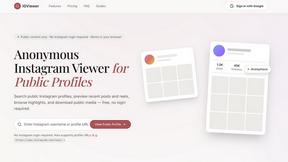
IG Viewer
Anonymous Instagram story and profile viewer for public content.
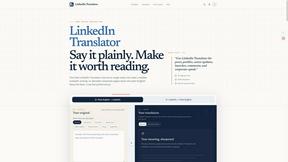
LinkedIn Translator
Turn rough notes into credible LinkedIn writing, or decode professional jargon into plain English.
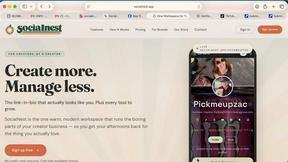
Maeve Social
All-in-one social media project management with no-login client approvals
UseWok
Done-for-You SaaS Visibility for Search & AI | UseWok

Postqued
Schedule and publish social content across 10 platforms with one dashboard, API, and MCP built for teams and AI agents.