Lyria 3 Pro vs MuzicGenerator - AI Music Generator
Side-by-side comparison to help you choose the right tool.

Lyria 3 Pro
Lyria 3 Pro is my top pick for generating longer, structured AI music tracks perfect for video projects.
Last updated: April 4, 2026

MuzicGenerator - AI Music Generator
MusicGPT instantly creates unique, professional songs from your text descriptions, no musical skills required.
Last updated: February 28, 2026
Visual Comparison
Lyria 3 Pro
MuzicGenerator - AI Music Generator
Feature Comparison
Lyria 3 Pro
Prompt-First Control with Musical Language
This is the cornerstone feature that sets Lyria 3 Pro apart. Instead of vague descriptions, you guide the AI using precise, concrete musical language as recommended by experts. You specify genre, mood, instruments, BPM, key, and even detailed section labels (like "verse," "chorus," "bridge") with timestamp cues. This level of directive input ensures the AI understands your artistic intent deeply, resulting in tracks that land much closer to your original vision than the generic output from simpler generators.
Longer, Structurally Complete Tracks
While many AI tools max out at short loops, Lyria 3 Pro is built to generate tracks up to three minutes long with proper song architecture. This means you get compositions that feature intros, verses, choruses, bridges, and endings that feel like complete musical ideas. This is a game-changer for anyone needing background music for videos, draft film scores, or full song demos, moving beyond mere fragments to usable, finished-feeling pieces.
Dual Vocal & Instrumental Modes
Lyria 3 Pro offers flexible creation modes to suit any project need. You can generate fully instrumental tracks perfect for tutorials, study sessions, or video voiceovers. Alternatively, you can switch to lyric mode to create songs with vocal melodies and ideas. This versatility makes it a single tool for a wide array of audio needs, from crafting a pop ballad sketch to designing a sleek synthwave backdrop for a tech review vlog.
Visual Inspiration via Reference Images
An innovative and underrated feature is the ability to upload up to 10 reference images. This isn't just for cover art; the AI uses the palette, mood, and overall feel of these images to guide the musical generation. Want a track that sounds like a neon-drenched cityscape or a serene forest? Upload corresponding images to visually steer the emotional and textural direction of your music, adding a powerful layer of creative control.
MuzicGenerator - AI Music Generator
Text-to-Music AI Engine
This is the heart of the platform and, in my opinion, its killer feature. You simply describe your vision in plain English—genre, mood, instruments, theme—and the AI does the heavy lifting. It doesn't just create a generic melody; it understands context to build complete song structures. The prompt examples, like "a romantic pop song for my girlfriend named Lily," show how nuanced it can be. It’s the fastest way from brainwave to broadcast-ready audio I've seen.
Multi-Model Generation with Advanced Controls
Not all AI music is created equal, and MuzicGenerator gets this. They offer multiple model versions (like V5 for superior expression or V4 for improved vocals), letting you choose between speed, quality, and track length. The option to generate instrumental-only tracks is a godsend for creators who want to add their own vocals. This level of control is what separates a toy from a professional tool.
Lyrics-to-Music & Music Extension
Have a poem or lyrics but no musical talent? This feature is for you. Paste your words, and the AI composes a fitting melody. Even cooler is the "Music Extension" feature, which can intelligently lengthen your favorite part of a track or create seamless outros. It’s perfect for video editors who need a track to match a specific runtime without awkward cuts.
Integrated Creative Suite (Vocal Remover, Cover Art, Lyrics Generator)
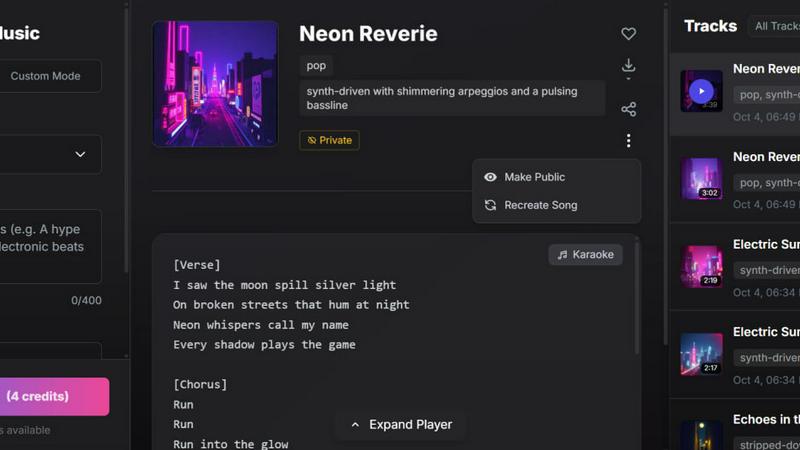
MuzicGenerator goes beyond just audio generation. Its built-in tools form a complete production pipeline. Need a karaoke version? Use the vocal remover. Want album art? The AI cover generator can whip it up. Stuck on writer's block? The lyrics generator provides a starting point. This holistic approach means you rarely have to leave the ecosystem to polish your project.
Use Cases
Lyria 3 Pro
Custom Soundtracks for Video Content
Video creators, vloggers, and editors will find Lyria 3 Pro indispensable. It generates unique, copyright-free background scores that perfectly match the length, mood, and pacing of your footage. Whether you need an energetic track for a travel reel, a suspenseful underscore for a documentary clip, or upbeat music for a tutorial, you can prompt for exactly what you need, ensuring your audio elevates your visual story.
Rapid Jingle and Brand Audio Development
For marketers, small businesses, and content creators building a personal brand, crafting a signature audio identity is fast and affordable. Use Lyria 3 Pro to iterate quickly on ideas for intros, outros, podcast theme music, or short commercial jingles. The prompt control allows you to fine-tune the vibe to match your brand's personality perfectly, all without hiring a composer or navigating complex licensing.
Songwriting Aid and Demo Creation
Musicians and songwriters can use Lyria 3 Pro as a powerful brainstorming tool. Overcome creative blocks by generating chord progressions, melodies, and full arrangements in your chosen style. It's excellent for creating quick demos to share with bandmates or producers, providing a structured foundation that you can then refine, re-record, and make your own.
Dynamic Audio for Games and Digital Experiences
Indie game developers and digital experience designers can prototype soundscapes and interactive music efficiently. The ability to generate longer, structured tracks with specific emotional cues (via prompts and reference images) makes it ideal for creating theme music for different game levels, menu screens, or character themes, providing high-quality audio drafts early in the development process.
MuzicGenerator - AI Music Generator
YouTube & Social Media Content Creation
This is the prime use case. Every YouTuber, TikToker, and Instagram Reels creator knows the nightmare of copyright strikes. With MuzicGenerator, you can generate a unique, royalty-free soundtrack that perfectly matches your video's vibe—be it a cheerful backdrop for a vlog or intense music for a gameplay montage. It eliminates legal risk and elevates production value instantly.
Podcast & Audiobook Production
Professional podcasts need consistent, engaging theme music and transition sounds. Instead of paying a composer or settling for overused stock music, podcasters can describe their show's tone (e.g., "mysterious, synth-wave intro") and get a custom signature tune. For audiobooks, you can create subtle, genre-specific background scores for different chapters.
Indie Game Development and Digital Projects
Small game studios and app developers often have minuscule audio budgets. MuzicGenerator is a game-changer, allowing them to score entire projects. Need a cyberpunk ambient loop for a cityscape, a triumphant fanfare for a level completion, or a cute melody for a mobile game? Describe it and integrate the high-quality MP3 directly into your project.
Personal Music Projects & Creative Experimentation
Aspiring musicians and hobbyists can use this as the ultimate brainstorming partner. Test out what a folk song with electronic elements sounds like, or generate a base track to practice singing or playing an instrument over. It’s a low-pressure, high-reward sandbox for exploring genres and ideas you'd never attempt with traditional DAWs and instruments.
Overview
About Lyria 3 Pro
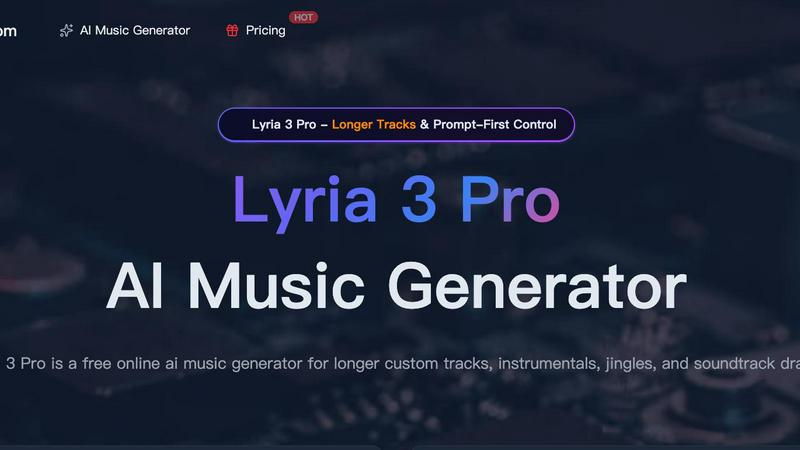
Lyria 3 Pro isn't just another AI music generator; it's a creative partner built for serious output. Forget the endless loops and 30-second snippets that plague other platforms. This tool is engineered for creators who need actual songs—complete, structured, and ready for real-world projects. At its heart is a "Prompt-First Control" philosophy that demands you speak its language: concrete musical terms. You tell it the genre, BPM, key, instruments, and even timestamp cues for song sections, and it delivers with a precision that feels less like a random roll of the dice and more like a skilled session musician following your lead. It's perfect for video editors under deadline, indie game developers needing a soundtrack draft, marketers crafting a jingle, or songwriters battling writer's block. The value proposition is clear: unparalleled control for longer, more polished, and practically useful musical drafts, all from a surprisingly intuitive interface. If you've been disappointed by AI music that sounds like an aimless sketch, Lyria 3 Pro is the upgrade you've been waiting for.
About MuzicGenerator - AI Music Generator
Let's cut to the chase: MuzicGenerator (also branded as MusicGPT) is a revelation for anyone who's ever felt that creative itch for music but hit the wall of technical skill, expensive software, or licensing headaches. This isn't just another simple loop maker; it's a sophisticated AI music generator that crafts complete, original songs from a simple text description. Imagine typing "an energetic EDM track for a gym workout" and having a full-length, structured song with intros, verses, and a driving beat ready in seconds. That's the magic here. It's built for a massive audience: content creators drowning in YouTube's copyright claims, podcasters needing unique intros, indie game developers on a budget, social media managers, and yes, even musicians looking for a spark of inspiration or a quick demo. The core value is breathtakingly simple: democratizing professional-quality, royalty-free music creation. With over 500,000 users already on board, it’s clear this tool has struck a chord by removing the barriers between a great idea and a finished track.
Frequently Asked Questions
Lyria 3 Pro FAQ
What kind of prompts work best with Lyria 3 Pro?
The best prompts are specific and use concrete musical language. Instead of "a happy song," try "Upbeat 128 BPM synth-pop track in C major, featuring punchy drums, bright arpeggiated synths, and a catchy lead melody. Structure: 8-bar intro, 16-bar verse, 8-bar chorus." Including genre, tempo, key, instruments, and desired structure will yield the most targeted and professional results.
Can I use the music I generate for commercial projects?
Yes, but you must check the specific terms of the license tied to your plan. Lyria 3 Pro typically offers a free tier for testing and personal use, with paid plans that include commercial rights for monetized content like YouTube videos, podcasts, and advertisements. Always review the licensing agreement on their website for the exact details related to your account tier.
How long does it take to generate a track?
Generation time varies based on the length and complexity of your request, but it typically takes just a few minutes. The platform is optimized for a fast workflow, allowing creators to iterate quickly. You can preview the track once generation is complete before deciding to download it.
Does Lyria 3 Pro require any musical knowledge to use?
Not at all. While a basic understanding of terms like BPM or genre will help you craft better prompts, the intuitive interface is designed for everyone. Beginners can start with simple mood and genre selections, while the advanced parameter controls are there for those who want to dive deeper. The demo tracks and prompt guides are also excellent resources for learning as you go.
MuzicGenerator - AI Music Generator FAQ
What is MusicGPT/MuzicGenerator?
MusicGPT, operating on MuzicGenerator.com, is an advanced AI-powered music creation platform. It transforms text descriptions into complete, original songs in seconds. Think of it as a creative partner that handles composition, arrangement, and production based on your instructions for mood, genre, and theme, outputting royalty-free music ready for download and use.
Do I need any musical experience to use it?
Absolutely not. This is the core beauty of the tool. The interface is designed to be intuitive—you just type what you want. Whether you're a seasoned producer or someone who's never touched a piano, you can create professional-sounding tracks. The AI does all the technical work, making you the director, not the engineer.
Who owns the music I create with MuzicGenerator?
Based on the standard model for these platforms, the music you generate is royalty-free for your use. This means you can typically use it in your commercial projects like videos, podcasts, and games without paying ongoing royalties. However, it's always crucial to check the site's specific Terms of Service for the definitive legal details on ownership and licensing rights.
Can I customize the music after it's generated?
While you can't directly edit the MIDI data like in a traditional DAW, MuzicGenerator offers powerful post-generation features. You can use the "Music Extension" tool to lengthen sections, the "Replace Section" feature to swap out parts like the intro, or the "Vocal Remover" to create an instrumental. For major edits, you would download the WAV/MP3 and use external audio software.
Alternatives
Lyria 3 Pro Alternatives
Lyria 3 Pro is a standout in the AI music generation space, known for its powerful prompt-first control and ability to craft longer, more complex tracks. It’s designed for creators who want detailed, hands-on influence over their AI-generated compositions, from mood and genre to instrumentation. People often seek alternatives for a variety of reasons. Maybe Lyria 3 Pro’s pricing doesn’t fit their current budget, or they need a tool that integrates with a specific video editing platform. Others might prioritize different workflows, like starting with a melody or needing a simpler, more instant-generation approach for quick social media clips. When evaluating other options, focus on what matters most for your projects. Consider the core output quality, the level of creative control offered, track length limits, and the overall cost structure. Also, think about your technical comfort—some tools are built for musicians, while others are perfect for complete beginners needing background music fast.
MuzicGenerator - AI Music Generator Alternatives
MuzicGenerator is a popular AI music generator that lets anyone create professional, royalty-free songs in seconds by simply selecting a mood or genre. It's a fantastic tool for content creators and musicians who need quick, high-quality audio. However, even the best tools aren't a perfect fit for everyone, which is why exploring alternatives is so common. Users often seek other options due to budget constraints, specific feature needs like more advanced editing, or a preference for a different platform, such as a desktop app versus a web tool. The quest for a different creative workflow or licensing terms can also prompt a search for something new. When evaluating other AI music platforms, focus on what matters most for your projects. Consider the output quality, the depth of customization, the clarity of the licensing for commercial use, and of course, the overall value for the price. The right alternative should feel intuitive and empower your creativity, not complicate it.