
MultiMMR vs SERPView
Side-by-side comparison to help you choose the right tool.

MultiMMR
MultiMMR unifies all your Stripe revenue into one real-time dashboard, ending spreadsheet chaos forever.

SERPView
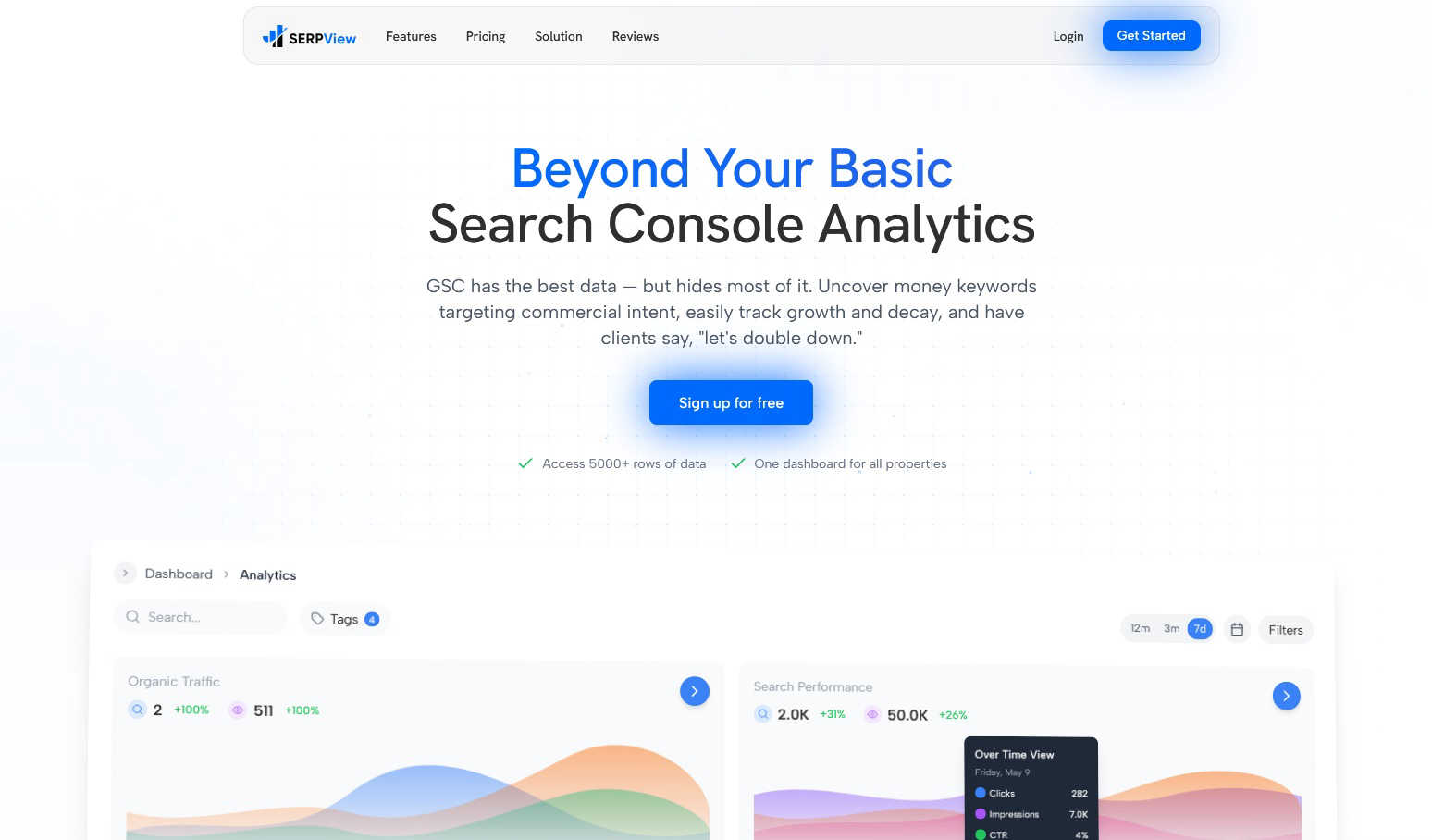
SERPView unlocks Google Search Console's hidden data to reveal your best keywords and traffic opportunities.
Last updated: March 1, 2026
Visual Comparison
MultiMMR

SERPView
Feature Comparison
MultiMMR
Unified Financial Dashboard
This is the heart of MultiMMR and my absolute favorite feature. It consolidates data from every single one of your Stripe accounts into a single, comprehensive dashboard. No more toggling between tabs or compiling spreadsheets. You get a real-time, holistic view of your total MRR, churn, and growth across all projects instantly. It's the "all-in-one view" that finally makes managing a portfolio feel manageable, not manic.
Real-Time MRR Tracking & Smart Alerts
Gone are the days of waiting for end-of-month reports to discover a problem. MultiMMR monitors your Monthly Recurring Revenue in real-time. The killer addition here is the Smart Alerts. You can set up instant notifications for critical events like an MRR drop, a sudden spike, or when a high-value customer cancels. This proactive feature means you can respond to issues and opportunities faster than ever before.
Goal Tracking & Progress Metrics
Ambition needs a roadmap, and MultiMMR provides it brilliantly. You can set specific MRR goals for your portfolio or individual projects. The platform then tracks your daily progress with clear metrics and visual "on track" indicators. This turns vague aspirations into a measurable, daily game, which I find incredibly motivating for keeping teams focused and accountable on the path to scaling.
Social-Ready Metrics Screenshots
This is a clever, growth-oriented feature that many tools overlook. MultiMMR lets you create beautiful, shareable screenshots of your key metrics and milestones. Want to celebrate a new MRR high on Twitter or showcase growth to your community? It's built right in. It’s a small touch that makes sharing your wins—a powerful marketing and morale-boosting activity—effortless and professional.
SERPView
Performance Tracking Without Limits
This is the game-changer. SERPView shatters Google's 1,000-row data ceiling, granting you access to a staggering 50,000 rows of historical performance data. This means you can track clicks, impressions, CTR, and average position across your entire keyword and page universe, not just a tiny, unrepresentative sample. No more guessing what's happening beyond the first page of GSC data. You get the complete picture, enabling deep-dive analysis and accurate trend spotting over any meaningful period.
Advanced Keyword & Page Analysis
Move beyond basic lists. SERPView's keyword analysis helps you pinpoint "money keywords" with commercial intent and track their precise ranking movements over time. Similarly, the page analysis feature clearly highlights your top-performing and underperforming content, showing you exactly which pages are driving traffic and which need immediate optimization. It turns vague hunches into specific, prioritized action items for your content and technical SEO strategies.
Mobile vs. Desktop & International Insights
Understanding how your audience interacts with your site is crucial. SERPView brilliantly segments performance data by device type (mobile vs. desktop), allowing you to identify significant opportunities for device-specific optimization. Furthermore, its international SEO insights let you track performance across different countries and languages, which is invaluable for businesses with a global audience or those looking to expand. You can tailor your strategy based on what actually works in each region.
Query Counting & Update Annotations
Two of my favorite "hidden gem" features. Query Counting shows you how many unique search queries are driving impressions, broken down by ranking position. This is phenomenal for understanding your search visibility footprint. The Google Updates & Annotations feature is a strategic powerhouse, allowing you to mark algorithm update dates and add custom notes directly onto your performance charts. This lets you correlate ranking volatility with specific events, turning reactive panic into proactive understanding.
Use Cases
MultiMMR
The SaaS Portfolio Founder
For founders running multiple micro-SaaS or indie projects, MultiMMR is a game-changer. Instead of logging into five different Stripe accounts and mentally calculating total revenue, you get one true north star. It allows you to instantly see which projects are thriving and which are draining resources, enabling strategic decisions about where to focus your precious time and development efforts for maximum portfolio growth.
The Agency Managing Client Subscriptions
Agencies that build and manage SaaS products for clients often handle the Stripe billing. MultiMMR becomes the perfect reporting tool. By connecting each client's Stripe account (with appropriate permissions), the agency can provide beautiful, transparent, and real-time financial dashboards to their clients, elevating their service and building trust, all while monitoring their own retainer health in one place.
The Startup Seeking Investor Transparency
When preparing for investor updates or due diligence, having clean, consolidated financial data is crucial. MultiMMR allows you to generate a clear, authoritative view of your entire revenue stream in seconds. You can demonstrate traction, growth trends, and portfolio diversity with professional charts, making your communications more credible and data-driven without days of manual preparation.
The Product Manager Monitoring Feature Impact
For teams where new features or pricing changes are rolled out across different products, understanding the financial impact is key. By tracking MRR in real-time with MultiMMR, a product manager can correlate launches with revenue changes across the portfolio. The smart alerts can notify them of positive spikes or concerning dips immediately, allowing for rapid, data-informed iteration.
SERPView
For the SEO Agency Managing Multiple Clients
Juggling a dozen different GSC accounts is a productivity killer. SERPView allows agencies to connect all client properties into one unified dashboard. This centralization makes performance reporting, identifying cross-client trends, and delivering actionable insights incredibly efficient. You can provide far more value without the administrative headache, all from a single, professional interface.
For the In-House Marketer Proving SEO ROI
In-house teams need to demonstrate impact and justify budgets. SERPView's deep data access and clear visualizations make it easy to create compelling reports that show progress, highlight wins (like keyword movements into the top 3), and identify new opportunities. The ability to track topic clusters and page performance directly ties SEO efforts to business outcomes like traffic and engagement.
For the Content Team Optimizing Existing Assets
Content teams can move from publishing and hoping to a true data-informed model. By using the Page Analysis and Keyword Analysis features, writers and editors can quickly identify high-potential pages that are languishing on page 2 of Google, or discover new keyword variations their existing content can be optimized for. It turns the content refresh process from a guesswork exercise into a targeted surgical strike.
For the E-commerce Store Tracking Product Visibility
E-commerce sites live and die by their search visibility for commercial product keywords. SERPView enables store owners to track thousands of product-related keywords beyond the basic GSC limit, monitor category page performance, and understand how device usage (mobile vs. desktop) affects different product segments. This data is critical for optimizing product titles, descriptions, and site structure to capture more commercial traffic.
Overview
About MultiMMR
If you're a SaaS founder or indie hacker juggling multiple projects, you know the pain: a dozen Stripe accounts, a labyrinth of spreadsheets, and no clear picture of your actual, combined financial health. MultiMMR is the definitive solution to that chaos. It's not just another dashboard; it's your centralized command center for your entire SaaS portfolio. The core promise is beautifully simple: connect all your Stripe accounts and instantly unify your revenue data into one, crystal-clear view. Forget manual aggregation and outdated reports. MultiMMR delivers real-time metrics and enterprise-grade analytics in a package that's shockingly simple to use. I see it as the essential tool for anyone serious about scaling beyond a single product. It transforms raw transaction data into beautiful, actionable charts that actually help you make decisions, not just admire data. For me, the real value is the shift from administrative number-crunching to strategic analysis, allowing you to focus on growth instead of data wrangling.
About SERPView
Let's be honest: Google Search Console is a treasure trove of data, but using it feels like trying to drink from a firehose with a thimble. The interface is clunky, the data limits are frustrating, and connecting the dots across multiple properties is a nightmare. That's precisely why SERPView exists, and in my opinion, it's not just an add-on; it's the essential, modern dashboard GSC always should have been. SERPView is a powerful analytics platform built specifically to unlock the full potential of your Google Search Console data. It's crafted for SEO professionals, digital marketers, and website owners who are tired of the limitations and ready to make truly data-driven decisions. The core value proposition is breathtakingly simple: it gives you unfettered access to over 50,000 rows of GSC data (versus the standard 1,000), presents it all in a single, intuitive dashboard, and layers on advanced analytics that Google simply doesn't provide. This tool is for anyone who has ever felt there were hidden insights just out of reach in their search performance data. It transforms raw, cumbersome numbers into clear, actionable intelligence, empowering you to track keyword movements, analyze page performance, compare device data, and manage multiple websites from one centralized command center. If you're serious about SEO, this is the upgrade you've been waiting for.
Frequently Asked Questions
MultiMMR FAQ
How many Stripe accounts can I connect?
MultiMMR offers unlimited Stripe account connections on all its plans. Whether you have two projects or twenty, you can sync every single one into your unified dashboard. This scalability is what makes it perfect for growing portfolios and eliminates the worry of hitting a connection limit as you expand.
Is my financial data secure with MultiMMR?
Absolutely. Security is a top priority. MultiMMR uses advanced security protocols and strong encryption to keep your sensitive Stripe data safe. The connection is read-only, meaning MultiMMR can pull your transaction data for analysis but cannot make any changes or initiate charges within your Stripe accounts.
What is the difference between the Monthly and Yearly plan?
The core features—unlimited Stripe accounts, real-time tracking, smart alerts, goal tracking, and support—are identical on both plans. The only difference is the billing cycle and significant savings. The yearly plan offers a substantial discount, effectively giving you two months free compared to the monthly rate. If you're committed, the yearly plan is the obvious smart choice.
Is there a long-term contract or cancellation fee?
No, there are no long-term contracts or hidden cancellation fees. Both the monthly and yearly plans are designed for flexibility. You can cancel your subscription at any time. This policy makes it easy and risk-free to try MultiMMR and see if it transforms your financial workflow as intended.
SERPView FAQ
How is SERPView different from Google Search Console?
Think of Google Search Console as the raw data warehouse and SERPView as the sophisticated business intelligence platform built on top of it. GSC provides the foundational data but with severe limits (1,000 rows) and a basic interface. SERPView removes those limits, gives you 50x more data, adds advanced analytics (like query counting, device breakdowns, annotations), and presents everything in a unified, customizable, and shareable dashboard for multiple properties.
What data does SERPView access, and is it secure?
SERPView connects directly to your Google Search Console account via Google's secure OAuth API. It only reads your search performance data; it cannot make any changes to your website or Google account. The connection is read-only and highly secure, using the same official protocol that countless other trusted marketing apps use. Your data is processed and presented but never altered or owned by SERPView.
Can I use SERPView for multiple websites?
Absolutely, and this is one of its strongest suits. You can connect and manage multiple Google Search Console properties (websites) from within your single SERPView account. All the data aggregates into one master dashboard, but you can also filter and view reports for each property individually. This makes it perfect for agencies, freelancers with multiple clients, or businesses with several domains.
How much historical data can I see in SERPView?
SERPView pulls in 16 months of historical search performance data from the moment you connect your Google Search Console account. As you continue to use the platform, it will automatically accumulate and store this data over time, building a rich, long-term performance history that you can analyze and compare against. This far exceeds the limited, rolling timeframe often visible in the native GSC interface.