BlitzCut vs Postproxy
Side-by-side comparison to help you choose the right tool.

BlitzCut
BlitzCut is your AI video editor that swiftly removes silences and adds captions, turning raw clips into viral videos.
Last updated: February 28, 2026

Postproxy
Streamline your social media publishing with Postproxy's unified API for effortless, cross-platform content delivery.
Last updated: February 28, 2026
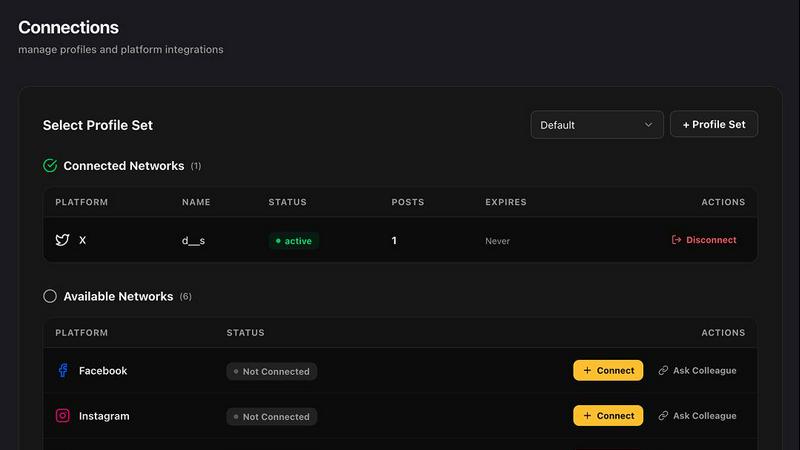
Visual Comparison
BlitzCut

Postproxy
Feature Comparison
BlitzCut
Automatic Silence Removal
BlitzCut's automatic silence removal feature utilizes AI to instantly detect and eliminate all pauses in your video. This means you can say goodbye to the tedious manual editing process that often takes 15-20 minutes. Instead, enjoy a streamlined editing workflow that keeps your content engaging and fast-paced.
AI Captions
With over 95% accuracy, BlitzCut’s AI captions add stylish text overlays to your videos, ensuring that your content is not only visually appealing but also accessible. The captions are generated quickly, allowing you to maintain the flow of your editing process without compromising on quality or engagement.
Text-Based Editing
BlitzCut offers a unique text-based editing feature that allows users to edit video by simply deleting sentences from the transcription. This innovative approach makes it easier to trim down your videos without needing to scrub through timelines, saving you valuable time and effort.
Mobile-First Design
Designed with a mobile-first philosophy, BlitzCut is optimized for iPhone, iPad, and Mac devices. This ensures that you can edit your videos anytime, anywhere, without the need for a computer. The app’s user-friendly interface makes it easy for anyone to jump in and start editing right away.
Postproxy
Unified API
Postproxy provides a single API endpoint that simplifies the complex process of publishing content to various social media platforms. This eliminates the need for multiple integrations and reduces the operational mess associated with platform-specific publishing.
Automated Content Adaptation
With Postproxy, your content is automatically transformed to meet the unique requirements of each social media platform. This means formats, media limits, and text validations are handled seamlessly, ensuring that your posts look great everywhere.
Robust Error Handling
Operational failures are managed by design in Postproxy. It automatically retries failed requests, respects rate limits, and maintains awareness of quotas, allowing for a smoother publishing experience without manual intervention.
Detailed Publish States
Postproxy provides explicit feedback on the status of your posts. You always know what succeeded, what failed, and the reasons behind any issues without needing to conduct manual checks, giving you peace of mind during the publishing process.
Use Cases
BlitzCut
Social Media Content Creation
BlitzCut is perfect for social media influencers and marketers who need to produce short, engaging videos quickly. The app allows for rapid editing, making it possible to post daily content that resonates with audiences, thus enhancing visibility and engagement.
Quick Turnaround for Vloggers
Vloggers often need to edit videos swiftly to keep their content fresh and timely. With BlitzCut, they can import raw clips, remove pauses, and add captions in just a few taps, allowing them to focus more on filming and less on post-production.
Educational Content Production
Educators can use BlitzCut to create concise instructional videos that effectively communicate key concepts. The automatic silence removal and AI captions make it easy to keep the content engaging and understandable, perfect for platforms like YouTube.
Event Highlights
For event organizers, BlitzCut can be used to quickly produce highlight reels from longer footage. By removing silence and adding captions, organizers can create shareable clips that capture the essence of the event in just minutes, making it easy to promote future events.
Postproxy
Social Media Managers
Social media managers can leverage Postproxy to publish content across multiple platforms efficiently. By using a single API, they can schedule and manage posts without worrying about the quirks of each platform, allowing them to focus on content strategy.
Marketing Automation
Postproxy is ideal for marketing teams that utilize automation tools like Zapier and n8n. They can create workflows that automatically publish content based on specific triggers, reducing manual work and ensuring timely delivery of marketing messages.
Content Creators
For content creators looking to share their work across various social networks, Postproxy simplifies the process. They can generate content quickly and publish it to multiple platforms without needing to tailor each post individually.
Developers Building Custom Solutions
Developers can integrate Postproxy into their applications to provide users with a seamless social publishing experience. This allows them to focus on enhancing functionality while Postproxy manages the complexities of social media integrations.
Overview
About BlitzCut
BlitzCut is a revolutionary AI-powered video editing tool designed specifically for content creators who are eager to enhance their social media presence. By prioritizing speed over excessive features, BlitzCut provides a streamlined editing process that allows users to produce high-quality videos in under two minutes. This makes it an ideal solution for creators who need to post frequently on platforms like TikTok, Instagram Reels, and YouTube Shorts without investing hours in editing. With a mobile-first approach, BlitzCut is available on iPhone, iPad, and Mac, ensuring that users can edit videos on-the-go. The app leverages advanced AI technologies to automate tedious tasks such as silence removal and captioning, allowing creators to focus on what they do best: creating engaging content. Whether you are a seasoned video editor or a beginner, BlitzCut aims to make video editing accessible, efficient, and enjoyable.
About Postproxy
Postproxy is a powerful API designed to simplify and streamline social media publishing across multiple platforms, including Instagram, Facebook, YouTube, LinkedIn, and X. By providing a unified endpoint, Postproxy eliminates the hassle of managing individual integrations, saving developers and marketers valuable time and effort. This tool is ideal for developers, automators, and businesses that rely on platforms like n8n, Zapier, and CI/CD systems to manage their content workflows. The main value proposition of Postproxy lies in its ability to automate OAuth, handle rate limits, manage retries, adapt content, and offer analytics, turning what is often a chaotic publishing environment into a predictable and reliable infrastructure. With a free plan available, Postproxy is accessible for businesses at any stage of growth, making it an invaluable resource for scaling social media operations efficiently.
Frequently Asked Questions
BlitzCut FAQ
How does BlitzCut’s automatic silence removal work?
BlitzCut uses advanced AI algorithms to detect silent gaps in your video and remove them automatically. This process is done in real-time, allowing for rapid editing without the need for manual adjustments.
Can I use BlitzCut on my computer?
Yes, BlitzCut is available on both mobile devices and Mac computers. This flexibility allows users to edit videos wherever they are, making it a versatile tool for all creators.
Is there a learning curve to using BlitzCut?
Not at all! BlitzCut is designed to be user-friendly, with a simple interface that allows even beginners to start editing videos quickly. The streamlined workflows make it easy for anyone to get started.
What types of videos can I create with BlitzCut?
You can create a variety of short-form videos suitable for platforms like TikTok, Instagram Reels, and YouTube Shorts. Whether it's promotional content, vlogs, or educational pieces, BlitzCut equips you with the tools to produce engaging videos efficiently.
Postproxy FAQ
How does Postproxy handle platform-specific rules?
Postproxy automatically adapts content to meet the diverse requirements of each social media platform, ensuring compliance with format, media limits, and text validation.
Is there a free plan available for Postproxy?
Yes, Postproxy offers a free plan that allows users to get started without any upfront costs, making it accessible for businesses of all sizes.
What types of media can I publish using Postproxy?
Postproxy supports various media types, including images, videos, and text posts, allowing for rich content publishing across social platforms.
How do I get started with Postproxy?
To get started, simply create a Postproxy account, generate an API key, connect your social media accounts, and begin publishing content via the unified API.
Alternatives
BlitzCut Alternatives
BlitzCut is an AI-powered video editing tool designed specifically for content creators. It excels in automating tedious tasks like silence removal and caption styling, making it an essential asset for those looking to produce viral videos swiftly. However, users often seek alternatives due to various reasons such as pricing, feature sets, or platform compatibility. Whether it's a need for more advanced editing features, a different user interface, or a preference for desktop over mobile, the search for alternatives is common. When choosing an alternative to BlitzCut, consider your specific needs as a content creator. Evaluate factors like ease of use, speed of editing, and the ability to support your preferred platforms. Additionally, look for features that enhance your creative process rather than hinder it, ensuring that the tool aligns with your workflow and allows you to focus on producing engaging content.
Postproxy Alternatives
Postproxy is a robust publishing tool designed for developers and automators, allowing users to manage posts across multiple social media platforms like Instagram, Facebook, YouTube, LinkedIn, and X through a single API. This solution simplifies the often chaotic process of social media publishing by automating OAuth, managing rate limits, and providing analytics, making it an essential tool in the design tools category. As users explore the market, they may seek alternatives to Postproxy for various reasons, such as pricing structures, feature sets, or specific platform compatibility. It's crucial to consider the unique needs of your projects when looking for an alternative. Factors like ease of integration, scalability, and customer support can significantly influence your choice, so take the time to evaluate each option against your requirements.