
Regi AI
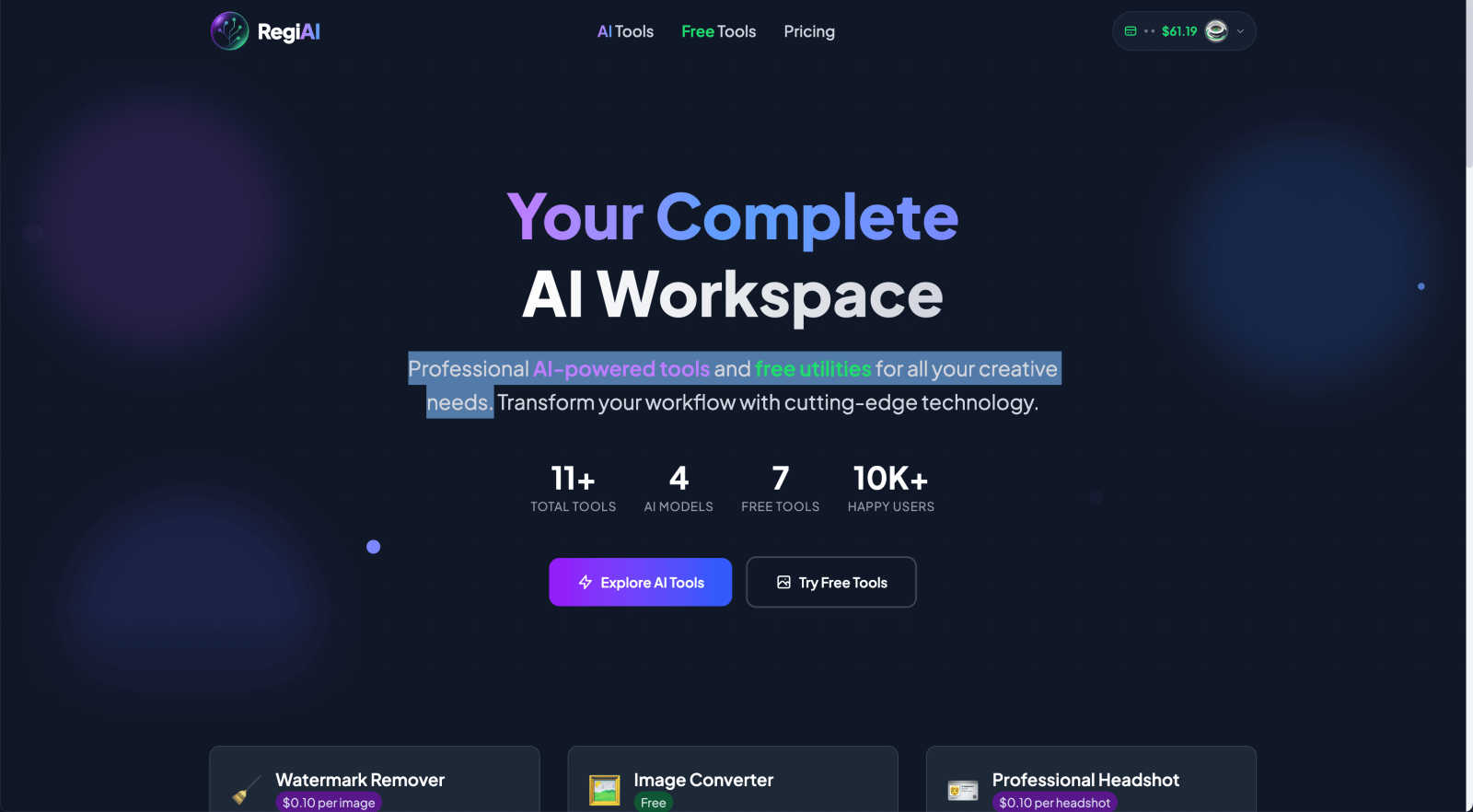
Regi AI transforms your creative workflow with powerful AI tools and free utilities for stunning results in seconds.
VisitPublished on:
September 16, 2025
Pricing:
About Regi AI
Regi AI is not just another tool in the vast landscape of AI technology; it serves as an all-encompassing creative studio tailored specifically for image manipulation. Designed for a diverse audience ranging from creative professionals to casual users, Regi AI provides an innovative platform that makes advanced image editing accessible and affordable. The platform offers a unique blend of premium AI capabilities alongside essential free utilities, allowing users to streamline their workflow without the burden of costly software subscriptions. Its pay-per-use pricing model, starting at just one cent, empowers users to pay only for the services they actually utilize, eliminating the risks associated with monthly fees. Whether you're a marketer looking to enhance your brand's visuals, a small business owner needing quick photo edits, or someone who enjoys photo restoration as a hobby, Regi AI puts cutting-edge technology at your fingertips. With its user-centric approach, the platform simplifies complex tasks, making high-quality image editing achievable for everyone.
Features of Regi AI
AI Watermark Remover
The AI Watermark Remover tool is designed to effortlessly eliminate watermarks, logos, and text from images while preserving the original quality. This feature is especially beneficial for users who want to clean up stock photos or remove unwanted elements from their images. With its precision removal capabilities, users can expect results in mere seconds, making it a powerful asset for anyone needing quick edits.
AI Photo Restoration
Revive your cherished memories with the AI Photo Restoration feature. This tool automatically repairs damage, removes scratches, and enhances the quality of old photos. It even offers AI-based colorization for black and white images, bringing them back to life in vibrant hues. This feature is perfect for those looking to restore family heirlooms or enhance personal collections with minimal effort.
AI Professional Headshot
Transform any casual photo into a professional headshot with the AI Professional Headshot tool. This feature offers studio-quality results without the need for an actual studio setup. It includes enhancements such as professional lighting and background adjustments, making it ideal for LinkedIn profiles, resumes, and business presentations. Users can create polished images that convey professionalism and competence.
AI Action Figure Generator
Unleash your creativity with the AI Action Figure Generator, which allows users to turn themselves or others into ultra-realistic action figures complete with custom packaging. This fun and unique feature is perfect for personalized gifts, social media content, or creative projects, making it a fantastic tool for both personal and professional use. With over 100 character templates available, the possibilities are endless.
Use Cases of Regi AI
Restoring Family Photos
One of the most compelling use cases for Regi AI is in restoring old family photos. Users can upload damaged images and let the AI automatically repair scratches, enhance quality, and even add color to black and white photos. This feature ensures that precious memories are preserved for future generations.
Creating Professional Profiles
For job seekers and professionals, having a polished headshot is essential. The AI Professional Headshot tool allows users to transform casual images into impressive, studio-quality headshots. This feature is particularly useful for LinkedIn profiles, resumes, and other business-related purposes where first impressions matter.
Enhancing Marketing Materials
Marketers can leverage Regi AI to produce eye-catching visuals for campaigns. Whether it’s removing watermarks from stock photos or generating compelling thumbnails for YouTube videos, the platform provides a suite of tools that streamline the creation of professional-grade marketing materials, helping brands stand out in a competitive landscape.
Engaging in Creative Projects
For hobbyists and creatives, Regi AI offers an array of tools that inspire innovative projects. From creating custom action figures to generating unique images from text prompts, users can explore their imagination without the complexities of traditional design software. This makes it a fantastic resource for artists and content creators looking for fresh ideas.
Frequently Asked Questions
What types of images can I edit with Regi AI?
Regi AI supports a variety of image types, allowing users to edit photos in formats like JPG, PNG, and WebP. This versatility enables users to work with almost any image they have.
Is there a subscription fee for using Regi AI?
No, Regi AI operates on a pay-per-use model. Users only pay for the tools they utilize, starting at one cent per action, eliminating the need for monthly subscriptions.
Can I restore black and white photos to color?
Yes, the AI Photo Restoration tool includes an automatic colorization feature that transforms black and white photos into vibrant, colored images, enhancing their nostalgic value.
How quickly can I expect results from the tools?
Regi AI is designed for speed and efficiency. Most image edits, including watermark removal and photo restoration, can be completed in seconds, allowing users to achieve high-quality results without delay.
Explore more in this category:
Similar to Regi AI
Z Image Turbo
Create photorealistic images, bilingual posters, ecommerce visuals, and social content online with Z Image Turbo.

AI UGC Video Generator
Create AI UGC video ads from product URLs, images, or scripts with lifelike creators, voices, captions, and clear calls to action.
DockGroups
Your Dock, your rules. Simple and clean. Workflows in one click

Screen Tester
Free online screen tester for checking dead pixels, colors, brightness, contrast, refresh rate, and display quality.
LinkedIn Translator
Turn rough notes into credible LinkedIn writing, or decode professional jargon into plain English.

