DR Checker vs TrafficClaw
Side-by-side comparison to help you choose the right tool.

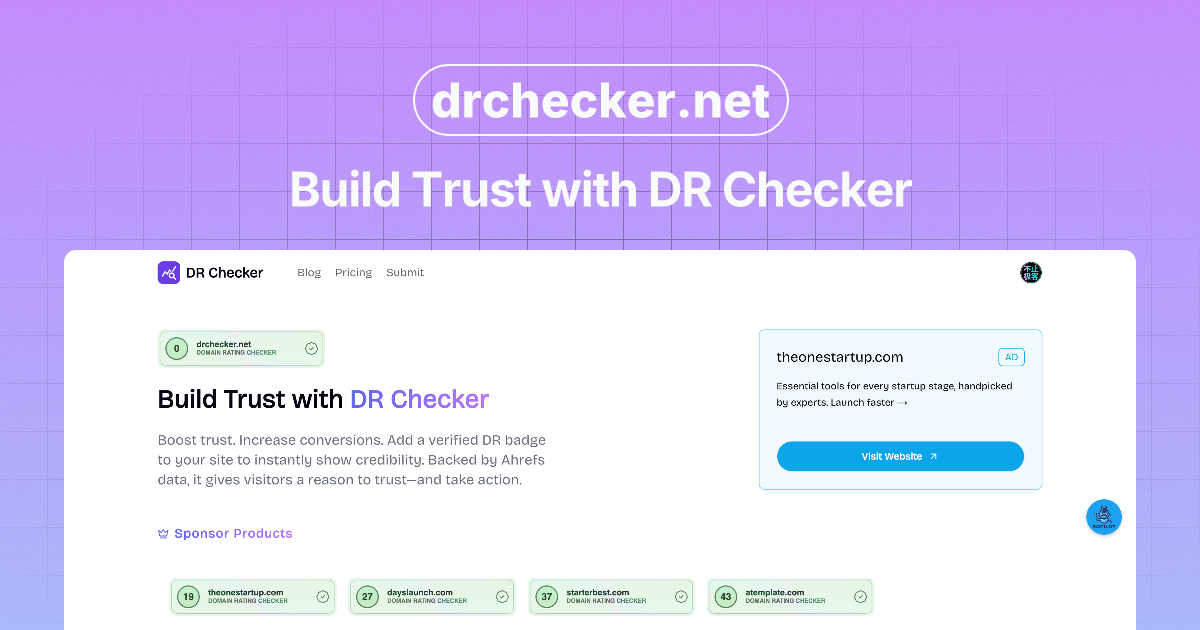
DR Checker verifies your site's security to build user trust, though it's currently paused.

TrafficClaw
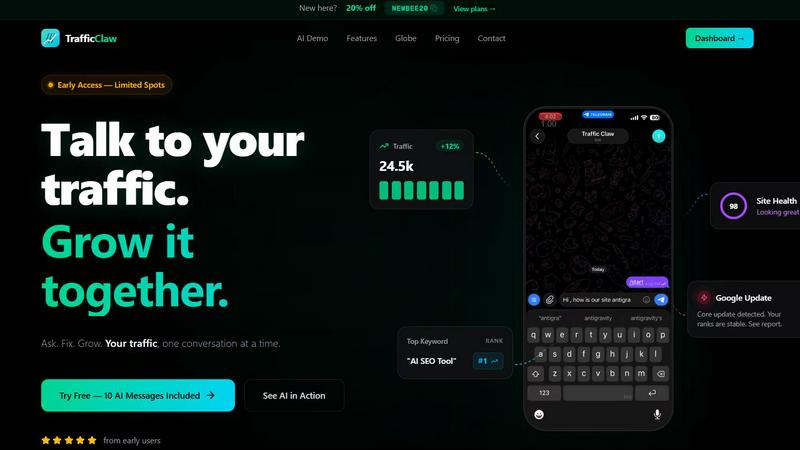
TrafficClaw is an AI analyst that talks to your SEO data to deliver actionable growth insights, not generic advice.
Last updated: April 13, 2026
Visual Comparison
DR Checker
TrafficClaw
Feature Comparison
DR Checker
Advanced Site-Wide Crawling
This isn't a superficial link checker. DR Checker employs robust crawling technology designed to navigate complex website structures, including deep pages, dynamic content, and intricate menus. It systematically follows every internal and external link it can find, ensuring no problematic connection is left hiding in a forgotten blog post or an old product page. This thoroughness is what separates a professional audit from a basic, unreliable scan.
Broken Link & 404 Error Detection
The foundational feature of any link checker, executed with precision here. DR Checker identifies every link that leads to a dead end—those frustrating "404 Page Not Found" errors. It catalogs them, often specifying the source page and the broken destination URL. This allows you to either remove the link, update it, or implement a proper redirect, directly improving user experience and stopping valuable link equity from leaking into the digital void.
Malicious & Suspicious Link Identification
This is where DR Checker elevates itself from a maintenance tool to a security asset. It doesn't just look for broken links; it analyzes the destinations of your outbound connections. The tool flags links that point to known malicious sites, expired domains that could be squatted by bad actors, or URLs with poor reputation scores. This is crucial for protecting your visitors and maintaining your site's standing with search engines, which penalize links to spammy neighborhoods.
Actionable SEO & Health Reporting
Data is useless without insight. DR Checker compiles its findings into clear, comprehensive reports that highlight the issues sorted by severity and type. These aren't just technical logs; they are actionable to-do lists for site optimization. By showing you exactly which pages are hosting the most broken links or risky connections, it enables targeted cleanup efforts that directly contribute to better SEO health and a more trustworthy site profile.
TrafficClaw
AI Chat Analyst
This is the heart of TrafficClaw and, in my opinion, its killer feature. You interact with a conversational AI that has direct, read-only access to your connected Google Analytics 4 and Search Console data. You ask natural language questions like "Why are my conversions down?" or "Show me my top underperforming pages," and it doesn't just spit out a chart. It analyzes the correlation between your traffic, keyword rankings, and user behavior to deliver a written "verdict" with evidence and concrete next steps. It feels less like using software and more like consulting a sharp, data-obsessed colleague who works at light speed.
SEO Intelligence Suite
Moving beyond basic rank tracking, TrafficClaw's SEO tools are built for proactive growth. It automatically hunts for keyword gaps your competitors rank for but you don't, alerts you to content decay (pages that are losing traffic over time), and detects keyword cannibalization—where your own pages compete against each other, confusing Google. Crucially, it includes optimization for AI search (like Gemini), helping you structure content for the next frontier of search. It turns SEO from a maintenance task into a growth engine.
Real-Time Analytics & Live Globe
Forget refreshing GA4. TrafficClaw provides a consolidated, real-time dashboard showing current visitors, traffic trends, bounce rates, and referrers. The standout is the embeddable 3D globe, which visually plots your live visitors on a world map with a cute animal alias and activity feed. It's not just eye candy; it's a powerful, immediate way to see geographic engagement and visitor flow, and you can embed it on your own site with a single line of code—no extra tracking scripts needed.
Integrated Site Audit & Content Tools
This feature closes the loop between insight and action. The built-in site auditor goes deep on page-level performance, grading Core Web Vitals and offering auto-fix suggestions for technical SEO. Then, the content tools help you execute. Need to target a discovered keyword gap? Use the AI blog writer and schema generator. Found a page that needs bolstering? The internal linking optimizer provides smart suggestions. It’s a seamless workflow from diagnosis to remedy.
Use Cases
DR Checker
Pre-Launch Website Audits
Before flipping the switch on a new or redesigned website, a final audit with DR Checker is a non-negotiable step. It ensures that all internal navigation works flawlessly and that no placeholder or test external links have slipped into the live code. Launching with broken links creates an immediate poor first impression, and this tool helps you present a polished, professional product from day one.
Ongoing SEO Maintenance
Search engines like Google use crawl health as a ranking factor. Regularly scheduled scans with DR Checker allow SEOs and website managers to proactively find and fix broken links before they accumulate and harm site authority. It’s a core practice for preserving hard-earned rankings and ensuring search engine bots can smoothly crawl and index all your valuable content without hitting dead ends.
Enhancing User Experience & Trust
From a user's perspective, encountering a broken link is frustrating and erodes trust in your website's credibility. For content-heavy sites like blogs, news portals, or educational resources, using DR Checker to routinely purge these dead links is critical. It ensures a smooth, uninterrupted journey for your audience, which increases engagement, reduces bounce rates, and fosters loyalty.
Security Hygiene & Risk Mitigation
Websites can become compromised over time as linked-to external sites expire or turn malicious. Digital marketers and security-conscious admins use DR Checker as a monitoring tool to identify these risky outbound connections. Removing links to compromised sites protects your visitors from phishing scams or malware and safeguards your site from being flagged as dangerous by browsers or security plugins.
TrafficClaw
Diagnosing Sudden Traffic Drops
This is the classic, hair-pulling scenario TrafficClaw was made for. Instead of manually cross-referencing GA4 events, Search Console impressions, and Google update logs, you simply ask the AI, "Why did my traffic drop 40% on March 15th?" Within seconds, it can analyze your data and deliver a verdict like, "A core update rolled out that day. While your overall ranks are stable, you lost position 3 for your top keyword 'cloud hosting reviews' to a competitor's newer guide, causing a 12k impression drop. Recommended fix: Update your post with a more comprehensive comparison table."
Uncovering Hidden Keyword Opportunities
You're stuck thinking you've targeted all relevant keywords. TrafficClaw's SEO intelligence continuously scours your niche to find "keyword gaps"—high-potential terms your site could rank for but currently doesn't. You can ask the AI, "What are my top 5 keyword gap opportunities?" and get a list of specific, data-backed terms with search volume and difficulty, allowing you to strategically plan your next content piece or page update.
Preventing Content Cannibalization
You've written multiple blog posts on similar topics, and now they're mysteriously underperforming. TrafficClaw automatically detects when your pages are competing for the same keywords and alerts you. The AI can then advise on how to consolidate or differentiate the content, ensuring you have one strong page to rank instead of several weak ones that split authority. It solves a complex, often invisible SEO problem effortlessly.
Real-Time Campaign & Launch Monitoring
When you launch a new product, feature, or marketing campaign, you want immediate feedback. With the real-time dashboard and globe, you can watch live visitor spikes, see which countries are engaging first, and monitor referral sources the moment they happen. You can ask the AI, "How is traffic from my LinkedIn campaign today performing vs. direct traffic?" for instant, comparative analysis without waiting for data to process.
Overview
About DR Checker
DR Checker (or DrCheck) is a web-based diagnostic tool that acts as a dedicated physician for your website's health, specifically focusing on its network of links. In the digital world, a broken or malicious link is more than just a minor annoyance; it's a direct hit to your credibility, user experience, and search engine rankings. This tool is built for the vigilant website owner, the meticulous developer, and the SEO-conscious marketer who understands that a clean site is a high-performing site. Its core value proposition is delivering peace of mind through automation. Instead of manually checking hundreds of pages, DR Checker deploys advanced crawling technology to comprehensively scan your entire site structure, uncovering everything from simple 404 errors to more insidious links pointing to expired domains or potentially harmful websites. While the service appears to be in a temporarily paused state, its intended design promises an intuitive interface that democratizes technical maintenance, making critical security and performance audits accessible to users of all skill levels. In my opinion, in an era where trust is paramount, a tool that proactively safeguards your site's integrity is not just useful—it's essential.
About TrafficClaw
Let's be brutally honest: modern analytics are a mess. You've got Google Analytics 4 with its labyrinthine interface, Search Console with its pretty-but-passive graphs, and a dozen other tools that show you the "what" but never the "why." When your traffic plummets, you're left piecing together clues like a digital detective with no leads. TrafficClaw is the antidote to this frustration. It's not another dashboard to stare at; it's an AI analyst you can actually talk to. You connect your GA4 and Search Console accounts (a 30-second, read-only process), and then you just ask questions in plain English. "Why did my traffic drop last Tuesday?" "What's my top opportunity for more organic traffic?" "Is a Google update affecting me?" Instead of generic blog post advice, you get a specific, actionable verdict backed by your own live data. It's built for founders, marketers, and developers who are tired of data guesswork and want to have a direct conversation with their analytics to drive real, intelligent growth. The core promise is simple yet revolutionary: stop analyzing and start asking.
Frequently Asked Questions
DR Checker FAQ
What exactly does DR Checker scan?
DR Checker performs a comprehensive scan of your website's link ecosystem. It crawls through your pages to identify all internal links (pointing to other pages on your site) and external links (pointing to other domains). For each link, it checks the HTTP status code to find broken links (like 404 errors), validates the URL format, and can assess the reputation of external destinations to flag potentially malicious or suspicious connections.
Who is the ideal user for DR Checker?
The tool is incredibly versatile. It's perfect for website owners and managers who want to maintain a professional site without deep technical knowledge. Developers and webmasters can use it for technical audits and pre-launch checks. SEO specialists and digital marketers rely on it for ongoing optimization and protecting their site's search ranking health. Essentially, anyone responsible for a website's performance and credibility can benefit.
How often should I run a website link check?
The frequency depends on how dynamic your website is. A large, frequently updated blog or news site might benefit from a weekly or bi-weekly scan. A more static brochure website could be checked monthly or quarterly. A best practice is to run a scan after any major content update or site migration. Regular, scheduled checks are key to preventing the gradual accumulation of link rot.
The service says it's "temporarily paused." What does that mean?
This typically indicates that the DR Checker web application is not currently accepting new scans or allowing users to access its full functionality at this moment. It could be due to maintenance, server updates, a service redesign, or other operational reasons. You would need to check the official DR Checker website or contact their support for the most current status and information on when the service will resume.
TrafficClaw FAQ
Is my Google data safe with TrafficClaw?
Absolutely. TrafficClaw uses secure, read-only Google OAuth to connect to your GA4 and Search Console. This means the tool can only view your data; it cannot edit, delete, or modify anything in your Google accounts. Your data is not sold or used to train public AI models. It remains yours, and you can revoke access at any time directly from your Google account security settings.
How is this different from ChatGPT or other AI chatbots?
Generic AI chatbots give generic advice based on public internet knowledge. TrafficClaw's AI Analyst is specialized and connected. It bases every single response on the private, live data from your specific website. When you ask "why did my traffic drop?", it's analyzing your traffic graphs, your keyword rankings, and your user behavior to give you a unique, actionable verdict, not a list of possible reasons from a blog.
What's included in the free trial?
The free trial includes 10 AI messages. This allows you to fully connect your GA4 and Search Console accounts and ask a series of substantive questions to experience the core "ask and get a verdict" functionality. You also get access to the dashboard and can explore the features to see how it would work with your real data before committing to a paid plan.
Can I use TrafficClaw on multiple websites?
Yes. During the connection process, TrafficClaw auto-detects all the GA4 properties and Search Console sites associated with your Google account. You can manage and analyze data from multiple websites within a single TrafficClaw dashboard, asking specific questions about each site. This makes it an efficient tool for agencies or developers managing several client or project sites.