
Filator vs Zovo
Side-by-side comparison to help you choose the right tool.
Filator
Filator is your all-in-one platform for creating, converting, and automating tasks with over 500 free tools at your.
Last updated: March 1, 2026

Zovo offers 20 privacy-focused Chrome extensions for developers and writers, all under one subscription with no data.
Last updated: February 28, 2026
Visual Comparison
Filator
Zovo

Feature Comparison
Filator
Instant Results
Filator provides immediate results without the wait. Whether you are merging PDFs, converting images, or using AI tools, you will receive your output instantly. This feature eliminates queues and enhances your workflow by ensuring that you can complete tasks without delay.
Zero Signup
Forget the hassle of creating accounts and remembering passwords. Filator allows you to access all its tools without any registration process. Simply open the tool you need and start working right away, making it incredibly user-friendly and efficient.
Professional Quality Output
When you use Filator, you can export your work in multiple formats, ensuring high-resolution, professional-grade results every time. Whether you are working on images, PDFs, or any other content, you can trust that the output will meet professional standards without watermarks or limitations.
AI-Powered Tools
Filator boasts an impressive suite of AI-powered tools that intelligently understand your needs. From the AI Content Rewriter that helps you refine your writing to the AI Image Generator that creates visuals from text, these tools are designed to provide smart suggestions and facilitate creative processes efficiently.
Zovo
BeLikeNative
BeLikeNative is an exceptional writing assistant that helps users compose text in a manner akin to native speakers. It offers one-keystroke rewrites across 80 languages, making it an invaluable tool for non-native speakers who wish to enhance their writing skills and communicate more effectively.
Tab Suspender Pro
Tab Suspender Pro is a brilliant extension designed to optimize your browser's memory usage by suspending inactive tabs. This feature not only improves performance but also helps reduce lag and crashes, allowing you to maintain a smooth browsing experience even with numerous tabs open.
JSON Formatter Pro
For developers and data enthusiasts, JSON Formatter Pro is an essential tool. It simplifies the process of viewing and editing JSON data, providing clear formatting and validation features. This makes it easier to work with APIs and manage data structures efficiently.
Clipboard History Pro
Clipboard History Pro transforms how you manage copied content. This extension saves your clipboard history, allowing you to access and paste previously copied items seamlessly. With a limit of up to 100 items in the free version, it’s perfect for anyone who frequently works with multiple pieces of text.
Use Cases
Filator
Content Creation
If you are a content creator, Filator is your ultimate companion. You can quickly rewrite articles, generate engaging social media posts, and create professional emails without leaving the platform. The AI tools enhance your creativity and save you precious time.
Document Management
For professionals dealing with documents, Filator simplifies PDF management. You can merge, split, compress, and convert PDFs effortlessly. This functionality is invaluable for lawyers, educators, and anyone who frequently handles documents.
Graphic Design
Graphic designers will appreciate the image conversion and AI Background Remover tools. You can convert images into various formats, remove backgrounds instantly, and generate visuals from text descriptions, all contributing to a seamless design process.
Social Media Marketing
Marketers can leverage the power of Filator to create engaging content quickly. Use the Fake Tweet and Fake Instagram Post generators for campaign mock-ups, along with the hashtag generator to optimize your social media strategy, making your workflow smoother and more productive.
Zovo
Improving Language Skills
For language learners and professionals, BeLikeNative offers a straightforward way to improve writing proficiency. Users can quickly rewrite sentences to sound more natural, enhancing communication for personal or professional use in a new language.
Enhancing Browser Performance
Tab Suspender Pro is ideal for users who often juggle multiple tabs. By suspending unused tabs, it conserves system resources, ensuring that your browser operates efficiently without slowing down your workflow, especially during intensive tasks.
Simplifying Data Management
Developers can rely on JSON Formatter Pro to handle complex data effortlessly. Whether debugging or developing, this tool ensures data is presented clearly, making it easier to identify issues and streamline the coding process.
Efficient Text Management
Clipboard History Pro is perfect for writers, researchers, or anyone who regularly copies and pastes text. This extension allows users to retrieve and reuse previously copied content quickly, significantly speeding up the writing or data entry process.
Overview
About Filator
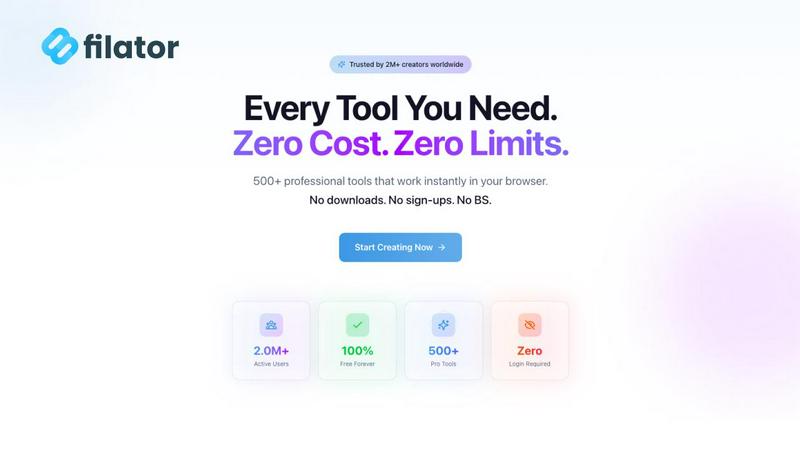
Filator is an innovative digital workspace tailored for professionals who prioritize efficiency, privacy, and simplicity. With a staggering collection of over 500 utilities, Filator streamlines your workflow by eliminating the need for tedious signups, premium tiers, and intrusive data collection. It caters to a diverse audience, from graphic designers and content creators to developers and business professionals, who seek to enhance their productivity without unnecessary hurdles. Whether you need to convert images across 132 formats, manipulate PDF files, or utilize advanced developer tools like JSON formatters and UUID generators, Filator is your one-stop solution. Its AI-powered toolkit offers features such as a content rewriter and hashtag generator, while essential tools like calculators and QR code generators are readily available. What sets Filator apart is its real-time operation directly in your browser, along with offline accessibility through Progressive Web App (PWA) technology, ensuring that your data is processed securely on your device. With over 2 million users across more than 150 countries, Filator is dedicated to maximizing your productivity with zero friction.
About Zovo
Zovo is an innovative suite of 20 Chrome extensions designed by a solo developer with over a decade of experience and a remarkable track record of earning over $400K on Upwork with a perfect success rate. At its core, Zovo aims to enhance your browsing experience while prioritizing your privacy. With flagship tools like BeLikeNative, which enables over 3,300 users to effortlessly write like native speakers through one-keystroke rewrites in 80 languages, Zovo stands out as a must-have collection for anyone looking to improve their workflow. The suite includes a variety of utilities, such as Tab Suspender Pro for memory management, JSON Formatter Pro for developers, and Clipboard History Pro for efficient text management. Every extension is built with a privacy-first approach, ensuring that your data remains on your device, with zero data harvesting or tracking. Users actively participate in shaping the roadmap by voting on features, while new extensions are released monthly. With many tools available for free online at zovo.one, Zovo truly offers every tool your browser needs—all while keeping your data secure and private.
Frequently Asked Questions
Filator FAQ
How does Filator ensure privacy?
Filator processes all data locally on your device, ensuring that your information remains confidential. There is no intrusive data collection, giving you peace of mind while using the platform.
Can I use Filator offline?
Yes, Filator offers Progressive Web App (PWA) technology, allowing you to access many tools offline. This feature ensures you can continue working seamlessly without an internet connection.
Is there a limit to the number of tools I can use?
No, Filator provides unrestricted access to over 500 tools without any signup requirements. You can freely explore and utilize all available functionalities without limitations.
What types of tools does Filator offer?
Filator offers a wide range of tools categorized into AI tools, PDF tools, image tools, social media tools, and more. This diversity ensures that there is a utility for almost every professional task you might encounter.
Zovo FAQ
How does Zovo protect my privacy?
Zovo is committed to privacy by design, ensuring that all extensions run locally on your device. No data is collected, tracked, or sent to servers, meaning your browsing habits and activity remain entirely private.
Can I request new features for Zovo?
Absolutely! Users can submit feature requests directly to the developer. The most requested features are prioritized, and your input directly influences the roadmap for future extensions.
Are any of the extensions free?
Yes, Zovo offers many tools for free, including core functionalities of all extensions. Users can access essential features without creating an account, while premium features are available through a one-time purchase.
How often are new extensions released?
New extensions are shipped monthly, with early access provided to members. This ensures that users who contribute to the community can try out new tools before they become available to the public.
Alternatives
Filator Alternatives
Filator is a comprehensive digital workspace designed to enhance productivity and streamline workflows for professionals. With its vast array of over 500 free online tools, it caters to a variety of tasks such as file conversion, PDF processing, and automation without the hassle of signup or data collection. Users often seek alternatives to Filator for various reasons, including differing feature sets, pricing structures, or specific platform requirements. When looking for an alternative, consider factors like ease of use, the breadth of available tools, and the level of privacy offered by the platform, as these elements can significantly impact your experience and efficiency. Choosing the right alternative means assessing not just the features but also the overall user experience. Look for platforms that provide instant results and high-quality outputs, as well as those that prioritize user privacy and data security. An ideal alternative should also support automation and workflow integration, helping you manage tasks effectively while maintaining focus on your core work.
Zovo Alternatives
Zovo is a suite of 20 Chrome extensions designed specifically for developers and writers, prioritizing user privacy and data security. This collection includes tools like JSON Formatter, Tab Suspender, and Clipboard History, all crafted by a solo developer with extensive experience in the field. Users often seek alternatives to Zovo for various reasons, including pricing structures, feature sets, or compatibility with specific workflows and platforms. When searching for a suitable alternative, it's essential to consider factors such as the range of features offered, the emphasis on user privacy, and the overall usability of the extensions. Finding the right alternative involves assessing how well the tools align with your needs. Look for extensions that offer a comprehensive feature set while maintaining a commitment to data security. Additionally, consider whether the platform allows customization and community engagement, as these elements can enhance your experience and ensure the tools evolve according to user feedback.