Changeflow vs Fill PDF from Excel
Side-by-side comparison to help you choose the right tool.

Changeflow
Changeflow delivers AI-driven insights on critical web changes, ensuring you never miss important updates again.
Last updated: March 4, 2026

Fill PDF from Excel
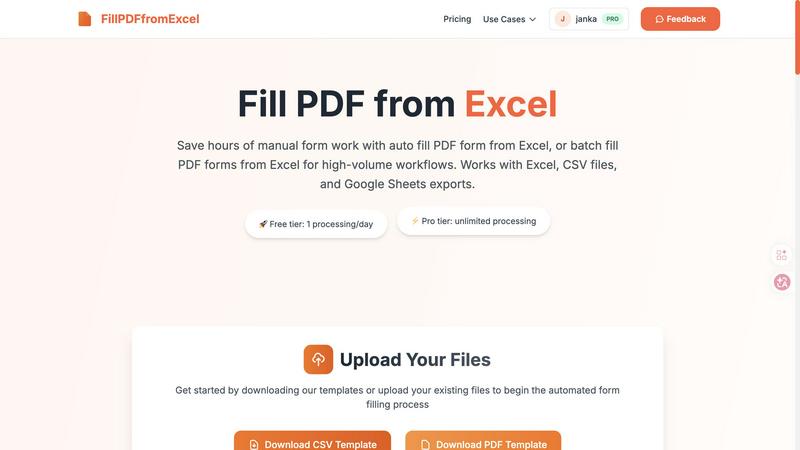
Fill PDF from Excel is a smart automation tool designed to quickly auto-fill and batch-fill PDF forms using data from Excel, CSV, or Google Sheets.
Visual Comparison
Changeflow

Fill PDF from Excel
Overview
About Changeflow
Changeflow is an innovative web monitoring tool designed to keep you informed about significant updates on your chosen web pages. Unlike traditional monitoring solutions that provide vague alerts, Changeflow employs advanced AI to analyze the content of pages, identify what truly matters, and deliver concise summaries of changes. Its intuitive setup allows users to specify what they want to track in plain English, making it accessible for non-technical teams. The platform excels in navigating complex pages that often stymie other tools, boasting a 99.9% success rate in accessing content behind login walls or JavaScript. Changeflow serves a diverse clientele, from business teams tracking competitor pricing and regulatory updates to legal librarians and compliance teams at prestigious firms. The shared workspace feature promotes team collaboration, while API access enables seamless integration into existing workflows. With Changeflow, businesses can stay ahead of market movements and critical updates, ensuring they never miss vital information.
About Fill PDF from Excel
Fill PDF from Excel is a smart automation tool designed to quickly auto-fill and batch-fill PDF forms using data from Excel, CSV, or Google Sheets. It saves professionals and teams hours of manual data entry, streamlining high-volume form workflows with intelligent mapping.