HeyVid vs Learniverse
Side-by-side comparison to help you choose the right tool.

HeyVid is my go-to platform for effortlessly creating stunning AI videos and images using all the top models in one place.
Last updated: April 4, 2026

Learniverse
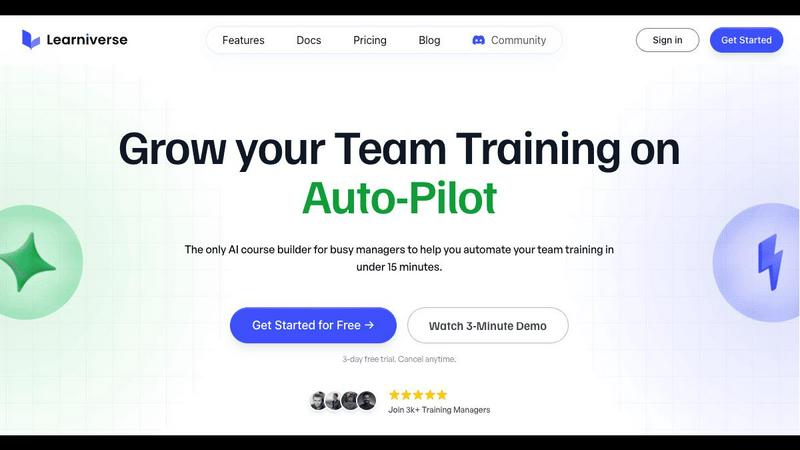
Learniverse instantly turns your team's scattered documents into engaging, automated training courses.
Last updated: February 28, 2026
Visual Comparison
HeyVid

Learniverse
Feature Comparison
HeyVid
Unified Model Marketplace
This is, hands down, HeyVid's killer feature. Instead of being stuck with one company's AI, you get a curated selection of industry leaders. Want the cinematic realism of Veo 3.1 for a short film? Use it. Need the stylized consistency of Midjourney for thumbnails? It's there. This aggregation means you can always choose the right tool for the job, ensuring the highest quality output for every specific task, all from a single credit system and interface.
Professional-Grade Control Panel
HeyVid goes beyond a simple text box. For video generation, you get fine-grained controls that professionals will appreciate. You can set the exact resolution (up to 4K), choose aspect ratios for different platforms (16:9 for YouTube, 9:16 for TikTok), use a seed for consistency, and even add a custom watermark. This level of detail is what separates a toy from a professional tool, allowing for brand consistency and reproducible results.
All-in-One Creative Workflow
HeyVid understands that creation doesn't stop at video. It integrates AI image generation, voice synthesis, and music creation into the same platform. This means you can storyboard with AI images, generate the video, add a voiceover, and score it with AI music without ever leaving the site. It streamlines the entire production pipeline, which is a massive time-saver for content creators and businesses.
Intuitive User Experience
Despite its powerful backend, HeyVid is built for users of all skill levels. The four-step process (choose model, input prompt/upload, adjust settings, generate) is brilliantly straightforward. The interface is clean and uncluttered, making advanced AI accessible to beginners while still offering the depth that pros demand. This balance is hard to achieve, and HeyVid nails it.
Learniverse
AI-Powered Course Creation
This is the flagship feature that makes Learniverse a genuine game-changer. Forget storyboarding and manual lesson building. You can chat with your AI assistant, drop in a PDF of a technical manual, or upload a video from last quarter's all-hands meeting. The AI then intelligently analyzes the content, identifies key concepts, and automatically structures it into digestible modules, complete with interactive elements and assessment quizzes. It turns the most tedious part of training—content creation—into a task that takes literal minutes instead of weeks.
Branded Academy Deployment
Your training portal shouldn't look like a generic, off-the-shelf template from the early 2000s. Learniverse lets you launch a professional, fully-branded learning academy in minutes. You can customize it with your company's colors, logo, and even use your own domain. This creates a polished, cohesive experience for your team that reinforces your brand identity and shows you take their development seriously, moving far beyond the "cheaped out" look of many basic tools.
Zero-Effort Progress & Analytics
Ditch the spreadsheet nightmares for tracking completion rates. Learniverse provides a robust analytics dashboard that gives you clear, immediate insights into your training's impact. You can see who has completed what courses, identify exactly where learners are getting stuck, track engagement metrics, and monitor overdue assignments across teams or the entire organization. This feature transforms guesswork into data-driven strategy for improving your training programs.
Integrated Community & Chat Tools
Training isn't just about pushing content; it's about fostering discussion and collaboration. Learniverse builds community engagement directly into the learning experience. Beyond this, it's paving the way for seamless workflow integration with tools like Slack and WhatsApp (noted as coming soon). This means you'll be able to build courses, update training, and nudge learners directly from the communication platforms your team already lives in, eliminating app-switching fatigue.
Use Cases
HeyVid
AI-Powered Marketing & Ad Campaigns
For digital marketers and agencies, HeyVid is a force multiplier. You can rapidly prototype and produce high-conversion ad creatives for social media, email campaigns, and landing pages. Test different visual styles using various models (e.g., Runway for edgy effects, Veo for realistic product shots) to see what resonates with your audience, all at a fraction of the traditional cost and time.
Dynamic Educational & Training Content
Educators and course creators can transform dry information into engaging learning experiences. Generate explainer videos, animate complex concepts, create consistent visual aids with image-to-image tools, and produce professional presenter-style videos with AI avatars and voiceovers. This makes scalable, high-quality educational content production truly feasible for individuals and institutions.
Compelling Startup & Investor Pitches
Startups need to stand out. HeyVid enables entrepreneurs to craft stunning pitch videos, product launch announcements, and brand story narratives without a production studio. You can create visuals that match your brand's futuristic vibe, generate realistic demos of your product in action, and build trust with polished, investor-ready content that communicates vision and professionalism.
Rapid Social Media Content Creation
For influencers, content creators, and social media managers, HeyVid is the ultimate ideation and production tool. Quickly turn trending topics or personal stories into engaging short-form videos (using the 9:16 ratio), generate eye-catching thumbnails, and create cohesive visual themes across posts. The speed and variety of models allow for a constant stream of fresh, platform-optimized content.
Learniverse
Onboarding New Hires at Scale
For HR and people ops teams drowning in repetitive onboarding tasks, Learniverse is a lifesaver. Transform your scattered collection of welcome docs, compliance videos, and process PDFs into a single, engaging onboarding track. New hires get a consistent, professional introduction to the company, and managers get their time back instead of walking every new person through the same old slides. Progress tracking ensures no step is missed.
Converting SOPs into Engaging Training
Every company has critical Standard Operating Procedures (SOPs) that sit in a forgotten folder. Learniverse excels at turning these dense, often-ignored documents into interactive, mandatory training modules. Upload the PDF, and the AI can break down complex procedures into step-by-step lessons with built-in comprehension checks, ensuring your team actually understands and retains vital operational knowledge.
Upskilling Existing Teams with Latest Knowledge
When processes update or new skills are needed, getting everyone up to speed is a headache. With Learniverse, you can quickly turn a recording of a training session, a new product manual, or a set of best practices into a fresh course. This allows for continuous, agile learning that keeps your team's knowledge current without requiring massive, time-consuming training overhauls.
Centralizing Scattered Tribal Knowledge
So much crucial company knowledge lives in Slack threads, old Google Docs, and employees' heads. Learniverse acts as a central hub to capture and structure this "tribal knowledge." Team leads can upload snippets, recordings of explanations, or documents and instantly create a searchable, structured knowledge base and training path, preventing critical information from being lost when someone leaves the team.
Overview
About HeyVid
Let's cut through the noise. In the exploding world of AI video generators, most platforms lock you into a single, often mediocre, model. HeyVid is the game-changer. It's not just another text-to-video tool; it's a comprehensive creative studio that aggregates the very best AI models for video, image, voice, and music into one seamless dashboard. Think of it as your all-access pass to the top-tier AI engines like Sora 2, Veo 3.1, Kling, Midjourney, and Flux, without the hassle of managing a dozen different subscriptions and interfaces. Its core value proposition is breathtakingly simple: unparalleled choice and quality, delivered with a fast, professional-grade workflow. Whether you're a solopreneur crafting a product launch, a marketer needing snappy social ads, or an educator building course content, HeyVid eliminates the technical guesswork. You describe your vision, pick the model best suited for the job (be it cinematic quality, speed, or a specific style), and let the platform handle the heavy lifting. For anyone serious about creating high-quality visual content efficiently, HeyVid isn't just an option; in my opinion, it's becoming the essential hub.
About Learniverse
Let's be brutally honest: corporate training is a mess. It's a soul-crushing cycle of juggling Google Docs, hunting for the latest video link in Slack, and watching new hires flounder because your "knowledge base" is actually just a digital junk drawer. Enter Learniverse, and prepare to have your entire perspective on Learning Management Systems (LMS) flipped on its head. This isn't just another platform; it's an AI-powered training assistant that finally understands the sheer, time-poor reality of modern training managers, HR pros, and team leaders. Its core magic? It obliterates the setup and design phase. You simply upload the raw materials—PDFs, SOPs, meeting recordings, even a verbal idea—and its AI gets to work, structuring that chaos into polished, interactive courses with quizzes and tracking in minutes. The value proposition is crystal clear: stop being an admin clerk and start being a strategic educator. Learniverse automates the entire training hub, from a branded academy launch to progress analytics, giving you back the hours you used to waste on manual busywork so you can focus on what actually moves the needle: your team's growth and performance.
Frequently Asked Questions
HeyVid FAQ
What AI models does HeyVid offer?
HeyVid offers a constantly updated selection of top-tier models. For video, this includes Sora 2, Veo 3.1, Kling AI, Runway, and Pika. For images, you get access to models like Midjourney, Flux AI, DALL-E, and Stable Diffusion. They also provide AI voice and music generation tools, making it a truly all-in-one creative suite.
Do I need technical skills to use HeyVid?
Not at all. HeyVid is designed for simplicity. The process is intuitive: choose a model, type or upload your input, adjust basic settings like ratio and resolution if needed, and generate. The platform handles all the complex AI processing. Beginners can create amazing content immediately, while advanced users can dive into the finer control settings.
How does the credit system work?
HeyVid operates on a credit-based system. Different actions (like generating a video in 4K vs. 720p, or using a premium model like Veo 3.1) consume a different number of credits. You purchase packs of credits based on your needs. This flexible system lets you pay for exactly what you use across all the different AI tools and models on the platform.
Can I use HeyVid for commercial purposes?
Yes, absolutely. The professional-grade output and controls are built with commercial use in mind. You retain the rights to the videos, images, and other content you generate on the platform (subject to their terms of service), allowing you to use them in client work, marketing campaigns, paid courses, and other commercial projects.
Learniverse FAQ
How does the AI actually build a course?
You provide the raw input—a document, video, audio recording, or even a text description of what you want to teach. Learniverse's AI analyzes this content, identifies the key themes and logical flow, and automatically structures it into a sequenced course. It creates modules, suggests lesson titles, generates summaries, and can even propose quiz questions to test understanding, all based on the material you provided. You remain in full control to edit and refine the final output.
Can I use my own branding and domain?
Absolutely, and you should! A core feature of Learniverse is the ability to launch a fully branded academy. You can upload your logo, set your brand's color scheme, and apply these across the entire learner portal. For a fully seamless experience, you can also connect your own custom domain (e.g., training.yourcompany.com) so your academy looks and feels like a native part of your company's digital ecosystem.
What kind of analytics and reporting does it offer?
Learniverse moves you far beyond simple completion percentages. The analytics dashboard provides insights into learner progress, engagement rates (how interactively they use the course), and assessment scores. You can see detailed reports on who has completed training, what specific content items people are spending time on or struggling with, and get a high-level view of training impact across different departments or teams.
Is there a free trial or a free plan?
Yes, Learniverse offers a 7-day free trial that allows you to experience the full platform without any commitment. This lets you upload your own content, test the AI course builder, explore the branding options, and see the analytics in action to prove its value for your specific use case before any payment is required. The trial is noted as fast to set up and easy to cancel if needed.
Alternatives
HeyVid Alternatives
HeyVid is a popular all-in-one AI video and image generator, squarely in the productivity and management category. It promises a fast and simple way to create professional-looking visual content, which is why it's gained a solid following. However, users often start looking for alternatives for a variety of reasons, from budget constraints and specific feature needs to platform compatibility or simply wanting to explore other creative workflows. When searching for a different tool, it's crucial to identify your own priorities. Are you a solo creator needing a free tier, or a business requiring advanced editing and team collaboration? Consider the balance between ease of use and creative control, the quality and style of the AI output, and of course, the overall value of the pricing plans. The right alternative should feel like an upgrade for your specific situation, not just a different logo. Ultimately, the best choice depends on your unique blend of needs, skill level, and budget. The market is full of powerful options, each with its own strengths. A little research can lead you to a tool that feels like it was built just for your projects, potentially unlocking even more creative potential than you initially imagined.
Learniverse Alternatives
Learniverse is an AI-powered Learning Management System (LMS) that excels at transforming scattered documents and ideas into structured training courses in minutes. It sits squarely in the productivity and management category, designed to free training managers and HR teams from the heavy lifting of course creation and platform setup. People often search for alternatives for a few key reasons. Budget is a primary driver, as pricing models vary widely. Others might need more advanced features, deeper integrations with specific software, or a platform tailored for a different audience, like external customer education versus internal employee training. When evaluating other options, focus on your core needs. Prioritize the ease of content creation, the depth of analytics you require, and how well a platform scales with your team. The right tool should remove friction, not create it, letting you focus on delivering impactful learning rather than managing the system itself.