Blueberry vs Lovalingo
Side-by-side comparison to help you choose the right tool.

Blueberry
Blueberry is an all-in-one Mac app that integrates your editor, terminal, and browser for seamless web app development.
Last updated: February 28, 2026

Lovalingo
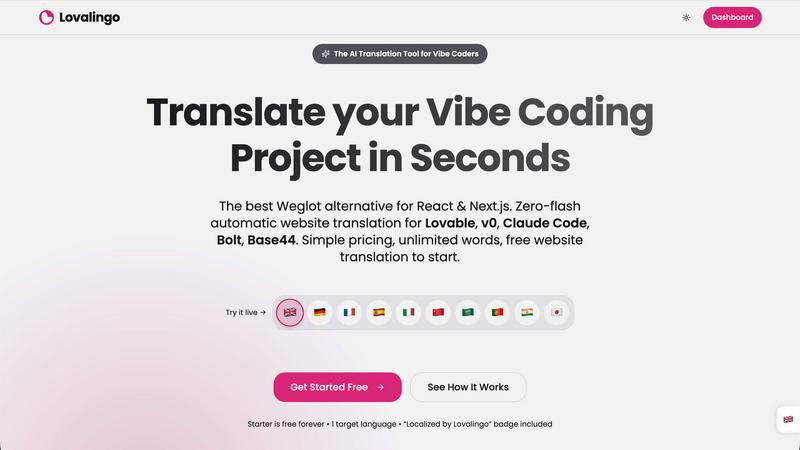
Lovalingo enables instant, zero-flash translation of React apps in 60 seconds, enhancing SEO and accessibility.
Last updated: February 28, 2026
Visual Comparison
Blueberry

Lovalingo
Feature Comparison
Blueberry
Integrated Workspace
Blueberry brings together a code editor, terminal, and live preview browser in one cohesive workspace. This integration allows developers to work more efficiently, eliminating the need to switch between different applications and providing a unified environment for coding, testing, and deploying web applications.
AI-Powered Contextual Assistance
With the built-in Blueberry MCP, developers can connect to various AI models, which can access the entire workspace. These AI models gain full context, including open files and real-time terminal output, enabling them to provide intelligent suggestions and support directly within the development process.
Live Preview Across Devices
Blueberry offers a built-in live preview feature that allows users to see how their web applications will look across different devices, including desktops, tablets, and mobile screens. This functionality ensures that developers can make design adjustments on the fly and deliver a polished product.
Pinned Apps Integration
Users can dock essential tools like GitHub, Linear, Figma, and PostHog directly within the Blueberry workspace. This feature ensures that critical applications are always accessible, sharing live context with your AI, which enhances collaboration and productivity during the development process.
Lovalingo
Native SEO
Lovalingo automatically generates multilingual sitemaps, hreflang tags, and meta descriptions, ensuring that your website is indexed globally right from the start. This native SEO integration means you can launch your product in multiple languages without sacrificing visibility on search engines.
Zero-Flash UI
Lovalingo stands out from competitors like Weglot by executing translations during the React render phase instead of manipulating the DOM after the page has loaded. This results in a seamless user experience with no flickering or layout shifts, ensuring that your site loads smoothly for all users.
Vibe-Coding Ready
Designed specifically for modern vibe coding tools, Lovalingo is fully compatible with Lovable, Bolt, and v0. With just one script, developers can enable instant multilingual support across their applications, making it an effortless choice for rapid development cycles.
Zero Maintenance
Say goodbye to the hassle of managing JSON files and manual translations. Lovalingo automatically detects routes and updates content in real-time, allowing developers to focus on building features rather than maintaining translation files. This leads to a more efficient workflow and a faster time to market.
Use Cases
Blueberry
Rapid Prototyping
Developers can use Blueberry to quickly prototype web applications by leveraging the integrated code editor and live preview. This allows for immediate feedback and iteration, making it easier to refine ideas and functionalities.
Collaborative Development
Teams can collaborate more effectively by using Blueberry's pinned apps and AI context features. This setup facilitates communication and ensures that everyone is aligned on the project, reducing the chances of miscommunication or errors.
Learning and Experimentation
Blueberry serves as an excellent platform for learners and developers experimenting with new technologies or frameworks. The AI's contextual awareness helps users understand their code better and receive real-time assistance, making the learning curve less steep.
Comprehensive Debugging
Debugging becomes more straightforward with Blueberry's integrated terminal and live preview. Developers can run commands, view output, and see immediate changes in their browser, creating a more efficient debugging workflow that saves time and reduces frustration.
Lovalingo
SaaS Founders Scaling to International Markets
For SaaS founders looking to expand their user base globally, Lovalingo simplifies the process of translating their applications. By eliminating manual entry and providing automatic updates, founders can focus on their core business while Lovalingo handles localization seamlessly.
Agencies Building on Lovable
Agencies that utilize Lovable for their projects find Lovalingo to be an invaluable tool. It allows them to deliver multilingual websites to clients without the usual complexities associated with i18n. The ease of integration and maintenance means agencies can take on more projects with confidence.
Developers Who Hate Manual i18n
Developers often find manual internationalization tedious and error-prone. Lovalingo alleviates this pain point by automating translation processes and reducing the need for string management, thus allowing developers to spend their time on more meaningful coding tasks.
Real-Time Content Updates for Dynamic Apps
In dynamic applications where content frequently changes, Lovalingo’s real-time content update feature ensures that translations are always up to date. This is particularly beneficial for news sites, e-commerce platforms, and other content-driven applications that operate in multiple languages.
Overview
About Blueberry
Blueberry is a revolutionary macOS application that redefines the workspace for modern product builders by combining an intuitive code editor, terminal, and live browser preview into a single focused environment. Designed for developers, designers, and product teams, Blueberry eliminates the hassle of juggling multiple windows and applications, enabling users to streamline their workflow. With its powerful integration of AI through the Blueberry MCP, users can connect to advanced models like Claude, Gemini, and Codex, allowing these AIs to have real-time context of your files, terminal output, and live previews. This unique setup not only enhances productivity but also fosters a collaborative atmosphere where building and shipping web applications becomes a seamless experience. Currently available as a free beta, Blueberry is tailored for those who aspire to create delightful web apps without the clutter of traditional development tools.
About Lovalingo
Lovalingo is a cutting-edge translation tool designed specifically for developers who work with modern web frameworks like React and Next.js. It addresses the common pain points associated with internationalization (i18n), such as managing cumbersome JSON files, dealing with broken layouts, and the complexities of maintaining SEO across multiple languages. By automating the translation process and integrating seamlessly into the development workflow, Lovalingo enables teams to scale their applications globally without the usual headaches. Whether you are a SaaS founder aiming to penetrate international markets, an agency building multilingual websites, or a developer frustrated with traditional i18n approaches, Lovalingo provides a robust solution. It eliminates the need for manual string management and allows for real-time updates, ensuring that your app is always in sync with the latest content.
Frequently Asked Questions
Blueberry FAQ
What operating system does Blueberry support?
Blueberry is currently designed exclusively for macOS and is available as a free beta version for Mac users.
Is Blueberry really free during the beta period?
Yes, Blueberry is 100% free during its beta phase, allowing users to explore all features without any costs involved.
Can I integrate my existing tools with Blueberry?
Absolutely! Blueberry allows you to dock essential applications like GitHub, Linear, Figma, and PostHog within your workspace, providing easy access and shared context.
How does Blueberry enhance productivity for developers?
By integrating an editor, terminal, and live preview, along with AI context, Blueberry minimizes the need to switch between different tools, thereby streamlining the development process and enhancing productivity.
Lovalingo FAQ
How does Lovalingo handle SEO for multilingual websites?
Lovalingo automatically generates essential SEO components like multilingual sitemaps, hreflang tags, and meta descriptions, ensuring that your website is fully optimized for search engines in all supported languages.
Is Lovalingo easy to integrate into existing projects?
Yes, Lovalingo is designed for quick integration. Developers can set it up in just 60 seconds by copying a single prompt into their coding environment, making it a hassle-free addition to any project.
What are the limitations on language support with Lovalingo?
Lovalingo starts with the ability to support multiple languages, and you can upgrade to a global plan that allows for unlimited languages as your project scales. There are no per-language fees, so you only pay for what you need.
Does Lovalingo require manual translation management?
No, Lovalingo eliminates the need for manual translation management altogether. It automatically detects new content and updates translations in real-time, making it a fully automated solution for developers.
Alternatives
Blueberry Alternatives
Blueberry is a Mac app designed for developers, integrating an editor, terminal, and browser into a singular workspace. This innovative approach allows users to streamline their workflow, eliminating the hassle of switching between multiple windows. With the capability to connect models like Claude, Codex, or Gemini through MCP, Blueberry enhances productivity by providing a unified view of files, terminal outputs, and live previews. However, many users seek alternatives for various reasons, including pricing, specific feature sets, or platform compatibility. When searching for an alternative, it’s crucial to consider factors such as the user interface, integration capabilities with other tools, and overall functionality to ensure it meets individual workflow needs. A well-chosen alternative can provide similar or enhanced features while fitting better into a user’s unique development environment.
Lovalingo Alternatives
Lovalingo is an innovative translation tool designed specifically for React applications, streamlining the localization process with a focus on automated SEO and seamless integration. It eliminates the hassles of traditional internationalization (i18n) methods that often involve cumbersome JSON files and layout issues. Users frequently seek alternatives to Lovalingo for various reasons, including pricing considerations, feature sets that better suit their unique needs, or compatibility with different platforms. When evaluating alternatives, it's essential to consider factors such as ease of integration, the effectiveness of automated translation, support for native SEO features, and overall user experience. Look for solutions that not only simplify the translation process but also enhance your app's performance and global reach without compromising on quality.