
Blueberry
Blueberry is an all-in-one Mac app that integrates your editor, terminal, and browser for seamless web app development.
Visit
About Blueberry
Blueberry is a revolutionary macOS application that redefines the workspace for modern product builders by combining an intuitive code editor, terminal, and live browser preview into a single focused environment. Designed for developers, designers, and product teams, Blueberry eliminates the hassle of juggling multiple windows and applications, enabling users to streamline their workflow. With its powerful integration of AI through the Blueberry MCP, users can connect to advanced models like Claude, Gemini, and Codex, allowing these AIs to have real-time context of your files, terminal output, and live previews. This unique setup not only enhances productivity but also fosters a collaborative atmosphere where building and shipping web applications becomes a seamless experience. Currently available as a free beta, Blueberry is tailored for those who aspire to create delightful web apps without the clutter of traditional development tools.
Features of Blueberry
Integrated Workspace
Blueberry brings together a code editor, terminal, and live preview browser in one cohesive workspace. This integration allows developers to work more efficiently, eliminating the need to switch between different applications and providing a unified environment for coding, testing, and deploying web applications.
AI-Powered Contextual Assistance
With the built-in Blueberry MCP, developers can connect to various AI models, which can access the entire workspace. These AI models gain full context, including open files and real-time terminal output, enabling them to provide intelligent suggestions and support directly within the development process.
Live Preview Across Devices
Blueberry offers a built-in live preview feature that allows users to see how their web applications will look across different devices, including desktops, tablets, and mobile screens. This functionality ensures that developers can make design adjustments on the fly and deliver a polished product.
Pinned Apps Integration
Users can dock essential tools like GitHub, Linear, Figma, and PostHog directly within the Blueberry workspace. This feature ensures that critical applications are always accessible, sharing live context with your AI, which enhances collaboration and productivity during the development process.
Use Cases of Blueberry
Rapid Prototyping
Developers can use Blueberry to quickly prototype web applications by leveraging the integrated code editor and live preview. This allows for immediate feedback and iteration, making it easier to refine ideas and functionalities.
Collaborative Development
Teams can collaborate more effectively by using Blueberry's pinned apps and AI context features. This setup facilitates communication and ensures that everyone is aligned on the project, reducing the chances of miscommunication or errors.
Learning and Experimentation
Blueberry serves as an excellent platform for learners and developers experimenting with new technologies or frameworks. The AI's contextual awareness helps users understand their code better and receive real-time assistance, making the learning curve less steep.
Comprehensive Debugging
Debugging becomes more straightforward with Blueberry's integrated terminal and live preview. Developers can run commands, view output, and see immediate changes in their browser, creating a more efficient debugging workflow that saves time and reduces frustration.
Frequently Asked Questions
What operating system does Blueberry support?
Blueberry is currently designed exclusively for macOS and is available as a free beta version for Mac users.
Is Blueberry really free during the beta period?
Yes, Blueberry is 100% free during its beta phase, allowing users to explore all features without any costs involved.
Can I integrate my existing tools with Blueberry?
Absolutely! Blueberry allows you to dock essential applications like GitHub, Linear, Figma, and PostHog within your workspace, providing easy access and shared context.
How does Blueberry enhance productivity for developers?
By integrating an editor, terminal, and live preview, along with AI context, Blueberry minimizes the need to switch between different tools, thereby streamlining the development process and enhancing productivity.
Explore more in this category:
Similar to Blueberry
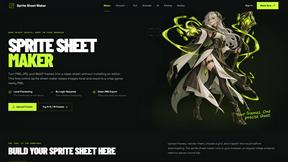
Sprite Sheet Maker
A free browser-based toolkit for creating, cutting, converting, and previewing sprite sheet animations.

Product Launch Checklist
A free launch checklist for SaaS, apps, AI tools and more. Every step says why it matters and when you can skip it.

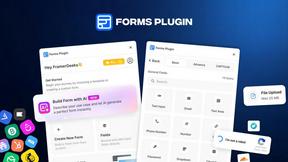
Forms Plugin
The #1 Native Form Builder Plugin for Framer - No Code, No Embeds, No External Platforms.
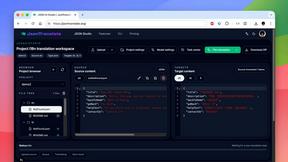
JsonTranslate
A structured JSON, Markdown, and TXT translator that preserves keys, nested paths, and project structure.

TryKlingAI
Independent Kling AI video generator for text, image, audio, and motion references with Kling 3.0, Lip Sync, and API access.

AkraLabs
Where modern software products get discovered, launched, and distributed. Explore verified AI tools, SaaS startups, and developer software.
