MindMap AI vs Resume Free Pro
Side-by-side comparison to help you choose the right tool.

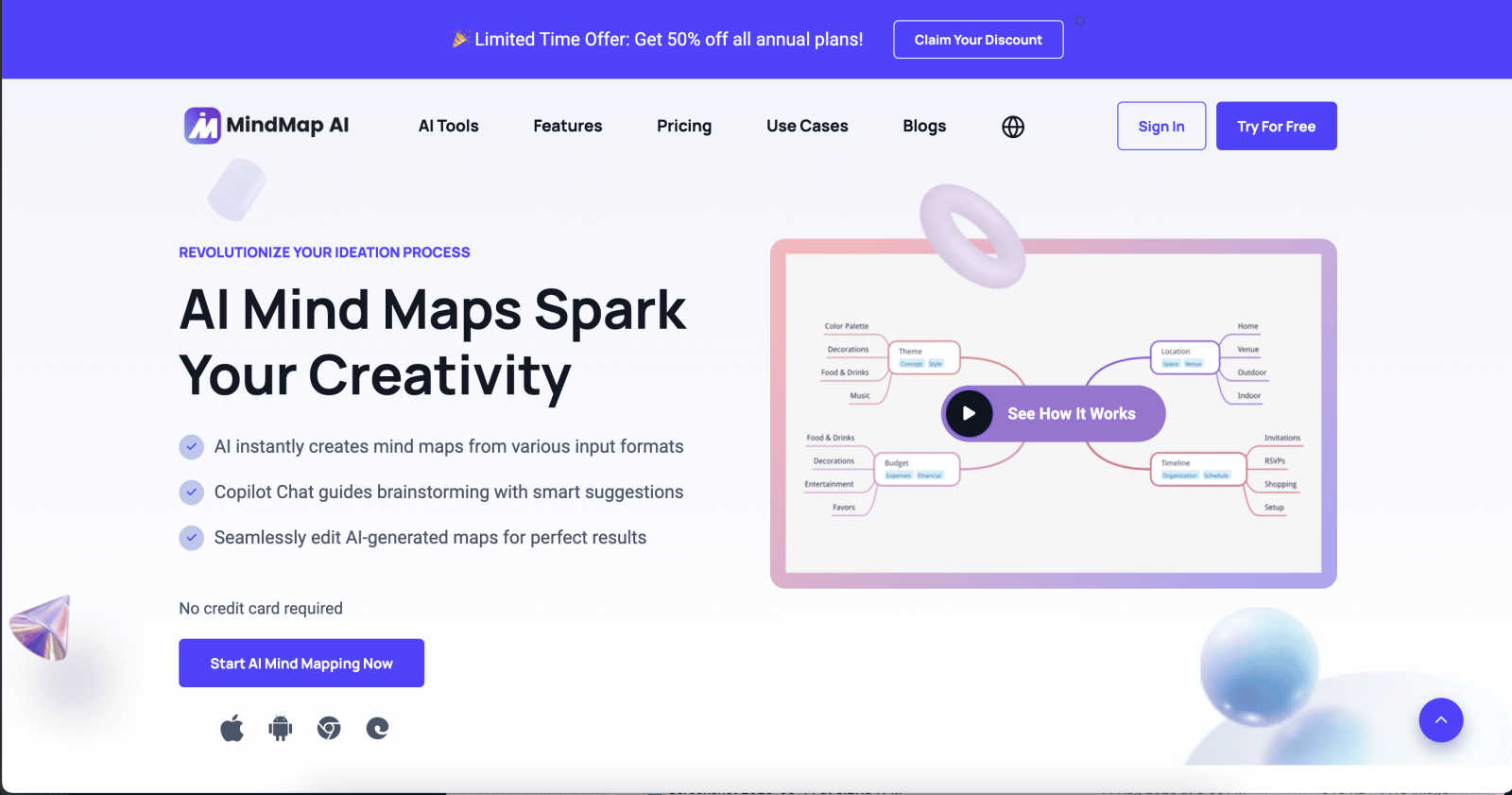
MindMap AI instantly transforms your ideas and documents into structured, editable mind maps for smarter thinking.
Last updated: March 1, 2026

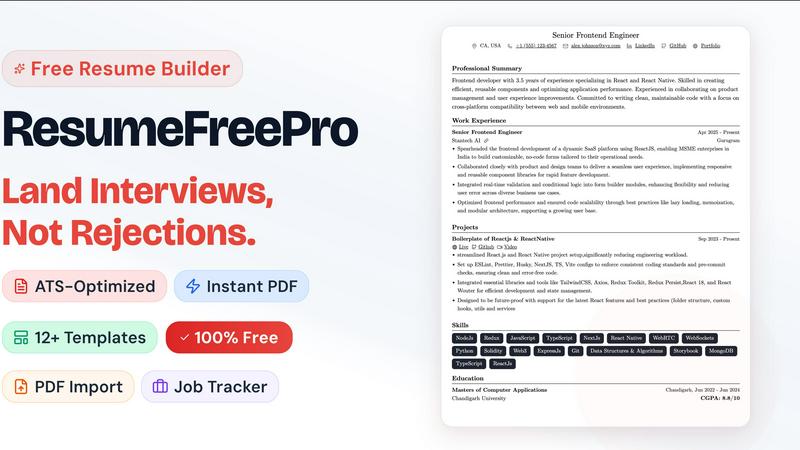
Resume Free Pro
Land interviews, not silence, with this free ATS-optimized resume builder that creates professional resumes in minutes.
Last updated: April 13, 2026
Visual Comparison
MindMap AI
Resume Free Pro
Feature Comparison
MindMap AI
The New Brain: AI Thinking Mode
This is the secret sauce that separates MindMap AI from mere "AI note-takers." It doesn't just spit out random branches. It uses a sophisticated, step-by-step reasoning engine to deeply understand context, hierarchy, and relationships before drawing a single line. The result? Your first draft is a meaningfully structured map, accurate and usable immediately. You get a thoughtful outline, not a decorative mess.
File-to-Map Conversion: Universal Input
This feature alone justifies the switch. You can transform virtually anything into a clean mind map: PDFs, images, audio recordings, videos, Markdown files, CSVs, and plain text. Instead of manually transcribing and organizing content from different sources, you dump it all in and get a unified, visual summary. It's the ultimate research and meeting digest tool.
MindMark Stability: AI That Respects You
My absolute favorite feature. Unlike other "helpful" AIs that blindly overwrite your hard work, MindMap AI is designed to co-edit respectfully. Your manual edits, custom layouts, and personal structural tweaks are sacred. The AI expands and suggests around your ideas without breaking your design. You remain in full, sovereign control.
Flexible Layouts & Instant Aesthetics
One project, three powerful views: Mind Map, Org Chart, and Logic Chart. Switch between them seamlessly to explore or present your ideas from different angles. Couple this with a library of one-click, beautiful themes, and you have a map that goes from a thinking tool to a presentation-ready artifact in seconds, with full customization for colors, fonts, and shapes.
Resume Free Pro
ATS-Certified Template Library
Forget pretty designs that get shredded by automated Applicant Tracking Systems (ATS). Resume Free Pro’s core strength is its curated collection of over 12 single-column, two-column, modern, and executive templates that are rigorously tested to pass ATS screening. This isn't a guess; it's a guarantee. The layouts are designed with clean formatting, standard headings, and logical structures that ensure your content is parsed correctly every time. You get the visual appeal of a modern design with the technical backbone needed to actually land an interview.
Real-Time Visual Editor & PDF Export
This is where the magic happens. The WYSIWYG (What You See Is What You Get) editor lets you type, format, and adjust your resume while watching a live preview update simultaneously. Change a font, tweak a margin, or reorder a section—you see the exact result instantly. When you're ready, the export is a pixel-perfect, A4-formatted PDF with intelligent page breaks. You get unlimited downloads, and critically, there are zero watermarks. The file you create is professionally yours.
LinkedIn Import & Resume Parser
Dreading the hours of manual data entry? These two features are absolute game-changers. Simply paste your LinkedIn profile URL, and Resume Free Pro will intelligently pull in your work history, education, and skills, auto-populating the editor. Alternatively, upload your old, outdated PDF or DOCX resume, and the built-in AI parser will meticulously extract every section—from contact info to bullet points—into clean, editable fields. It’s the fastest way to modernize your application.
Integrated Job Application Tracker
Resume Free Pro understands that the job search is a pipeline. That’s why it includes a powerful, built-in Kanban-style tracker. You can create customizable stages (e.g., Applied, Interview, Offer), add job cards with notes and deadlines, and even use a calendar view. It keeps your entire search organized in one place, turning a scattered, stressful process into a manageable project. This feature alone elevates it from a simple builder to a strategic career management platform.
Use Cases
MindMap AI
Academic Research & Synthesis
For students and researchers, this is a superpower. Dump dozens of academic papers (PDFs), interview transcripts, and book notes into the tool. Instantly, you get a master mind map showing themes, arguments, and gaps in the literature. The AI helps you see connections between sources you might have missed, dramatically accelerating the literature review and thesis outlining process.
Strategic Business Planning
Turn chaotic strategy sessions into clear, actionable roadmaps. Feed it meeting recordings, market analysis reports, and SWOT brainstorm notes. MindMap AI will structure the core objectives, key initiatives, risks, and responsibilities into a coherent strategic map. Teams can then use the Co-Pilot to ask "what are our biggest execution risks?" and refine the plan live.
Project Management & Onboarding
Kick off new projects or onboard team members with crystal clarity. Convert a project charter document, a list of tasks from a CSV, or notes from a kickoff call into a detailed project mind map. Use the Org Chart view to clarify reporting lines and the Logic Chart view to map dependencies. It becomes the single, living source of truth for the project's scope and structure.
Content Creation & Writing
Beat writer's block and organize complex articles or reports. Start by dumping a rough outline, key quotes, or research links into the tool. Let the AI structure your main arguments and supporting points. Use the different views to flow from a brainstorm (Mind Map) to a structured outline (Logic Chart), making the writing process fluid and organized from the start.
Resume Free Pro
The Career Changer
Switching industries or roles is daunting. You need a resume that translates your existing skills into the new field's language. Resume Free Pro helps by providing clean, professional templates that focus on transferable skills and achievements. The parsing tool lets you quickly import your old resume, and the visual editor makes it easy to restructure and emphasize relevant experience, creating a compelling narrative for your new path without starting from a blank page.
The Recent Graduate
With limited professional experience, graduates need a resume that maximizes impact. The ATS-optimized templates ensure their application isn't filtered out before a human sees it. The guided prompts in the editor help them articulate projects, coursework, and internships effectively. The completely free model is perfect for students on a budget, allowing them to create a polished, professional document that competes with seasoned candidates.
The Active Job Seeker Managing Multiple Applications
When you're applying to dozens of roles, organization is key. Resume Free Pro’s integrated Job Application Tracker is a lifesaver. You can build your resume, tailor it for a specific role, and then immediately create a card for that application in your pipeline—tracking its status, interview dates, and follow-ups all in one unified dashboard. It eliminates spreadsheets and sticky notes, bringing clarity and control to a hectic process.
The Professional Needing a Rapid Update
Maybe you're happy in your role but need an updated resume for a sudden opportunity or performance review. The LinkedIn import feature is perfect for this. In under two minutes, you can have your current profile transformed into a fresh, professionally formatted resume. The real-time editor then lets you quickly add recent accomplishments before downloading a pristine PDF, ready to send.
Overview
About MindMap AI
Let's cut to the chase: traditional mind mapping tools are a relic. They force you to become a graphic designer when all you want to do is think. MindMap AI is the revolutionary correction we've all needed. This isn't just software; it's an AI-powered thinking partner engineered for professionals, students, and teams drowning in unstructured information. Its core, game-changing promise is simple: it obliterates the blank page. Instead of starting from zero, you feed it your chaos—a rambling meeting transcript, a dense 50-page PDF, a folder of scattered notes, or even a raw audio clip—and it instantly synthesizes that mess into a coherent, structured, and dynamic visual mind map. This is the magic. It automates the tedious "organization" phase, letting you leap directly into the "insight" phase. With features like an interactive AI Co-Pilot you can chat with, and intelligent capabilities that discover hidden connections, every map becomes a living workspace for your ideas. Built for real productivity, it's the definitive tool for transforming complex concepts into actionable strategies, projects, and clear workflows in minutes. If you're tired of tools that create more work, and you crave a partner that accelerates thought, MindMap AI is your non-negotiable solution.
About Resume Free Pro
Let's be brutally honest: the job market is a battlefield, and your resume is your primary weapon. Yet, for far too long, we've been told we need to pay a premium just to craft a document that presents our professional worth. Resume Free Pro is the long-overdue rebellion against that notion. This is a completely free, no-strings-attached online resume builder engineered for one purpose: to get you hired. It’s built for every job seeker—from fresh graduates to seasoned executives—who is tired of subscription traps, watermarks, and credit card requirements for what should be a fundamental tool. The core value proposition is stunningly simple: professional, ATS-optimized resumes that actually get seen by human recruiters, created and downloaded in minutes, entirely for free. With features like LinkedIn import and a resume parser, it eliminates the grunt work. With its real-time visual editor and pixel-perfect PDF export, it delivers stunning, controlled results. And with a built-in job application tracker, it becomes the central command center for your entire job search. This isn't just another template site; it's a comprehensive career toolkit that respects your time, your wallet, and your ambition.
Frequently Asked Questions
MindMap AI FAQ
How does MindMap AI handle different languages?
Remarkably well. It supports creation and editing in over 25 languages with consistent accuracy. The AI's reasoning engine understands context and hierarchy across languages, so you can map ideas in Spanish, German, Japanese, or others without the layout breaking or the meaning getting lost. It's truly built for a global team.
Can I edit the mind maps after the AI creates them?
Absolutely, and this is where it shines. You have complete manual control. You can drag and drop nodes, change colors, add your own branches, and rearrange the entire structure. The AI's "MindMark Stability" feature ensures your manual edits are preserved, and the AI will only make further suggestions if you ask it to.
What kind of files can I convert into a mind map?
The list is extensive and covers most professional needs: Text, PDFs, Images (it extracts and interprets text), Audio files (like meeting recordings), Video (audio transcription), Markdown, CSV, JSON, XML, and HTML. It's designed to be the central hub where all your disparate information becomes visual.
Is there a free plan to try it out?
Yes, and it's a generous one. You can start with 50 free AI credits monthly without needing a credit card. This allows you to test the core conversion and AI features thoroughly to see how it fits into your workflow before committing to a paid plan for higher volume usage.
Resume Free Pro FAQ
Is Resume Free Pro really free forever?
Yes, absolutely. The core product—including all ATS-certified templates, the visual editor, unlimited PDF downloads without watermarks, LinkedIn import, resume parsing, the job tracker, and cloud storage—is 100% free forever. No subscription, no trial period, no credit card required. The company offers optional AI-powered premium features for those who want them, but the essential toolkit for building a winning resume is completely free.
How do the ATS-optimized templates work?
ATS software scans resumes for keywords and parses information into categories. Poor formatting (like complex graphics, unusual fonts, or text boxes) can cause parsing errors, getting your resume rejected. Resume Free Pro's templates are built with clean, standard code and logical section hierarchies that ATS systems can read perfectly. They are designed to look great to humans while also being technically compliant with the software that screens them first.
Can I customize the resume templates?
Extensively. You have full design control within the editor. This includes changing fonts, colors, line spacing, margin sizes, and header layouts. You can also reorder entire sections (like putting Skills before Experience) with simple drag-and-drop. This level of customization ensures your resume reflects your personal brand while maintaining its ATS-friendly integrity.
What are the "AI-powered premium features"?
These are advanced, optional tools that use artificial intelligence to enhance your resume further. They include features like resume tailoring, where the AI suggests edits to better match a specific job description; ATS compatibility scoring, which gives your resume a grade and improvement tips; keyword optimization suggestions; and a bullet point improver that helps strengthen your accomplishment statements. The core builder remains free without these.
Alternatives
MindMap AI Alternatives
MindMap AI is a powerful AI-powered mind mapping tool designed to instantly transform your ideas, documents, and even audio into structured, editable visual maps. It belongs to the modern category of AI-driven productivity and brainstorming software, moving far beyond manual diagramming to act as a thinking partner. Users often seek alternatives for a variety of practical reasons. Budget constraints, the need for a specific platform like a native desktop app, or a desire for more traditional, manual diagramming control can all lead someone to explore other options. Some teams might prioritize deep integration with their existing project management stack over raw AI-powered ideation. When evaluating alternatives, focus on what matters most for your workflow. Consider the core intelligence: does it just create a diagram, or does it actually understand and structure information? Scrutinize input flexibility—can it process the file types you use daily? Finally, assess collaboration features and whether the tool helps you move from insight to action, or if it's just a pretty picture.
Resume Free Pro Alternatives
Resume Free Pro is a standout in the crowded field of free online resume builders, offering a surprisingly robust suite of tools for job seekers. It belongs to the category of career and productivity software, specifically designed to help you create, manage, and optimize your job application materials without ever reaching for your wallet. People look for alternatives for various reasons. Some may outgrow the platform's core features and seek more advanced analytics or deeper AI integration. Others might have specific workflow needs, like wanting a fully offline desktop application or a tool that integrates directly with their company's HR software. The search often comes down to finding the perfect balance of power, simplicity, and cost for an individual's unique job hunt. When evaluating other options, focus on what truly matters for your success. Prioritize ATS-friendly templates and clean PDF exports above flashy designs. Consider whether you need collaborative features, extensive storage, or mobile editing. Ultimately, the best alternative is one that removes friction from your process, letting you focus on landing the interview, not fighting with formatting.