
MindMap AI vs Zovo
Side-by-side comparison to help you choose the right tool.

MindMap AI
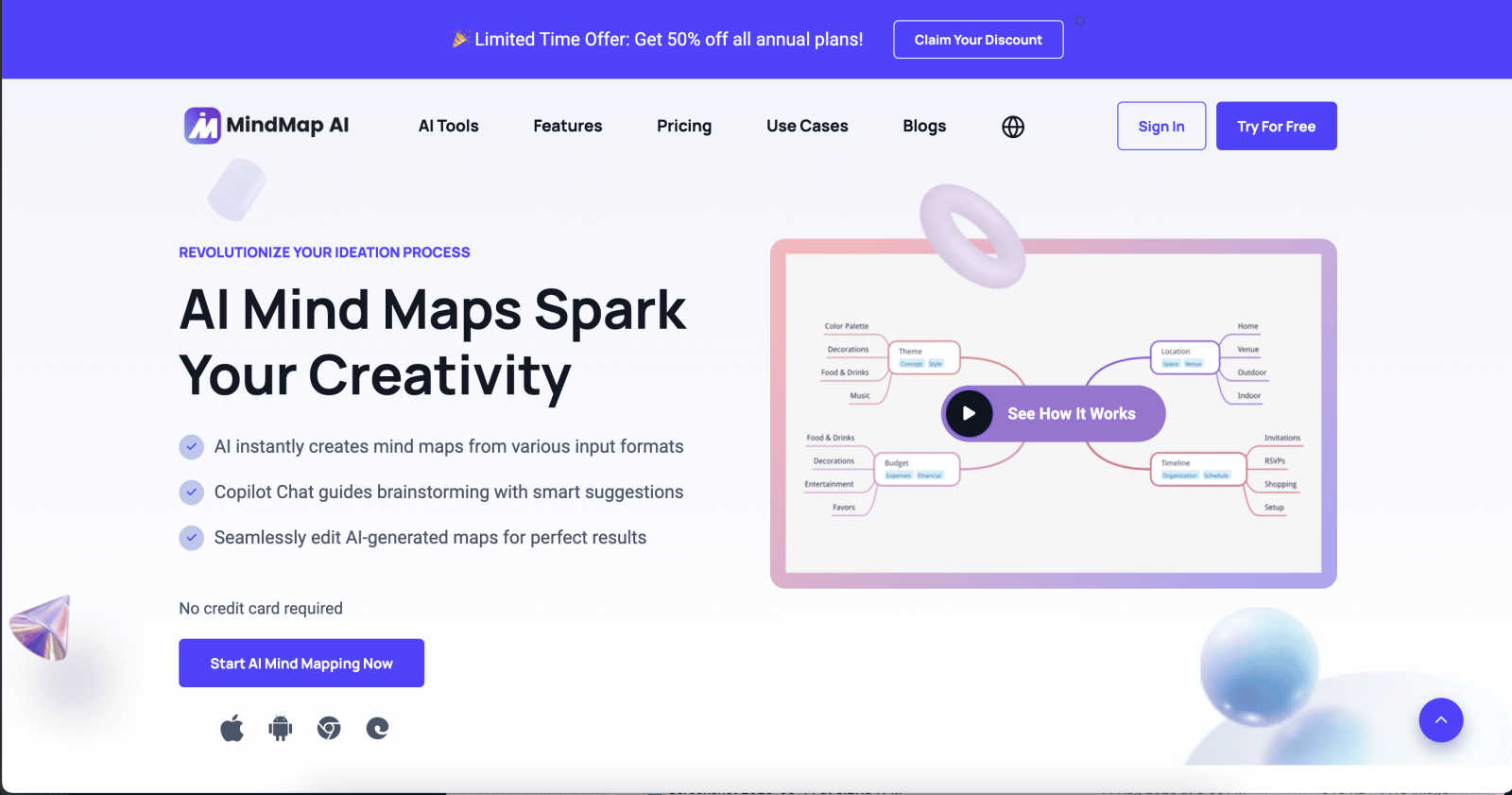
MindMap AI instantly transforms your ideas and documents into structured, editable mind maps for smarter thinking.
Last updated: March 1, 2026

Zovo offers 20 privacy-focused Chrome extensions for developers and writers, all under one subscription with no data.
Last updated: February 28, 2026
Visual Comparison
MindMap AI
Zovo

Feature Comparison
MindMap AI
The New Brain: AI Thinking Mode
This is the secret sauce that separates MindMap AI from mere "AI note-takers." It doesn't just spit out random branches. It uses a sophisticated, step-by-step reasoning engine to deeply understand context, hierarchy, and relationships before drawing a single line. The result? Your first draft is a meaningfully structured map, accurate and usable immediately. You get a thoughtful outline, not a decorative mess.
File-to-Map Conversion: Universal Input
This feature alone justifies the switch. You can transform virtually anything into a clean mind map: PDFs, images, audio recordings, videos, Markdown files, CSVs, and plain text. Instead of manually transcribing and organizing content from different sources, you dump it all in and get a unified, visual summary. It's the ultimate research and meeting digest tool.
MindMark Stability: AI That Respects You
My absolute favorite feature. Unlike other "helpful" AIs that blindly overwrite your hard work, MindMap AI is designed to co-edit respectfully. Your manual edits, custom layouts, and personal structural tweaks are sacred. The AI expands and suggests around your ideas without breaking your design. You remain in full, sovereign control.
Flexible Layouts & Instant Aesthetics
One project, three powerful views: Mind Map, Org Chart, and Logic Chart. Switch between them seamlessly to explore or present your ideas from different angles. Couple this with a library of one-click, beautiful themes, and you have a map that goes from a thinking tool to a presentation-ready artifact in seconds, with full customization for colors, fonts, and shapes.
Zovo
BeLikeNative
BeLikeNative is an exceptional writing assistant that helps users compose text in a manner akin to native speakers. It offers one-keystroke rewrites across 80 languages, making it an invaluable tool for non-native speakers who wish to enhance their writing skills and communicate more effectively.
Tab Suspender Pro
Tab Suspender Pro is a brilliant extension designed to optimize your browser's memory usage by suspending inactive tabs. This feature not only improves performance but also helps reduce lag and crashes, allowing you to maintain a smooth browsing experience even with numerous tabs open.
JSON Formatter Pro
For developers and data enthusiasts, JSON Formatter Pro is an essential tool. It simplifies the process of viewing and editing JSON data, providing clear formatting and validation features. This makes it easier to work with APIs and manage data structures efficiently.
Clipboard History Pro
Clipboard History Pro transforms how you manage copied content. This extension saves your clipboard history, allowing you to access and paste previously copied items seamlessly. With a limit of up to 100 items in the free version, it’s perfect for anyone who frequently works with multiple pieces of text.
Use Cases
MindMap AI
Academic Research & Synthesis
For students and researchers, this is a superpower. Dump dozens of academic papers (PDFs), interview transcripts, and book notes into the tool. Instantly, you get a master mind map showing themes, arguments, and gaps in the literature. The AI helps you see connections between sources you might have missed, dramatically accelerating the literature review and thesis outlining process.
Strategic Business Planning
Turn chaotic strategy sessions into clear, actionable roadmaps. Feed it meeting recordings, market analysis reports, and SWOT brainstorm notes. MindMap AI will structure the core objectives, key initiatives, risks, and responsibilities into a coherent strategic map. Teams can then use the Co-Pilot to ask "what are our biggest execution risks?" and refine the plan live.
Project Management & Onboarding
Kick off new projects or onboard team members with crystal clarity. Convert a project charter document, a list of tasks from a CSV, or notes from a kickoff call into a detailed project mind map. Use the Org Chart view to clarify reporting lines and the Logic Chart view to map dependencies. It becomes the single, living source of truth for the project's scope and structure.
Content Creation & Writing
Beat writer's block and organize complex articles or reports. Start by dumping a rough outline, key quotes, or research links into the tool. Let the AI structure your main arguments and supporting points. Use the different views to flow from a brainstorm (Mind Map) to a structured outline (Logic Chart), making the writing process fluid and organized from the start.
Zovo
Improving Language Skills
For language learners and professionals, BeLikeNative offers a straightforward way to improve writing proficiency. Users can quickly rewrite sentences to sound more natural, enhancing communication for personal or professional use in a new language.
Enhancing Browser Performance
Tab Suspender Pro is ideal for users who often juggle multiple tabs. By suspending unused tabs, it conserves system resources, ensuring that your browser operates efficiently without slowing down your workflow, especially during intensive tasks.
Simplifying Data Management
Developers can rely on JSON Formatter Pro to handle complex data effortlessly. Whether debugging or developing, this tool ensures data is presented clearly, making it easier to identify issues and streamline the coding process.
Efficient Text Management
Clipboard History Pro is perfect for writers, researchers, or anyone who regularly copies and pastes text. This extension allows users to retrieve and reuse previously copied content quickly, significantly speeding up the writing or data entry process.
Overview
About MindMap AI
Let's cut to the chase: traditional mind mapping tools are a relic. They force you to become a graphic designer when all you want to do is think. MindMap AI is the revolutionary correction we've all needed. This isn't just software; it's an AI-powered thinking partner engineered for professionals, students, and teams drowning in unstructured information. Its core, game-changing promise is simple: it obliterates the blank page. Instead of starting from zero, you feed it your chaos—a rambling meeting transcript, a dense 50-page PDF, a folder of scattered notes, or even a raw audio clip—and it instantly synthesizes that mess into a coherent, structured, and dynamic visual mind map. This is the magic. It automates the tedious "organization" phase, letting you leap directly into the "insight" phase. With features like an interactive AI Co-Pilot you can chat with, and intelligent capabilities that discover hidden connections, every map becomes a living workspace for your ideas. Built for real productivity, it's the definitive tool for transforming complex concepts into actionable strategies, projects, and clear workflows in minutes. If you're tired of tools that create more work, and you crave a partner that accelerates thought, MindMap AI is your non-negotiable solution.
About Zovo
Zovo is an innovative suite of 20 Chrome extensions designed by a solo developer with over a decade of experience and a remarkable track record of earning over $400K on Upwork with a perfect success rate. At its core, Zovo aims to enhance your browsing experience while prioritizing your privacy. With flagship tools like BeLikeNative, which enables over 3,300 users to effortlessly write like native speakers through one-keystroke rewrites in 80 languages, Zovo stands out as a must-have collection for anyone looking to improve their workflow. The suite includes a variety of utilities, such as Tab Suspender Pro for memory management, JSON Formatter Pro for developers, and Clipboard History Pro for efficient text management. Every extension is built with a privacy-first approach, ensuring that your data remains on your device, with zero data harvesting or tracking. Users actively participate in shaping the roadmap by voting on features, while new extensions are released monthly. With many tools available for free online at zovo.one, Zovo truly offers every tool your browser needs—all while keeping your data secure and private.
Frequently Asked Questions
MindMap AI FAQ
How does MindMap AI handle different languages?
Remarkably well. It supports creation and editing in over 25 languages with consistent accuracy. The AI's reasoning engine understands context and hierarchy across languages, so you can map ideas in Spanish, German, Japanese, or others without the layout breaking or the meaning getting lost. It's truly built for a global team.
Can I edit the mind maps after the AI creates them?
Absolutely, and this is where it shines. You have complete manual control. You can drag and drop nodes, change colors, add your own branches, and rearrange the entire structure. The AI's "MindMark Stability" feature ensures your manual edits are preserved, and the AI will only make further suggestions if you ask it to.
What kind of files can I convert into a mind map?
The list is extensive and covers most professional needs: Text, PDFs, Images (it extracts and interprets text), Audio files (like meeting recordings), Video (audio transcription), Markdown, CSV, JSON, XML, and HTML. It's designed to be the central hub where all your disparate information becomes visual.
Is there a free plan to try it out?
Yes, and it's a generous one. You can start with 50 free AI credits monthly without needing a credit card. This allows you to test the core conversion and AI features thoroughly to see how it fits into your workflow before committing to a paid plan for higher volume usage.
Zovo FAQ
How does Zovo protect my privacy?
Zovo is committed to privacy by design, ensuring that all extensions run locally on your device. No data is collected, tracked, or sent to servers, meaning your browsing habits and activity remain entirely private.
Can I request new features for Zovo?
Absolutely! Users can submit feature requests directly to the developer. The most requested features are prioritized, and your input directly influences the roadmap for future extensions.
Are any of the extensions free?
Yes, Zovo offers many tools for free, including core functionalities of all extensions. Users can access essential features without creating an account, while premium features are available through a one-time purchase.
How often are new extensions released?
New extensions are shipped monthly, with early access provided to members. This ensures that users who contribute to the community can try out new tools before they become available to the public.
Alternatives
MindMap AI Alternatives
MindMap AI is a powerful AI-powered mind mapping tool designed to instantly transform your ideas, documents, and even audio into structured, editable visual maps. It belongs to the modern category of AI-driven productivity and brainstorming software, moving far beyond manual diagramming to act as a thinking partner. Users often seek alternatives for a variety of practical reasons. Budget constraints, the need for a specific platform like a native desktop app, or a desire for more traditional, manual diagramming control can all lead someone to explore other options. Some teams might prioritize deep integration with their existing project management stack over raw AI-powered ideation. When evaluating alternatives, focus on what matters most for your workflow. Consider the core intelligence: does it just create a diagram, or does it actually understand and structure information? Scrutinize input flexibility—can it process the file types you use daily? Finally, assess collaboration features and whether the tool helps you move from insight to action, or if it's just a pretty picture.
Zovo Alternatives
Zovo is a suite of 20 Chrome extensions designed specifically for developers and writers, prioritizing user privacy and data security. This collection includes tools like JSON Formatter, Tab Suspender, and Clipboard History, all crafted by a solo developer with extensive experience in the field. Users often seek alternatives to Zovo for various reasons, including pricing structures, feature sets, or compatibility with specific workflows and platforms. When searching for a suitable alternative, it's essential to consider factors such as the range of features offered, the emphasis on user privacy, and the overall usability of the extensions. Finding the right alternative involves assessing how well the tools align with your needs. Look for extensions that offer a comprehensive feature set while maintaining a commitment to data security. Additionally, consider whether the platform allows customization and community engagement, as these elements can enhance your experience and ensure the tools evolve according to user feedback.