Nabbed vs SupaSidebar
Side-by-side comparison to help you choose the right tool.

Nabbed is your career CRM, using AI to manage your job search pipeline like a professional salesperson.
Last updated: April 13, 2026

SupaSidebar
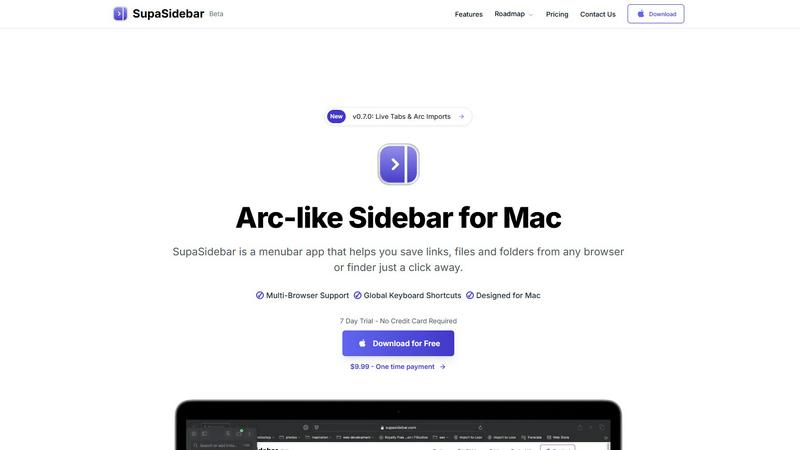
SupaSidebar is my favorite Mac menubar app for instantly saving and accessing links, files, and folders.
Last updated: February 28, 2026
Visual Comparison
Nabbed

SupaSidebar
Feature Comparison
Nabbed
Dual Sales Pipelines
Nabbed features two distinct, interactive Kanban boards that mirror the CRM experience you already know. One pipeline is dedicated to tracking your job applications through stages like Outreach, Discovery, and Closed Won. The second is a Networking Pipeline to manage your relationships and warm introductions. This dual-system allows you to visualize momentum, track velocity, and understand exactly where your search stands, transforming a chaotic process into a manageable, measurable sales funnel.
AI Career Suite
This integrated suite contains four powerful AI tools designed to automate the most time-consuming parts of your search. It generates tailored cover letters, optimizes your resume for specific job descriptions, provides personalized interview coaching with sample answers, and drafts compelling outreach emails. The AI is trained to write in a professional tone that matches your style, saving you hours of work and elevating the quality of every interaction in seconds.
Chrome Extension with ATS Autofill
The free browser extension is the workhorse of your search. With one click, you can save any job listing from over 10 platforms directly to your pipeline. Its killer feature is the ability to autofill application forms on more than 60 Applicant Tracking Systems (ATS) like Greenhouse, Lever, and Workday, pulling data from your profile. This "stealth apply" functionality eliminates tedious manual data entry, letting you apply to more roles in less time.
Company Intelligence & Hiring Signals
Nabbed automatically enriches every company you save with real-time intelligence, including funding status, employee headcount, tech stack, and Glassdoor ratings. More critically, it monitors your target accounts for "hiring signals" like rapid headcount growth or new funding rounds, alerting you when a company is most likely to be hiring. This turns reactive job searching into proactive territory planning.
SupaSidebar
Universal Capture with Global Shortcuts
This is the killer feature that makes SupaSidebar indispensable. No more tedious right-clicking or dragging. From any browser—Safari, Chrome, Firefox, Brave, or Arc—you can instantly save or copy the current webpage's URL using configurable global keyboard shortcuts (like Cmd+Ctrl+S to save). It works system-wide, meaning you're never more than a keystroke away from capturing important information without breaking your flow. This seamless integration is what transforms SupaSidebar from a passive storage app into an active productivity powerhouse.
Intelligent Recents & Instant Search
SupaSidebar brilliantly keeps track of your activity. The "Recents" section automatically logs every website you've visited in the last 48 hours, acting as a perfect short-term memory for when you inevitably close a tab too soon. More impressive is the universal search (triggered by Cmd+Ctrl+K). This isn't just for your saved items; it's a blazing-fast conduit to find any file, folder, website, or application on your Mac instantly. It eliminates the friction of switching between Finder and your browser, centralizing access in one focused command palette.
Spaces for Organizational Freedom
Moving beyond a simple list, SupaSidebar introduces "Spaces"—separate, organized lists to categorize your work. The free plan includes 3, which is perfect for dividing personal, work, and research tasks. The Pro plan unlocks unlimited Spaces, allowing for meticulous organization by project, client, or topic. This structure ensures your sidebar remains clean and relevant to the task at hand, preventing it from becoming a digital junk drawer. It’s the organizational layer that makes the tool scalable for power users.
Native Mac Design & Privacy-First
SupaSidebar feels like a natural part of macOS. It's not a clunky port or a web wrapper; it's built specifically for the Mac ecosystem, with smooth animations and intuitive interactions like natural swipe gestures. Crucially, it operates on a staunch privacy-first principle: all your data—links, files, metadata—stays locally on your Mac. Nothing is sent to external servers. You get the convenience of cloud-like organization with the absolute security and privacy of local storage, which is a rare and commendable combination.
Use Cases
Nabbed
The Strategic Job Seeker in Active Search
For a sales leader actively looking for a new CRO or VP of Sales role, Nabbed provides the structure to manage 50+ target companies, track numerous applications, and orchestrate a complex networking campaign. The pipeline analytics help prioritize efforts on high-potential opportunities, while AI tools ensure every application and follow-up is perfectly polished.
The Passive Candidate Building an Opportunity Pipeline
A high-performing Account Executive not actively applying can use Nabbed to quietly build a "territory" of dream companies. They can save interesting roles, build a contact list, and monitor for hiring triggers. When the perfect signal hits, they're prepared to engage with a warm network and a tailored resume, moving quickly from passive to candidate.
The Career Pivot into a New Industry
Someone transitioning from, say, SaaS sales to Fintech sales needs deep company research and to rebuild their network. Nabbed's Company Intelligence provides instant due diligence on potential employers, while the Contact CRM helps map and track new relationships within the target industry, making a complex pivot more manageable.
The Organized Professional Managing Referrals
Leveraging a warm network for referrals is crucial but messy. Nabbed's Networking Pipeline allows you to track who you've asked for an intro, the status of that request, and required follow-ups. Combined with email tracking, you have full visibility into your referral chain, ensuring no valuable connection falls through the cracks.
SupaSidebar
The Academic Researcher
For anyone writing a paper or thesis, SupaSidebar is a game-changer. You can instantly save source articles from various databases and browsers into a dedicated "Research" Space. Use the Recents feature to jump back to a statistical tool or journal website you used yesterday. Keep PDFs and data folders pinned for quick access. It turns the chaotic process of literature review and source management into a streamlined, centralized operation, saving hours of tab-hopping.
The Content Creator & Digital Marketer
Creators constantly collect inspiration, draft social posts, manage assets, and track analytics. SupaSidebar allows you to pin your Canva dashboard, YouTube Studio, and brand assets folder. Save competitor links or inspiration from around the web with a single shortcut. Use different Spaces for different clients or platforms (e.g., "Client A - Instagram," "Blog Ideas"). The universal search lets you pull up a brand logo or a draft document mid-task without ever leaving your creative flow.
The Multi-Browser Power User
Many of us use different browsers for different purposes—Chrome for work, Safari for personal, Firefox for testing. SupaSidebar eliminates the friction between them. No matter which browser you're in, your universal sidebar remains constant. You can save a link from your work browser and access it instantly while browsing personally in another. It creates a cohesive layer above your browser choice, making your workflow browser-agnostic and far more efficient.
The Project Manager or Consultant
Juggling multiple clients or projects means context switching is a major productivity killer. With unlimited Spaces (on Pro), you can have a dedicated Space for each client or project, containing all relevant links to project management tools (Asana, Trello), shared drives, communication apps (Slack, Teams), and key documents. Switching mental contexts becomes as simple as clicking a different Space in your sidebar, keeping everything you need neatly compartmentalized and instantly accessible.
Pricing Comparison
Nabbed
Nabbed operates on a freemium model. The core Chrome extension with job capture and basic autofill functionality is completely free to install and use. For professionals who want the full strategic advantage, the Core plan is priced at $19 per month. This subscription unlocks the complete feature set, including the AI Career Suite, advanced ATS autofill, Gmail and email tracking, full company intelligence with hiring alerts, LinkedIn contact capture, and outreach sequences. This tier is designed to provide maximum value for a single, transparent fee.
SupaSidebar
SupaSidebar offers a transparent and honest pricing model with a compelling free tier and two straightforward upgrade options. During its beta period, you can use the code BETA30 for a 30% discount on paid plans.
Free Forever ($0): Includes support for all major browsers, 3 Spaces for organization, and the core capturing/search functionality. It's genuinely robust for daily use.
Pro ($13.99/year or $19.99/month): This subscription unlocks unlimited Spaces for extensive organization, early access to new features, and priority support directly from the developer. The annual plan offers significant savings.
Lifetime ($34.99 one-time, beta price): This is the most popular option. Pay once to own SupaSidebar Pro forever, with licenses for up to 5 active devices. It includes all Pro benefits like unlimited Spaces and priority support, making it an exceptional value for long-term users.
All plans are backed by a 14-day money-back guarantee, and a 50% student discount is available upon verification.
Overview
About Nabbed
Nabbed is the first and only CRM built specifically for revenue professionals who are serious about managing their careers. Forget the spray-and-pray approach of generic job boards. Nabbed empowers you to run your job search with the same precision, strategy, and data-driven rigor you use to manage a sales pipeline. It’s built by a CRO for anyone in sales, revenue operations, or business development who knows that their next role is their most important deal. The core value proposition is simple: stop treating your career like an afterthought and start treating it like your top account. The platform centralizes everything from target account research and visual pipeline tracking to intelligent outreach and performance analytics. With unique tools like Gmail open tracking for recruiters, AI-powered company intelligence, and a Chrome extension that autofills applications across 60+ ATS platforms, Nabbed provides the unfair advantage that top performers demand. It’s not just a tracker; it’s a strategic command center for your career progression.
About SupaSidebar
Let's be honest: the modern digital workflow is a mess of scattered tabs, buried bookmarks, and forgotten files. If you've ever felt a pang of envy for the sleek, integrated sidebar in the Arc browser but aren't ready to switch your entire browsing life, SupaSidebar is the answer you've been waiting for. This isn't just another menubar utility; it's a fundamental rethinking of how you access your digital workspace on a Mac. SupaSidebar elegantly solves the core problem of context switching by becoming a universal hub for everything you use daily—links from any browser, local files, folders, and applications. It lives discreetly in your menu bar, ready to deploy with a click or, better yet, a lightning-fast keyboard shortcut. The philosophy is clear: your data stays on your Mac, your privacy is respected, and your workflow becomes effortlessly streamlined. Whether you're a researcher juggling dozens of academic papers, a creator managing inspiration and assets, or a professional who simply hates wasting time hunting for that one link you had open yesterday, SupaSidebar is designed to bring order to the chaos. It's the digital companion that finally makes your Mac feel truly organized.
Frequently Asked Questions
Nabbed FAQ
How does the Gmail email tracking work?
Nabbed places a secure, invisible tracking pixel in the emails you send to recruiters and contacts through its system. When the recipient opens your email, the pixel is loaded, and Nabbed instantly notifies you. This gives you valuable insight into engagement before you get a reply, allowing for perfectly timed follow-ups. This feature is exclusive to the paid Core plan.
Is my data and job search activity private?
Absolutely. Nabbed takes privacy seriously. Your data is encrypted, and the platform includes features like "Stealth Mode" in the Chrome extension to discreetly save jobs. You can review how your information is used in their detailed Privacy Policy and Cookie Policy, available on their website.
What makes Nabbed different from other job trackers like Teal or Huntr?
Nabbed is built from the ground up for the workflow of a revenue professional, while others are generalized trackers. Key differentiators include the dual pipeline system, actual email open tracking (which competitors lack), AI tools trained for sales communication, and a focus on company intelligence and hiring signals rather than just storing links.
Can I use Nabbed for free?
Yes, Nabbed offers a robust free tier that includes the essential Chrome extension for capturing jobs and basic autofill. This allows you to manage a core pipeline. For advanced features like the AI Career Suite, Gmail tracking, full company intelligence, and outreach sequences, you would upgrade to the Core plan at $19 per month.
SupaSidebar FAQ
Is SupaSidebar a browser extension?
No, and that's part of its genius. SupaSidebar is a standalone macOS application that lives in your menu bar. It works independently of your browser, which is how it achieves universal compatibility with Safari, Chrome, Firefox, Brave, Arc, and others. It uses system-level accessibility features to capture the active browser tab's URL, meaning you don't need to install a separate extension for each browser you use.
Which browsers does SupaSidebar work with?
SupaSidebar is designed to work seamlessly with all major browsers on macOS. This includes Safari, Google Chrome, Mozilla Firefox, Brave, and Arc. The application detects the frontmost window, so as long as you're using one of these browsers (or most other modern browsers), the global keyboard shortcuts will capture the current page's URL correctly.
Where is my data stored?
All your data is stored locally on your Mac. SupaSidebar operates on a strict privacy-first model. Your saved links, files, folders, and organizational structures never leave your computer and are not synced to any cloud server unless you choose to use iCloud or another service to sync the application's data folder yourself. This ensures complete privacy and security.
Is there a free trial?
Yes, absolutely. You can download and use SupaSidebar for free forever with a feature-rich free plan that includes 3 Spaces. Furthermore, the "Pro" features are available to everyone on a full, no-credit-card-required 7-day trial. This lets you test drive unlimited Spaces and all premium capabilities to see if the upgrade is right for your workflow before making any financial commitment.
Alternatives
Nabbed Alternatives
Nabbed is a specialized career management CRM designed for sales and revenue professionals actively navigating the job market. It combines job tracking, contact management, and AI-powered intelligence into a single platform, helping users organize their search and gain a competitive edge. This places it squarely in the productivity and management software category, with a laser focus on career advancement. People explore alternatives to a tool like Nabbed for several common reasons. Budget is a primary factor, as some may seek a completely free solution or a different pricing model. Others might need a platform that works on mobile or integrates with a specific set of tools they already use. The feature set itself can also be a driver; perhaps someone wants a simpler, more generic tracker or a tool with a stronger emphasis on networking over application automation. When evaluating other options, consider what’s truly essential for your job hunt. Do you need robust ATS autofill, or is manual entry acceptable? Is AI company intelligence a must-have, or are you comfortable doing that research separately? Prioritize the core functionality that will save you the most time and give you the clearest advantage, then see which tools align with that vision and your budget.
SupaSidebar Alternatives
SupaSidebar is a Mac-focused productivity tool designed as a sleek sidebar for instantly saving and accessing links, files, and folders. It falls squarely into the category of workflow and tab management software, aiming to reduce digital clutter and streamline your daily computer use. Even the best tools aren't a perfect fit for everyone. Users often seek alternatives for reasons like cost, needing a cross-platform solution that works on Windows or Linux, or desiring a different set of core features beyond link management. Some may prefer a more minimalist approach or a tool deeply integrated into a specific browser. When evaluating alternatives, consider your primary pain points. Are you drowning in browser tabs, or do you need a powerful search across all your saved content? Prioritize features that solve your specific workflow hiccups, check for compatibility with your operating system and browsers, and decide if a one-time purchase or a subscription model aligns with your budget.