PDF Compiler vs Receipt Generator
Side-by-side comparison to help you choose the right tool.

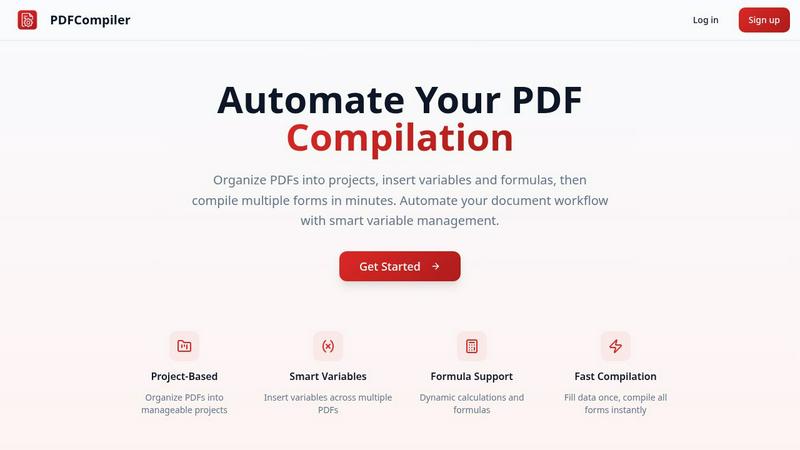
Effortlessly automate your PDF workflow by entering data once to instantly populate multiple forms with ease.
Last updated: February 28, 2026

Receipt Generator
Generate stunning, customizable receipts in seconds with over 400 templates for all your business and personal needs.
Last updated: April 4, 2026
Visual Comparison
PDF Compiler
Receipt Generator

Feature Comparison
PDF Compiler
Configurable Fields
PDF Compiler allows users to define a variety of fields in their documents, including text inputs, dates, variables, selections, and even Excel-style formulas. This flexibility ensures that all necessary data can be efficiently captured and managed, catering to the unique requirements of each project.
Minimal Input
One of the standout features of PDF Compiler is its ability to minimize user input. Users only need to enter essential data once, and the software automatically populates all linked documents with the appropriate information, adhering to the predefined configurations. This not only saves time but also reduces the likelihood of data entry errors.
Data Linking
With PDF Compiler, any updates made to a field automatically propagate across all PDFs within the project. This means that users can make changes to a single data point, and the software will ensure that all related documents reflect those updates, maintaining consistency and accuracy throughout the entire set.
Automated Workflows
The software enables users to generate complete document sets in mere minutes. With its dynamic calculations and formatting capabilities, PDF Compiler streamlines the entire process of document preparation, allowing users to compile all necessary forms instantly, ready for submission, sharing, or printing.
Receipt Generator
Extensive Template Library
Receipt Generator boasts an impressive library of over 400 templates, covering various sectors including retail, restaurants, and pharmacies. Users can easily find a suitable template for their needs, ensuring a professional finish without the hassle of designing from scratch.
AI "Place in Scene" Feature
This unique feature allows users to generate photorealistic images of their receipts placed on any surface, such as desks or countertops. This functionality is invaluable for content creators who wish to showcase receipts in a visually appealing manner, eliminating the need for printing.
Full Customization Options
Users have complete control over every aspect of their receipts. From editing line items and prices to adjusting fonts and colors, Receipt Generator allows for a highly personalized output that meets both business and creative needs.
Instant Download Capability
The platform offers lightning-fast performance with instant downloads available in high-resolution PNG or PDF formats. This means no waiting period and immediate access to your customized receipts, perfect for those who value efficiency and speed.
Use Cases
PDF Compiler
Tender and Proposal Documentation
In scenarios where organizations frequently prepare tenders and proposals, PDF Compiler excels by automating the completion of these documents. By reducing repetitive data entry, teams can create professional proposals swiftly, ensuring they meet tight deadlines without compromising quality.
Financial and Administrative Reports
For finance and admin teams tasked with generating comprehensive reports, PDF Compiler simplifies the process. The ability to link data across multiple PDFs means that any adjustments made to core figures will automatically update all related reports, enhancing both accuracy and efficiency.
Multi-Document Workflows
Any workflow that involves multiple documents requiring repetitive data entry can benefit from PDF Compiler. Whether it's contracts, invoices, or project documentation, the software streamlines the compilation process, saving time and ensuring consistency across all documents.
Compliance and Regulatory Filings
Organizations that must adhere to strict compliance and regulatory standards find PDF Compiler invaluable. By automating the completion of required forms and ensuring that all data is accurate and up-to-date, businesses can minimize risks associated with manual entry and ensure adherence to legal obligations.
Receipt Generator
Small Business Transactions
Small business owners can utilize Receipt Generator to create professional receipts for their transactions. This not only streamlines their sales process but also enhances their brand's credibility with clients.
Freelance Billing
Freelancers can generate customized invoices and receipts for their services, ensuring they get paid promptly while providing clients with clear, professional documentation of their expenses.
Content Creation
Content creators looking for visual authenticity in their projects can benefit from the AI "Place in Scene" feature. This enables them to showcase receipts in a way that looks natural and engaging, enhancing the overall quality of their content.
Inventory Documentation
For resellers and online sellers, maintaining accurate records of purchases and sales is crucial. Receipt Generator enables them to document inventory transactions professionally, helping them keep track of their finances with ease.
Overview
About PDF Compiler
PDF Compiler is an innovative tool designed to automate the completion of PDF forms across multiple documents, significantly enhancing efficiency and accuracy in various workflows. This software caters to professionals and organizations that deal with repetitive data entry tasks, such as proposal teams, financial analysts, and administrative personnel. The primary value proposition of PDF Compiler lies in its ability to reduce manual input, ensuring consistency and minimizing the risk of errors. Unlike traditional PDF editors, PDF Compiler excels in handling data propagation, complex formulas, and field references throughout an entire document set. By streamlining the compilation process, users can focus on high-value tasks while the software takes care of the tedious details, ultimately resulting in faster project completions and enhanced productivity.
About Receipt Generator
Receipt Generator is an innovative online tool designed to help users create professional-looking receipts quickly and efficiently. With access to over 400 store-specific templates, including popular retailers like Walmart, Target, and Starbucks, this platform caters to a diverse range of needs. Whether you are a small business owner, freelancer, content creator, or reseller, Receipt Generator provides the perfect solution for generating authentic receipts tailored to your specifications. The key value proposition lies in its user-friendly interface that allows for full customization of each receipt detail, from items and prices to payment methods and dates. Moreover, its AI-driven "Place in Scene" feature enables users to create photorealistic images of receipts on various surfaces, making it a go-to tool for visual projects and inventory documentation. With no account required to get started, Receipt Generator is accessible and convenient for anyone needing a reliable receipt creation solution.
Frequently Asked Questions
PDF Compiler FAQ
How does PDF Compiler ensure data accuracy?
PDF Compiler eliminates manual entry errors by allowing users to enter data only once. Changes to linked fields automatically propagate across all related documents, ensuring that all information remains consistent and accurate.
Can I customize the fields in my PDF documents?
Yes, PDF Compiler offers configurable fields, allowing users to define the types of data they need, including text, dates, variables, selections, and formulas. This customization ensures that each document meets specific project requirements.
Is there a limit to the number of PDFs I can compile at once?
No, PDF Compiler is designed to handle multiple PDFs within a single project. Users can organize their documents efficiently and compile all forms simultaneously, regardless of the number of files involved.
Is a demo available for PDF Compiler?
Absolutely! Users can try an interactive demo with sample documents to experience the automated compilation process firsthand. No account is required to see the power of PDF Compiler in action.
Receipt Generator FAQ
Do I need to create an account to use Receipt Generator?
No, Receipt Generator allows users to create and download receipts without the need for an account. This makes it incredibly convenient for anyone looking to generate a receipt quickly.
How many templates are available?
Receipt Generator offers over 400 templates that cater to various industries, including retail, restaurants, and pharmacies, ensuring that users can find a template that fits their specific needs.
Can I customize my receipts?
Absolutely! Users can fully customize their receipts, including line items, prices, payment methods, and even visual elements like fonts and colors to match their branding.
What formats are available for download?
Receipts can be downloaded in high-resolution PNG or PDF formats, giving users flexibility in how they wish to use or share their receipts.
Alternatives
PDF Compiler Alternatives
PDF Compiler is a powerful tool designed for automating PDF form completion, falling within the realm of business productivity and task management solutions. By allowing users to enter data just once and having it populate across multiple PDFs, PDF Compiler streamlines workflows that involve repetitive data entry, making it invaluable for tasks like tender documentation and financial reporting. However, users often seek alternatives due to various factors such as pricing, specific feature sets, or compatibility with different operating systems. When choosing an alternative, it's essential to consider aspects like ease of use, the ability to handle complex data linking, automation capabilities, and the overall scalability of the solution to meet your unique needs.
Receipt Generator Alternatives
Receipt Generator is a powerful online tool designed for creating custom receipts with ease. It falls under the productivity and management category, making it ideal for small business owners, freelancers, and content creators who need a quick and efficient way to generate receipts. Users often seek alternatives due to varying needs such as pricing structures, specific features, or compatibility with their preferred platforms. When exploring alternatives, it’s essential to consider what aspects matter most to you—whether it’s the variety of templates available, ease of use, customization options, or overall performance. Look for tools that offer flexibility and cater to your specific requirements, ensuring that you find a solution that enhances your workflow effectively.