
Quickfix AI vs Zovo
Side-by-side comparison to help you choose the right tool.

Quickfix AI
Quickfix AI instantly diagnoses your computer's health and explains it in plain English.
Last updated: March 1, 2026

Zovo offers 20 privacy-focused Chrome extensions for developers and writers, all under one subscription with no data.
Last updated: February 28, 2026
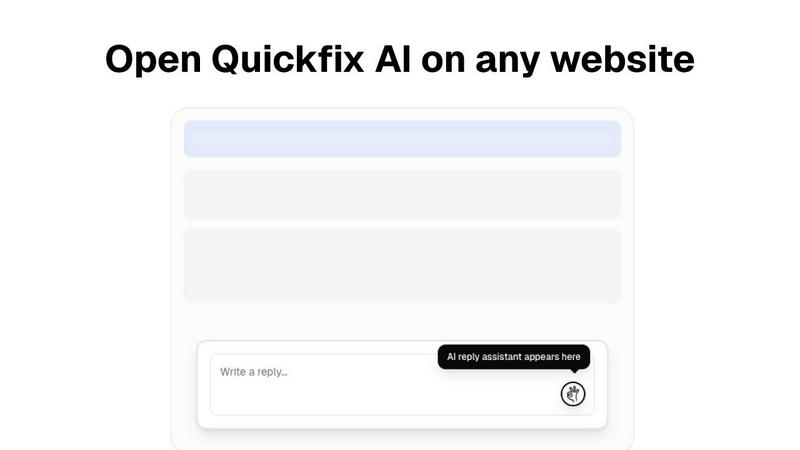
Visual Comparison
Quickfix AI
Zovo

Feature Comparison
Quickfix AI
Comprehensive One-Click System Scan
This is the heart of the experience. With a single click on "Start Scan," Quickfix AI dives deep into every critical subsystem of your computer. It doesn't just skim the surface; it analyzes CPU load patterns, memory pressure, GPU utilization, storage health and capacity, battery degradation, network connection status, and core security settings like firewall status. All this data is gathered, processed, and presented in a unified, visually intuitive dashboard in under 60 seconds. It's the ultimate shortcut to knowing exactly what's happening under the hood.
Plain-English AI Explanations & Recommendations
This is the killer feature that sets Quickfix AI apart. Once your diagnostic report is ready, you can literally chat with the AI about your findings. Ask "Why is my Mac running slow?" and it will parse the entire report to give you a specific, understandable answer, like pinpointing that Chrome is using 45% of your CPU. It reads the technical diagnostics so you don't have to, offering clear explanations and practical, step-by-step recommendations to fix issues or optimize performance, with zero technical knowledge required.
Remote Diagnostics via Sharing Code
A game-changer for IT support teams or anyone helping friends and family. Instead of trying to guide someone through screenshots or confusing instructions, you can simply send them a secure link. They run the Quickfix AI agent on their machine, which generates a unique sharing code. You enter that code on your end, and voila—you can instantly view their full diagnostic report remotely. This eliminates the guesswork and allows for accurate, efficient troubleshooting from anywhere in the world.
Holistic Health & Performance Dashboard
Quickfix AI consolidates all vital statistics into one beautifully designed, easy-to-read interface. You don't need to jump between five different system tools. See your CPU, Memory, and GPU usage percentages at a glance. Monitor your disk space and health. Check your battery's remaining capacity and cycle count. Verify your upload/download speeds and security protection status. This dashboard provides immediate, actionable insight into your system's overall wellness, making proactive maintenance simple.
Zovo
BeLikeNative
BeLikeNative is an exceptional writing assistant that helps users compose text in a manner akin to native speakers. It offers one-keystroke rewrites across 80 languages, making it an invaluable tool for non-native speakers who wish to enhance their writing skills and communicate more effectively.
Tab Suspender Pro
Tab Suspender Pro is a brilliant extension designed to optimize your browser's memory usage by suspending inactive tabs. This feature not only improves performance but also helps reduce lag and crashes, allowing you to maintain a smooth browsing experience even with numerous tabs open.
JSON Formatter Pro
For developers and data enthusiasts, JSON Formatter Pro is an essential tool. It simplifies the process of viewing and editing JSON data, providing clear formatting and validation features. This makes it easier to work with APIs and manage data structures efficiently.
Clipboard History Pro
Clipboard History Pro transforms how you manage copied content. This extension saves your clipboard history, allowing you to access and paste previously copied items seamlessly. With a limit of up to 100 items in the free version, it’s perfect for anyone who frequently works with multiple pieces of text.
Use Cases
Quickfix AI
The Anxious Troubleshooter
Your computer is making weird noises, running painfully slow, or just "doesn't feel right." Instead of spiraling into worry or searching forums for hours, you run Quickfix AI. In a minute, it tells you if your drive is failing, your memory is maxed out, or a background process is hogging resources. It transforms vague dread into a clear, understandable problem with suggested solutions, giving you peace of mind and a path forward.
The Power User & Tech Enthusiast
Gamers, developers, and content creators who push their hardware need to monitor performance bottlenecks. Quickfix AI provides the deep insights needed to optimize setups. Is a thermal throttle causing frame drops? Is the RAM speed the limiting factor? The tool offers the granular data and AI analysis to fine-tune systems for peak efficiency, ensuring your hardware is working as hard as you are.
The IT Support Professional
For IT teams, time is money. Quickfix AI revolutionizes the first line of support. Instead of lengthy back-and-forth emails trying to diagnose a user's issue, support staff can send a secure link, get a sharing code, and instantly access a full diagnostic report. This allows for accurate, remote diagnosis before a ticket is even escalated, dramatically reducing resolution times and improving user satisfaction.
The Family Tech Helper
We've all been the "tech person" for a parent or friend. Now, instead of trying to decipher their descriptions over the phone, you guide them to download and run Quickfix AI. They share the code with you, and you can immediately see if their hard drive is full, their Wi-Fi is weak, or their antivirus is disabled. You can provide precise, confident help without needing to be physically present, saving everyone time and frustration.
Zovo
Improving Language Skills
For language learners and professionals, BeLikeNative offers a straightforward way to improve writing proficiency. Users can quickly rewrite sentences to sound more natural, enhancing communication for personal or professional use in a new language.
Enhancing Browser Performance
Tab Suspender Pro is ideal for users who often juggle multiple tabs. By suspending unused tabs, it conserves system resources, ensuring that your browser operates efficiently without slowing down your workflow, especially during intensive tasks.
Simplifying Data Management
Developers can rely on JSON Formatter Pro to handle complex data effortlessly. Whether debugging or developing, this tool ensures data is presented clearly, making it easier to identify issues and streamline the coding process.
Efficient Text Management
Clipboard History Pro is perfect for writers, researchers, or anyone who regularly copies and pastes text. This extension allows users to retrieve and reuse previously copied content quickly, significantly speeding up the writing or data entry process.
Overview
About Quickfix AI
Let's clear up the confusion right away. The initial description provided is for a completely different product—a browser extension for writing replies. The actual Quickfix AI, based on its website, is a brilliant, no-nonsense system diagnostics tool. This is the software you wish came pre-installed on every computer. In essence, Quickfix AI is an AI-powered desktop application that performs a comprehensive health check on your Windows PC or Mac in under a minute. It demystifies your machine's inner workings, translating complex technical data into plain English insights and actionable recommendations. Forget wading through confusing Task Manager stats or system logs. This tool is built for anyone who's ever wondered, "Why is my computer so slow?" or needed to help someone else troubleshoot remotely. Its core value is profound clarity: it gives you the power to understand your system's performance, security, and health at a glance, whether you're a complete novice or a seasoned IT pro. It turns anxiety-inducing tech problems into solvable puzzles.
About Zovo
Zovo is an innovative suite of 20 Chrome extensions designed by a solo developer with over a decade of experience and a remarkable track record of earning over $400K on Upwork with a perfect success rate. At its core, Zovo aims to enhance your browsing experience while prioritizing your privacy. With flagship tools like BeLikeNative, which enables over 3,300 users to effortlessly write like native speakers through one-keystroke rewrites in 80 languages, Zovo stands out as a must-have collection for anyone looking to improve their workflow. The suite includes a variety of utilities, such as Tab Suspender Pro for memory management, JSON Formatter Pro for developers, and Clipboard History Pro for efficient text management. Every extension is built with a privacy-first approach, ensuring that your data remains on your device, with zero data harvesting or tracking. Users actively participate in shaping the roadmap by voting on features, while new extensions are released monthly. With many tools available for free online at zovo.one, Zovo truly offers every tool your browser needs—all while keeping your data secure and private.
Frequently Asked Questions
Quickfix AI FAQ
Is Quickfix AI free?
Yes, the core diagnostic functionality of Quickfix AI appears to be free to download and use. You can run the comprehensive system scan, view your report, and chat with the AI for explanations and recommendations without any cost. The website mentions "Pricing" and "Enterprise" sections, suggesting there may be premium tiers or team features for advanced use, but the fundamental tool is accessible for personal use.
Is my data secure?
Absolutely. Based on the website's emphasis on privacy (with links to a Privacy Policy and Data Processing Agreement), Quickfix AI is designed with security in mind. The diagnostic data is processed to generate your report, and the remote sharing feature uses a unique, one-time code for secure access. Your system information isn't stored or used beyond providing you with the immediate analysis and insights.
Do I need technical knowledge?
Not at all. This is the entire point of Quickfix AI. It is explicitly built for users with no technical knowledge. The AI is there to translate complex system information into plain English. You just need to click "Scan" and then ask questions like you would ask a person. The tool handles the technical heavy lifting for you.
What platforms are supported?
Quickfix AI is a cross-platform tool. It is available for both Windows and macOS. The website provides separate download buttons for "Download for Windows" and "Also available for macOS," confirming full support for the two major desktop operating systems, covering a vast majority of personal and professional computers.
Zovo FAQ
How does Zovo protect my privacy?
Zovo is committed to privacy by design, ensuring that all extensions run locally on your device. No data is collected, tracked, or sent to servers, meaning your browsing habits and activity remain entirely private.
Can I request new features for Zovo?
Absolutely! Users can submit feature requests directly to the developer. The most requested features are prioritized, and your input directly influences the roadmap for future extensions.
Are any of the extensions free?
Yes, Zovo offers many tools for free, including core functionalities of all extensions. Users can access essential features without creating an account, while premium features are available through a one-time purchase.
How often are new extensions released?
New extensions are shipped monthly, with early access provided to members. This ensures that users who contribute to the community can try out new tools before they become available to the public.
Alternatives
Quickfix AI Alternatives
Quickfix AI is a browser extension in the productivity category that uses AI to instantly generate replies for emails, support tickets, and social media. It’s a clever tool for anyone looking to cut down on repetitive typing and speed up their digital communication. People often seek alternatives for a few key reasons. Maybe the pricing doesn’t fit their budget, or they need specific features like deeper integration with certain business software. Others might be looking for a different user experience or a tool that operates as a standalone app rather than a browser extension. When evaluating other options, focus on what truly matters for your workflow. Consider the core AI quality—does it produce genuinely useful and context-aware text? Check compatibility with the platforms you use daily. Also, look at the value proposition: does the tool save you meaningful time, and is its cost justified by the productivity boost it provides?
Zovo Alternatives
Zovo is a suite of 20 Chrome extensions designed specifically for developers and writers, prioritizing user privacy and data security. This collection includes tools like JSON Formatter, Tab Suspender, and Clipboard History, all crafted by a solo developer with extensive experience in the field. Users often seek alternatives to Zovo for various reasons, including pricing structures, feature sets, or compatibility with specific workflows and platforms. When searching for a suitable alternative, it's essential to consider factors such as the range of features offered, the emphasis on user privacy, and the overall usability of the extensions. Finding the right alternative involves assessing how well the tools align with your needs. Look for extensions that offer a comprehensive feature set while maintaining a commitment to data security. Additionally, consider whether the platform allows customization and community engagement, as these elements can enhance your experience and ensure the tools evolve according to user feedback.