BarBrain vs SupaSidebar
Side-by-side comparison to help you choose the right tool.

BarBrain
BarBrain simplifies inventory management for hospitality, cutting your counting time in half with reliable, automated results.
Last updated: April 4, 2026

SupaSidebar
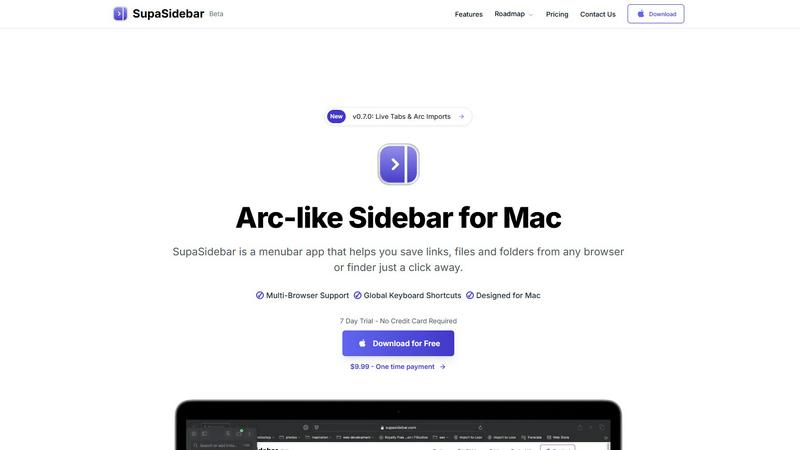
SupaSidebar is my favorite Mac menubar app for instantly saving and accessing links, files, and folders.
Last updated: February 28, 2026
Visual Comparison
BarBrain

SupaSidebar
Feature Comparison
BarBrain
Parallel Counting on Multiple Devices
With BarBrain, you can count inventory simultaneously across several iOS and Android devices. This feature significantly reduces the time spent on inventory tasks, allowing your team to operate more efficiently and focus on providing excellent service.
Extensive Product Catalog
BarBrain boasts a product catalog that includes over 30,000 items, covering everything from spirits and soft drinks to food items and housekeeping supplies. This extensive selection makes it easy to track a wide range of products, ensuring that you have a comprehensive inventory management solution.
Automated Inventory Reports
Gone are the days of tedious manual reporting. BarBrain automatically generates a detailed inventory report after each count, eliminating the need for post-count data entry. This feature not only saves time but also ensures that your reports are accurate and up-to-date.
Fill Level Slider for Open Food Items
BarBrain simplifies the tracking of food and beverage products with an intuitive fill-level slider. This feature allows you to quickly record both opened and unopened units with just a single tap, enhancing the accuracy of your inventory management.
SupaSidebar
Universal Capture with Global Shortcuts
This is the killer feature that makes SupaSidebar indispensable. No more tedious right-clicking or dragging. From any browser—Safari, Chrome, Firefox, Brave, or Arc—you can instantly save or copy the current webpage's URL using configurable global keyboard shortcuts (like Cmd+Ctrl+S to save). It works system-wide, meaning you're never more than a keystroke away from capturing important information without breaking your flow. This seamless integration is what transforms SupaSidebar from a passive storage app into an active productivity powerhouse.
Intelligent Recents & Instant Search
SupaSidebar brilliantly keeps track of your activity. The "Recents" section automatically logs every website you've visited in the last 48 hours, acting as a perfect short-term memory for when you inevitably close a tab too soon. More impressive is the universal search (triggered by Cmd+Ctrl+K). This isn't just for your saved items; it's a blazing-fast conduit to find any file, folder, website, or application on your Mac instantly. It eliminates the friction of switching between Finder and your browser, centralizing access in one focused command palette.
Spaces for Organizational Freedom
Moving beyond a simple list, SupaSidebar introduces "Spaces"—separate, organized lists to categorize your work. The free plan includes 3, which is perfect for dividing personal, work, and research tasks. The Pro plan unlocks unlimited Spaces, allowing for meticulous organization by project, client, or topic. This structure ensures your sidebar remains clean and relevant to the task at hand, preventing it from becoming a digital junk drawer. It’s the organizational layer that makes the tool scalable for power users.
Native Mac Design & Privacy-First
SupaSidebar feels like a natural part of macOS. It's not a clunky port or a web wrapper; it's built specifically for the Mac ecosystem, with smooth animations and intuitive interactions like natural swipe gestures. Crucially, it operates on a staunch privacy-first principle: all your data—links, files, metadata—stays locally on your Mac. Nothing is sent to external servers. You get the convenience of cloud-like organization with the absolute security and privacy of local storage, which is a rare and commendable combination.
Use Cases
BarBrain
Efficient Inventory Management for Bars
For bar owners, managing inventory can be a daunting task. BarBrain simplifies this process, allowing bar managers to effortlessly track their stock levels, calculate costs, and identify waste, all while saving valuable time that can be spent on customer service.
Streamlined Operations for Multi-Location Restaurants
Multi-location restaurant groups can benefit immensely from BarBrain's unified inventory management capabilities. The platform enables operators to maintain consistent inventory practices across all locations, providing a holistic view of food and beverage usage and facilitating better decision-making.
Comprehensive Inventory Solutions for Hotels
Hotels require meticulous inventory management for their food and beverage services. BarBrain ensures that hotel operators can efficiently manage F&B inventories across multiple outlets, reducing errors and improving the accuracy of their stock levels.
Data-Driven Decision-Making for Hospitality Operators
With BarBrain, hospitality operators gain access to reliable and actionable data. This insight empowers them to make informed decisions regarding purchasing, menu pricing, and waste reduction, ultimately leading to improved profitability and operational efficiency.
SupaSidebar
The Academic Researcher
For anyone writing a paper or thesis, SupaSidebar is a game-changer. You can instantly save source articles from various databases and browsers into a dedicated "Research" Space. Use the Recents feature to jump back to a statistical tool or journal website you used yesterday. Keep PDFs and data folders pinned for quick access. It turns the chaotic process of literature review and source management into a streamlined, centralized operation, saving hours of tab-hopping.
The Content Creator & Digital Marketer
Creators constantly collect inspiration, draft social posts, manage assets, and track analytics. SupaSidebar allows you to pin your Canva dashboard, YouTube Studio, and brand assets folder. Save competitor links or inspiration from around the web with a single shortcut. Use different Spaces for different clients or platforms (e.g., "Client A - Instagram," "Blog Ideas"). The universal search lets you pull up a brand logo or a draft document mid-task without ever leaving your creative flow.
The Multi-Browser Power User
Many of us use different browsers for different purposes—Chrome for work, Safari for personal, Firefox for testing. SupaSidebar eliminates the friction between them. No matter which browser you're in, your universal sidebar remains constant. You can save a link from your work browser and access it instantly while browsing personally in another. It creates a cohesive layer above your browser choice, making your workflow browser-agnostic and far more efficient.
The Project Manager or Consultant
Juggling multiple clients or projects means context switching is a major productivity killer. With unlimited Spaces (on Pro), you can have a dedicated Space for each client or project, containing all relevant links to project management tools (Asana, Trello), shared drives, communication apps (Slack, Teams), and key documents. Switching mental contexts becomes as simple as clicking a different Space in your sidebar, keeping everything you need neatly compartmentalized and instantly accessible.
Overview
About BarBrain
BarBrain is an innovative inventory management solution specifically designed for the hospitality industry. It addresses the common frustrations that bar and restaurant owners face, such as inefficient stock counting, inaccurate spreadsheets, and the complexities of managing perishable items. Unlike generic warehouse software, BarBrain understands the unique needs of bars and restaurants, making it a tailored tool for operators who want to manage their inventories effectively. By streamlining the inventory process, BarBrain enables users to count stock in minutes, accurately calculate costs per drink and dish, and monitor waste and shrinkage in real time. This powerful platform is suitable for everyone, from a single cocktail bar to large multi-location restaurant groups. With BarBrain, operators can protect their margins and stop leaving money on the table, all while enjoying a user-friendly experience that requires no extensive training or complex manuals.
About SupaSidebar
Let's be honest: the modern digital workflow is a mess of scattered tabs, buried bookmarks, and forgotten files. If you've ever felt a pang of envy for the sleek, integrated sidebar in the Arc browser but aren't ready to switch your entire browsing life, SupaSidebar is the answer you've been waiting for. This isn't just another menubar utility; it's a fundamental rethinking of how you access your digital workspace on a Mac. SupaSidebar elegantly solves the core problem of context switching by becoming a universal hub for everything you use daily—links from any browser, local files, folders, and applications. It lives discreetly in your menu bar, ready to deploy with a click or, better yet, a lightning-fast keyboard shortcut. The philosophy is clear: your data stays on your Mac, your privacy is respected, and your workflow becomes effortlessly streamlined. Whether you're a researcher juggling dozens of academic papers, a creator managing inspiration and assets, or a professional who simply hates wasting time hunting for that one link you had open yesterday, SupaSidebar is designed to bring order to the chaos. It's the digital companion that finally makes your Mac feel truly organized.
Frequently Asked Questions
BarBrain FAQ
How much time can I save using BarBrain?
By implementing BarBrain, users can reduce their inventory counting time by over 75%. This efficiency translates to significant cost savings and allows staff to focus on other essential tasks.
Is BarBrain suitable for small businesses?
Absolutely! BarBrain is designed for businesses of all sizes, from single cocktail bars to large restaurant groups. Its user-friendly interface and powerful features make it ideal for any operator looking to improve inventory management.
Can I use BarBrain on multiple devices?
Yes, BarBrain allows for concurrent use across various iOS and Android devices. This flexibility enables teams to count inventory simultaneously, further speeding up the inventory process.
What support does BarBrain offer during setup?
BarBrain provides comprehensive support during the setup process. Users can choose to set up their account independently or receive assistance from the BarBrain team to ensure a smooth transition to digital inventory management.
SupaSidebar FAQ
Is SupaSidebar a browser extension?
No, and that's part of its genius. SupaSidebar is a standalone macOS application that lives in your menu bar. It works independently of your browser, which is how it achieves universal compatibility with Safari, Chrome, Firefox, Brave, Arc, and others. It uses system-level accessibility features to capture the active browser tab's URL, meaning you don't need to install a separate extension for each browser you use.
Which browsers does SupaSidebar work with?
SupaSidebar is designed to work seamlessly with all major browsers on macOS. This includes Safari, Google Chrome, Mozilla Firefox, Brave, and Arc. The application detects the frontmost window, so as long as you're using one of these browsers (or most other modern browsers), the global keyboard shortcuts will capture the current page's URL correctly.
Where is my data stored?
All your data is stored locally on your Mac. SupaSidebar operates on a strict privacy-first model. Your saved links, files, folders, and organizational structures never leave your computer and are not synced to any cloud server unless you choose to use iCloud or another service to sync the application's data folder yourself. This ensures complete privacy and security.
Is there a free trial?
Yes, absolutely. You can download and use SupaSidebar for free forever with a feature-rich free plan that includes 3 Spaces. Furthermore, the "Pro" features are available to everyone on a full, no-credit-card-required 7-day trial. This lets you test drive unlimited Spaces and all premium capabilities to see if the upgrade is right for your workflow before making any financial commitment.
Alternatives
BarBrain Alternatives
BarBrain is a specialized inventory management tool designed specifically for the hospitality industry. Unlike generic warehouse software, BarBrain understands the unique challenges that bars and restaurants face, such as managing perishable goods, calculating precise costs per drink, and tracking waste in real time. It streamlines the inventory process, allowing operators to focus on what they do best—creating exceptional customer experiences. Users often seek alternatives to BarBrain due to a variety of reasons, including pricing concerns, specific feature needs, or platform compatibility. It’s essential to evaluate alternatives based on how well they address the unique operations of your establishment. Look for solutions that simplify inventory counting, provide real-time insights, and integrate seamlessly with your existing systems to ensure you’re making an informed decision.
SupaSidebar Alternatives
SupaSidebar is a Mac-focused productivity tool designed as a sleek sidebar for instantly saving and accessing links, files, and folders. It falls squarely into the category of workflow and tab management software, aiming to reduce digital clutter and streamline your daily computer use. Even the best tools aren't a perfect fit for everyone. Users often seek alternatives for reasons like cost, needing a cross-platform solution that works on Windows or Linux, or desiring a different set of core features beyond link management. Some may prefer a more minimalist approach or a tool deeply integrated into a specific browser. When evaluating alternatives, consider your primary pain points. Are you drowning in browser tabs, or do you need a powerful search across all your saved content? Prioritize features that solve your specific workflow hiccups, check for compatibility with your operating system and browsers, and decide if a one-time purchase or a subscription model aligns with your budget.