DigitalMagicWand vs SVG to 3D
Side-by-side comparison to help you choose the right tool.

DigitalMagicWand
DigitalMagicWand transforms your creative process by seamlessly generating and refining visuals, audio, video, and text with AI precision.
Last updated: March 18, 2026
SVG to 3D
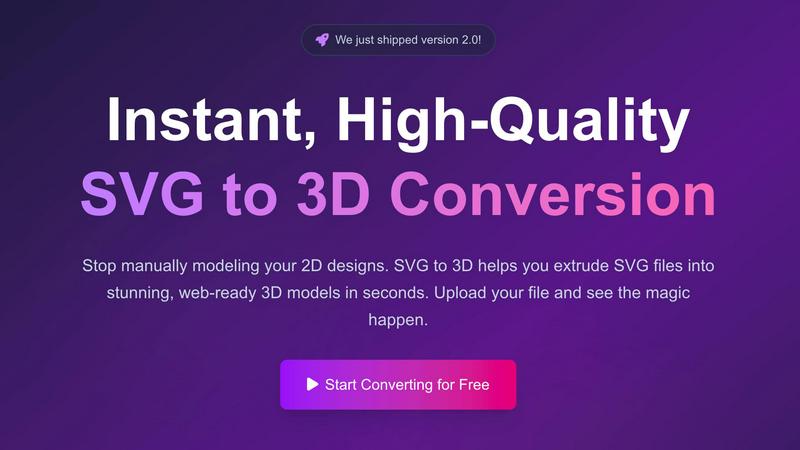
Effortlessly transform your SVG files into stunning 3D models with advanced controls and lightning-fast processing.
Last updated: February 28, 2026
Visual Comparison
DigitalMagicWand

SVG to 3D
Feature Comparison
DigitalMagicWand
Accurate AI Detector for Text
The Accurate AI Detector for Text feature allows users to effortlessly determine if a piece of writing is human-generated or AI-created. With just one click, you receive confidence scores that detail the likelihood of AI involvement, making it an essential tool for educators, editors, and anyone who relies on the authenticity of written content.
Undetectable AI Text Humanizer
The Undetectable AI Text Humanizer transforms machine-generated text into natural, human-like writing. Utilizing proprietary linguistic algorithms, it removes statistical patterns that trigger AI detectors while maintaining the original message. This feature is perfect for professionals needing to present AI-generated content in a more humanized manner.
Digital Ear™: Convert Piano Tracks to MIDI
Digital Ear™ offers a specialized edition for piano that provides accurate and expressive MIDI transcription. This feature leverages over two decades of expertise to convert complex piano performances into MIDI format, making it an invaluable tool for musicians and producers looking to capture and manipulate musical ideas seamlessly.
UnMixIt™ Pro: Stems for Musicians & DJs
UnMixIt™ Pro allows users to isolate various elements of a track such as vocals, drums, and instruments with studio-grade precision. This feature is ideal for DJs crafting custom mashups, producers creating remixes, and audio professionals restoring archival content, ensuring that you have complete creative control over your music projects.
SVG to 3D
One-Click to GLB for the Web
SVG to 3D excels at converting SVG files into lightweight, web-optimized GLB formats with just one click. This feature is a game-changer for web developers, as it allows them to seamlessly integrate 3D models into projects built with frameworks like Three.js or React Three Fiber. The ease of use ensures that developers can add striking 3D elements to their web applications without extensive coding or design work.
3D-Print Ready
The tool offers a robust STL export option, making it exceptionally handy for 3D printing enthusiasts. With clean geometry and optimized output, users can directly utilize the STL files with their slicer software for a smooth transition from digital design to physical object. This feature is especially beneficial for artists and creators who want to bring their 2D designs into the physical realm without needing complex CAD software.
Fine-Tune Every Detail
SVG to 3D goes beyond basic extrusion by allowing users to fine-tune various aspects of their 3D models. You can adjust thickness, add bevels, and apply realistic PBR materials, with all changes visible in real-time previews. This level of control sets it apart from simpler tools, ensuring that your final model is polished and professional, perfect for any presentation or project.
Lightning-Fast Processing
The platform leverages optimized algorithms to deliver rapid conversion times, processing SVG files into 3D models in mere seconds. This speed is crucial for professionals who need quick results and cannot afford to spend minutes waiting for conversions. SVG to 3D stands out as one of the fastest online converters available, making it an essential tool for anyone in need of efficiency.
Use Cases
DigitalMagicWand
Academic Integrity Verification
Educators and researchers can utilize the Accurate AI Detector for Text to verify the authenticity of written assignments and papers. This ensures that students submit original work, maintaining the integrity of academic standards.
Content Creation for Marketing
Marketers can leverage tools like the AI Image Editor and Undetectable AI Text Humanizer to create compelling content. By generating engaging visuals and optimizing written material, businesses can enhance their marketing efforts and attract more customers.
Music Production and Arrangement
Musicians can benefit from Digital Ear™ and UnMixIt™ Pro to streamline their workflow. Whether converting intricate piano compositions into MIDI or isolating vocal tracks for remixing, these features provide the technical support needed to elevate their music production process.
Creative Writing and Storytelling
Writers can harness the power of AI Text Tools to refine their narratives. The Undetectable AI Text Humanizer helps in creating polished drafts, while the Accurate AI Detector ensures that the final product is authentic and resonates well with the audience.
SVG to 3D
Create Interactive 3D Logos and Icons for Web
SVG to 3D is ideal for web developers looking to elevate their online projects. By converting SVG icons into interactive 3D models, you can enhance user engagement and create visually appealing interfaces. The optimized GLB export ensures that these models integrate seamlessly with popular web technologies, bringing a new dimension to your designs.
From Digital Design to Physical Object
The ability to convert SVG files to STL format for 3D printing opens up a world of possibilities for artists and designers. You can easily create prototypes, custom parts, or unique art pieces that can be fabricated without needing complicated software. This use case empowers creatives to bring their digital visions into the real world with minimal effort.
Enhance Your UI/UX Designs
For UX/UI designers, adding depth to designs can significantly enhance the user experience. SVG to 3D allows for the quick mockup of UI elements in 3D, complete with realistic lighting and materials. This functionality helps impress clients and stakeholders, providing a more immersive presentation of design concepts.
Rapid Prototyping for Developers
Developers can benefit from SVG to 3D by rapidly prototyping 3D models for games or applications. By quickly converting design assets from SVG to 3D, they can iterate and test ideas faster, keeping up with the fast-paced demands of modern development cycles. This use case highlights the tool's versatility in various creative workflows.
Overview
About DigitalMagicWand
DigitalMagicWand™ is an innovative online platform designed to meet the demands of modern creators, offering an extensive suite of AI-powered tools for image, audio, video, and text processing. Tailored for professionals, educators, musicians, and content creators alike, it enables users to enhance, transform, and create compelling digital content with ease. The main value proposition of DigitalMagicWand lies in its cutting-edge artificial intelligence technology, which simplifies complex processes, drastically reduces time spent on manual tasks, and enhances creativity. Whether you are a marketer looking to generate eye-catching graphics, a musician wanting to convert audio files, or a writer needing to refine text, this all-in-one platform provides the tools you need to bring your ideas to life. With a user-friendly interface and powerful capabilities, DigitalMagicWand is your go-to solution for all things digital.
About SVG to 3D
SVG to 3D is a groundbreaking tool designed to effortlessly transform your 2D SVG vector graphics into high-quality 3D models. It addresses a significant pain point for designers, developers, and 3D printing enthusiasts who have often found traditional modeling software cumbersome and time-consuming. With SVG to 3D, you can convert your designs in seconds with just a few clicks, making it perfect for anyone looking to enhance their projects with 3D elements without the steep learning curve of software like Blender or Cinema 4D. Its main value proposition lies in its simplicity and speed, allowing users to upload SVG files and instantly see their creations come to life in a browser-based environment. Whether you are building a website, preparing for 3D printing, or simply want to explore 3D design, SVG to 3D is your go-to solution.
Frequently Asked Questions
DigitalMagicWand FAQ
What types of files can I upload for processing?
DigitalMagicWand supports various file types including text documents, audio files, and images. This versatility allows users to engage with multiple features seamlessly.
Is there a limit to how many documents I can process at once?
The platform is designed to handle bulk processing efficiently. However, specific limits may apply based on your subscription plan. Check the details within your account settings for more information.
Can I use DigitalMagicWand for commercial purposes?
Yes, DigitalMagicWand can be used for commercial projects. Just ensure that you adhere to any licensing agreements associated with the specific tools and outputs.
How secure is my data when using DigitalMagicWand?
DigitalMagicWand prioritizes user privacy and data security. All uploaded files are handled with the utmost confidentiality, and measures are in place to protect your information against unauthorized access.
SVG to 3D FAQ
How does SVG to 3D work?
SVG to 3D works by allowing users to upload their SVG files directly to the tool. The software then processes these files and converts them into 3D models using advanced algorithms, which can be exported in various formats like GLB, STL, and more.
Is SVG to 3D free to use?
Yes, SVG to 3D is completely free to use, providing a no-cost solution for users to convert their SVG files into 3D models without any hidden fees or registration requirements.
What file formats can I export my 3D models to?
SVG to 3D supports multiple export formats, including GLB, GLTF, OBJ, and STL. This flexibility allows users to choose the format that best suits their needs, whether for web integration or 3D printing.
Are my files secure when using SVG to 3D?
Absolutely. SVG to 3D emphasizes privacy and security by processing files locally in your browser whenever possible. This means your designs remain secure and are not uploaded to external servers, ensuring confidentiality throughout the conversion process.
Alternatives
DigitalMagicWand Alternatives
DigitalMagicWand is an innovative online platform that harnesses the power of artificial intelligence to offer tools for processing visuals, audio, video, and text. As an AI assistant, it caters to a wide range of creative and professional needs, providing users with the ability to enhance and transform their digital content seamlessly. However, users often seek alternatives to DigitalMagicWand due to various reasons such as pricing concerns, specific feature requirements, or compatibility with different platforms. When considering alternatives, it's essential to evaluate factors such as user interface, the range of features offered, pricing structures, and customer support. You want an alternative that not only meets your budget but also aligns with your creative vision and workflow preferences. Flexibility, ease of use, and the ability to integrate with other tools or platforms can also play a significant role in your decision-making process.
SVG to 3D Alternatives
SVG to 3D is a cutting-edge tool designed to convert 2D SVG vector graphics into high-quality 3D models, making it a standout option in the realm of AI Assistants. With its streamlined interface, users can quickly transform their designs without the hassle of heavyweight software. However, as with any tool, users often seek alternatives due to various factors such as pricing, specific feature sets, or compatibility with different platforms. When searching for an alternative, it’s crucial to consider what functionality you need most—whether it’s ease of use, the ability to export in multiple formats, or specific design capabilities. Look for options that offer flexibility, robust support for web integration, and an intuitive user experience. Each user's unique requirements will guide their choice, so take the time to identify what features are essential for your projects.