BarBrain vs Updaytr
Side-by-side comparison to help you choose the right tool.

BarBrain
BarBrain simplifies inventory management for hospitality, cutting your counting time in half with reliable, automated results.
Last updated: April 4, 2026
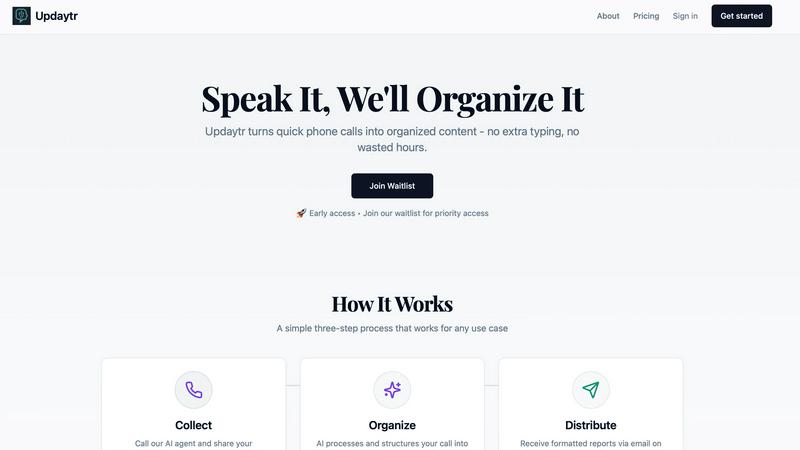
Updaytr transforms team phone calls into organized reports, streamlining updates and eliminating tedious status.
Last updated: March 1, 2026
Visual Comparison
BarBrain

Updaytr
Feature Comparison
BarBrain
Parallel Counting on Multiple Devices
With BarBrain, you can count inventory simultaneously across several iOS and Android devices. This feature significantly reduces the time spent on inventory tasks, allowing your team to operate more efficiently and focus on providing excellent service.
Extensive Product Catalog
BarBrain boasts a product catalog that includes over 30,000 items, covering everything from spirits and soft drinks to food items and housekeeping supplies. This extensive selection makes it easy to track a wide range of products, ensuring that you have a comprehensive inventory management solution.
Automated Inventory Reports
Gone are the days of tedious manual reporting. BarBrain automatically generates a detailed inventory report after each count, eliminating the need for post-count data entry. This feature not only saves time but also ensures that your reports are accurate and up-to-date.
Fill Level Slider for Open Food Items
BarBrain simplifies the tracking of food and beverage products with an intuitive fill-level slider. This feature allows you to quickly record both opened and unopened units with just a single tap, enhancing the accuracy of your inventory management.
Updaytr
Effortless Call-In Updates
Updaytr allows team members to provide updates by simply calling in. This feature eliminates the need for written reports or in-person meetings, making it easy for anyone to share essential information.
Automated Reporting
The AI organizes and formats the updates into structured reports that are sent directly to the relevant stakeholders. This ensures that everyone is informed in real-time, without manual intervention.
Smart Tagging and Routing
Updaytr's intelligent system automatically tags updates according to project, client, or team. This feature enhances organization and ensures that the right information reaches the appropriate recipients promptly.
Cross-Device Accessibility
Whether your team members are using landlines or smartphones, Updaytr is designed to work on any phone, making it accessible to all, regardless of their technical background. This flexibility is a game-changer for diverse teams.
Use Cases
BarBrain
Efficient Inventory Management for Bars
For bar owners, managing inventory can be a daunting task. BarBrain simplifies this process, allowing bar managers to effortlessly track their stock levels, calculate costs, and identify waste, all while saving valuable time that can be spent on customer service.
Streamlined Operations for Multi-Location Restaurants
Multi-location restaurant groups can benefit immensely from BarBrain's unified inventory management capabilities. The platform enables operators to maintain consistent inventory practices across all locations, providing a holistic view of food and beverage usage and facilitating better decision-making.
Comprehensive Inventory Solutions for Hotels
Hotels require meticulous inventory management for their food and beverage services. BarBrain ensures that hotel operators can efficiently manage F&B inventories across multiple outlets, reducing errors and improving the accuracy of their stock levels.
Data-Driven Decision-Making for Hospitality Operators
With BarBrain, hospitality operators gain access to reliable and actionable data. This insight empowers them to make informed decisions regarding purchasing, menu pricing, and waste reduction, ultimately leading to improved profitability and operational efficiency.
Updaytr
Construction Project Updates
Construction crews can easily call in to report project statuses, ensuring that supervisors and stakeholders receive timely updates without the need for time-consuming meetings.
Sales Team Interactions
Sales representatives can share insights from client visits and updates on deal progress with a simple phone call, keeping their managers informed and allowing for quick strategy adjustments.
Service Completion Reports
Service technicians can call in to report job completions and equipment statuses. This ensures that management has real-time insights into field operations, enhancing overall efficiency.
Personal Productivity Tracking
Individuals can utilize Updaytr for personal tracking of daily activities, goals, and reminders. The ease of calling in updates makes it a valuable tool for anyone looking to stay organized.
Overview
About BarBrain
BarBrain is an innovative inventory management solution specifically designed for the hospitality industry. It addresses the common frustrations that bar and restaurant owners face, such as inefficient stock counting, inaccurate spreadsheets, and the complexities of managing perishable items. Unlike generic warehouse software, BarBrain understands the unique needs of bars and restaurants, making it a tailored tool for operators who want to manage their inventories effectively. By streamlining the inventory process, BarBrain enables users to count stock in minutes, accurately calculate costs per drink and dish, and monitor waste and shrinkage in real time. This powerful platform is suitable for everyone, from a single cocktail bar to large multi-location restaurant groups. With BarBrain, operators can protect their margins and stop leaving money on the table, all while enjoying a user-friendly experience that requires no extensive training or complex manuals.
About Updaytr
Updaytr is an innovative solution designed to alleviate the burdens of traditional status meetings and the tedious process of manual report writing. Unlike typical transcription apps, Updaytr functions as a comprehensive AI-driven communication hub, seamlessly transforming verbal updates from phone calls into well-structured, visually appealing reports. The beauty of Updaytr lies in its simplicity; team members can call a designated number from anywhere—be it a construction site, a client’s home, or while commuting—and share their updates without the need for typing or attending lengthy meetings. The specialized AI agents listen attentively, comprehend context based on previous interactions, and automatically generate professional documents. This tool is particularly beneficial for business owners, managers, and field teams in sectors like construction, real estate, sales, and field services. Updaytr's primary value proposition is clear: it saves time, reduces administrative hurdles, and keeps everyone in the loop—without requiring any technical expertise from team members.
Frequently Asked Questions
BarBrain FAQ
How much time can I save using BarBrain?
By implementing BarBrain, users can reduce their inventory counting time by over 75%. This efficiency translates to significant cost savings and allows staff to focus on other essential tasks.
Is BarBrain suitable for small businesses?
Absolutely! BarBrain is designed for businesses of all sizes, from single cocktail bars to large restaurant groups. Its user-friendly interface and powerful features make it ideal for any operator looking to improve inventory management.
Can I use BarBrain on multiple devices?
Yes, BarBrain allows for concurrent use across various iOS and Android devices. This flexibility enables teams to count inventory simultaneously, further speeding up the inventory process.
What support does BarBrain offer during setup?
BarBrain provides comprehensive support during the setup process. Users can choose to set up their account independently or receive assistance from the BarBrain team to ensure a smooth transition to digital inventory management.
Updaytr FAQ
How does Updaytr ensure report accuracy?
Updaytr's AI agents are trained to listen and comprehend context, ensuring that the reports generated from calls are accurate and reflect the essence of the conversation.
Can Updaytr be used for healthcare-related updates?
While Updaytr is designed for various sectors, it is important to note that it is not currently HIPAA compliant and should not be used for storing or transmitting protected health information (PHI).
Is there a limit on how long the updates can be?
While specific duration limits may vary, Updaytr is designed to handle concise updates efficiently, typically aiming for updates that can be delivered in about two minutes.
What types of industries benefit most from Updaytr?
Updaytr is particularly beneficial in industries such as construction, field services, sales, real estate, healthcare, and personal productivity, catering to diverse professional needs.
Alternatives
BarBrain Alternatives
BarBrain is a specialized inventory management tool designed specifically for the hospitality industry. Unlike generic warehouse software, BarBrain understands the unique challenges that bars and restaurants face, such as managing perishable goods, calculating precise costs per drink, and tracking waste in real time. It streamlines the inventory process, allowing operators to focus on what they do best—creating exceptional customer experiences. Users often seek alternatives to BarBrain due to a variety of reasons, including pricing concerns, specific feature needs, or platform compatibility. It’s essential to evaluate alternatives based on how well they address the unique operations of your establishment. Look for solutions that simplify inventory counting, provide real-time insights, and integrate seamlessly with your existing systems to ensure you’re making an informed decision.
Updaytr Alternatives
Updaytr is a groundbreaking solution in the productivity and management category, designed to transform team phone calls into organized reports. By eliminating the need for status meetings and tedious report writing, it streamlines communication and enhances efficiency, particularly for those in field-based industries like construction, sales, and real estate. Users often seek alternatives to Updaytr for a variety of reasons, including pricing considerations, specific feature requirements, or platform compatibility. When choosing an alternative, it’s essential to look for functionality that aligns with your team's workflow, ease of use, and the ability to seamlessly integrate with existing tools. The right choice will not only save time but also enhance overall productivity.