
ChatIMG.io vs Shrinkpad
Side-by-side comparison to help you choose the right tool.

ChatIMG.io
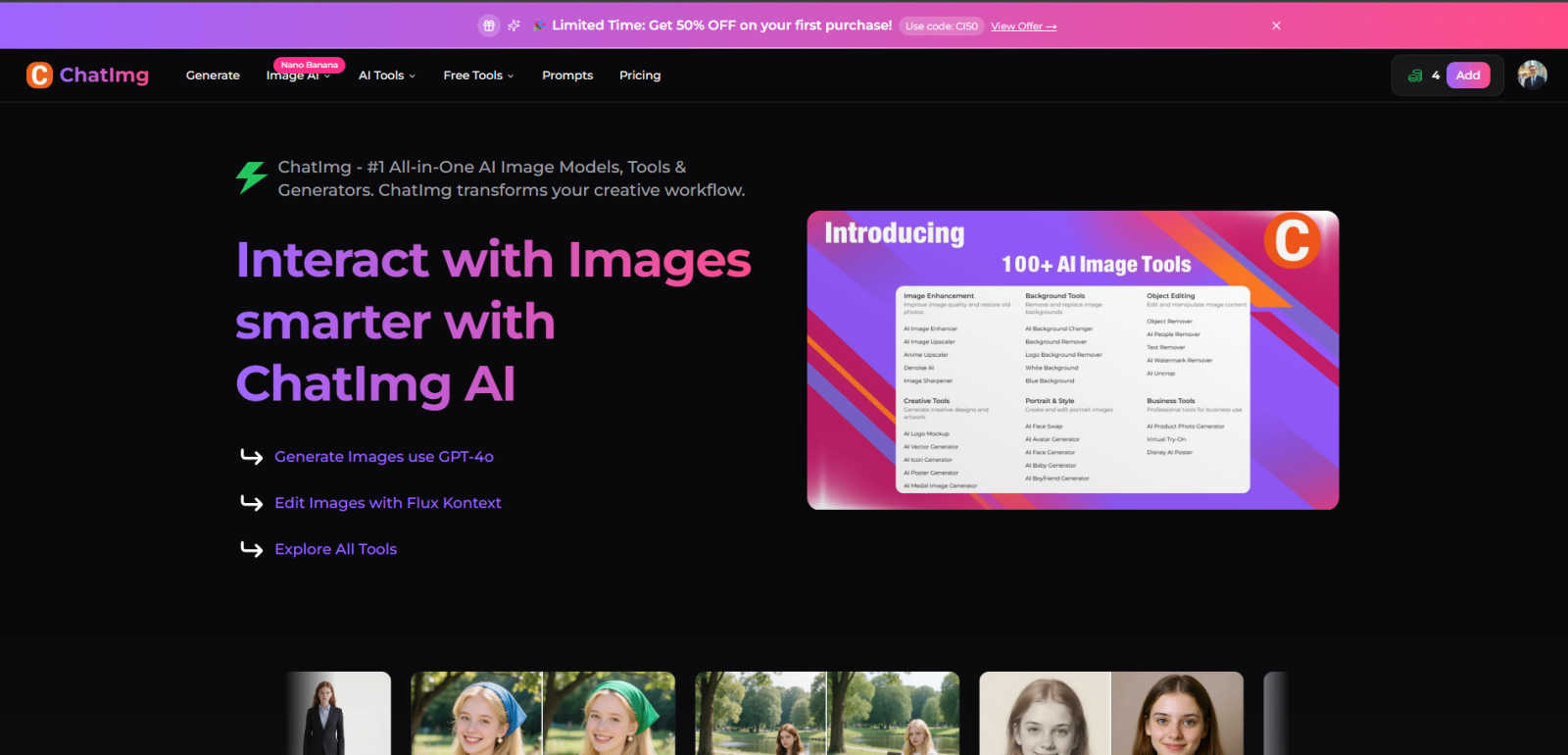
ChatIMG.io is your essential AI toolkit for effortlessly generating, enhancing, and editing images.
Last updated: March 1, 2026

Shrinkpad
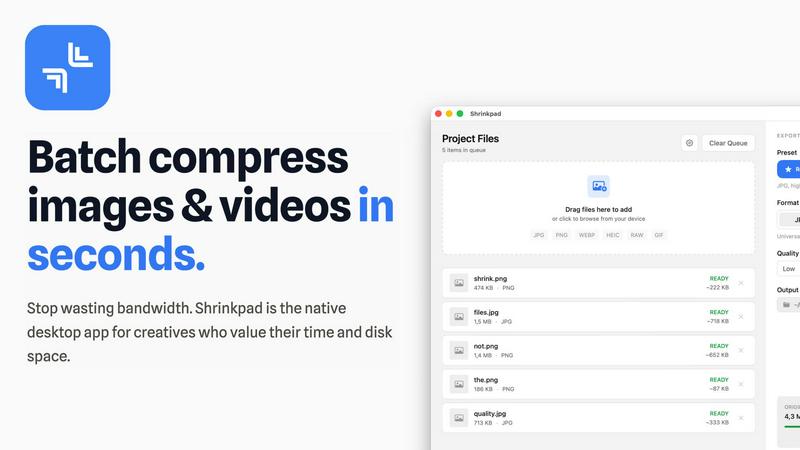
Effortlessly batch compress images and videos on Mac, saving time and space while enhancing quality with Shrinkpad.
Last updated: February 28, 2026
Visual Comparison
ChatIMG.io
Shrinkpad
Feature Comparison
ChatIMG.io
Multi-Model AI Image Generation
ChatIMG.io's core strength is its access to multiple, cutting-edge AI models in one place. You're not stuck with a single style or capability. Need photorealistic product shots? Fire up GPT-4o. Want something with artistic flair or need to edit with natural language? Flux Kontext is your go-to. This versatility means you can match the perfect AI "brain" to your specific project without ever leaving the platform, which is a massive time-saver and creative catalyst.
Comprehensive AI Editing & Enhancement Suite
Beyond generation, the platform is packed with practical editing tools that solve real-world problems. You can remove backgrounds or unwanted objects in a click, restore old photos, swap faces, change hairstyles, and even extend images with outpainting. This turns ChatIMG.io from a simple generator into a complete post-production studio, eliminating the need for separate graphic design software for many common tasks.
Integrated Translation Tools
This is a standout feature many pure image generators miss. ChatIMG.io includes AI-powered translation for videos, documents, and text within images. For global marketers or content creators, this is a game-changer. You can localize visual content, translate user-generated content, or understand foreign text in images directly within your creative workflow, making it a uniquely powerful tool for international projects.
Thriving Creator Community & Support
With over 2 million users, ChatIMG.io boasts a massive and active community. This isn't just a vanity metric. It means access to shared prompts, inspiration, tutorials, and collective knowledge. Coupled with 24/7 support, it ensures you're never stuck. For beginners, this community support is invaluable for learning; for pros, it's a network of peers pushing the boundaries of what's possible with the tool.
Shrinkpad
Automatic Compression Adjustment
Shrinkpad intelligently analyzes the visual complexity of each file, applying the optimal compression ratio without introducing artifacts. This ensures that your images and videos maintain their quality while benefiting from reduced file sizes.
Unlimited Batch Processing
Unlike many web-based tools that struggle with large quantities of files, Shrinkpad handles thousands of assets simultaneously without crashing. This feature is essential for photographers and designers who often work with extensive media libraries.
One-Drop Folder Compression
Forget the tedious task of dragging and dropping individual files. With Shrinkpad's folder mode, you can simply drop an entire folder, and the application will automatically detect and prepare all images and videos for compression in one go.
Privacy-First Processing
Shrinkpad prioritizes user privacy by ensuring that all processing happens locally. There are no cloud uploads, meaning your sensitive media files stay safely on your device during and after the compression process.
Use Cases
ChatIMG.io
Social Media Content Creation at Scale
For social media managers and digital marketers drowning in the constant demand for fresh, engaging visuals, ChatIMG.io is a lifesaver. You can rapidly generate platform-specific graphics, create variations of high-performing posts, design ad mockups, and edit user-generated content—all in one dashboard. The ability to produce 50+ professional-quality visuals a week, as noted by one user, transforms content strategy from a bottleneck into a strength.
E-commerce Product Visualization
Solopreneurs and small businesses can create stunning product photos, lifestyle mockups, and advertising banners without a photoshoot or expensive design fees. Need to show your product in different colors or settings? Use inpainting. Require a professional model showcasing your apparel? The portrait poses or hairstyle changer tools can help. It democratizes high-quality e-commerce imagery.
Creative Ideation & Artistic Exploration
Artists, illustrators, and designers can use ChatIMG.io as a digital muse. Quickly generate concepts and mood boards using different AI models, experiment with styles (like the Ghibli Image Generator), or overcome creative block by manipulating and extending existing work. It's less about replacing the artist and more about accelerating the initial ideation and iteration process.
Professional Document & Media Localization
Businesses operating in multiple markets can leverage the translation tools to efficiently localize marketing materials. Translate text in images for international campaigns, dub and translate explainer videos, or process foreign-language documents. This integrated approach saves significant time and cost compared to using separate translation and design services.
Shrinkpad
Optimizing Web Assets
Web developers and designers can use Shrinkpad to compress images and videos for websites, significantly improving load times and user experience. Faster loading pages can enhance SEO, making it a vital tool in digital marketing.
Preparing Media for Social Media
Content creators who frequently post on social media can utilize Shrinkpad to quickly compress their media files, allowing them to share high-quality images and videos without the worry of exceeding size limits on platforms.
Streamlining Project Workflows
For teams using design tools like Figma or Photoshop, Shrinkpad automates the export process of multiple assets. By compressing files in bulk, it saves hours of busywork, enabling creatives to focus more on their design work.
Reducing Storage Costs
Businesses and individual users alike can benefit from Shrinkpad by significantly reducing the size of their media libraries. This not only saves space on local devices but can also decrease costs associated with cloud storage solutions.
Overview
About ChatIMG.io
Let's be real: the AI image space is flooded with one-trick ponies. You need one app for generation, another for editing, a third for upscaling, and before you know it, you've got a dozen subscriptions and a fractured workflow. ChatIMG.io is the antidote to that chaos. It's not just a tool; it's a full-fledged visual AI studio built for the modern creator who values power without the complexity. Whether you're a marketer on a tight deadline, an e-commerce seller needing product mockups, or an artist exploring new digital mediums, this platform consolidates everything. Its genius lies in offering top-tier models like GPT-4o and Flux Kontext through an interface so intuitive, you just describe what you want in plain English. No advanced prompt engineering required. With a suite boasting over 20 specialized tools—from AI hairstyle changers to document translators—and backed by a community of over 2 million users, ChatIMG.io positions itself as your essential creative partner. In my opinion, this integrated, all-in-one approach isn't just convenient; it's the undeniable future of AI-assisted design, making professional-grade visual creation accessible to everyone.
About Shrinkpad
Shrinkpad is a robust macOS application tailored for creatives who need to batch compress images and videos swiftly and effectively. Whether you are a photographer, designer, or content creator, managing large media files can be a daunting task. Shrinkpad simplifies this process with its user-friendly drag-and-drop functionality, allowing you to import hundreds of files or entire folders with ease. What sets Shrinkpad apart is its commitment to privacy; all processing occurs locally on your device, ensuring that your sensitive files remain secure and never touch the cloud. With the capability to reduce file sizes by up to 90% while preserving the original visual quality, Shrinkpad not only saves storage space but also optimizes bandwidth usage. Supporting over 50 media formats, it is an invaluable tool for anyone looking to enhance their digital asset management without compromising on quality or efficiency.
Frequently Asked Questions
ChatIMG.io FAQ
What AI models does ChatIMG.io use?
ChatIMG.io provides access to a suite of top-tier models, including OpenAI's GPT-4o for highly detailed and realistic image generation, Flux Kontext for powerful editing via natural language instructions, and other advanced models like Recraft V3 and Ideogram v2. This multi-model approach ensures you have the right tool for any creative task, from photorealistic scenes to artistic illustrations.
Is ChatIMG.io suitable for complete beginners?
Absolutely. In fact, its simplicity is one of its biggest selling points. The platform is designed for plain English instructions, so you don't need to learn complex prompt engineering. The intuitive interface, vast toolset with clear labels, and supportive community of over 2 million users make it incredibly accessible for anyone starting their AI creative journey.
Can I use the generated images for commercial purposes?
Yes, images generated on ChatIMG.io are typically suitable for commercial use, including marketing, advertising, and product design. The platform utilizes advanced models that produce studio-quality, high-resolution output specifically for professional and business applications. However, it's always good practice to review the specific terms of service for the latest policies.
How fast is the image generation process?
ChatIMG.io is optimized for speed using GPU-accelerated cloud infrastructure. The platform boasts the ability to generate high-resolution images in under 10 seconds. This unmatched speed and performance are crucial for professionals and businesses that need to iterate quickly and meet tight deadlines without sacrificing output quality.
Shrinkpad FAQ
Can I use Shrinkpad for free?
Yes, Shrinkpad offers a free starter version that includes essential tools for casual users, allowing you to batch process a limited number of files without any cost.
What file formats does Shrinkpad support?
Shrinkpad supports over 50 media formats, including popular ones like JPG, PNG, WEBP, AVIF, MP4, and MOV, making it a versatile solution for various media types.
Does Shrinkpad support video compression?
Absolutely! Shrinkpad is designed to handle both image and video compression, ensuring that all your media files can be optimized efficiently.
How many files can I process at once?
With Shrinkpad, you can process thousands of files simultaneously, thanks to its unlimited batch processing capability. This feature allows for efficient handling of large media libraries without performance issues.
Alternatives
ChatIMG.io Alternatives
ChatIMG.io is a powerhouse in the generative AI space, positioning itself as an all-in-one visual AI studio. It goes beyond simple text-to-image generation by integrating top models like GPT-4o and Flux for a comprehensive creative workflow, from generation to intelligent editing. This makes it a top contender for creators and businesses seeking a unified platform. Even the best tools aren't a perfect fit for everyone. Users often explore alternatives for reasons like budget constraints, needing a platform focused on a single specialty like vector art or photo realism, or preferring a different user interface. Some may seek tools with more advanced control features for professional artists. When evaluating alternatives, consider your primary need. Are you looking for the lowest cost, the most powerful single model, or a specific feature like inpainting or outpainting? Also, weigh the importance of an integrated suite versus a best-in-class standalone tool. Your ideal choice balances capability, cost, and the learning curve you're willing to tackle.
Shrinkpad Alternatives
Shrinkpad is an innovative macOS application that specializes in batch compressing images and videos, making it a go-to tool for photographers, designers, and content creators alike. By allowing users to effortlessly drag and drop hundreds of files or entire folders, Shrinkpad streamlines the process of managing large media files while ensuring optimal quality and significant space savings. However, users often seek alternatives due to various factors, including pricing structures, specific feature sets, or compatibility with different platforms. When searching for an alternative to Shrinkpad, consider what aspects are most important to your workflow. This might include the ease of batch processing, the ability to maintain file privacy through local processing, or the range of supported formats. Additionally, customization options can significantly enhance your user experience, so look for tools that allow you to fine-tune compression settings to meet your unique needs. Ultimately, the right choice will depend on your specific requirements and preferences.