FlowBatch vs Sora 3 Video Generator
Side-by-side comparison to help you choose the right tool.

FlowBatch
FlowBatch is the private, crash-free desktop app for building visual batch workflows on your own machine.
Last updated: March 1, 2026

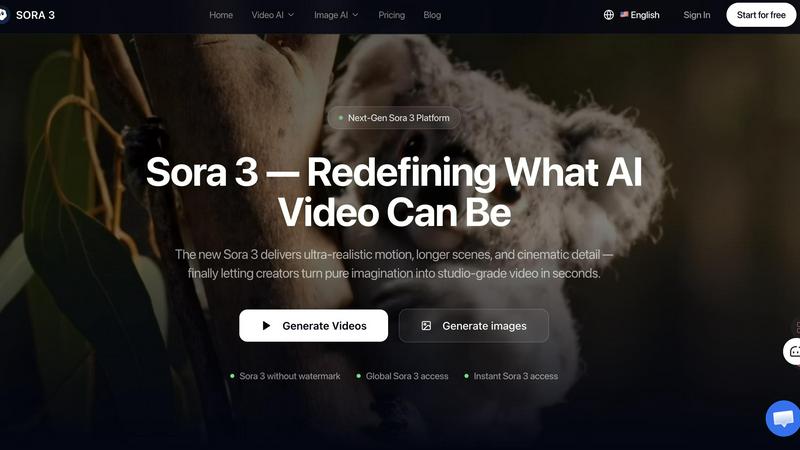
Sora 3 transforms your ideas into stunning, studio-quality videos in seconds, perfect for captivating ads and storytelling.
Last updated: March 11, 2026
Visual Comparison
FlowBatch

Sora 3 Video Generator
Feature Comparison
FlowBatch
Visual Drag-and-Drop Workflow Builder
This is the heart and soul of FlowBatch and its absolute game-changer. You visually construct your processing pipeline by dragging functional nodes onto a canvas and connecting them. Need to watermark, then resize, then convert format? Just line up those nodes. It transforms what used to require technical knowledge or repetitive manual work into an intuitive, creative process. It’s the simplicity and immediate visual feedback that makes batch processing finally feel approachable and even enjoyable.
100% Local & Offline Processing
In an era where every app wants to sync your data to "the cloud," FlowBatch's staunch commitment to local processing is its most defensible feature. Every file you process never leaves your machine. There are no uploads, no mysterious data collection, and no risk of a service outage halting your work. This "privacy by design" approach is essential for professionals handling client work, confidential material, or anyone who simply believes their files are their own business.
Free Forever Core with All Essential Tools
FlowBatch's generosity is staggering. The free version is not a crippled trial. It includes unlimited file processing, all available node types (for operations like cropping, filtering, converting), all standard output formats, and a set of useful factory presets. You can even load custom presets shared by others. This means you can accomplish the vast majority of batch tasks indefinitely without ever spending a dime, which is almost unheard of in this space.
Pro-Powered Watch Mode Automation
This is the crown jewel of the Pro upgrade and worth the one-time fee for any serious user. Activate Watch Mode on a folder, and FlowBatch will automatically process any new image or video file you drop into it using your pre-saved custom preset. Imagine setting up a "Social Media Ready" workflow and having every new photo from a shoot auto-converted the moment it lands on your desktop. It’s the ultimate set-and-forget productivity booster that truly automates your workflow.
Sora 3 Video Generator
Sora 3 Film-Grade Quality
Sora 3 guarantees film-grade quality in every video it generates. This feature ensures that visuals are not just appealing but also maintain a professional standard, making them suitable for high-stakes marketing campaigns and brand stories. The absence of artifacts further enhances the viewing experience, leading to impactful brand messaging.
Sora 3 Smart Camera Control
With Sora 3's Smart Camera Control, users can dictate camera movements and angles to craft the perfect scene. This feature allows for dynamic storytelling, giving creators the ability to emphasize specific elements within their videos. Whether it’s a subtle zoom or a sweeping pan, the control offered is both intuitive and powerful.
Sora 3 Character Consistency
One of the challenges in video creation is maintaining character consistency across scenes. Sora 3 excels in this area by ensuring that characters look and behave consistently throughout the video. This feature is crucial for storytelling, as it fosters viewer engagement and allows for a cohesive narrative flow without disruptions.
Sora 3 Integrated Audio
Sora 3 enhances the video experience with integrated audio capabilities. Users can add soundtracks, voiceovers, and sound effects directly within the platform, simplifying the production process. This feature ensures that audio elements complement the visual aspects, creating a holistic and immersive viewing experience.
Use Cases
FlowBatch
Photographer Delivering Client Galleries
A wedding photographer returns with thousands of RAW images. They need to cull, color correct, resize for web delivery, and embed a subtle copyright watermark. With FlowBatch, they build a "Client Web Gallery" preset once. Then, they simply drag the entire shoot folder into the app and click go. The entire batch is processed locally overnight, ready for delivery, without ever risking client privacy with a cloud service.
Content Creator Prepping Multi-Platform Assets
A social media manager needs to turn one master video into vertical clips for TikTok, square clips for Instagram, and a horizontal version for YouTube, each with specific dimensions, compressions, and platform-specific watermarks. Instead of manually exporting three times per video, they create a single FlowBatch workflow with parallel conversion nodes, outputting all required formats in one synchronized, automated batch process.
Marketing Team Standardizing Brand Assets
A marketing department receives product images from various sources in different sizes and formats. They need a consistent library: all images converted to JPEG, resized to a uniform width, and branded with the company logo in the bottom corner. A shared FlowBatch preset ensures every asset, regardless of origin, is processed to exact brand specifications, maintaining visual consistency across all campaigns effortlessly.
Archiving and Converting Legacy Media
An individual or organization has a large archive of videos in obsolete formats or a folder full of massive, uncompressed scans. They need to convert everything to modern, efficient codecs or compress images for digital storage. FlowBatch handles this tedious, bulk conversion task reliably offline. They can set up a "Convert to HEVC" or "Optimize for Archive" workflow and process decades of media in a batch, preserving it for the future.
Sora 3 Video Generator
Marketing Campaigns
Sora 3 is an ideal companion for marketing teams looking to produce compelling ad content. The platform's ability to generate high-quality videos quickly means brands can react swiftly to market trends with engaging visual content that resonates with their audience.
Social Media Content
Content creators can leverage Sora 3 to craft eye-catching videos for social media platforms. The ability to generate shorter clips with impactful visuals makes it easier to capture attention and drive engagement on platforms like Instagram, TikTok, and Facebook.
Product Launch Videos
For brands rolling out new products, Sora 3 provides the tools to create stunning product launch videos. With its film-grade quality and smart camera controls, marketers can showcase features and benefits in a captivating way that appeals to potential customers.
Educational Videos
Educators and trainers can utilize Sora 3 to produce instructional videos that are both engaging and informative. With its scene understanding and character consistency features, Sora 3 helps create content that effectively communicates complex ideas in an accessible format.
Overview
About FlowBatch
Let's cut through the noise: batch processing software is a category plagued by overpriced subscriptions, unreliable crashes, and blatant disrespect for your privacy. FlowBatch is the breath of fresh air we've desperately needed. This is a 100% local, visual workflow builder designed for batch processing images and videos right on your own computer. Forget writing scripts or wrestling with a command line; here, you build powerful pipelines by simply dragging and dropping nodes like "Crop," "Watermark," "Resize," and "Convert." String them together to create a sophisticated, multi-step process that executes flawlessly with a single click. It's built for real people—photographers drowning in RAW files, content creators managing assets for multiple platforms, marketers preparing campaign materials, and any professional who values their time, sanity, and the confidentiality of their work. The core value proposition is a powerful, non-negotiable trifecta: an elegantly simple visual interface that makes complex tasks intuitive, rock-solid reliability that won't abandon you mid-render, and an uncompromising commitment to privacy by keeping every single file offline on your machine. The fact that this robust, fully-featured core is free forever isn't just a gimmick; it's a statement of intent, making professional-grade tools accessible to everyone. The one-time Pro upgrade is merely the key to unlocking next-level automation for power users.
About Sora 3 Video Generator
Sora 3 Video Generator represents a groundbreaking advancement in AI video creation, tailored for creators, brands, and advertisers seeking to breathe life into their visions. With its ability to produce longer, sharper, and more realistic videos, Sora 3 stands out in the saturated market of video generation tools. It leverages advanced physics and scene control to enable users to transform concepts into high-quality, studio-grade videos in mere seconds. Whether you are a marketer aiming to elevate your brand’s narrative or a content creator looking to expand your storytelling capabilities, Sora 3 offers intuitive features that facilitate the entire video creation process. By combining advanced AI technology with user-friendly interfaces, Sora 3 is not just a tool; it’s a platform that unlocks limitless creative possibilities.
Frequently Asked Questions
FlowBatch FAQ
Is FlowBatch really free with no hidden limits?
Yes, emphatically. The core application is free forever. This includes processing an unlimited number of files, using all available editing and conversion nodes, and exporting to all standard formats. The free version is fully functional for manual batch processing. The Pro upgrade is a one-time purchase that unlocks the ability to save your own custom presets and, most importantly, enables the Watch Mode for folder automation.
How does the "100% local" processing work?
FlowBatch runs entirely on your computer's hardware. When you add files to a workflow, the application reads them directly from your drive, processes them using your machine's CPU/GPU, and writes the finished files back to a location you specify. No part of your file, its metadata, or your workflow is ever transmitted over the internet to a remote server. It works even if you are completely offline.
What is the difference between Free and Pro?
The free version gives you the complete visual workflow builder and all processing power. The Pro upgrade ($14.99 launch price, then $29.99) adds two critical workflow features: the ability to save your own custom node presets for reuse, and the Watch Mode automation. Watch Mode allows you to set a folder to be monitored; any new file added will be automatically processed with a preset of your choice, enabling true hands-off automation.
Can I use my custom presets from the free version in Pro?
The free version allows you to load and use custom preset files (.flowbatch files) that have been created by others or exported from a Pro license. However, you cannot create or save your own custom presets without upgrading to Pro. This means you can benefit from community-shared workflows for free, but to build and permanently save your own automated recipes, you'll need the Pro license.
Sora 3 Video Generator FAQ
What sets Sora 3 apart from other video generation platforms?
Sora 3 distinguishes itself with its superior film-grade quality, advanced scene control, and the ability to maintain character consistency, making it a top choice for both marketing teams and individual creators.
How does Sora 3 maintain character consistency across scenes?
Sora 3 employs advanced algorithms that ensure characters maintain their appearance and behavior throughout different scenes, providing a seamless viewing experience that enhances storytelling.
Can Sora 3 generate videos longer than 10 seconds?
Yes, Sora 3 can create videos longer than 10 seconds. Users can configure their output settings to adjust the duration according to their needs, enabling the production of extensive narratives.
Are Sora 3 videos suitable for commercial advertising?
Absolutely. Sora 3 produces high-quality videos that are perfect for commercial use. Its professional standards make it an excellent choice for brands looking to convey their messages effectively through video advertising.
Alternatives
FlowBatch Alternatives
FlowBatch is a free, private desktop application that redefines batch processing for images and videos through its elegant, visual workflow builder. It belongs squarely in the category of essential productivity tools for creators, offering a powerful, offline alternative to clunky or data-hungry software. Users often seek alternatives for a few key reasons. They might need a tool that runs on a different operating system, requires specific advanced features FlowBatch lacks, or demands a cloud-based collaborative workflow despite the privacy trade-offs. Some may simply prefer a more traditional, menu-driven interface over the node-based visual approach. When evaluating other options, your priorities should guide you. Consider the non-negotiable: must your files stay 100% offline? Do you need automation or scripting capabilities? Weigh the interface style—visual versus traditional—and honestly assess the total cost, whether it's a one-time purchase or a recurring subscription that locks away your own workflows.
Sora 3 Video Generator Alternatives
The Sora 3 Video Generator is an advanced AI-powered tool designed to create ultra-realistic videos with cinematic detail. It stands out in the video generation category, appealing to creators, brands, and advertisers who want to enhance their visual storytelling. Users often seek alternatives to Sora 3 for various reasons, including budget constraints, specific feature requirements, or compatibility with different platforms. When exploring alternatives, consider factors such as pricing, ease of use, available features, and the type of support provided. It's essential to identify what aspects of Sora 3 are most critical to your projects, whether it's the quality of motion, scene length, or overall user experience, to find the best fit for your needs.