
Invoice Guru vs PDF Compiler
Side-by-side comparison to help you choose the right tool.

Invoice Guru
My top pick for UK tradespeople, Invoice Guru creates HMRC-compliant invoices in under a minute.
Last updated: February 28, 2026

PDF Compiler
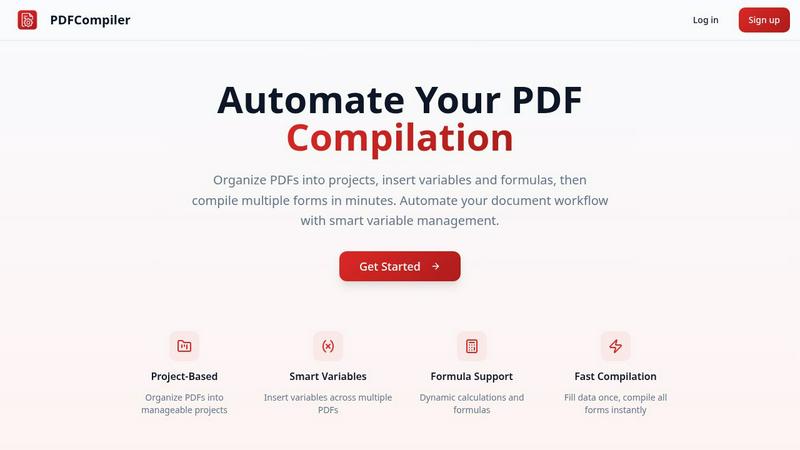
Effortlessly automate your PDF workflow by entering data once to instantly populate multiple forms with ease.
Last updated: February 28, 2026
Visual Comparison
Invoice Guru

PDF Compiler
Feature Comparison
Invoice Guru
60-Second Invoice Creation
This is the flagship feature and it delivers exactly what it promises. With a mobile-first interface designed for thumbs, you can generate a professional, branded invoice with your logo, VAT, and payment terms in under a minute. It eliminates the clunky, multi-step processes of other apps, letting you get back to your job instantly. The automatic numbering and dating based on your fiscal year settings are small touches that prevent big headaches.
AI-Powered OCR Receipt Scanner
This is a personal favorite and a massive time-saver. Simply snap a photo of a paper receipt with your phone, and Invoice Guru's AI instantly reads all the details—vendor, date, amount, tax—and logs it as a categorized expense. It completely eliminates manual data entry, turning a stack of crumpled receipts into organized records in seconds, making expense tracking and VAT reclaim effortless.
Smart Bank Integration & Payment Tracking
Stop cross-referencing bank statements with your invoice list. By securely connecting your business bank account, Invoice Guru automatically matches incoming payments to their corresponding unpaid invoices. It gives you a real-time, crystal-clear view of exactly who has paid and what's overdue, transforming your cash flow management from a monthly chore into an automated process.
Multi-Language, Multi-Currency & Compliance Ready
Built for modern, mobile businesses, Invoice Guru supports over a dozen languages and multiple currencies, perfect for tradespeople working with international clients or across borders. More importantly, it's engineered for compliance, with built-in readiness for major regulations like UK MTD for VAT submissions and Poland's KSeF e-invoicing, ensuring your business is always on the right side of the law.
PDF Compiler
Configurable Fields
PDF Compiler allows users to define a variety of fields in their documents, including text inputs, dates, variables, selections, and even Excel-style formulas. This flexibility ensures that all necessary data can be efficiently captured and managed, catering to the unique requirements of each project.
Minimal Input
One of the standout features of PDF Compiler is its ability to minimize user input. Users only need to enter essential data once, and the software automatically populates all linked documents with the appropriate information, adhering to the predefined configurations. This not only saves time but also reduces the likelihood of data entry errors.
Data Linking
With PDF Compiler, any updates made to a field automatically propagate across all PDFs within the project. This means that users can make changes to a single data point, and the software will ensure that all related documents reflect those updates, maintaining consistency and accuracy throughout the entire set.
Automated Workflows
The software enables users to generate complete document sets in mere minutes. With its dynamic calculations and formatting capabilities, PDF Compiler streamlines the entire process of document preparation, allowing users to compile all necessary forms instantly, ready for submission, sharing, or printing.
Use Cases
Invoice Guru
The On-Site Tradesperson
A plumber finishes a job and wants to get paid before leaving the client's home. Instead of writing a scrap of paper or promising to "send an email later," they open Invoice Guru on their phone. In under 60 seconds, they create a professional invoice, apply a QR code for instant payment via Stripe, and email it directly to the client. Payment is received before their tools are packed away.
The Small Service Business Owner
A cleaning company owner spends hours every Sunday night doing admin: sorting receipts, chasing invoices, and preparing accounts. With Invoice Guru, they use the OCR scanner for receipts throughout the week and have automatic payment reminders chase late payers. The bank integration reconciles payments automatically, freeing up their evenings and giving them peace of mind.
The International Contractor
A UK-based builder regularly takes on projects in Europe. They need to invoice in Euros, comply with different local formats, and manage currency fluctuations. Invoice Guru allows them to create invoices in the local language and currency with correct tax settings, presenting a professional image and simplifying their cross-border accounting from a single, unified app.
The Accountant's Client
An accountant manages the books for several trade businesses. Their clients using Invoice Guru can grant them secure "accountant access." The accountant receives perfectly organized, automatic weekly reports summarizing all invoices, expenses, and scanned receipts, drastically reducing the time spent on data collection and entry and allowing them to focus on higher-value advisory work.
PDF Compiler
Tender and Proposal Documentation
In scenarios where organizations frequently prepare tenders and proposals, PDF Compiler excels by automating the completion of these documents. By reducing repetitive data entry, teams can create professional proposals swiftly, ensuring they meet tight deadlines without compromising quality.
Financial and Administrative Reports
For finance and admin teams tasked with generating comprehensive reports, PDF Compiler simplifies the process. The ability to link data across multiple PDFs means that any adjustments made to core figures will automatically update all related reports, enhancing both accuracy and efficiency.
Multi-Document Workflows
Any workflow that involves multiple documents requiring repetitive data entry can benefit from PDF Compiler. Whether it's contracts, invoices, or project documentation, the software streamlines the compilation process, saving time and ensuring consistency across all documents.
Compliance and Regulatory Filings
Organizations that must adhere to strict compliance and regulatory standards find PDF Compiler invaluable. By automating the completion of required forms and ensuring that all data is accurate and up-to-date, businesses can minimize risks associated with manual entry and ensure adherence to legal obligations.
Overview
About Invoice Guru
Let's cut through the noise: most invoicing software is built for accountants, not for the people who actually do the work. Invoice Guru is the refreshing, no-nonsense antidote. This is a mobile-first command centre built from the ground up for tradespeople and small service businesses. If you're a plumber, electrician, painter, cleaner, or builder, this tool was designed with your real-world workflow in mind. It was created by someone who knows the frustration of trying to manage complex paperwork on a phone screen with dirty hands after a long day on-site. The core promise is brutal, beautiful simplicity: create and send a professional, fully compliant invoice in under 60 seconds from your phone. But it doesn't stop there. Invoice Guru wraps in powerful automation like AI-powered receipt scanning and smart bank payment matching to eliminate hours of admin. Crucially, it's also future-proofed for key regulations like the UK's Making Tax Digital (MTD) and Poland's KSeF, so you're always compliant. This is the essential tool that finally bridges the gap between the skilled physical work you do and the digital paperwork you need to manage, all without needing an accounting degree to operate it. It’s not just software; it’s a productivity partner for your trade.
About PDF Compiler
PDF Compiler is an innovative tool designed to automate the completion of PDF forms across multiple documents, significantly enhancing efficiency and accuracy in various workflows. This software caters to professionals and organizations that deal with repetitive data entry tasks, such as proposal teams, financial analysts, and administrative personnel. The primary value proposition of PDF Compiler lies in its ability to reduce manual input, ensuring consistency and minimizing the risk of errors. Unlike traditional PDF editors, PDF Compiler excels in handling data propagation, complex formulas, and field references throughout an entire document set. By streamlining the compilation process, users can focus on high-value tasks while the software takes care of the tedious details, ultimately resulting in faster project completions and enhanced productivity.
Frequently Asked Questions
Invoice Guru FAQ
Is Invoice Guru really free to start?
Yes, absolutely. The Starter Plan is free forever and allows you to create up to 10 invoices, download them as PDFs, and use bank transfer payments. It's a fantastic, no-risk way to test the core 60-second invoicing experience and see if the tool fits your workflow before committing to a paid plan with unlimited invoices and advanced features.
How does the AI receipt scanner work?
It uses Optical Character Recognition (OCR) technology. You simply take a photo of any receipt within the app. The AI instantly analyzes the image, identifies key data like the vendor name, date, total amount, and tax, and then auto-populates a new expense entry for you. You just need to confirm the details and assign a category, saving immense manual typing time.
Is Invoice Guru compliant with UK Making Tax Digital (MTD)?
Yes, this is a key strength. The Pro Plan includes full MTD for VAT submission capabilities. This means you can use Invoice Guru to keep digital records and submit your VAT returns directly to HMRC through the software, ensuring you meet all the legal requirements of the MTD scheme without needing separate, complicated bridging software.
Can I use it for quotes and estimates as well?
Definitely. Beyond invoices, Invoice Guru allows you to create professional offers and quotes instantly. You can send these to clients for approval and, once accepted, convert a quote directly into a final invoice with a single tap, ensuring all details are carried over accurately and saving you from double data entry.
PDF Compiler FAQ
How does PDF Compiler ensure data accuracy?
PDF Compiler eliminates manual entry errors by allowing users to enter data only once. Changes to linked fields automatically propagate across all related documents, ensuring that all information remains consistent and accurate.
Can I customize the fields in my PDF documents?
Yes, PDF Compiler offers configurable fields, allowing users to define the types of data they need, including text, dates, variables, selections, and formulas. This customization ensures that each document meets specific project requirements.
Is there a limit to the number of PDFs I can compile at once?
No, PDF Compiler is designed to handle multiple PDFs within a single project. Users can organize their documents efficiently and compile all forms simultaneously, regardless of the number of files involved.
Is a demo available for PDF Compiler?
Absolutely! Users can try an interactive demo with sample documents to experience the automated compilation process firsthand. No account is required to see the power of PDF Compiler in action.
Alternatives
Invoice Guru Alternatives
Invoice Guru is a mobile-first invoicing app built specifically for UK tradespeople, designed to cut through the complexity of traditional accounting software. It belongs firmly in the category of job management and invoicing tools, but with a laser focus on the needs of service businesses and sole traders who work from their vans, not a desk. People look for alternatives for all sorts of reasons. Maybe they need a desktop-heavy workflow, require more advanced inventory management, or are simply shopping around based on price. Some businesses outgrow simple tools, while others find their needs are even more basic than what a dedicated app offers. When evaluating other options, your checklist should be clear: does it work seamlessly on a phone? Can it handle VAT and HMRC compliance without a headache? Will it save you time on admin, or just create more of it? The right tool should feel like a helpful apprentice, not a demanding foreman.
PDF Compiler Alternatives
PDF Compiler is a powerful tool designed for automating PDF form completion, falling within the realm of business productivity and task management solutions. By allowing users to enter data just once and having it populate across multiple PDFs, PDF Compiler streamlines workflows that involve repetitive data entry, making it invaluable for tasks like tender documentation and financial reporting. However, users often seek alternatives due to various factors such as pricing, specific feature sets, or compatibility with different operating systems. When choosing an alternative, it's essential to consider aspects like ease of use, the ability to handle complex data linking, automation capabilities, and the overall scalability of the solution to meet your unique needs.