
Invoice Guru
My top pick for UK tradespeople, Invoice Guru creates HMRC-compliant invoices in under a minute.
Visit
About Invoice Guru
Let's cut through the noise: most invoicing software is built for accountants, not for the people who actually do the work. Invoice Guru is the refreshing, no-nonsense antidote. This is a mobile-first command centre built from the ground up for tradespeople and small service businesses. If you're a plumber, electrician, painter, cleaner, or builder, this tool was designed with your real-world workflow in mind. It was created by someone who knows the frustration of trying to manage complex paperwork on a phone screen with dirty hands after a long day on-site. The core promise is brutal, beautiful simplicity: create and send a professional, fully compliant invoice in under 60 seconds from your phone. But it doesn't stop there. Invoice Guru wraps in powerful automation like AI-powered receipt scanning and smart bank payment matching to eliminate hours of admin. Crucially, it's also future-proofed for key regulations like the UK's Making Tax Digital (MTD) and Poland's KSeF, so you're always compliant. This is the essential tool that finally bridges the gap between the skilled physical work you do and the digital paperwork you need to manage, all without needing an accounting degree to operate it. It’s not just software; it’s a productivity partner for your trade.
Features of Invoice Guru
60-Second Invoice Creation
This is the flagship feature and it delivers exactly what it promises. With a mobile-first interface designed for thumbs, you can generate a professional, branded invoice with your logo, VAT, and payment terms in under a minute. It eliminates the clunky, multi-step processes of other apps, letting you get back to your job instantly. The automatic numbering and dating based on your fiscal year settings are small touches that prevent big headaches.
AI-Powered OCR Receipt Scanner
This is a personal favorite and a massive time-saver. Simply snap a photo of a paper receipt with your phone, and Invoice Guru's AI instantly reads all the details—vendor, date, amount, tax—and logs it as a categorized expense. It completely eliminates manual data entry, turning a stack of crumpled receipts into organized records in seconds, making expense tracking and VAT reclaim effortless.
Smart Bank Integration & Payment Tracking
Stop cross-referencing bank statements with your invoice list. By securely connecting your business bank account, Invoice Guru automatically matches incoming payments to their corresponding unpaid invoices. It gives you a real-time, crystal-clear view of exactly who has paid and what's overdue, transforming your cash flow management from a monthly chore into an automated process.
Multi-Language, Multi-Currency & Compliance Ready
Built for modern, mobile businesses, Invoice Guru supports over a dozen languages and multiple currencies, perfect for tradespeople working with international clients or across borders. More importantly, it's engineered for compliance, with built-in readiness for major regulations like UK MTD for VAT submissions and Poland's KSeF e-invoicing, ensuring your business is always on the right side of the law.
Use Cases of Invoice Guru
The On-Site Tradesperson
A plumber finishes a job and wants to get paid before leaving the client's home. Instead of writing a scrap of paper or promising to "send an email later," they open Invoice Guru on their phone. In under 60 seconds, they create a professional invoice, apply a QR code for instant payment via Stripe, and email it directly to the client. Payment is received before their tools are packed away.
The Small Service Business Owner
A cleaning company owner spends hours every Sunday night doing admin: sorting receipts, chasing invoices, and preparing accounts. With Invoice Guru, they use the OCR scanner for receipts throughout the week and have automatic payment reminders chase late payers. The bank integration reconciles payments automatically, freeing up their evenings and giving them peace of mind.
The International Contractor
A UK-based builder regularly takes on projects in Europe. They need to invoice in Euros, comply with different local formats, and manage currency fluctuations. Invoice Guru allows them to create invoices in the local language and currency with correct tax settings, presenting a professional image and simplifying their cross-border accounting from a single, unified app.
The Accountant's Client
An accountant manages the books for several trade businesses. Their clients using Invoice Guru can grant them secure "accountant access." The accountant receives perfectly organized, automatic weekly reports summarizing all invoices, expenses, and scanned receipts, drastically reducing the time spent on data collection and entry and allowing them to focus on higher-value advisory work.
Frequently Asked Questions
Is Invoice Guru really free to start?
Yes, absolutely. The Starter Plan is free forever and allows you to create up to 10 invoices, download them as PDFs, and use bank transfer payments. It's a fantastic, no-risk way to test the core 60-second invoicing experience and see if the tool fits your workflow before committing to a paid plan with unlimited invoices and advanced features.
How does the AI receipt scanner work?
It uses Optical Character Recognition (OCR) technology. You simply take a photo of any receipt within the app. The AI instantly analyzes the image, identifies key data like the vendor name, date, total amount, and tax, and then auto-populates a new expense entry for you. You just need to confirm the details and assign a category, saving immense manual typing time.
Is Invoice Guru compliant with UK Making Tax Digital (MTD)?
Yes, this is a key strength. The Pro Plan includes full MTD for VAT submission capabilities. This means you can use Invoice Guru to keep digital records and submit your VAT returns directly to HMRC through the software, ensuring you meet all the legal requirements of the MTD scheme without needing separate, complicated bridging software.
Can I use it for quotes and estimates as well?
Definitely. Beyond invoices, Invoice Guru allows you to create professional offers and quotes instantly. You can send these to clients for approval and, once accepted, convert a quote directly into a final invoice with a single tap, ensuring all details are carried over accurately and saving you from double data entry.
Pricing of Invoice Guru
Invoice Guru offers simple, transparent pricing with a free-forever tier and two straightforward paid plans. Paying annually saves you 20%. The Starter Plan is completely free and includes up to 10 invoices. The Basic Plan is €9.99/month (billed annually) and unlocks unlimited invoices, client management, custom branding, and multi-currency support. For full automation, the Pro Plan at €14.99/month is the standout recommendation, adding all the intelligent features like bank integration, AI receipt scanning, automatic payment reminders, and MTD VAT submission. An optional Job Survey/Trades Module is available for €6.99/month for specialized field service needs.
Similar to Invoice Guru

Escrozon
Escrow marketplace for buying and selling digital assets. The payment is held until the buyer confirms the handover.




IZIPAY
IZIPAY is a virtual and physical crypto card service that lets users top up with digital assets and pay online like with a regular card.
Venduris
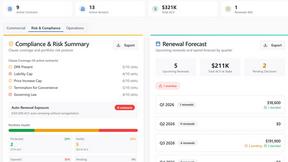
Venduris is a renewal intelligence platform that gives mid-size companies control over SaaS & AI contract renewals before leverage disappears.
the calcolo iva
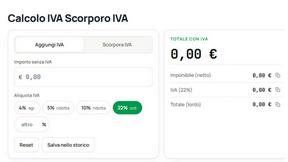
Free Italian VAT calculator and tax guides, built for freelancers and businesses.