MyImageUpscaler vs PDF Compiler
Side-by-side comparison to help you choose the right tool.

MyImageUpscaler
MyImageUpscaler enhances and upscales your photos in seconds while preserving text clarity, all for free.
Last updated: February 28, 2026

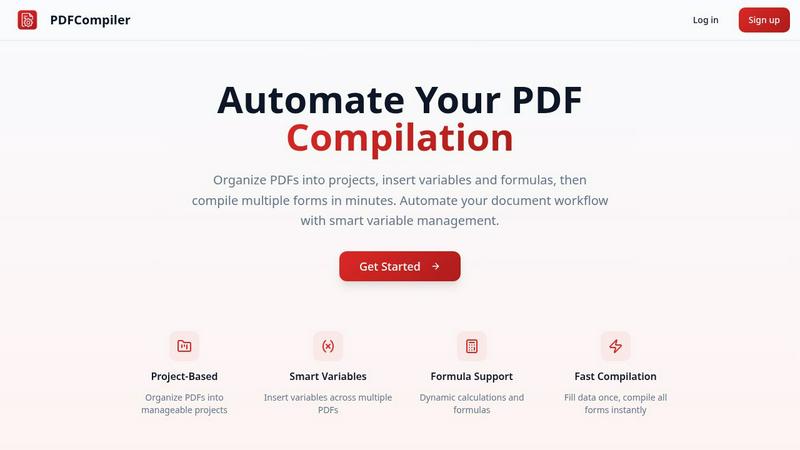
Effortlessly automate your PDF workflow by entering data once to instantly populate multiple forms with ease.
Last updated: February 28, 2026
Visual Comparison
MyImageUpscaler

PDF Compiler
Feature Comparison
MyImageUpscaler
Advanced Detail Preservation
This feature allows users to upscale images without losing crucial details. The AI technology identifies and preserves fine details, ensuring that images remain crisp and clear, which is essential for marketing materials and product images.
Fast Processing Speed
MyImageUpscaler boasts an impressive processing speed, allowing users to upscale images in under 10 seconds. This rapid turnaround time is perfect for busy professionals who need to enhance multiple images quickly without compromising on quality.
Multiple Upscaling Options
Users can choose between 2x and 4x upscaling options, providing flexibility depending on the specific needs of their projects. This versatility ensures that images can be tailored for different platforms, whether for high-resolution prints or online use.
Batch Processing Capabilities
With the ability to process up to 500 images in one go, MyImageUpscaler is ideal for users who need to manage large volumes of images efficiently. This feature saves time and effort, making it perfect for real estate agents, photographers, and e-commerce sellers.
PDF Compiler
Configurable Fields
PDF Compiler allows users to define a variety of fields in their documents, including text inputs, dates, variables, selections, and even Excel-style formulas. This flexibility ensures that all necessary data can be efficiently captured and managed, catering to the unique requirements of each project.
Minimal Input
One of the standout features of PDF Compiler is its ability to minimize user input. Users only need to enter essential data once, and the software automatically populates all linked documents with the appropriate information, adhering to the predefined configurations. This not only saves time but also reduces the likelihood of data entry errors.
Data Linking
With PDF Compiler, any updates made to a field automatically propagate across all PDFs within the project. This means that users can make changes to a single data point, and the software will ensure that all related documents reflect those updates, maintaining consistency and accuracy throughout the entire set.
Automated Workflows
The software enables users to generate complete document sets in mere minutes. With its dynamic calculations and formatting capabilities, PDF Compiler streamlines the entire process of document preparation, allowing users to compile all necessary forms instantly, ready for submission, sharing, or printing.
Use Cases
MyImageUpscaler
E-commerce Sellers
For online retailers, high-quality product images can significantly impact sales. MyImageUpscaler allows sellers to enhance product photos, ensuring they stand out on platforms like Amazon, thus attracting more customers.
Content Creators
Social media influencers and content creators can use MyImageUpscaler to resize and enhance images for platforms like Instagram and TikTok. This ensures their visuals look professional, helping to increase engagement and follower counts.
Real Estate Agents
Real estate professionals can prepare stunning MLS listings by using MyImageUpscaler to enhance property images. High-quality visuals can make listings more appealing, leading to faster sales.
Photographers
For photographers managing large batches of images, MyImageUpscaler simplifies the editing process. With batch processing capabilities, photographers can quickly enhance multiple images, saving time and allowing them to focus on creative aspects.
PDF Compiler
Tender and Proposal Documentation
In scenarios where organizations frequently prepare tenders and proposals, PDF Compiler excels by automating the completion of these documents. By reducing repetitive data entry, teams can create professional proposals swiftly, ensuring they meet tight deadlines without compromising quality.
Financial and Administrative Reports
For finance and admin teams tasked with generating comprehensive reports, PDF Compiler simplifies the process. The ability to link data across multiple PDFs means that any adjustments made to core figures will automatically update all related reports, enhancing both accuracy and efficiency.
Multi-Document Workflows
Any workflow that involves multiple documents requiring repetitive data entry can benefit from PDF Compiler. Whether it's contracts, invoices, or project documentation, the software streamlines the compilation process, saving time and ensuring consistency across all documents.
Compliance and Regulatory Filings
Organizations that must adhere to strict compliance and regulatory standards find PDF Compiler invaluable. By automating the completion of required forms and ensuring that all data is accurate and up-to-date, businesses can minimize risks associated with manual entry and ensure adherence to legal obligations.
Overview
About MyImageUpscaler
MyImageUpscaler is an innovative AI-driven image enhancement and upscaling platform designed specifically for businesses and content creators who demand high-quality visuals. This tool allows users to upscale images by 2x to 4x while maintaining sharpness and enhancing fine details, making it an indispensable resource for anyone looking to improve their visual content. Whether you're an e-commerce seller needing to elevate product images, a photographer processing large batches, or a content creator resizing images for various social media platforms, MyImageUpscaler has you covered. The platform's user-friendly interface and advanced technology ensure that even those with minimal technical skills can achieve professional-grade results. With a free tier offering 10 credits and paid plans starting at just $9/month, MyImageUpscaler is accessible to all, empowering users to upscale smarter, not harder.
About PDF Compiler
PDF Compiler is an innovative tool designed to automate the completion of PDF forms across multiple documents, significantly enhancing efficiency and accuracy in various workflows. This software caters to professionals and organizations that deal with repetitive data entry tasks, such as proposal teams, financial analysts, and administrative personnel. The primary value proposition of PDF Compiler lies in its ability to reduce manual input, ensuring consistency and minimizing the risk of errors. Unlike traditional PDF editors, PDF Compiler excels in handling data propagation, complex formulas, and field references throughout an entire document set. By streamlining the compilation process, users can focus on high-value tasks while the software takes care of the tedious details, ultimately resulting in faster project completions and enhanced productivity.
Frequently Asked Questions
MyImageUpscaler FAQ
What is MyImageUpscaler?
MyImageUpscaler is an AI-powered platform that enhances and upscales images for businesses and content creators, improving image quality while preserving detail and sharpness.
How does the AI enhancement work?
The AI technology analyzes images and intelligently enhances them, focusing on preserving important details while enlarging the image size, ensuring professional results.
Is there a free tier available?
Yes, MyImageUpscaler offers a free tier that includes 10 credits for users to test the platform without requiring a credit card, making it accessible for anyone interested in trying it out.
What are the payment plans?
Paid plans start at just $9/month, allowing users to choose a plan that fits their needs, whether they require occasional use or frequent access to advanced features.
PDF Compiler FAQ
How does PDF Compiler ensure data accuracy?
PDF Compiler eliminates manual entry errors by allowing users to enter data only once. Changes to linked fields automatically propagate across all related documents, ensuring that all information remains consistent and accurate.
Can I customize the fields in my PDF documents?
Yes, PDF Compiler offers configurable fields, allowing users to define the types of data they need, including text, dates, variables, selections, and formulas. This customization ensures that each document meets specific project requirements.
Is there a limit to the number of PDFs I can compile at once?
No, PDF Compiler is designed to handle multiple PDFs within a single project. Users can organize their documents efficiently and compile all forms simultaneously, regardless of the number of files involved.
Is a demo available for PDF Compiler?
Absolutely! Users can try an interactive demo with sample documents to experience the automated compilation process firsthand. No account is required to see the power of PDF Compiler in action.
Alternatives
MyImageUpscaler Alternatives
MyImageUpscaler is an AI-powered image enhancement tool that falls under the category of productivity and management solutions. It specializes in upscaling images with remarkable detail preservation, making it a go-to choice for businesses and content creators alike. However, users often seek alternatives due to various reasons such as pricing structures, specific feature sets that may not align with their needs, or compatibility with different platforms. Whether you’re looking for more extensive batch processing capabilities or a different user interface, it’s essential to evaluate what features matter most to you when considering an alternative to MyImageUpscaler. When choosing an alternative, look for key features such as processing speed, image quality, and the range of upscaling options available. Additionally, consider the user experience, the availability of a free tier, and whether the platform offers batch processing for large projects. Understanding your specific requirements will help you find a solution that not only meets your upscaling needs but also enhances your overall workflow.
PDF Compiler Alternatives
PDF Compiler is a powerful tool designed for automating PDF form completion, falling within the realm of business productivity and task management solutions. By allowing users to enter data just once and having it populate across multiple PDFs, PDF Compiler streamlines workflows that involve repetitive data entry, making it invaluable for tasks like tender documentation and financial reporting. However, users often seek alternatives due to various factors such as pricing, specific feature sets, or compatibility with different operating systems. When choosing an alternative, it's essential to consider aspects like ease of use, the ability to handle complex data linking, automation capabilities, and the overall scalability of the solution to meet your unique needs.