
Phishly vs Zovo
Side-by-side comparison to help you choose the right tool.

Phishly
Phishly uses AI to instantly detect phishing emails, ensuring your inbox stays secure with just one click.

Zovo offers 20 privacy-focused Chrome extensions for developers and writers, all under one subscription with no data.
Last updated: February 28, 2026
Visual Comparison
Phishly
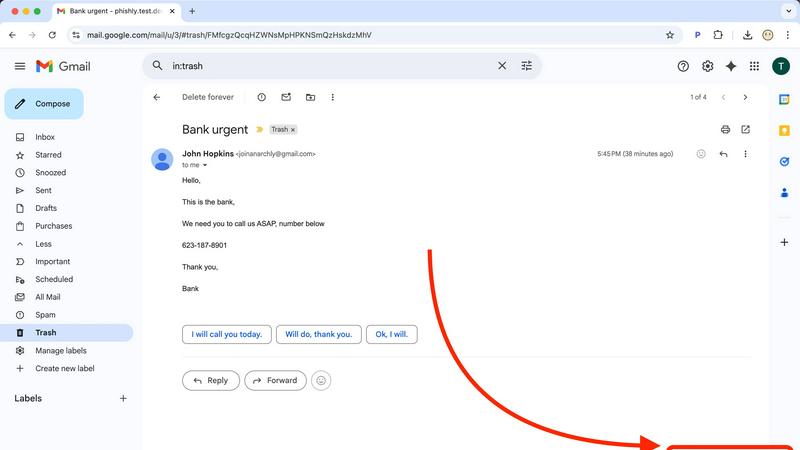
Zovo

Feature Comparison
Phishly
Instant Email Scanning
Phishly allows users to scan emails instantly by clicking the "Scan with Phishly" button in Gmail or by pasting the email content on the website. This feature ensures that you can quickly assess the safety of an email without navigating complicated menus.
AI-Powered Detection
Utilizing sophisticated AI algorithms, Phishly identifies various phishing indicators, including suspicious domains, urgent language, and social engineering tactics. This feature enhances the accuracy of risk assessments, providing users with confidence in the analysis.
Clear Risk Assessments
Once an email is scanned, users receive a clear risk assessment categorized as Safe, Medium Risk, or High Risk. Detailed explanations accompany each assessment, helping users understand the specific reasons behind the classification and making informed decisions.
Privacy-Focused Analysis
Phishly prioritizes user privacy by only analyzing emails that users explicitly choose to scan. This commitment to privacy ensures that your email data remains secure and confidential while receiving essential protection against phishing attacks.
Zovo
BeLikeNative
BeLikeNative is an exceptional writing assistant that helps users compose text in a manner akin to native speakers. It offers one-keystroke rewrites across 80 languages, making it an invaluable tool for non-native speakers who wish to enhance their writing skills and communicate more effectively.
Tab Suspender Pro
Tab Suspender Pro is a brilliant extension designed to optimize your browser's memory usage by suspending inactive tabs. This feature not only improves performance but also helps reduce lag and crashes, allowing you to maintain a smooth browsing experience even with numerous tabs open.
JSON Formatter Pro
For developers and data enthusiasts, JSON Formatter Pro is an essential tool. It simplifies the process of viewing and editing JSON data, providing clear formatting and validation features. This makes it easier to work with APIs and manage data structures efficiently.
Clipboard History Pro
Clipboard History Pro transforms how you manage copied content. This extension saves your clipboard history, allowing you to access and paste previously copied items seamlessly. With a limit of up to 100 items in the free version, it’s perfect for anyone who frequently works with multiple pieces of text.
Use Cases
Phishly
Individual Email Verification
Individuals can benefit from Phishly by scanning personal emails that appear suspicious. This use case is particularly relevant for those who handle sensitive information and want peace of mind while managing their email communications.
Small Business Protection
Small businesses can utilize Phishly to safeguard their operations from phishing attacks. By scanning emails that may pose a threat, businesses can protect their sensitive data and maintain customer trust, all without needing extensive cybersecurity measures.
Educational Institutions
Teachers and administrative staff in educational institutions can use Phishly to detect phishing attempts targeting students and parents. This proactive approach helps maintain a secure communication environment within schools.
Remote Workers Security
With the rise of remote work, employees are often exposed to phishing attempts. Phishly provides these remote workers with a reliable tool to quickly verify emails, ensuring they can focus on their tasks without falling victim to scams.
Zovo
Improving Language Skills
For language learners and professionals, BeLikeNative offers a straightforward way to improve writing proficiency. Users can quickly rewrite sentences to sound more natural, enhancing communication for personal or professional use in a new language.
Enhancing Browser Performance
Tab Suspender Pro is ideal for users who often juggle multiple tabs. By suspending unused tabs, it conserves system resources, ensuring that your browser operates efficiently without slowing down your workflow, especially during intensive tasks.
Simplifying Data Management
Developers can rely on JSON Formatter Pro to handle complex data effortlessly. Whether debugging or developing, this tool ensures data is presented clearly, making it easier to identify issues and streamline the coding process.
Efficient Text Management
Clipboard History Pro is perfect for writers, researchers, or anyone who regularly copies and pastes text. This extension allows users to retrieve and reuse previously copied content quickly, significantly speeding up the writing or data entry process.
Overview
About Phishly
Phishly is an innovative AI-powered phishing detection platform designed specifically for users who want to protect themselves from the rising tide of email scams. Available as a user-friendly Chrome extension for Gmail and a web tool, Phishly makes it easy for anyone to verify the legitimacy of suspicious emails. With just a click of the "Scan with Phishly" button in Gmail or by pasting an email into the website, users receive instant analysis. This tool is particularly valuable for individuals and small businesses seeking straightforward phishing protection without the complexities often associated with enterprise solutions. Phishly leverages advanced AI algorithms to identify phishing indicators such as dubious domains, urgent language, spoofed senders, and various social engineering tactics. The platform categorizes emails into clear risk assessments—Safe, Medium Risk, and High Risk—along with detailed explanations for each classification. Importantly, Phishly respects user privacy by only analyzing emails that users explicitly choose to scan. No technical knowledge is required, making it accessible for everyone. Best of all, it is free to use and provides immediate answers when you need to determine if an email is legitimate.
About Zovo
Zovo is an innovative suite of 20 Chrome extensions designed by a solo developer with over a decade of experience and a remarkable track record of earning over $400K on Upwork with a perfect success rate. At its core, Zovo aims to enhance your browsing experience while prioritizing your privacy. With flagship tools like BeLikeNative, which enables over 3,300 users to effortlessly write like native speakers through one-keystroke rewrites in 80 languages, Zovo stands out as a must-have collection for anyone looking to improve their workflow. The suite includes a variety of utilities, such as Tab Suspender Pro for memory management, JSON Formatter Pro for developers, and Clipboard History Pro for efficient text management. Every extension is built with a privacy-first approach, ensuring that your data remains on your device, with zero data harvesting or tracking. Users actively participate in shaping the roadmap by voting on features, while new extensions are released monthly. With many tools available for free online at zovo.one, Zovo truly offers every tool your browser needs—all while keeping your data secure and private.
Frequently Asked Questions
Phishly FAQ
How does Phishly work?
Phishly uses advanced AI algorithms to analyze emails for common phishing indicators. By evaluating factors like sender authenticity and language urgency, it provides users with a risk assessment to determine the email's legitimacy.
Is Phishly free to use?
Yes, Phishly is completely free to use. Users can scan emails without any subscription fees or hidden costs, making it an accessible tool for anyone looking to enhance their email security.
Do I need any technical skills to use Phishly?
No, you do not need any technical skills to use Phishly. The platform is designed for everyone, allowing even those with minimal tech knowledge to easily scan and assess emails for potential phishing threats.
Can Phishly be used for business emails?
Absolutely! Phishly is ideal for small businesses seeking a simple and effective way to protect their email communications from phishing attacks, helping to secure sensitive information without the complexity of enterprise solutions.
Zovo FAQ
How does Zovo protect my privacy?
Zovo is committed to privacy by design, ensuring that all extensions run locally on your device. No data is collected, tracked, or sent to servers, meaning your browsing habits and activity remain entirely private.
Can I request new features for Zovo?
Absolutely! Users can submit feature requests directly to the developer. The most requested features are prioritized, and your input directly influences the roadmap for future extensions.
Are any of the extensions free?
Yes, Zovo offers many tools for free, including core functionalities of all extensions. Users can access essential features without creating an account, while premium features are available through a one-time purchase.
How often are new extensions released?
New extensions are shipped monthly, with early access provided to members. This ensures that users who contribute to the community can try out new tools before they become available to the public.