
Phishly
Phishly uses AI to instantly detect phishing emails, ensuring your inbox stays secure with just one click.
Visit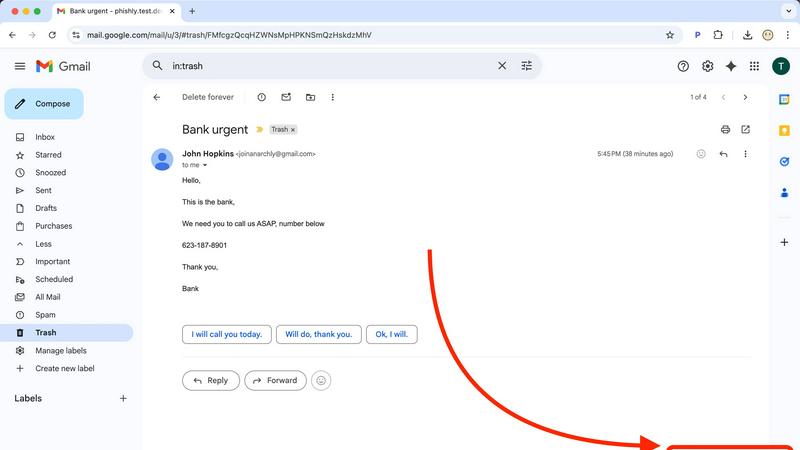
About Phishly
Phishly is an innovative AI-powered phishing detection platform designed specifically for users who want to protect themselves from the rising tide of email scams. Available as a user-friendly Chrome extension for Gmail and a web tool, Phishly makes it easy for anyone to verify the legitimacy of suspicious emails. With just a click of the "Scan with Phishly" button in Gmail or by pasting an email into the website, users receive instant analysis. This tool is particularly valuable for individuals and small businesses seeking straightforward phishing protection without the complexities often associated with enterprise solutions. Phishly leverages advanced AI algorithms to identify phishing indicators such as dubious domains, urgent language, spoofed senders, and various social engineering tactics. The platform categorizes emails into clear risk assessments—Safe, Medium Risk, and High Risk—along with detailed explanations for each classification. Importantly, Phishly respects user privacy by only analyzing emails that users explicitly choose to scan. No technical knowledge is required, making it accessible for everyone. Best of all, it is free to use and provides immediate answers when you need to determine if an email is legitimate.
Features of Phishly
Instant Email Scanning
Phishly allows users to scan emails instantly by clicking the "Scan with Phishly" button in Gmail or by pasting the email content on the website. This feature ensures that you can quickly assess the safety of an email without navigating complicated menus.
AI-Powered Detection
Utilizing sophisticated AI algorithms, Phishly identifies various phishing indicators, including suspicious domains, urgent language, and social engineering tactics. This feature enhances the accuracy of risk assessments, providing users with confidence in the analysis.
Clear Risk Assessments
Once an email is scanned, users receive a clear risk assessment categorized as Safe, Medium Risk, or High Risk. Detailed explanations accompany each assessment, helping users understand the specific reasons behind the classification and making informed decisions.
Privacy-Focused Analysis
Phishly prioritizes user privacy by only analyzing emails that users explicitly choose to scan. This commitment to privacy ensures that your email data remains secure and confidential while receiving essential protection against phishing attacks.
Use Cases of Phishly
Individual Email Verification
Individuals can benefit from Phishly by scanning personal emails that appear suspicious. This use case is particularly relevant for those who handle sensitive information and want peace of mind while managing their email communications.
Small Business Protection
Small businesses can utilize Phishly to safeguard their operations from phishing attacks. By scanning emails that may pose a threat, businesses can protect their sensitive data and maintain customer trust, all without needing extensive cybersecurity measures.
Educational Institutions
Teachers and administrative staff in educational institutions can use Phishly to detect phishing attempts targeting students and parents. This proactive approach helps maintain a secure communication environment within schools.
Remote Workers Security
With the rise of remote work, employees are often exposed to phishing attempts. Phishly provides these remote workers with a reliable tool to quickly verify emails, ensuring they can focus on their tasks without falling victim to scams.
Frequently Asked Questions
How does Phishly work?
Phishly uses advanced AI algorithms to analyze emails for common phishing indicators. By evaluating factors like sender authenticity and language urgency, it provides users with a risk assessment to determine the email's legitimacy.
Is Phishly free to use?
Yes, Phishly is completely free to use. Users can scan emails without any subscription fees or hidden costs, making it an accessible tool for anyone looking to enhance their email security.
Do I need any technical skills to use Phishly?
No, you do not need any technical skills to use Phishly. The platform is designed for everyone, allowing even those with minimal tech knowledge to easily scan and assess emails for potential phishing threats.
Can Phishly be used for business emails?
Absolutely! Phishly is ideal for small businesses seeking a simple and effective way to protect their email communications from phishing attacks, helping to secure sensitive information without the complexity of enterprise solutions.
Similar to Phishly

LightScroll
Native iOS and macOS app for healthier screen time

Drafto
Browser tools for Indian SMBs and CAs: GST, Tally, bank statements. Bank Statement Converter and Meesho Label Crop. Free daily limit.
Lemongraph
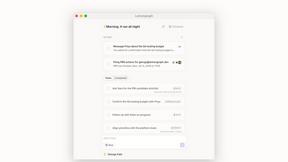
Almost every conversation ends with a promise. Lemongraph keeps track of them for you and lines up your day the way you would.

Kovnerov
Personal site of Vlad Kovnerov: analytics dashboards, web development, Telegram bots and browser tools for sellers and subscription tracking.
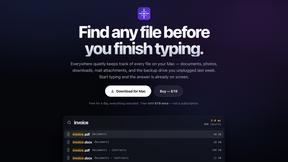
Everywhere
Fast file search for the Mac. Results as you type, files inside Mail and Photos, works with Wi-Fi off. $19 once.
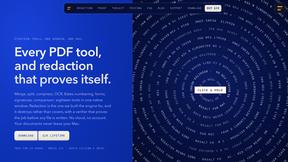
Basalt
Eighteen PDF tools in one native Mac window: merge, split, compress, OCR, Bates numbering, forms, signing and redaction. Offline. $29 once.