RemoveTexts vs Seedream 4.0
Side-by-side comparison to help you choose the right tool.

RemoveTexts
RemoveTexts is my go-to for effortlessly erasing any text from images using AI, no Photoshop skills required.
Last updated: March 11, 2026

Seedream 4.0
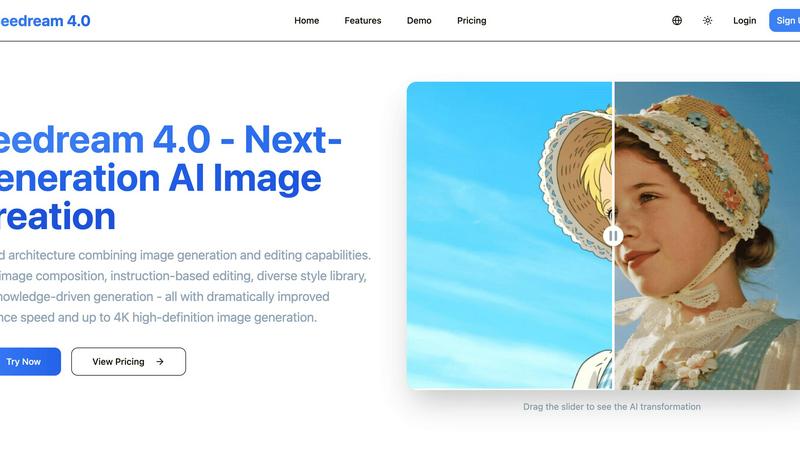
Seedream 4.0 effortlessly turns your ideas into stunning 4K images with powerful multi-image composition and intuitive.
Last updated: March 1, 2026
Visual Comparison
RemoveTexts

Seedream 4.0
Feature Comparison
RemoveTexts
Paint to Remove
This is the flagship feature and my personal favorite for its surgical precision. Instead of relying solely on AI detection, you take direct control. Simply upload your image, use the brush tool to paint over the exact text or watermark you want gone, and let the AI work its magic. It's intuitive, fast, and perfect for complex images where you only need to remove specific words or logos while preserving everything else around it. The brush gives you the granularity that fully automatic tools sometimes lack.
Auto Remove All Text
When you need a clean sweep, this one-click wonder is a lifesaver. The AI scans your entire image, detects every text element—be it subtitles, captions, date stamps, or embedded watermarks—and removes them all simultaneously. It’s the ultimate tool for quickly cleaning up busy screenshots or images cluttered with multiple text overlays. You get a completely text-free canvas in seconds, which is perfect for creating clean backgrounds or repurposing visual content.
Edit & Replace Text
This feature moves beyond simple removal into intelligent editing, and it's genuinely impressive. Not only can you erase text, but you can also replace it with new words. The AI attempts to match the original font style, size, and color, blending your new text into the image naturally. It’s incredibly useful for updating old graphics, fixing typos in memes, or localizing text in images without having to recreate the entire design from scratch.
Remove Objects
While text is its specialty, RemoveTexts is powerful enough to handle other unwanted elements. The "Remove Objects" mode allows you to erase logos, people, blemishes, or any other distracting visual element from your photos. You use the same intuitive brush to paint over the object, and the AI seamlessly reconstructs the background. It turns a specialized text tool into a more versatile image cleanup assistant.
Seedream 4.0
Multi-Image Composition
Seedream 4.0 allows users to input multiple images and achieve composition with just a single sentence. This feature streamlines complex visual storytelling and brand asset creation, making it ideal for professionals who need to produce high-quality visuals efficiently. Batch output capabilities further enhance productivity, enabling users to focus on creativity rather than technical details.
Instruction-Based Editing
The platform operates on a "what you say is what you get" principle. This means you can generate high-quality images and execute precise edits using simple, straightforward instructions. This intuitive approach to image generation and editing empowers users to achieve their desired results without the steep learning curve often associated with advanced editing software.
Diverse Style Library
With a rich library of professional styles, Seedream 4.0 offers users the ability to create unique visual languages. Whether you want to generate artistic images or apply stylization to your personal photos, the platform supports a variety of styles, from watercolor effects to futuristic cyberpunk aesthetics. This versatility allows for endless creative possibilities.
Knowledge-Driven Generation
Seedream 4.0 harnesses rich knowledge and reasoning capabilities to deliver accurate and beautiful educational illustrations, charts, and professional images. This feature ensures that content is not only visually appealing but also contextually relevant, making it perfect for educators, marketers, and anyone needing high-quality visuals that convey complex information effectively.
Use Cases
RemoveTexts
Cleaning Product Photos for E-Commerce
Online sellers can instantly remove price tags, promotional text, or competing watermarks from product images to create a clean, professional-looking catalog. This is essential for building a trustworthy brand presence on platforms like Amazon, Etsy, or Shopify without needing a graphic designer for every single photo edit.
Preparing Professional Presentations & Documents
Professionals can quickly clean up screenshots, charts, and diagrams by removing irrelevant UI elements, timestamps, or annotations. It's also invaluable for legal or administrative work, allowing for the quick redaction of sensitive information from documents before sharing, ensuring clarity and confidentiality.
Enhancing Social Media & Blog Content
Content creators and marketers can repurpose images by stripping out old watermarks, subtitles, or intrusive text overlays. This allows a single great visual to be used across multiple campaigns or platforms. It’s perfect for creating pristine, on-brand imagery for Instagram, YouTube thumbnails, or blog headers in a fraction of the usual time.
Reviving Personal Photos & Memes
For personal use, it’s fantastic for removing date stamps from old digital photos, erasing unwanted text or people from vacation pictures, or even editing meme templates. You can take a great photo that’s been spoiled by a random watermark or caption and restore it to a clean state worthy of printing or framing.
Seedream 4.0
Graphic Design Projects
Graphic designers can leverage Seedream 4.0 to create stunning visuals for branding, marketing campaigns, and social media content. The ease of multi-image composition and customized styles allows for innovative designs that stand out in a crowded market.
Content Creation for Blogs and Social Media
Content creators can use Seedream 4.0 to generate eye-catching images that enhance their written content. The instruction-based editing feature enables quick adjustments, ensuring that visuals align perfectly with the tone and message of the content.
Educational Material Development
Educators can utilize the knowledge-driven generation feature to create informative illustrations and charts. This capability allows for the development of engaging educational materials that can simplify complex concepts and enhance learning experiences.
Personal Projects and Artistry
For individuals looking to enhance personal projects, Seedream 4.0 offers a platform to experiment with creative ideas. Whether it's crafting unique artwork or designing personalized gifts, the diverse style library provides the tools needed to bring individual visions to life.
Overview
About RemoveTexts
Let's be honest: we've all been there. You find the perfect image for your project, but it's marred by an ugly watermark, a dated timestamp, or some meme text you just don't need. The thought of firing up Photoshop, wrestling with the clone stamp tool, and spending an hour on a 30-second fix is enough to make you abandon the idea entirely. This is the exact problem RemoveTexts was built to solve. It's not just another basic photo editor; it's a specialized, AI-powered scalpel designed for one precise operation: seamlessly removing unwanted text and elements from images. The core value proposition is breathtakingly simple: professional-grade, traceless editing in under 30 seconds, with zero design skills required. It leverages the same class of deep learning inpainting technology pioneered by giants like NVIDIA and Adobe, making cutting-edge AI accessible to everyone. Whether you're a marketer cleaning product photos, a creator prepping social media visuals, a student tidying up presentation screenshots, or a professional redacting documents, RemoveTexts hands you the power to reclaim your images. With over 100,000 images processed by 50,000+ users, it’s proven, trusted, and my absolute go-to recommendation for this specific task.
About Seedream 4.0
Seedream 4.0 is a revolutionary AI image generator and editor that redefines the creative process for both individuals and professionals. This state-of-the-art tool integrates image generation and editing into a cohesive platform, simplifying the creation of stunning visuals. Whether you are a graphic designer aiming for perfection, a content creator in search of unique visuals, or simply someone looking to enhance personal projects, Seedream 4.0 caters to your needs. Its powerful features, such as multi-image composition and instruction-based editing, enable users to generate complex visuals with ease. With support for a diverse style library and impressive 4K high-definition output, Seedream 4.0 empowers users to translate their visions into reality effortlessly. This makes it an indispensable asset in the world of AI-driven design, offering both speed and quality that elevate creative workflows.
Frequently Asked Questions
RemoveTexts FAQ
Is RemoveTexts really free to use?
Yes, the core functionality of RemoveTexts is completely free. You can upload an image, use the brush to remove text or objects, and download the result without any cost or watermarks on your output image. This makes it an exceptional value for casual and regular users alike.
What image formats and sizes does it support?
RemoveTexts supports all the common web image formats: JPG, PNG, and WebP. You can upload files up to 10MB in size, which is more than sufficient for most high-resolution screenshots, product photos, and digital images used online.
How does the AI remove text without leaving a trace?
The tool uses advanced deep learning inpainting technology. The AI analyzes the pixels surrounding the text you want to remove, understands the patterns, textures, and colors of the background, and then intelligently generates new pixels to fill the space. This results in a seamless reconstruction that blends perfectly, unlike a simple copy-paste or blur tool.
What are the limitations of the tool?
According to the website, RemoveTexts does not support the processing of NSFW (Not Safe For Work) content. Additionally, it is not designed for the removal of copyrighted logos or trademarks, which is an important legal and ethical consideration for users. The AI works best on clear text and distinct objects.
Seedream 4.0 FAQ
Can I try it for free?
Yes, Seedream 4.0 offers a free trial option that allows users to explore its features and capabilities before committing to a subscription plan. This is a great way to assess whether the platform meets your creative needs.
How does Seedream 4.0 work?
Seedream 4.0 combines advanced AI algorithms with user-friendly interfaces to facilitate both image generation and editing. Users can input images and textual instructions to create or modify visuals quickly and efficiently.
What makes Seedream 4.0 different?
What sets Seedream 4.0 apart is its unified architecture that seamlessly integrates image generation and editing, along with features like multi-image composition and a diverse style library. This combination maximizes creative potential while maintaining high-quality output and speed.
What image formats are supported?
Seedream 4.0 supports various image formats including JPG, PNG, and WebP. This versatility ensures that users can download their creations in the format that best suits their needs, whether for digital use or print.
Alternatives
RemoveTexts Alternatives
RemoveTexts is a specialized AI-powered image editor that instantly removes text from any picture. It falls into the category of automated, user-friendly photo editing tools designed for quick cleanup tasks. It’s the go-to for anyone needing to erase watermarks, subtitles, or unwanted captions without the complexity of professional software like Photoshop. Users often seek alternatives for various reasons. Some need a different pricing model, like a one-time purchase instead of a subscription. Others might require specific features RemoveTexts lacks, or they need a tool that works directly on their mobile device or within a particular operating system. It’s a common search driven by individual workflow and budget needs. When evaluating other options, focus on a few key areas. Consider the core AI quality for clean, seamless removals, the speed of processing, and the overall user experience. Also, weigh the cost structure and any platform limitations to ensure the tool fits your specific use case, whether it's for professional design work or casual social media editing.
Seedream 4.0 Alternatives
Seedream 4.0 is a state-of-the-art AI image generator and editor that empowers users to create stunning 4K visuals with ease. Positioned in the image and photo category, it offers innovative features such as multi-image composition and instruction-based editing, making it a go-to tool for graphic designers and content creators alike. However, users often find themselves exploring alternatives due to factors like pricing, specific feature sets, or compatibility with their preferred platforms. When searching for an alternative, it's essential to consider aspects such as the quality of image output, the ease of use, the range of editing functionalities, and the availability of different styles to ensure that it meets your creative needs.