StatPecker vs Video Database
Side-by-side comparison to help you choose the right tool.

StatPecker
StatPecker delivers fast, secure insights and stunning visuals from your data, making analysis effortless and shareable.
Last updated: March 1, 2026

Video Database
Unlock viral inspiration with our curated database of winning short-form videos, hand-picked for creators and strategists.
Last updated: April 13, 2026
Visual Comparison
StatPecker
Video Database

Feature Comparison
StatPecker
Ask Your Query
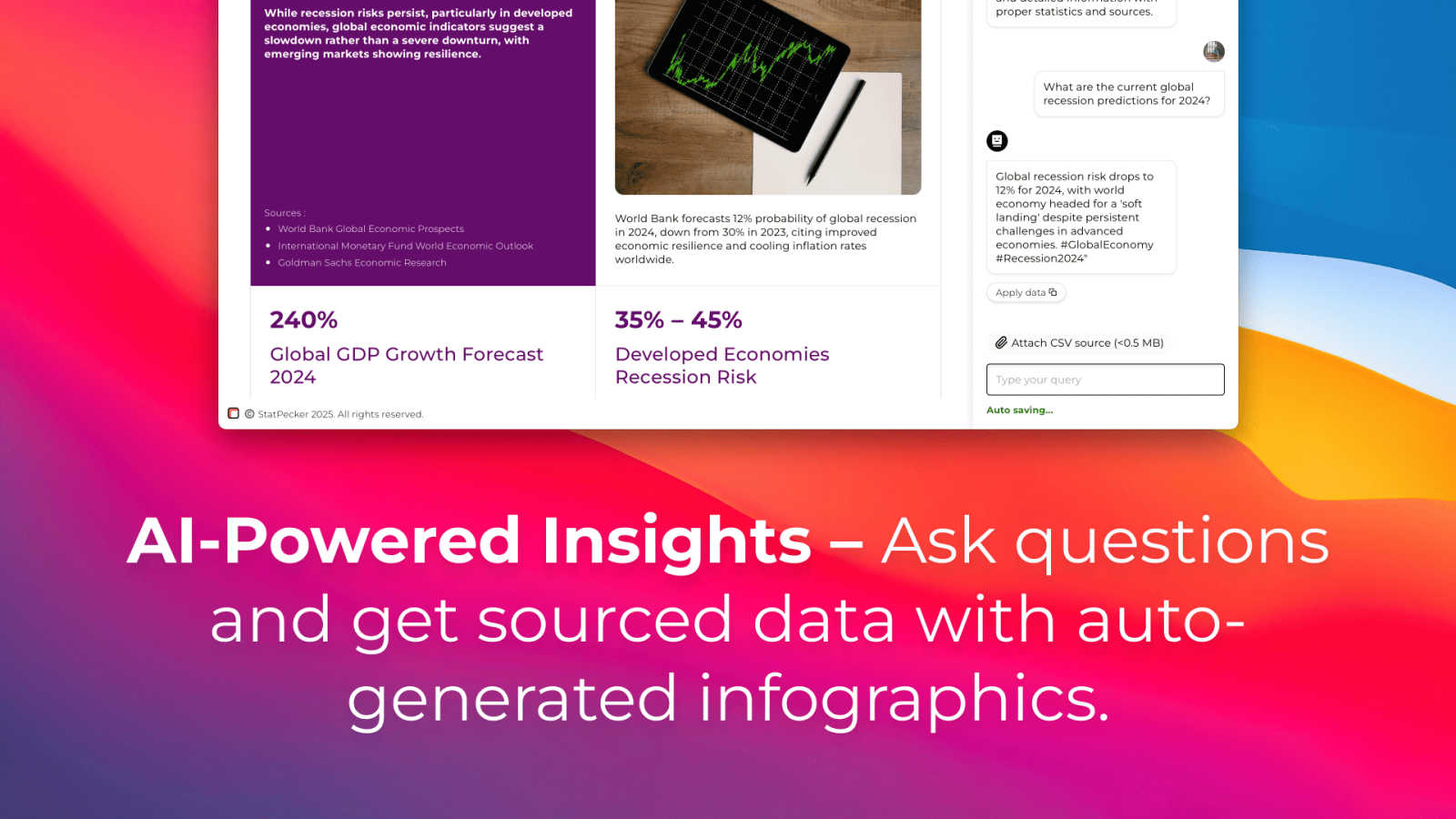
With StatPecker's intuitive interface, you can ask questions directly about your data, receiving instant insights without navigating complex tools. This feature empowers users to extract valuable information quickly, making it ideal for those who need to generate insights on the fly.
Publish & Embed
StatPecker allows users to create interactive visuals that can be seamlessly integrated into blogs, articles, and websites. This feature enhances the storytelling aspect of your data, enabling you to share insights in a visually appealing format that captures audience attention.
Upload & Analyze CSVs
Easily upload your local CSV files, and let StatPecker handle the analysis. The on-device processing ensures that your data remains secure while you extract key insights without the hassle of traditional spreadsheet software. This feature is perfect for users looking for a quick and private way to visualize their data.
Download & Use Anywhere
Once your infographics are created, you can export them as images for use in reports, presentations, and more. This flexibility allows for easy sharing across different platforms, ensuring that your visual data stories reach the right audience in the format that suits them best.
Video Database
Hand-Curated Video Library
This isn't an algorithmically scraped feed; it's a meticulously assembled collection. Every video in the database is hand-picked by experts for its educational value, representing clear examples of winning formats, hooks, and concepts. This human touch ensures quality over quantity, giving you a library of genuinely instructive references rather than just a random aggregation of popular clips. You're studying the best because a professional curator has already done the filtering for you.
Advanced Filtering & Browsing
Pinpoint exactly what you need with surgical precision. Go beyond basic hashtags and search by specific structural formats like "One Shot" or "Greenscreen Talking Head," by core concepts like "Expectation vs. Reality" or "Pope in The Pool," and even by account type (Personal Brand, Business, etc.). This system allows you to study a particular technique across multiple niches or find inspiration for a specific campaign goal without wading through irrelevant content.
Performance Analytics & Video DNA
Each video entry is more than just a link; it's a case study. You get key performance indicators like view counts, engagement rates, and a proprietary "Heat" score. The crown jewel for serious creators is the "Extract Video DNA" feature (available in the Creator tier), which breaks down a video's script, hook, visual structure, and editing pattern into a downloadable markdown template you can adapt.
Creator Panel & Swipe Files
Upgrade to the Creator plan and unlock AI-powered tools that turn inspiration into execution. The Creator Panel lets you input your niche and generate personalized hook ideas, brainstorm video concepts inspired by a reference, or even get a full script written in your voice. You can then save your favorite videos into organized, shareable collections or "Swipe Files" for ongoing projects and team collaboration.
Use Cases
StatPecker
Data-Driven Marketing
Marketers can utilize StatPecker to create compelling visuals that demonstrate campaign performance, customer insights, or market trends. By presenting data in an engaging format, they can enhance their storytelling and drive audience engagement.
Educational Presentations
Educators can leverage StatPecker to transform complex data into simple, understandable graphics for classroom presentations. This helps students grasp difficult concepts and makes learning more interactive and visually appealing.
Business Reporting
StatPecker is ideal for business analysts who need to present insights to stakeholders. By generating clear and professional infographics, analysts can communicate findings effectively, aiding decision-making processes within their organizations.
Social Media Content Creation
Content creators can use StatPecker to generate visually striking infographics for social media platforms. This capability enables them to share data-driven insights in a format that attracts attention and encourages sharing, enhancing their online presence.
Video Database
Content Creator Research & Ideation
Stuck in a creative rut? Instead of doomscrolling, a creator can dive into the database, filter by "Relatable One Shot" or their niche, and study the hooks and pacing of top-performing videos. They can use the Creator Panel to generate new ideas based on these references and build a personal swipe file of inspiration for their weekly content calendar, moving from blank-page anxiety to a backlog of proven concepts.
Social Media Strategist Competitive Analysis
A strategist managing a brand's account can use the database to deconstruct competitors' winning campaigns. By filtering for "Brand" accounts and concepts like "Product Demo" or "Behind The Scenes," they can analyze what messaging and formats resonate. They can track emerging formats and export data to build reports, ensuring their client's strategy is informed by concrete data, not just gut feeling.
Video Editor & Filmmaker Format Study
An editor looking to master a new short-form style, like fast-paced "10 Shot" videos or cinematic "Climactic Moment Highlights," can use the database as a visual textbook. They can study dozens of examples to understand the precise shot composition, transition timing, and text overlay techniques that define the format, accelerating their skill development through focused, comparative analysis.
Agency Team Training & Onboarding
An agency can use the database as a centralized training resource for new hires. Instead of sending interns to TikTok, a manager can assign them to review a curated collection on "Effective Hook Templates" or "Carousel Best Practices." This ensures everyone learns from a consistent, high-quality set of examples, building a unified understanding of creative excellence across the entire team.
Overview
About StatPecker
StatPecker is an innovative AI-powered visual storytelling engine that transforms raw data into stunning infographics effortlessly. Designed for creators, marketers, analysts, and educators who may not be data experts, StatPecker provides a solution to the often mundane task of data presentation. By simply uploading a CSV file or asking a straightforward question, users can generate polished visuals in seconds. This tool eliminates the need for complex software or costly designers, allowing users to focus on the narrative behind their data rather than getting bogged down in technicalities. The platform promises significant time savings, zero production costs beyond the tool itself, and enhanced engagement with content. StatPecker is your go-to resource for turning tedious spreadsheets into captivating visuals, making data comprehension more accessible for everyone.
About Video Database
The Video Database is the definitive research tool for short-form video creators, strategists, and marketers who are tired of mindlessly scrolling. Born from the frustration of trying to "study the best" within the chaotic algorithms of social platforms, this tool offers a smarter, more analytical alternative. It's a hand-curated library of winning Instagram and TikTok videos, meticulously organized and enriched with performance data and deep analysis. Forget riding the unpredictable waves of your For You page; this database puts thousands of proven video references at your fingertips, categorized by format, concept, and creative technique. It's designed for anyone serious about understanding why content works, from solo creators looking for their next viral hook to agency strategists needing to reverse-engineer success for brand clients. The core value proposition is simple: replace endless, passive consumption with targeted, active research. You get direct access to the raw materials of virality—complete with views, engagement rates, and "heat" metrics—so you can deconstruct trends and apply those lessons directly to your own content strategy with confidence.
Frequently Asked Questions
StatPecker FAQ
How does StatPecker ensure data privacy?
StatPecker prioritizes data security by processing information locally on your device. This means your data never leaves your computer, ensuring that sensitive information remains confidential while you create your visuals.
Can I use StatPecker without any data expertise?
Absolutely! StatPecker is designed for users with varying levels of data expertise. Its user-friendly interface and intuitive features allow anyone to create stunning visuals without needing to navigate complex data analysis tools.
What formats can I export my infographics in?
StatPecker allows users to export their infographics as images, making it easy to include them in reports, presentations, or share them across different platforms. This versatility ensures your visuals are accessible wherever you need them.
Is there a limit on the size of CSV files I can upload?
Yes, StatPecker allows users to upload CSV files of up to 50 MB. This provides ample space for most datasets, enabling users to analyze significant amounts of data without issue.
Video Database FAQ
How often is the Video Database updated?
New videos are added daily to ensure the library reflects the very latest trends and techniques. The homepage highlights weekly update totals (e.g., "579 new videos added this week"), and you can see recently added videos marked with dates. This constant influx means your research is always current, helping you stay ahead of the curve rather than studying outdated formats.
What's the difference between the Basic and Creator plans?
The free Basic plan gives you full access to browse the entire curated database, use robust filtering, and save videos. The Creator plan ($49/month) is where the tool becomes truly powerful for creation, adding the AI-powered Creator Panel for generating hooks, ideas, and scripts, the ability to "Extract Video DNA" into templates, and features to create and share swipe files with your team or community.
Can I submit a video for analysis?
Yes, but this is a premium feature. Submitting videos for the team to analyze and potentially add to the curated database is a benefit included in the Creator plan and above. This allows active power users to contribute to the ecosystem and get expert breakdowns of their own content or videos they've spotted in the wild.
What platforms do you source videos from?
Currently, the database focuses on the two dominant short-form video platforms: Instagram Reels and TikTok. These are the primary arenas for the formats, trends, and creative innovation that the tool is built to analyze. The hand-curated approach ensures the examples are relevant and of high quality, drawn from where the most impactful short-form content is being created and consumed.
Alternatives
StatPecker Alternatives
StatPecker is an innovative AI-driven tool in the data visualization category, designed to transform raw data into engaging infographics quickly and effortlessly. Users are often drawn to StatPecker for its ability to simplify the process of data storytelling, but they may seek alternatives due to factors like pricing, specific feature sets, or compatibility with their existing platforms. The need for user-friendly interfaces, robust analytics capabilities, and flexible data integration options are essential considerations when exploring alternatives, as these aspects can significantly impact the effectiveness of data communication. --- [{"question": "What is StatPecker?", "answer": "StatPecker is an AI-powered visual storytelling engine that transforms raw data into polished infographics, making data insights accessible and engaging."}, {"question": "Who is StatPecker for?", "answer": "StatPecker is ideal for creators, marketers, analysts, and educators who need to communicate data insights without being data experts."}, {"question": "Is StatPecker free?", "answer": "The content does not specify whether StatPecker is free; users should check the official website for pricing details."}, {"question": "What are the main features of StatPecker?", "answer": "StatPecker features AI-powered query-to-visual capabilities, direct CSV upload and analysis, allowing users to effortlessly create meaningful charts from their data."}]
Video Database Alternatives
Video Database is a specialized tool in the content creation category, designed to monitor and organize high-value creator videos. It solves the problem of endless, inefficient scrolling by providing a centralized library of curated video examples for study and inspiration. Users often seek alternatives for various reasons. Some need a different pricing model, while others require specific features like collaborative annotation or integration with their existing project management stack. The platform you choose should ultimately fit your workflow, whether you're a solo creator or part of a larger strategy team. When evaluating alternatives, consider your core need. Are you looking for pure inspiration, deep analytical insights, or a structured learning system? The right tool should save you time, not create more digital clutter. Focus on solutions that offer thoughtful curation and organization, moving you from passive consumption to active, applied learning.