VoiceCloner vs Vowen
Side-by-side comparison to help you choose the right tool.
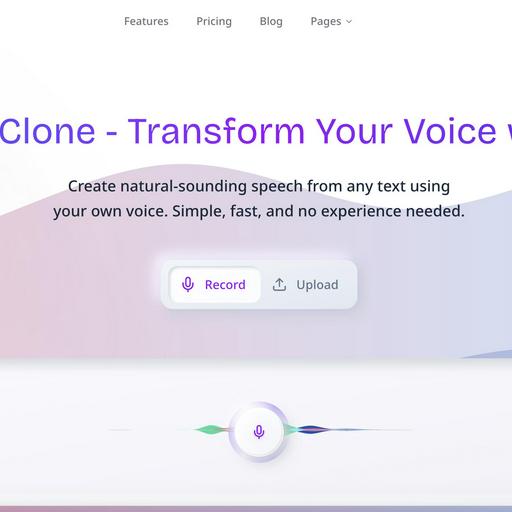
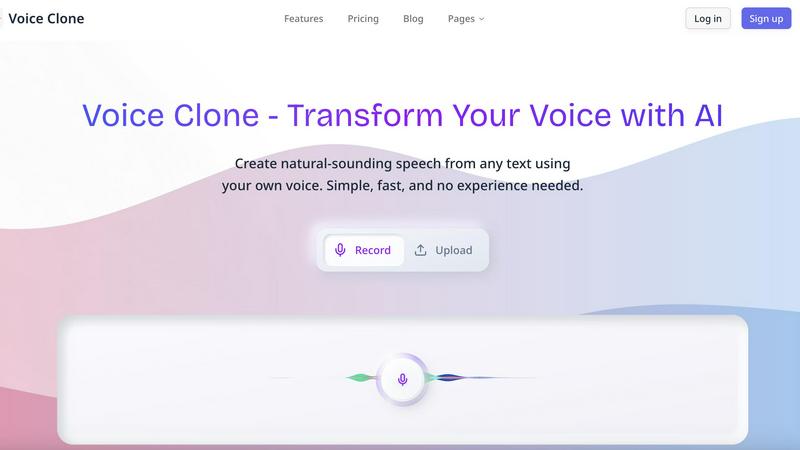
VoiceCloner
VoiceCloner is my top pick for cloning any voice to generate realistic, unlimited speech instantly.

Vowen is your voice command center, turning speech into instant action across all your favorite apps.
Last updated: March 1, 2026
Visual Comparison
VoiceCloner
Vowen

Feature Comparison
VoiceCloner
Studio-Quality Voice Cloning
This is the heart of the platform and what sets it apart. You're not getting a cheap impersonation; you're building a sophisticated AI model. By uploading a short audio sample (like a clean podcast segment or a narrated paragraph), VoiceCloner's advanced algorithms analyze the vocal DNA. Within minutes, it produces a clone that captures subtle nuances, breathing patterns, and unique vocal fry, enabling generation of speech that sounds genuinely authentic and not at all synthetic.
Unlimited Speech Generation
Once your voice model is ready, the real fun begins. This feature removes all creative barriers. You can input any script, article, or dialogue and instantly convert it into spoken audio using your cloned voice. Want to generate a 3-hour audiobook chapter or 50 different video ad variants? There are no caps on usage, which for power users is an absolute necessity and a major cost-saver compared to pay-per-word services.
Multi-Voice Management
For agencies or versatile creators, this is a non-negotiable feature. VoiceCloner lets you build and manage an entire library of distinct voices within a single dashboard. Imagine cloning your own voice, a colleague's, and a client's spokesperson—all separately stored and instantly accessible. This makes it effortless to switch between narrative voices for different projects without the chaos of managing multiple accounts or files.
High-Speed Processing & Commercial License
I'm grouping these because together they define professional viability. The 10x faster generation speed means you can iterate quickly, meeting tight deadlines without sacrificing quality. More crucially, the included commercial license is what makes VoiceCloner a business tool, not just a toy. It grants full rights to monetize the generated audio on YouTube, podcasts, commercials, and e-learning platforms, providing legal peace of mind and a clear ROI.
Vowen
Universal App Integration
Vowen's killer feature is its ability to work anywhere. Unlike tools locked into a specific window, Vowen listens and inputs text directly into whichever app has your focus. Whether you're drafting an email in Gmail, coding in VS Code, brainstorming in Notion, or messaging in Slack, you can simply speak and watch your words appear. This context-aware functionality means you never have to copy-paste or switch windows, creating a truly fluid and uninterrupted workflow that adapts to your tasks, not the other way around.
Local-First, Private Processing
Privacy isn't an afterthought with Vowen; it's the foundation. The core speech recognition engine runs entirely on your computer. Your voice data is transcribed locally, ensuring that your private thoughts, confidential meeting notes, and creative drafts are never sent to a remote server. This architecture provides two huge benefits: blazing-fast transcription with no internet lag and complete peace of mind. You maintain full control over your data, with the option to use more powerful cloud models only when you explicitly choose to.
Multilingual & Translation Support
Vowen shatters language barriers. It supports transcription across 99+ languages and dialects, from common ones like Spanish and Mandarin to less widely served languages. Even more impressively, it can translate these languages into English in real-time as you speak. This is a game-changer for multilingual teams, researchers, students learning a new language, or anyone consuming global content. It transforms your computer into a universal communicator.
Custom Vocabulary & File Transcription
Vowen learns your world. You can teach it specialized terminology—like technical jargon "EBITDA," unique product names, or complex phrases—and it will recognize them perfectly every time. Furthermore, it's not just for live speech. You can drag and drop any audio or video file (MP3, WAV, MP4, MOV) and get a accurate, formatted transcript in seconds. This is perfect for journalists transcribing interviews, students reviewing lectures, or professionals documenting meetings.
Use Cases
VoiceCloner
Podcast Production & Scaling
Podcasters can clone their own voice to generate intros, outros, sponsor reads, or even full "bonus" episodes without stepping into a studio. This is perfect for maintaining a consistent release schedule during travel or illness. You can also clone guest voices (with permission) to create promotional clips, dramatically increasing production output while preserving authentic sound.
Dynamic Video Content Creation
For YouTubers, social media managers, and video agencies, VoiceCloner is a force multiplier. Clone your channel's narrator voice to generate scripts for explainer videos, product reviews, or documentary-style content rapidly. It allows for easy A/B testing of different voiceovers and enables the creation of multilingual content using the same vocal brand, all with a turnaround time that traditional recording can't match.
Personalized E-Learning & Training
Educators and corporate trainers can create engaging, personalized learning experiences. Clone an instructor's voice to narrate course modules, provide feedback, or explain complex concepts. This adds a familiar and authoritative human touch to digital courses, increasing student engagement and retention far more effectively than a generic, disembodied text-to-speech voice ever could.
Accessible Content & Audiobooks
Authors and publishers can use VoiceCloner to bring books to life in the author's own voice, adding immense personal value. Furthermore, content creators can instantly generate audio versions of their blog posts or articles, making their work accessible to audiences who prefer listening, thereby expanding reach and inclusivity without significant additional production cost.
Vowen
The Developer in Flow State
For developers, Vowen is a productivity multiplier. Instead of breaking concentration to type long comments, documentation, or variable names, you can narrate them while keeping your eyes on the code. You can verbally command it to write boilerplate functions, debug by describing an issue aloud, or quickly jot down notes in your project's README. It integrates directly into IDEs like VS Code, Cursor, and GitHub, making the development process more expressive and less interruptive.
The Writer Capturing Ideas
Writers and content creators can finally capture ideas at the speed of thought. Use Vowen to dictate first drafts, brainstorm outlines, or jot down sudden inspirations directly into tools like Google Docs, Notion, or Obsidian. Speaking often feels more natural than typing, helping to overcome writer's block and maintain a creative flow. You can articulate complex sentences and nuanced ideas without your fingers struggling to keep up, making the initial drafting process remarkably fluid.
The Student & Researcher
Students can use Vowen to transcribe live lectures in real-time, creating searchable notes without frantic typing. Researchers can analyze interviews and focus groups by easily transcribing recorded audio files. The multilingual support allows for reviewing source material in different languages, with instant translation aiding comprehension. It's an essential tool for organizing vast amounts of spoken information into actionable, written text.
The Accessibility Power User
Vowen is a powerful assistive technology. For users with mobility challenges, RSI, or other conditions that make typing difficult, it provides a robust, private, and fast alternative for computer control and communication. The ability to operate any application by voice—not just a dedicated dictation pad—empowers users to work, create, and communicate with full autonomy and efficiency, breaking down traditional input barriers.
Overview
About VoiceCloner
VoiceCloner is, in my opinion, the definitive AI voice cloning platform currently available for serious creators and businesses. It moves far beyond simple text-to-speech by allowing you to capture the unique essence of a human voice—its tone, cadence, and emotional inflections—and then generate completely new, natural-sounding speech from any text you provide. The core magic lies in its efficiency; you can create a professional-grade voice model from just a few minutes of clear audio, which is a game-changer compared to older, more cumbersome methods. This tool is explicitly built for professionals: podcasters looking to produce episodes without constant studio time, content creators scaling video production, educators personalizing learning materials, and businesses generating consistent voiceovers for ads or training modules. Its value proposition is unmatched: democratizing high-fidelity voice synthesis with a commercial license, meaning the content you create is yours to monetize. For anyone tired of generic robotic voices or the logistical nightmare of booking voice talent, VoiceCloner is the powerful, all-in-one solution.
About Vowen
Vowen is the voice-first productivity tool I wish I'd had years ago. It's not just another dictation app; it's a fundamental reimagining of how we interact with our computers, designed for anyone who thinks faster than they type. At its core, Vowen is an intelligent, always-listening assistant that lives on your Mac or Windows machine, ready to transcribe your thoughts into text, execute commands, or capture meeting notes with uncanny speed and accuracy. What truly sets it apart is its commitment to privacy—everything is processed locally on your device by default, meaning your ideas, notes, and conversations never leave your computer unless you want them to. It supports a staggering array of languages and dialects, making it a global tool. But the real magic is in its seamless integration. Vowen works inside any application you're using, from VS Code and Obsidian to Slack, Gmail, and Figma. It removes the friction between thought and action, empowering writers, developers, students, and professionals to work more expressively and efficiently. For me, it's become an indispensable extension of my mind, turning spoken word into written action effortlessly.
Frequently Asked Questions
VoiceCloner FAQ
How much audio is needed to create a good voice clone?
You typically need just 3 to 5 minutes of clear, high-quality audio. The key is clean audio with minimal background noise and a consistent speaking style. Providing a sample where you speak naturally at your normal pace and pitch yields the best results. More audio can improve nuance, but VoiceCloner's AI is remarkably efficient with short samples.
Is it ethical to clone someone's voice?
Ethical use is paramount. VoiceCloner's technology requires the explicit consent of the person whose voice is being cloned. It is intended for legitimate uses like content creation with your own voice, authorized brand representatives, or willing collaborators. Cloning a voice without permission for deceptive or malicious purposes is unethical and often illegal.
Can I edit the generated speech, like its emotion or speed?
Yes, absolutely. While the core clone captures your natural style, the generation interface typically includes controls for speech rate, pitch, and sometimes even emotional emphasis (like adding more excitement or a serious tone). This allows you to fine-tune the output for different contexts, like a fast-paced ad versus a calm meditation guide.
What is the quality of the generated audio?
The output is studio-quality, often indistinguishable from a real recording to the average listener. It preserves the unique characteristics of the original voice, including intonation and rhythm. For the best quality, ensure your source audio is recorded well and your text script is naturally phrased, as the AI will replicate any quirks or clarity from the original sample.
Vowen FAQ
Is Vowen really free?
Yes, the core functionality of Vowen is free forever. This includes unlimited local dictation, meeting notes, and voice commands across all your applications. The free tier is powered by its fast, on-device processing model. They offer optional cloud-powered features for more advanced capabilities, but the essential, private, local-first experience has no cost or usage limits.
How does the privacy and local processing work?
Vowen's primary speech recognition model runs directly on your macOS or Windows computer. When you speak, the audio is processed immediately on your device's hardware (like your Apple Silicon or Intel chip), converted to text, and inserted into your app. No audio or transcript data is sent over the internet for this core function. Your data stays with you. You have the option to enable cloud models for specific tasks, but this is always a conscious choice.
Which applications does Vowen work with?
Vowen works with virtually any application that accepts text input. It acts at the system level, so it can input text wherever your cursor is. The website highlights popular apps like Slack, Notion, VS Code, Google Docs, Gmail, Figma, Outlook, Obsidian, and Linear, but the list is essentially endless. If you can type in it, you can dictate into it with Vowen.
Can I use my own AI API key with Vowen?
Absolutely. For users who want to leverage more powerful AI models for commands or advanced features, Vowen supports a "Bring Your Own AI" model. You can connect your own API key from providers like OpenAI, Claude, Gemini, and Groq (8+ providers in total). This gives you flexibility and control over which AI services power your enhanced voice commands and interactions.