

Alternatives to ImageEditor
ImageEditor is an AI-powered online tool that effortlessly edits, enhances, and creates stunning images from text and photos in seconds.
20 alternatives found

The Kiss
Turn two photos into a cinematic AI kissing video. Pick one of 13 kiss video templates; 30 free credits on sign-up.

trykissai
AI kiss generator: add a photo of each person, pick a kiss scene, and get a kiss photo or a 5–7 second clip. 30 free credits.

RestoreOldPhoto
Restore old photos with RestoreOldPhoto.ai: repair scratches, creases and fading, sharpen faces and details, and optionally colorize family memories.
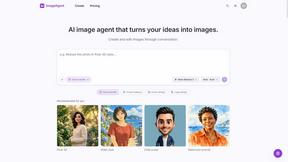
ImageAgent
Create and edit AI images through conversation, using text or reference images and refining results in chat.
GenX
All-in-one AI workspace to generate images, videos, and audio with multiple leading AI models.
AppIconGenerator
Generate iOS and Android app icons from any image and export all platform sizes for free.
AiAgeFilter
Free AI age filter: upload an adult portrait, add 10-40 years, meet your older self. No app needed.


Nano AI
Create and edit AI images, generate videos, and compare models in one creative workbench.

SquishFile
Free video tools that run in your browser. Compress, convert, upscale and transcribe without uploading.
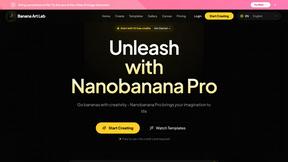
NanoBanana
Generate and edit AI images with six models, references, templates, and a visual workflow canvas.
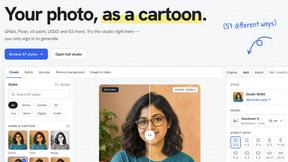
PhotoToCartoon: AI Cartoon Generator
Turn photos into cartoons, anime portraits, Ghibli-style art and drawings with this AI cartoon generator. Choose from 57 styles.
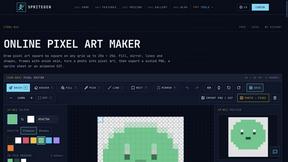
SpriteGen
Create AI pixel-art sprites and animated sprite sheets, refine assets in the editor, and export PNG, GIF, or JSON.

Tip Toe AI
Upload a Dancer photo and a Partner photo and get your own AI Tip Toe barn-dance video. Free 5s preview, 12s HD from $4.90. No subscription.
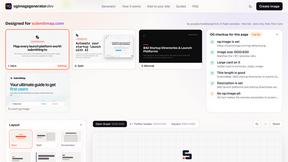
OG Image Generator
Paste a URL and AI designs on-brand Open Graph images from your page's colours, fonts and logo. Free, no sign-up.
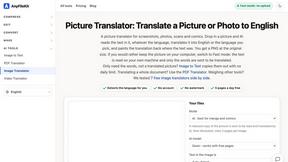
AnyFileKit
Free browser file tools: translate the text in pictures, compress, convert and edit images, PDFs and video. No sign-up.
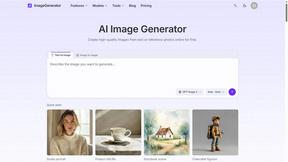
ImageGenerator
Create and edit AI images online with multiple models, text-to-image, image-to-image, background removal, and upscaling.
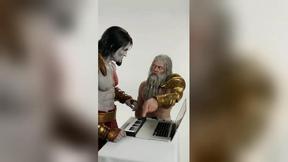
DanseAI - Alors on Danse Video
Make the Alors on Danse AI meme video from two photos, soundtrack included
About ImageEditor Alternatives
ImageEditor.net is an innovative AI-powered image editing tool that allows users to create, edit, and enhance images directly from their web browsers. Designed for both casual users and professionals, it falls under the Image & Photo and Image Generation categories. This platform streamlines the image editing process by utilizing advanced algorithms to provide a seamless user experience, making it an attractive option for those seeking efficiency and quality in their visual projects. Despite its robust features, users often seek alternatives for various reasons, such as pricing concerns, specific feature needs, or compatibility with different platforms. When searching for an alternative, consider factors such as user interface, available tools, customization options, and customer support. It's essential to identify what aspects of image editing are most important to you, whether that's ease of use, advanced capabilities, or affordability, to ensure that you find the best fit for your creative needs.
FAQs about ImageEditor Alternatives
What is ImageEditor?
ImageEditor.net is an AI-powered online tool that enables users to generate, edit, enhance, and upscale images directly from their web browsers. It harnesses advanced algorithms to provide a user-friendly interface and a comprehensive set of editing tools, making it suitable for both novices and seasoned professionals.
Who is ImageEditor for?
ImageEditor is designed for a diverse range of users, including photographers, graphic designers, marketers, and anyone looking to improve their image editing capabilities. Whether you are a hobbyist wanting to enhance personal photos or a professional seeking to create stunning visuals for your projects, ImageEditor caters to all skill levels.
Is ImageEditor free?
ImageEditor offers a variety of pricing plans, including a free version that provides essential editing features. Users can opt for premium plans to access advanced tools, additional storage, and enhanced capabilities. It's important to review the specific features associated with each plan to determine the best option for your needs.
What are the main features of ImageEditor?
The main features of ImageEditor include image generation, editing, enhancement, and upscaling. The tool allows users to manipulate images with ease, apply filters, adjust colors, and utilize AI-driven enhancements to achieve professional-quality results. Additionally, its browser-based platform ensures accessibility from any device without the need for software installation.