

FoxyLab
FoxyLab is an AI video and banner editor in a chat. Paste your site link and get ads, launch films and banner sets in your brand.
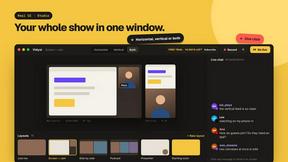
Vidyst Studio
Vidyst is a live streaming and recording app for Mac. From one session you can go live on YouTube, Twitch, X and Instagram at the same time, or to
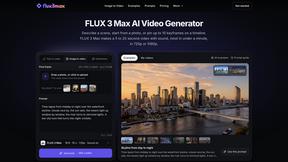
Flux3Max.io
Make 5–20 s videos with sound from text, a photo or a first and last frame with FLUX 3 Max. 720p or 1080p, pay per second, from $9.90.
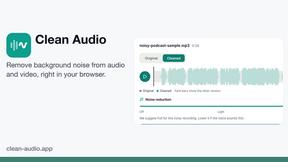
Clean Audio
Free AI background noise remover for audio and video. Clean podcasts, voice recordings and videos in your browser with no sign-up or upload.
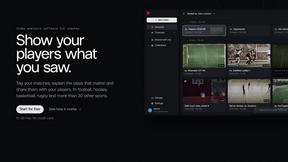
Enlyo
Tag match footage as it plays, explain the plays that matter in a recorded review, and share them with your players. Free with 10 GB.

AgentFabrica
AI workspace for small businesses and agencies: social media content, publishing and ad reports run from one panel.
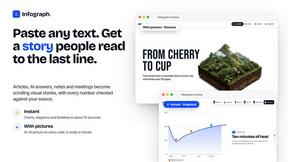
Infograph
Turn articles, notes, AI answers and meeting transcripts into editable visual stories and diagrams.

GetAJob Video
Turn one photo into the vertical ChatGPT get-a-job AI meme video. 9:16 silent MP4, one-time credit pack, no subscription.
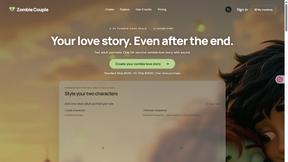
Zombie Couple Video
Turn one photo into a zombie couple AI video clip. 5 to 30 second clips, 480p or 720p, silent MP4, no account needed.
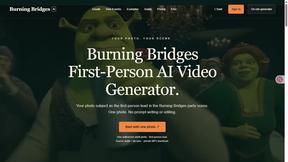
Burning Bridges AI
Turn one authorized photo into a 5-30 second AI video. Scene-inspired clips at 480p or 720p, silent 16:9 MP4, no account needed.
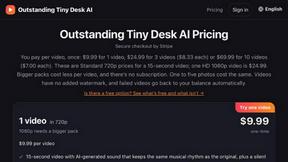
Outstanding Tiny Desk AI
Upload photos of you and up to 4 friends and get a 15-second Tiny Desk AI video with AI-generated sound, 9:16 for TikTok, Reels and Shorts.
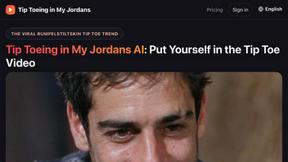
Tip Toeing in My Jordans
Put your photo in the viral Rumpelstiltskin tip toe meme and get a 12-second AI video.
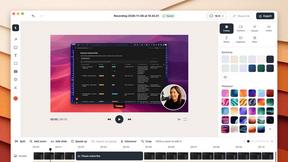
ScreenOtter
A Mac app for screen recordings and screenshots. A zoom on every click, captions made on your Mac, and eight camera layouts. Free to use, pay once.
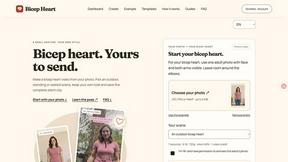
Bicep Heart
Turn one photo into a 7-second bicep heart video with outdoor, standing or seated scenes and a silent vertical MP4.

Goshortsai
Turn photos into AI videos for free with Goshortsai. Sign in daily to get free credits, upload an image, describe motion, and generate your video.
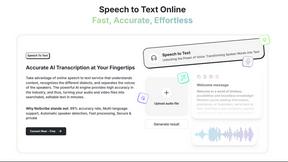
NoScribe
Turn speech into text effortlessly. Transcribe audio recordings, dictate in real time, and convert files into accurate text in multiple languages.
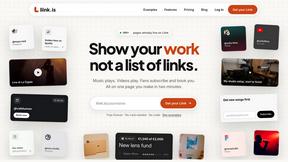

Vikas Editor AI
AI photo and video creative studio for Indian creators and global users, with cinematic edits, templates, and customizable prompts.


FlipHTML5 Downloader
Free, open-source web tool that turns any FlipHTML5 publication into a clean, watermark-free PDF in seconds. Paste a URL - it auto-parses, no sign-up.
About Ray3 Alternatives
Ray3 is an advanced AI video generation platform that caters specifically to professionals in the creative industry, such as filmmakers and production studios. Its ability to produce high-quality, cinematic videos with logical consistency and rich detail has garnered attention. However, users often seek alternatives due to various reasons including pricing, specific feature sets, or compatibility with different production workflows. With a myriad of choices available, it’s essential to consider factors such as the quality of output, ease of integration with existing tools, and the unique features that can enhance the creative process when searching for a suitable replacement. When evaluating alternatives to Ray3, users should prioritize features that align with their specific needs. For instance, consider the video quality, rendering speed, and the platform's flexibility to fit into your existing production pipeline. Additionally, assessing user support, pricing structures, and the learning curve associated with the software can help in making an informed decision that best suits your creative projects.
FAQs about Ray3 Alternatives
What is Ray3?
Ray3 is an AI-driven video generation platform designed for professional creators, enabling the production of high-quality, cinematic videos.
Who is Ray3 for?
Ray3 is tailored for filmmakers, creative agencies, and production studios looking to create stunning visual content efficiently.
Is Ray3 free?
Ray3 is not free; it is a professional tool that typically requires a subscription or purchase to access its full features.
What are the main features of Ray3?
Key features of Ray3 include high-fidelity HDR video outputs, an advanced reasoning intelligence engine, and a Draft Mode for rapid iteration on creative concepts.