
AnyToURL
AnyToURL effortlessly converts your files into instant shareable links for fast, secure online sharing.
Visit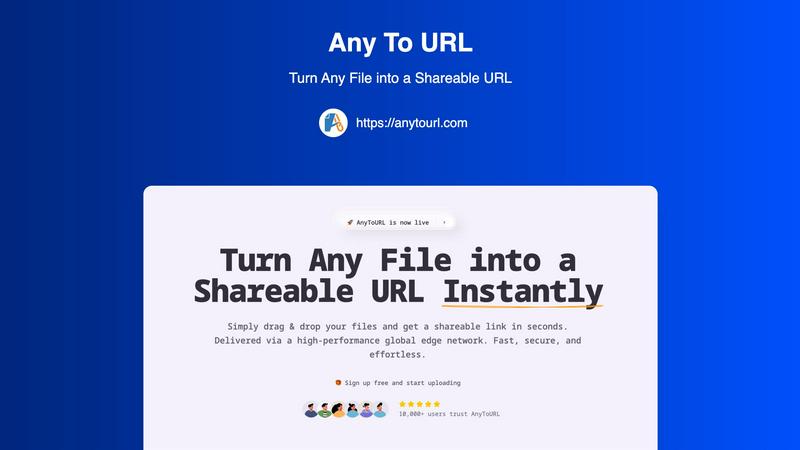
About AnyToURL
AnyToURL is a revolutionary online file-sharing tool that eliminates the hassles of traditional file sharing. Designed for the modern professional, this tool allows you to drag and drop any file and instantly receive a shareable link. Whether you're a designer needing to send a mockup, a marketer distributing brand assets, or a developer sharing logs, AnyToURL caters to your needs with seamless efficiency. The service leverages a powerful global edge network (Cloudflare) to ensure that files load quickly and securely from anywhere in the world. With a user-friendly interface, you can share files without requiring recipients to download them, enhancing collaboration. Whether you need quick file sharing for personal use or secure file distribution for business, AnyToURL provides an effortless solution that prioritizes speed, security, and user experience. The combination of simplicity and robust infrastructure makes AnyToURL a must-have for anyone looking to streamline their file-sharing process.
Features of AnyToURL
Effortless Drag & Drop Upload
With AnyToURL, uploading files is as simple as dragging and dropping. You can effortlessly add files to the platform without navigating complicated forms or settings. This feature streamlines the entire process, allowing you to focus on sharing rather than managing files.
Instant Shareable Links
Once your file is uploaded, AnyToURL generates a short, shareable URL instantly. This means you can copy the link with a single click and share it through various platforms like email, chat, or social media. It's fast, convenient, and perfect for quick sharing needs.
Smart File Preview
One of the standout features of AnyToURL is its smart file preview capability. Recipients can view images, PDFs, and documents directly in their browsers without the need to download them first. This enhances the user experience by making it easier for your audience to access and review your files.
Global Edge Network
AnyToURL uses a high-performance global edge network powered by Cloudflare to deliver your files quickly, no matter where your recipients are located. This ensures that your files load almost instantly, providing a seamless experience for anyone accessing your shared content.
Use Cases of AnyToURL
Design Collaboration
For UX designers and creative professionals, AnyToURL is an invaluable tool for sharing design mockups, wireframes, and prototypes. You can quickly distribute your work for feedback and revisions without cumbersome email attachments or file downloads, making collaboration more efficient.
Marketing Asset Distribution
Marketing teams can benefit significantly from AnyToURL when distributing campaign materials, media files, and brand assets. The smart preview feature allows team members to view images and documents instantly, ensuring that everyone is aligned without the hassle of downloading files.
Documentation Sharing
Product managers and teams can utilize AnyToURL for sharing product specifications, documentation, and resources. The platform's global delivery ensures that files are accessible to distributed teams, enhancing communication and productivity across the board.
Secure File Transfer
For sensitive information, AnyToURL offers password protection on shared links, making it an excellent choice for secure file transfers. This feature ensures that only intended recipients can access confidential documents, adding an extra layer of security to your file-sharing process.
Frequently Asked Questions
How do I upload files on AnyToURL?
Uploading files on AnyToURL is incredibly simple. You can either drag and drop your files directly onto the upload area, click to browse your device, or paste from your clipboard. It supports various file types up to 50MB for free users.
Is there a limit on how long my files will be available?
Yes, for free users, files will expire after 24 hours. If you need permanent storage, you can consider upgrading to one of the paid plans that offer longer retention.
Can I protect my files with a password?
Absolutely! AnyToURL allows you to add password protection to your links, ensuring that only those with the password can access your files. This is particularly useful for sensitive documents.
What types of files can I share using AnyToURL?
AnyToURL supports a wide range of file types, including images, PDFs, and various document formats. This flexibility makes it suitable for different users, from designers to marketers and beyond.
Explore more in this category:
Similar to AnyToURL

JevModel
Turn text or JSON into structured Choice, Score and Noul decisions with probabilities.
Nijia
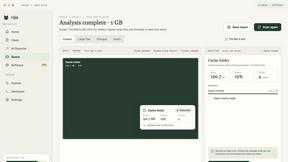
See where Mac storage goes, review items before cleanup, inspect developer workspaces, and monitor system health. Try every feature free for 7 days.
JustTools
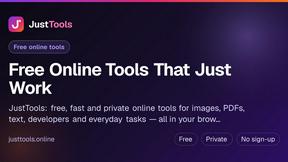
JustTools offers a growing collection of free online tools that run directly in your browser, with no sign-up and no uploads.

Memorable Contact
AI-powered relationship memory that helps you remember people, the context behind your connections, and reconnect when it matters.
BetterKnocks
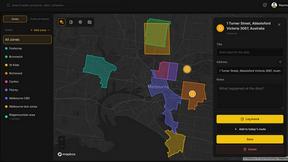
One powerful software for D2D (Door to door) fields reps to manage their sales and their teams to easily track territories and complete powerhouse CRM
DebutPin
A launch platform where products keep collecting visibility, feedback and connections long after launch day.

Product Launch Checklist
A free launch checklist for SaaS, apps, AI tools and more. Every step says why it matters and when you can skip it.
Kody Tools
Free collection of online developer utilities, code formatters, and digital converters designed to streamline your daily workflow.