
AskFormulas
AskFormulas creates and validates Excel and Sheets formulas, saving you time and ensuring accuracy for every task.
Visit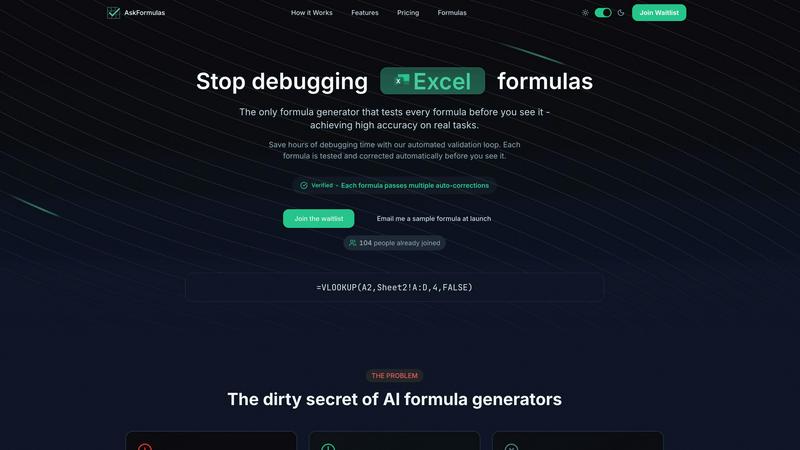
About AskFormulas
AskFormulas is a groundbreaking tool engineered for anyone who has ever experienced the frustration of dealing with broken Excel formulas. This innovative platform stands apart from traditional AI generators, which often deliver error-prone outputs with a staggering 40-60% failure rate. AskFormulas boasts a remarkable accuracy rate of over 95%, thanks to its meticulous validation process that guarantees every formula is tested and corrected before it reaches the user. Whether you are a financial analyst constructing intricate models, a revenue manager automating reports, or a small to medium business owner with limited Excel expertise, AskFormulas is tailored for you. By allowing users to articulate their formula requirements in plain English, AskFormulas transforms these requests into validated and ready-to-use formulas. This not only saves you valuable debugging time but also enhances productivity, enabling users to focus on deriving insights rather than wrestling with formula syntax. With AskFormulas, you can finally put an end to the headache of formula errors and start leveraging your data efficiently.
Features of AskFormulas
Natural Language Input
AskFormulas simplifies the formula creation process by allowing users to describe their requirements in plain English. This feature eliminates the need for specialized syntax knowledge, making formula generation accessible to everyone. Just type your need, and the AI interprets it into a working formula.
Comprehensive Validation Loop
Every formula generated by AskFormulas is subjected to a rigorous three-step validation process. This includes converting natural language into intent, auto-testing on template data, and applying auto-corrections until the formula is verified. This meticulous process ensures that users receive only high-quality, functional formulas.
One-Click Copy
Once your formula is validated, copying it is a breeze. With just a single click, you can copy your ready-to-use formula and paste it directly into your spreadsheet. This streamlined process minimizes time spent on task execution, allowing for greater efficiency.
Formula History
AskFormulas keeps track of your recently generated formulas, saving the last ten automatically. This feature acts as your personal formula library, ensuring that you never lose a formula again and can quickly retrieve past work when needed.
Use Cases of AskFormulas
Financial Analysis
For financial analysts who build complex models, AskFormulas provides a vital tool for generating accurate formulas quickly. By eliminating the tedious debugging process, analysts can focus on deriving insights from their data rather than getting bogged down in formula errors.
Revenue Management
Revenue managers can automate their reporting processes with AskFormulas, significantly reducing the time spent on manual formula creation. This allows them to generate reliable reports that inform strategic decisions without the stress of dealing with broken formulas.
Small Business Operations
Small to medium business owners without advanced Excel skills can utilize AskFormulas to streamline their operations. By simply describing their needs, they receive accurate formulas that enhance their data handling capabilities, empowering them to make informed business choices.
Data Analysis for Non-Experts
AskFormulas opens the door for non-experts to engage in data analysis without requiring extensive knowledge of Excel formula syntax. This democratization of data handling enables a wider range of users to extract meaningful insights from their data effortlessly.
Frequently Asked Questions
How accurate are the generated formulas?
AskFormulas guarantees an impressive accuracy rate of over 95% due to its comprehensive validation process. Each formula undergoes multiple auto-corrections and is tested in a secure environment before being presented to the user.
Does it work with both Excel and Google Sheets?
Yes, AskFormulas seamlessly integrates with both Excel and Google Sheets. Users can easily switch between platforms with a single toggle, ensuring that the correct syntax is applied automatically.
How many formulas can I generate?
AskFormulas offers various pricing plans that allow users to generate a specific number of formulas each month. For example, the Starter plan offers 500 formulas per month, while the Pro plan caters to more intensive users with 2,000 formulas monthly.
What happens if a formula has issues?
If a generated formula encounters any issues, AskFormulas employs smart error detection to identify and fix these errors automatically. This ensures that users receive only validated and functional formulas, eliminating the frustration of dealing with common Excel errors.
Explore more in this category:
Similar to AskFormulas

DebutPin
A launch platform where products keep collecting visibility, feedback and connections long after launch day.
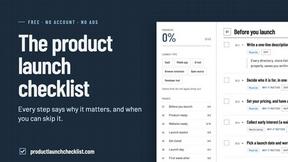
Product Launch Checklist
A free launch checklist for SaaS, apps, AI tools and more. Every step says why it matters and when you can skip it.

Kody Tools
Free collection of online developer utilities, code formatters, and digital converters designed to streamline your daily workflow.
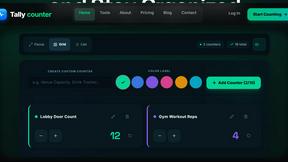
tallycounterweb.com
Online tally counter for tracking attendance, workouts, inventory, sports scores, visitors, habits, and everyday counting tasks.

Forms Plugin
The #1 Native Form Builder Plugin for Framer - No Code, No Embeds, No External Platforms.

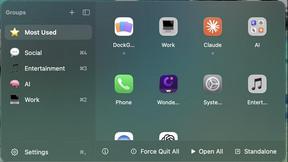
DockGroups
Your Dock, your rules. Simple and clean. Workflows in one click