
Avif2Png
Effortlessly convert AVIF images to high-quality PNG format for universal compatibility with Avif2Png's fast online.
Visit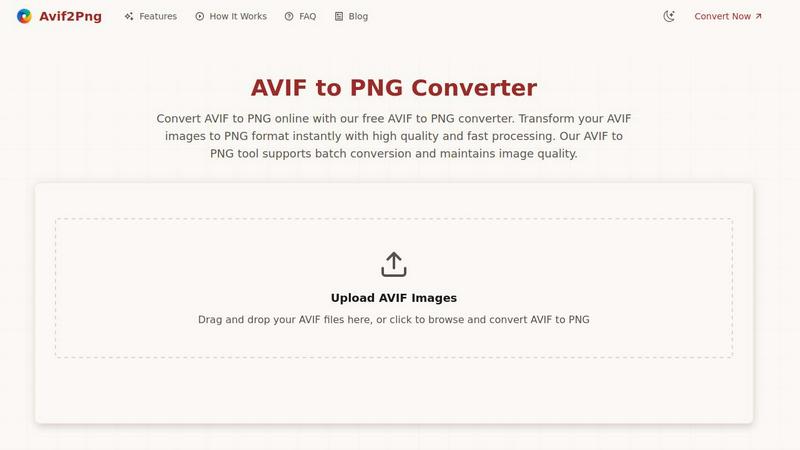
About Avif2Png
Avif2Png is an essential online tool designed to streamline the process of converting AVIF images into PNG format, making it invaluable for web developers, designers, and content creators alike. As AVIF (AV1 Image File Format) becomes increasingly popular due to its superior compression capabilities, challenges arise when it comes to compatibility with older browsers and legacy software. Avif2Png serves as a digital bridge, allowing users to retain the high quality of their AVIF images while ensuring maximum compatibility across various platforms. Its main value proposition is straightforward: it enables users to enjoy the benefits of modern image formats without sacrificing accessibility. With Avif2Png, you can quickly convert images while maintaining their stunning detail, providing a seamless workflow that eliminates the frustrations often associated with format incompatibility.
Features of Avif2Png
Free Online AVIF to PNG Conversion
Avif2Png offers a completely free service for converting AVIF images to PNG format, with no registration required. This user-friendly approach makes it accessible to anyone needing quick image conversions without the hassle of creating accounts or subscriptions.
Batch Conversion Capability
One of the standout features of Avif2Png is its ability to handle batch conversions. You can upload multiple AVIF files at once, and the tool will efficiently convert them into PNG format. This saves time and effort, especially for users managing large quantities of images.
Secure Processing
Security is a top priority for Avif2Png. The tool ensures that all uploaded files are processed securely, and it automatically deletes them from the server after conversion. This means you can convert your images with peace of mind, knowing your files are handled safely.
High-Quality Output
When using Avif2Png, you can expect high-quality results every time. The conversion process preserves the original image quality without degradation, ensuring that your converted PNGs maintain the stunning detail and clarity of the original AVIF files.
Use Cases of Avif2Png
Web Development
Web developers often face compatibility issues when using modern image formats like AVIF. Avif2Png solves this problem by converting AVIF images to PNG, ensuring that all graphics display correctly across all devices and older browsers, thus enhancing user experience.
Graphic Design
Graphic designers can benefit significantly from Avif2Png when working with logos, icons, and other graphics requiring transparency. The PNG format excels in maintaining sharp edges and transparent backgrounds, making it ideal for professional design projects.
Print Media
For print services and publishing platforms, the need for high-quality, universally supported image formats is crucial. Converting AVIF to PNG ensures that images are suitable for printing, maintaining quality and clarity in all printed materials.
Social Media Sharing
Content creators frequently need to share images across various social media platforms. Using Avif2Png allows them to convert AVIF images into PNG format quickly, ensuring their visuals are compatible and look great on all platforms, regardless of image format restrictions.
Frequently Asked Questions
What is AVIF format?
AVIF (AV1 Image File Format) is a modern image format known for its excellent compression capabilities. It provides superior quality and smaller file sizes compared to traditional formats like JPEG and PNG but may not be supported by all browsers and software.
Why should I convert AVIF to PNG?
Converting AVIF to PNG is essential for achieving broader compatibility across different platforms and applications. PNG is universally supported and ideal for graphics requiring transparency, making it a safer choice for web use and printing.
How does the conversion process work?
The conversion process involves simply uploading your AVIF files to the Avif2Png tool. The converter then processes these images automatically, transforming them into PNG format while preserving their quality, allowing you to download the converted files immediately.
Is Avif2Png secure to use?
Absolutely. Avif2Png prioritizes user security by ensuring that all uploaded files are deleted after conversion. This means your images are processed securely, and you can use the tool with confidence regarding your privacy and data safety.
Similar to Avif2Png
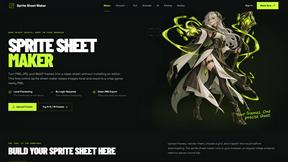
Sprite Sheet Maker
A free browser-based toolkit for creating, cutting, converting, and previewing sprite sheet animations.
FaceCoda
Free AI attractiveness test and face analysis with private, on-device photo processing.
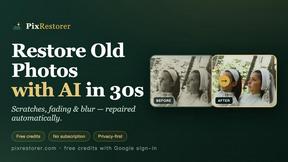
PixRestorer
Restore and colorize old photos with AI in seconds. PixRestorer repairs scratches, fading, blur, and tears, brings black-and-white prints to life in n

Nano AI Prompts
NanoAIPrompts is a free AI image prompt library built for creators, photographers, designers, and AI enthusiasts. It offers ready-to-use prompts.

Magic Eraser
AI photo editor for removing objects and backgrounds, enhancing images, and creating visuals on web and mobile.

Seedance 2.5 Free
Create polished AI videos from text or images with Seedance 2.5 Free.
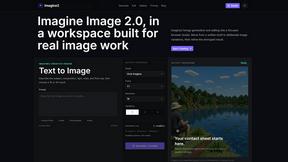
Imagine2
Private browser-based AI image generation and editing with text-to-image, targeted edits, and multi-image references.

Kogashitsuka AI
An online AI image tool that enhances photos and illustrations at their original size or upscales them by 2x or 4x.