
Before After Photo Maker
Effortlessly create stunning before and after photo comparisons with customizable layouts using our free online tool.
Visit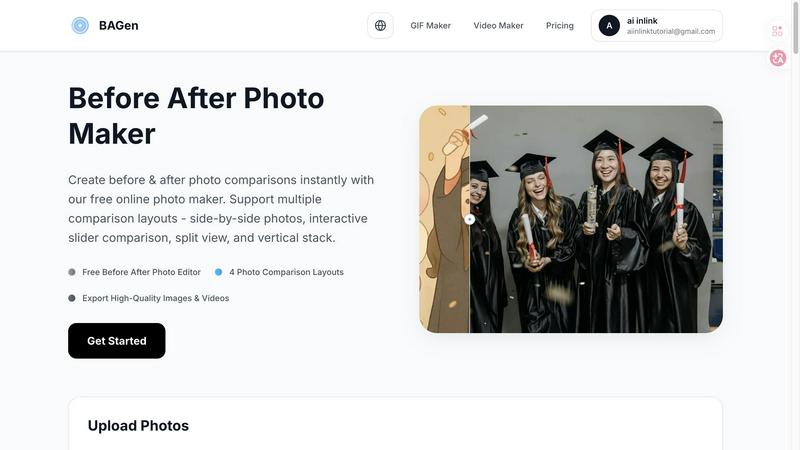
About Before After Photo Maker
Before After Photo Maker is a powerful and user-friendly online tool designed to create stunning before and after photo comparisons with ease. Whether you are a fitness enthusiast wanting to showcase your transformation, a home renovator documenting your projects, or a beauty expert displaying the results of skincare treatments, this tool is tailored for you. With its intuitive drag-and-drop interface, you can upload your images seamlessly and choose from multiple comparison layouts, including side-by-side, interactive sliders, split view, and vertical stacks. The main value proposition lies in its ability to deliver high-quality visuals quickly without the need for complex software or extensive editing skills. This makes it an ideal solution for social media posts, marketing campaigns, and educational content, enabling users to highlight transformations in an engaging and visually appealing manner.
Features of Before After Photo Maker
Multiple Layout Options
Choose from four distinct comparison layouts: side-by-side, interactive slider, split view, and vertical stack. Each layout is designed to present your images in the most effective way, catering to different viewing preferences and platforms.
High-Quality Exports
Export your before and after images in high-quality formats, including PNG and GIF. Additionally, you can create interactive videos that enhance viewer engagement and provide a dynamic way to showcase transformations.
Customizable Labels and Watermarks
Add personalized labels to your images to provide context or highlight specific details. Adjust the size and radius of the labels, and include a company logo or watermark in the bottom-right corner for branding purposes.
Live Preview Functionality
Instantly preview your photo comparisons as you make adjustments. This feature allows you to see how your edits will look in real-time, ensuring your final product meets your expectations before export.
Use Cases of Before After Photo Maker
Fitness Transformations
Document and share your personal fitness journey by showcasing before and after images that highlight your progress. Whether it's weight loss or muscle gain, this tool helps visually narrate your story effectively.
Home Renovations
Capture the essence of home improvement projects by creating compelling before and after comparisons. This can help homeowners visualize the impact of renovations and inspire potential clients in the real estate market.
Beauty and Skincare Results
Showcase the effectiveness of beauty treatments, skincare routines, or makeup transformations. By presenting clear before and after photos, you can build trust with customers and enhance your marketing efforts.
Product Demonstrations
For businesses, Before After Photo Maker serves as an excellent tool for product comparisons. Whether you are advertising a new feature or highlighting the benefits of a service, clear visual comparisons can significantly improve customer understanding and interest.
Frequently Asked Questions
How do I upload my photos?
Uploading photos is simple. Just drag and drop your images into the designated upload area or click to browse your files. Supported formats include PNG, JPG, and GIF.
Can I use this tool for commercial purposes?
Yes, you can use Before After Photo Maker for commercial purposes. Whether you need it for marketing campaigns, social media posts, or client presentations, the tool is designed to cater to various professional needs.
Is there a limit on the file size for uploads?
Yes, each photo upload is limited to 10MB. Ensure that your images are within this size for a smooth uploading experience.
Do I need to create an account to use this tool?
No, you do not need to create an account. Before After Photo Maker is completely free to use directly in your browser without any registration requirements.
Explore more in this category:
Similar to Before After Photo Maker
nanobanana 21
A fast, simple image studio powered by Nano Banana 2.1. Create and edit high-quality images with accurate details, readable text, and consistent chara
Low Quality Image
Free browser-based low quality image maker that degrades photos on purpose with compression, downscaling, and pixelation.
Image to Layers AI
Turn any image into editable transparent PNG/PSD layers with AI
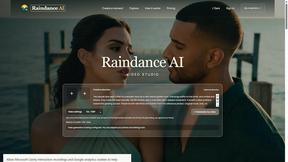
Raindance AI
Turn two authorized portraits into a seaside golden-hour video: a wooden dock, two people taking turns singing, and a slow pullback to the sunset. Pre
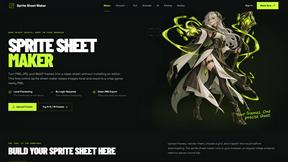
Sprite Sheet Maker
A free browser-based toolkit for creating, cutting, converting, and previewing sprite sheet animations.
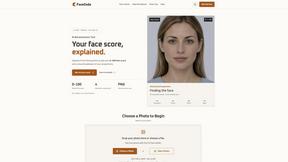
FaceCoda
Free AI attractiveness test and face analysis with private, on-device photo processing.
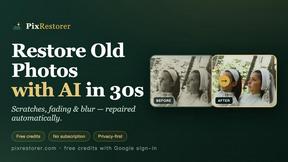
PixRestorer
Restore and colorize old photos with AI in seconds. PixRestorer repairs scratches, fading, blur, and tears, brings black-and-white prints to life in n
Nano AI Prompts
NanoAIPrompts is a free AI image prompt library built for creators, photographers, designers, and AI enthusiasts. It offers ready-to-use prompts.