
Birthday Card Maker
Create unique, personalized birthday cards and invitations effortlessly with our AI-powered design tool in minutes.
Visit
About Birthday Card Maker
Birthday Card Maker is a revolutionary web-based tool that simplifies the process of creating personalized birthday cards. Gone are the days of rifling through generic store-bought cards that fail to capture your sentiments. With Birthday Card Maker, anyone—be it a busy parent, a last-minute planner, or someone looking to add a special touch—can craft a beautiful card in minutes. The platform leverages AI technology to generate stunning design templates tailored to your needs. Users can easily personalize their cards with photos, custom messages, and a vibrant library of festive decorations. Best of all, it starts completely free, allowing you to create and share digital cards at no cost. This democratization of design ensures that heartfelt, professional-looking cards are accessible to everyone, making each birthday celebration a little more special.
Features of Birthday Card Maker
Smart AI-Powered Design Generation
With the smart AI-powered generator, you can instantly create unique birthday card designs that cater to various styles and themes. Simply enter the recipient's name, and the generator will provide multiple options, saving you time and effort while ensuring a personalized touch.
Easy Customization Options
Once you have your design, the intuitive editor allows for seamless customization. Add or edit text, upload personal photos, change colors, and adjust elements to create a card that truly reflects your sentiment and style. The customization options are extensive but user-friendly, ensuring that anyone can achieve great results.
Rich Library of Design Elements
The Birthday Card Maker comes equipped with a rich collection of birthday-themed graphics, decorations, and design elements. You can easily enhance your card's aesthetic by selecting from hundreds of options, ensuring that your card stands out and captures the celebratory essence of the occasion.
Multiple Download Formats
Choose how you want to save and share your finished card. You can download your card in a free JPG format for online sharing or opt for a premium, print-ready PDF that ensures high-quality printing. This flexibility caters to both digital and physical card needs.
Use Cases of Birthday Card Maker
Last-Minute Birthday Cards
For those who find themselves in need of a birthday card at the last minute, Birthday Card Maker is a lifesaver. The quick design generation and simple customization options allow you to create a thoughtful card in mere minutes, perfect for unexpected celebrations.
Personalized Gifts
Looking to make your gift extra special? Use Birthday Card Maker to create a personalized card that complements your present. Tailor the card's message and design to reflect the recipient's personality, making the entire gift-giving experience more meaningful.
Digital Sharing
In an increasingly digital world, Birthday Card Maker allows you to create beautiful cards that can be shared online. Whether it's through email or social media, you can spread joy instantly with a stunning digital card, perfect for those who live far away.
Special Occasions and Milestones
For milestone birthdays—like turning 18, 21, or 50—Birthday Card Maker provides unique templates and design elements that celebrate these significant moments. You can craft a card that resonates with the importance of the occasion, ensuring that your sentiments are appropriately conveyed.
Frequently Asked Questions
How do I start using Birthday Card Maker?
To begin, simply visit the website and click on the "Try Now" button. You can enter a name (optional) to generate card designs instantly. Follow the prompts to customize and download your card.
Is there a cost to use Birthday Card Maker?
Birthday Card Maker is free to start! You can create and customize cards at no cost. For premium features like high-quality PDF downloads, there are paid options available.
Can I use my own photos in the cards?
Absolutely! One of the standout features is the ability to upload personal photos. This allows you to create a more meaningful and personalized card that showcases cherished memories.
What formats can I download my card in?
You can download your finished card in a free JPG format suitable for digital sharing or choose a premium PDF option for print-ready quality. This ensures that your cards look great whether shared online or printed out.
Explore more in this category:
Similar to Birthday Card Maker
TryKlingAI
Independent Kling AI video generator for text, image, audio, and motion references with Kling 3.0, Lip Sync, and API access.

Z Image Turbo
Create photorealistic images, bilingual posters, ecommerce visuals, and social content online with Z Image Turbo.

AI UGC Video Generator
Create AI UGC video ads from product URLs, images, or scripts with lifelike creators, voices, captions, and clear calls to action.

Presentation Intelligence
AI-native presentation and visual content platform that turns prompts, documents, images, videos, and data into polished, shareable decks.
ScreenWeaver
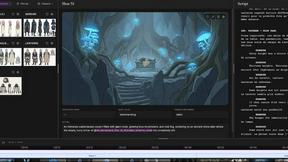
Write the script, build the storyboard from it, and drive AI video prompts, all in one project.


Artaivo
One AI workspace for video, images, avatars, and audio.