
ChatGPT Image 2
The essential creative hub for generating, editing, and animating images into videos, now at 50% off.
Visit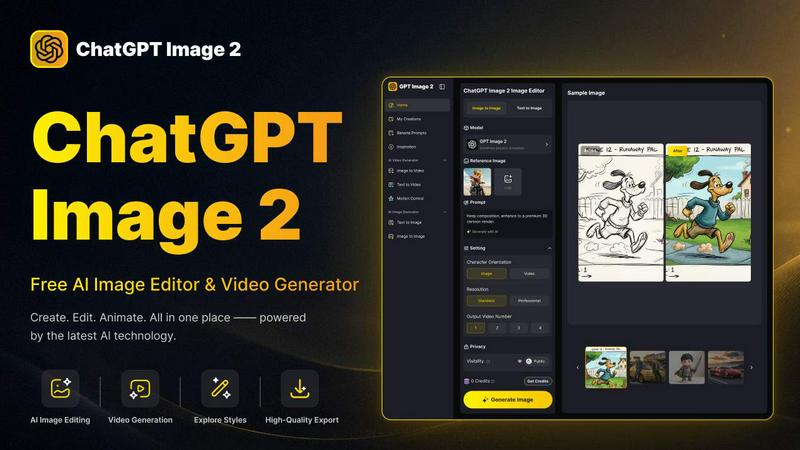
About ChatGPT Image 2
ChatGPT Image 2 is, in my opinion, the most compelling all-in-one workspace for AI-driven visual creation I have seen recently. It is a free AI image editor, image generator, and video generator designed to serve creators, marketers, designers, and anyone who needs high-quality visuals without the headache of a complex, multi-tool workflow. What sets it apart is its ambition: it is not just a text-to-image toy. It is a serious platform for generating artwork, social media visuals, product images, marketing assets, character concepts, posters, thumbnails, and short creative videos from text or image inputs. The platform supports a remarkably smooth creative workflow, allowing you to move from text to image, image to image, and image to video without ever switching between different software. It is built for both quick inspiration and practical, commercial-grade content production. Whether you want to create a hyper-realistic photograph, explore a wild art style, enhance an old family picture, or animate a still visual into a short video, this tool provides an easy path to professional results. My favorite part? It offers native 4K resolution and near-perfect text rendering, two features that are often missing in other AI generators. It feels like a genuine productivity multiplier for anyone who regularly needs polished visuals.
Features of ChatGPT Image 2
Reasoning-Powered AI Image Generation
This is the brain of the operation. ChatGPT Image 2 uses a reasoning-powered engine that understands context, spatial relationships, and real-world logic. This means it does not just slap pixels together; it generates images that make sense. For example, it can render a map with accurate road layouts, create an architectural scene with proper perspective, or generate a historical recreation that feels grounded and authentic. It is a game-changer for commercial work where accuracy matters.
Native 4K Resolution for Commercial-Grade Output
One of my absolute favorite features. Many AI tools generate low-resolution images that require clunky upscaling, often resulting in artifacts. ChatGPT Image 2 outputs native 4K resolution directly. This is a massive advantage for advertising creatives, website banners, packaging designs, and any visual asset that needs to look crisp and professional at scale. It saves you an entire post-processing step.
Near-Perfect Text Rendering
If you have ever tried to generate an image with text using other AI tools, you know the pain of garbled, misspelled, or blurry letters. ChatGPT Image 2 solves this elegantly. It significantly improves text clarity, punctuation, and formatting within generated images. This makes it perfect for marketing posters, UI concepts, product packaging, and brand materials where text must be neat, readable, and fully integrated with the visual design.
Advanced Image-to-Image Editing Suite
This is where the tool truly shines as an editor. You can upload an image and perform a stunning array of edits: change a person's outfit with AI Virtual Try-On, replace a background scene with a completely different location, restore damaged old photos by removing scratches and fading, extend a photo beyond its original borders with outpainting, edit text within an image, or apply an anime effect to a realistic photo. It is a complete photo studio in a single interface.
Use Cases of ChatGPT Image 2
AI Virtual Try-On for E-Commerce
This is a killer use case for fashion and retail. You can take a photo of a model and change their outfit to a completely different style, color, or fabric—all without a photoshoot. For example, you can keep the same woman in the image but change her outfit to a sexy black bodycon dress. It allows for rapid iteration of product visuals, saving thousands in production costs and time. It is an absolute must-try for any online retailer.
Smart Scene Replacement for Marketing and Advertising
Imagine you have a perfect product photo shot by a river, but your campaign theme suddenly shifts to a Mediterranean seaside town. Instead of reshooting, you can use the Smart Scene Replacement feature. Upload the original image and prompt the tool to replace the riverfront with a Mediterranean seaside town. The AI seamlessly integrates the new environment with the existing lighting and subject, creating a cohesive and professional final image in seconds.
AI Damaged Photo Restoration for Personal and Archival Use
This is a deeply practical and emotional use case. You can upload old, damaged photos—scratched, faded, torn—and the AI can restore them. For instance, you can restore a young girl's photo, removing all damage and degradation while preserving her facial features. It breathes new life into family heirlooms and historical archives, making it an invaluable tool for anyone looking to preserve memories.
AI Comic Coloring and Character Sheet Generation for Artists
For illustrators and comic creators, this is a massive time-saver. You can use the platform to color black-and-white comic panels with consistent palettes, or generate character sheets that show a character from multiple angles. The AI understands character consistency, which is notoriously difficult to achieve. This allows artists to focus on storytelling and composition rather than tedious coloring and rendering tasks.
Frequently Asked Questions
Is ChatGPT Image 2 free to use?
Yes, ChatGPT Image 2 offers a free tier that allows you to generate and edit images and videos. The platform provides a starting credit balance (e.g., 300 Credits) for you to test its capabilities. For users with higher volume needs or who require more advanced features, there are paid subscription plans that offer additional credits and higher resolution outputs.
What are the image upload requirements?
To use the image-to-image editing features, you need to upload JPG, PNG, or WEBP images. The maximum file size is 10MB, and the image must have a minimum width and height of 300 pixels. This ensures the AI has enough data to work with for accurate and high-quality edits.
Can I use the generated images for commercial purposes?
Absolutely. ChatGPT Image 2 is built for commercial-grade output. The platform offers commercial-grade licensing for the images and videos you create. This means you can use them for advertising, product packaging, marketing materials, website content, and any other commercial project without worrying about copyright issues.
What is the difference between Text to Image and Image to Image?
Text to Image allows you to create a brand new image from a written description or prompt. Image to Image, on the other hand, allows you to start with an existing image and transform it. You can edit the style, change objects, restore damage, or extend the canvas. The Image to Image feature is more about editing and enhancing existing visuals, while Text to Image is about pure generation from scratch.
Similar to ChatGPT Image 2
AI Rap Video.cc
Create solo or duo rap videos from portrait photos, with vocals and music.
The Kiss
Turn two photos into a cinematic AI kissing video. Pick one of 13 kiss video templates; 30 free credits on sign-up.
trykissai
AI kiss generator: add a photo of each person, pick a kiss scene, and get a kiss photo or a 5–7 second clip. 30 free credits.
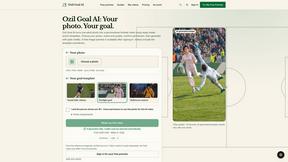
Ozil Goal AI
Turn a portrait photo into a football goal video. One free reference image per verified account; videos use paid one-time credits.
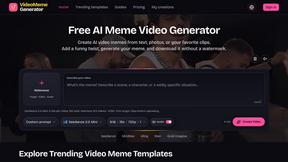
Video Meme Generator
Create AI video memes from photos, clips or text prompts. Free credits to start.
Angry Dance Filter
Upload one photo and get a 15-second angry dance video. Free watermarked preview, then optional one-time video packs.
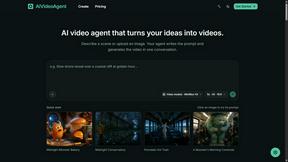
AIVideoAgent
Turn text ideas or reference images into videos through conversation, with agent-assisted prompts and a choice of video models.
Typing Animation
Create typing animation videos with custom fonts, timing and synchronized keyboard sounds.