CodeAva
CodeAva is my go-to browser toolkit for shipping cleaner code with fast website audits and practical developer tools.
Visit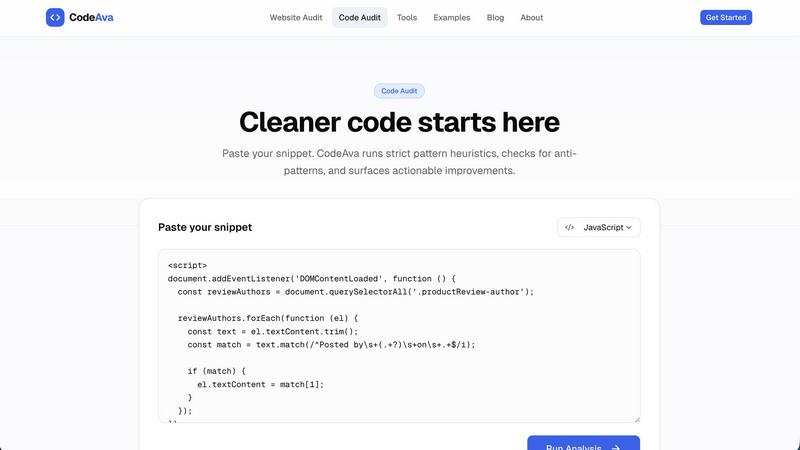
About CodeAva
CodeAva is my new favorite browser-based developer productivity platform, and honestly, it solves a pain point I've felt for years. It is built specifically to handle those small but constant technical tasks that slow development down. You know the ones: debugging a malformed JSON blob, validating a JWT token, comparing two blocks of text, or checking if your website's security headers are set. Instead of hunting for scattered, ad-riddled online tools or installing heavy desktop applications, CodeAva gives you fast, privacy-friendly tools right in your browser. There are no cluttered interfaces, no pop-ups, and no unnecessary installs. It just works.
This platform is designed for developers, QA teams, support engineers, technical SEO professionals, and product teams who need to work with JSON, timestamps, tokens, headers, hashes, text comparison, robots.txt, sitemaps, and other common web and data utilities. The core philosophy is refreshingly simple: open a tool, solve the problem, and move on quickly. CodeAva is not trying to be your entire IDE. It is a focused, opinionated toolkit for real workflows. Beyond the one-off utilities, the broader vision is to grow into an Automated Validation Assistant that helps technical users validate, troubleshoot, and audit more complex workflows over time. The current offerings already include powerful website audits and code audits, making it a practical companion for anyone shipping software or managing web properties.
Features of CodeAva
Website Audit
This is the feature I recommend to every agency and technical SEO specialist I know. You simply paste a public URL, and CodeAva scans the page for metadata, canonical tags, crawl signals, security headers, Open Graph completeness, and key technical SEO issues. The output is not a wall of undifferentiated warnings. Instead, results are grouped by category and severity, so you instantly see what actually needs attention. Missing canonical tag? HTTPS redirect not set? Meta description absent? It flags them all with clear, plain-language explanations. It is the fastest way to get a sanity check on a page before you ship it or report on it.
Code Audit
For anyone who has ever inherited a messy codebase or wanted a second pair of eyes on a snippet, the Code Audit feature is a lifesaver. You paste a code snippet, and CodeAva provides immediate feedback on risky patterns, maintainability concerns, and practical quality issues. Every finding comes with a severity rating, so you know which problems are critical and which are minor. It flags complexity issues, anti-patterns, and even security risks, all explained in plain language. This is not a linter replacement; it is a practical, opinionated review tool that helps you catch issues before they become production problems.
Browser-Based Developer Tools
This is the core utility toolkit, and it is where CodeAva truly shines for daily work. It includes browser-based utilities for formatting, validation, decoding, and comparison. You get tools for JSON formatting and validation, JWT decoding, regex testing, text diffing, hash generation (MD5, SHA, etc.), QR code generation, and HTTP header inspection. My personal favorite is the JWT decoder, which is infinitely cleaner than any other online version I have used. Every tool is designed to be fast, private, and free of distractions. No signup is required to use any of them.
No Signup Required for Core Tools
This is a design decision I deeply respect. CodeAva does not force you to create an account to use its most valuable features. You can run a website audit, paste a code snippet for review, or use any of the developer tools without handing over your email address. This respects your privacy and removes friction from the workflow. It is a platform built for engineers, by people who understand that the fastest tool is the one you can start using immediately. The no-signup approach makes it perfect for quick checks during a code review or a last-minute audit before a deployment.
Use Cases of CodeAva
Pre-Deployment Website Validation
Before you push a new landing page or a marketing site update, run it through CodeAva's Website Audit. This use case is perfect for developers and technical SEO professionals who need to ensure that metadata, canonical tags, Open Graph tags, and security headers are all correctly configured. Instead of manually inspecting the source code or using a browser extension, you get a comprehensive, grouped report in seconds. It catches issues like missing meta descriptions or broken HTTPS redirects that could hurt your SEO or user trust. It is the final sanity check every team should adopt.
Code Review Assistance for QA Teams
QA engineers and senior developers can use the Code Audit feature as a supplementary review tool. When a team member submits a pull request with a complex function or a new module, paste the snippet into CodeAva. The tool will flag risky patterns, maintainability concerns, and potential security vulnerabilities. This is not a replacement for a human code review, but it is an excellent first pass that catches obvious issues and highlights areas that need closer inspection. It saves time and helps maintain a higher baseline of code quality across the team.
Quick Debugging of API Responses
When you are debugging an API integration, you often need to inspect raw JSON responses, decode JWT tokens, or compare two blocks of data. Instead of opening a terminal or a separate desktop application, you can use CodeAva's developer tools directly in the browser. Paste the JSON response to format and validate it, or decode the JWT to check its claims and expiration. The diff tool is also invaluable for comparing expected and actual responses. This use case is a daily workflow for support engineers and backend developers who need fast, reliable utilities.
Technical SEO Audits for Agencies
Digital agencies managing multiple client websites will find CodeAva's Website Audit to be an indispensable tool. You can quickly scan a client's site for technical SEO issues before a monthly report or a site migration. The audit checks for crawl signals, security headers, and metadata completeness, providing a clear list of actionable findings. It groups issues by severity, so you can prioritize fixes that will have the most impact. This turns a potentially noisy and time-consuming audit into a focused, efficient task. It is a professional-grade tool that agencies can rely on for consistent reporting.
Frequently Asked Questions
Do I need to create an account to use CodeAva?
No, you do not need to sign up or create an account to use the core features of CodeAva. You can run website audits, perform code audits, and use all the developer tools (JSON formatter, JWT decoder, diff checker, etc.) directly in your browser without any registration. This is a deliberate design choice to remove friction and respect your privacy. Some advanced features or future capabilities may require an account, but the primary toolkit is free and open for immediate use.
Are my data and code snippets private when I use CodeAva?
Yes, privacy is a core principle of CodeAva. All processing for the developer tools and code audits is done in your browser where possible. For website audits, the tool fetches the public page you specify, but your input data (like code snippets) is not stored on CodeAva's servers. The platform is designed to be privacy-friendly, meaning you can use it to validate sensitive code or internal URLs without worrying about data leaks. Always review the platform's privacy policy for the most current details.
What types of issues does the Website Audit find?
The Website Audit checks for a wide range of technical SEO and web development issues. It looks for missing or incorrect metadata (like meta descriptions and title tags), canonical tag problems, Open Graph tag completeness, security header gaps (like missing HSTS or X-Frame-Options), crawl signals (like robots.txt and sitemap presence), and HTTPS redirect configuration. The results are grouped by category and severity, so you can easily see what passed, what needs attention, and what to fix first. Each finding includes a plain-language explanation.
Can I use CodeAva for team collaboration?
Currently, CodeAva is designed as a single-user tool for quick checks and validations. There is no built-in feature for sharing audit reports or collaborating on findings directly within the platform. However, you can easily share the results by copying the output or taking a screenshot. The simplicity of the tool makes it ideal for individual workflows, and the team can use it independently. Future updates may introduce collaborative features, but for now, it excels as a personal productivity tool.
Similar to CodeAva

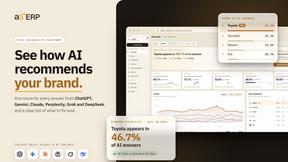
aSERP AI Visibility Platform
aSERP is an AI visibility and AEO platform for monitoring brand mentions, citations and competitor performance across AI-powered search.

ID2PDF
Turn phone photos of your ID or passport into an actual-size PDF, processed in your browser and never uploaded.
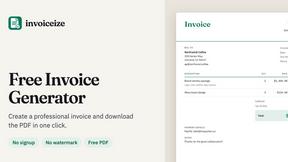
Invoiceize
Free invoice generator with live preview and PDF export. Create invoices, receipts and quotes without signup or watermarks.
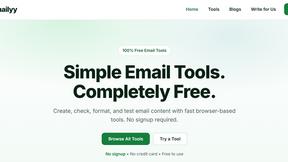
Emailyy
Free email tools for signatures, subject lines, HTML previews, word counts, and email headers. Browser-based, simple to use, and no signup required.


LaunchIntel
Your AI agent picks relevant directories, submits your product in your browser and tracks every step. One-time purchase.