
conceptviz
Easily create clear, engaging science and math diagrams for classrooms and research with ConceptViz's intuitive tool.
VisitPublished on:
December 6, 2025
Pricing:
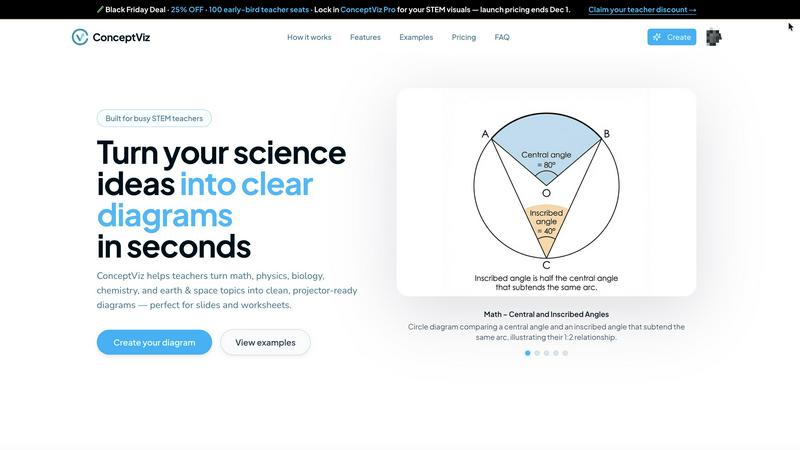
About conceptviz
ConceptViz is an innovative diagramming tool designed for educators, students, and researchers who need to visually communicate complex scientific ideas. It allows users to create high-quality, classroom-ready diagrams in seconds, making it an essential resource for teaching and learning in STEM subjects. With a focus on clarity and accuracy, ConceptViz caters to a wide range of educational levels, from K-12 classrooms to university research settings. The user-friendly interface enables users to easily generate diagrams tailored to their specific needs, enhancing the learning experience. Whether you are a teacher striving to elucidate challenging concepts or a student looking to visualize information for a project, ConceptViz transforms intricate information into accessible visuals, promoting better understanding and retention of scientific principles across disciplines such as physics, biology, chemistry, and mathematics.
Features of conceptviz
User-Friendly Interface
ConceptViz boasts an intuitive and straightforward interface, allowing users of all skill levels to create detailed diagrams effortlessly. With just a few clicks, educators and students can produce visuals that enhance their presentations and learning materials, saving time and reducing frustration.
Subject and Grade Presets
One of the standout features of ConceptViz is its collection of subject and grade presets. Users can select from quick presets designed specifically for popular STEM subjects like physics, biology, and chemistry, tailored for various educational levels from elementary to high school, ensuring that diagrams meet the appropriate standards.
Projector-Ready Clarity
Diagrams created with ConceptViz are optimized for classroom use, featuring thick, legible lines and simple backgrounds. This design ensures that visuals remain clear and easy to read from any distance, making it perfect for presentations and group discussions where clarity is essential.
High-Resolution Downloads
ConceptViz allows users to download their diagrams in high-resolution PNG format, ensuring that visuals maintain their quality whether being used in digital presentations or printed materials. This feature is particularly beneficial for educators who need visually appealing handouts or slides for their lessons.
Use Cases of conceptviz
Classroom Instruction
Teachers can utilize ConceptViz to create engaging diagrams that help explain complex scientific concepts during lessons. By transforming difficult ideas into visual formats, educators can facilitate better understanding and encourage student participation.
Student Projects
Students can leverage ConceptViz to visualize their research or project ideas effectively. By generating clear diagrams that complement their written work, they can present their findings in a more engaging manner, enhancing their overall project quality.
Lab Activities
Researchers and educators can employ ConceptViz to illustrate lab setups and processes, providing students with clear visual aids that outline experimental designs. This helps students grasp the procedures and concepts involved in scientific experimentation.
Curriculum Development
Curriculum developers can use ConceptViz to create a variety of educational materials, including worksheets and lesson plans. By incorporating accurate and visually appealing diagrams, they can enhance the quality of educational resources and make learning more interactive.
Frequently Asked Questions
How do I create a diagram using ConceptViz?
To create a diagram with ConceptViz, simply sign in with a free account, choose your subject and educational level, describe the diagram you need in plain English, and the tool will generate a high-quality visual ready for use.
Can I use ConceptViz for subjects other than science?
While ConceptViz is primarily designed for STEM subjects, its intuitive diagramming capabilities can be adapted for other educational disciplines as well, making it a versatile tool for various teaching needs.
Is there a cost to use ConceptViz?
ConceptViz is currently offering a limited-time lifetime deal for $229. This one-time fee provides users with access to all features and functionalities, making it a cost-effective solution for educators and researchers.
What types of diagrams can I create with ConceptViz?
Users can create a wide range of diagrams, including but not limited to ray diagrams, anatomical cross-sections, chemical structures, and mathematical representations. The tool is flexible and designed to accommodate diverse educational needs.
Similar to conceptviz
AnyFileKit
Free browser file tools: translate the text in pictures, compress, convert and edit images, PDFs and video. No sign-up.
TestNeo
TestNeo.ai is an AI-native engineering and release assurance platform that helps teams automate web and API testing using natural language.


Leadeon
AI growth tool for X and LinkedIn: write posts in your voice, schedule at your best times, find leads on X and see what works.
AFFLIGO
AFFLIGO makes everyday file tasks easier with free online tools to compress, convert, edit, and manage PDFs, images, and more.
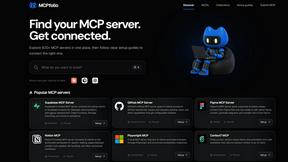
mcpfolio
Discover MCP servers, compare tools, and follow setup guides to connect AI assistants to your apps and workflows.
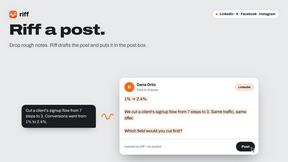
Riff
Riff writes replies, DMs and posts with Gemini Nano inside Chrome. Runs on your computer, no account or API key, and never posts for you.
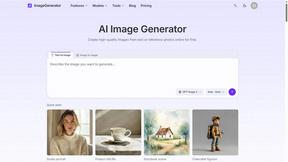
ImageGenerator
Create and edit AI images online with multiple models, text-to-image, image-to-image, background removal, and upscaling.