
FlashSlides
Transform your ideas into stunning presentations in minutes with FlashSlides' intuitive AI-powered platform.
VisitPublished on:
January 20, 2026
Pricing:

About FlashSlides
FlashSlides is a revolutionary AI-powered presentation generator that transforms the daunting task of creating presentations into a seamless experience. Designed for a wide range of users, including students, educators, business professionals, and startup founders, FlashSlides enables anyone to produce polished and professional presentations in just a few clicks. The platform's main value proposition lies in its efficiency; by simply entering a topic or uploading content, users receive a fully structured set of slides complete with relevant text and custom images. This capability not only saves users significant time but also enhances the overall quality of their presentations, allowing them to focus on delivering impactful messages rather than getting bogged down in design and content creation. With FlashSlides, preparing meeting decks, educational content, proposals, and pitch decks is no longer a time-consuming chore but rather an empowering and engaging task that anyone can master.
Features of FlashSlides
AI-Powered Content Generation
FlashSlides leverages advanced AI algorithms to generate high-quality content for your slides. By simply typing in a topic, users receive a set of slides that include relevant text and custom AI-generated images tailored to the subject matter. This feature drastically reduces the time spent on research and content creation, allowing users to focus on their presentations’ delivery.
User-Friendly Interface
The platform is designed with user experience in mind, featuring an intuitive interface that makes it easy for anyone to navigate and create presentations. Users can select the number of slides they need, from one to fifty, and quickly generate their presentation with minimal effort. This accessibility ensures that individuals from all backgrounds can create stunning slides without prior design experience.
Customizable Presentations
Once slides are generated, users can download them as PowerPoint files for further editing. This flexibility allows users to customize their presentations to match their unique style or branding, ensuring that every presentation is both professional and personal. Whether you want to tweak the content or add additional elements, FlashSlides makes it simple to refine your work.
Secure and Private Options
FlashSlides respects user privacy by allowing users to keep their presentations private. By default, presentations may appear in the public archive, but users have the option to make any presentation private directly from their dashboard. This feature is essential for professionals who wish to maintain confidentiality in their presentations.
Use Cases of FlashSlides
Academic Excellence for Students
Students can leverage FlashSlides to create impressive class presentations and project reports quickly. Instead of spending hours developing slides, students can focus on refining their ideas and practicing their delivery, ensuring they stand out in academic settings.
Streamlined Business Proposals
Business professionals can utilize FlashSlides to generate polished meeting decks and proposals in a fraction of the time. This tool becomes invaluable during busy periods, enabling teams to present their ideas effectively and professionally without sacrificing quality or detail.
Engaging Educational Content for Teachers
Educators can harness the power of FlashSlides to produce captivating lesson plans and educational materials that engage students. With the ability to create visually appealing slides quickly, teachers can focus on delivering content that resonates and inspires learning.
Impactful Pitch Decks for Startups
Startup founders can use FlashSlides to craft compelling pitch decks that capture the attention of potential investors. By producing visually striking and well-structured presentations, entrepreneurs can effectively communicate their vision and secure funding with ease.
Frequently Asked Questions
How does FlashSlides work?
Simply enter your topic, and FlashSlides’ AI will generate a comprehensive presentation with slides containing relevant text and custom images. The entire process takes less than a minute, making it incredibly efficient.
Is it really free?
Yes! Every user gets one free presentation per day without the need for a credit card. For additional presentations, users can purchase credits, making it a flexible option for varying needs.
What formats can I download?
Users can download their presentations as PowerPoint (.pptx) files. Additionally, presentations can be shared via a unique URL, allowing for easy distribution and collaboration.
Are my presentations private?
By default, presentations are public and may appear in the archive; however, users can easily set any presentation to private from their dashboard, ensuring that sensitive content remains confidential.
Similar to FlashSlides

@fuck.it - email with attitude
Private email. Pure. Secure. Exclusive. No ads, no tracking, no data selling. GDPR compliant, EU-hosted.

xfiles
PDFs, images and audio. No uploads. No account. No added watermarks.

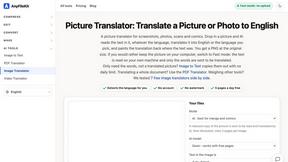
AnyFileKit
Free browser file tools: translate the text in pictures, compress, convert and edit images, PDFs and video. No sign-up.
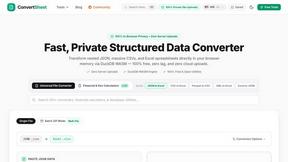
ConvertSheet
Fast, private client-side file converter and developer spreadsheet suite. Convert JSON, CSV, Excel, XML, and Parquet with zero server uploads.

Leadeon
AI growth tool for X and LinkedIn: write posts in your voice, schedule at your best times, find leads on X and see what works.
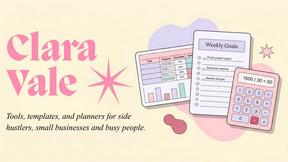
Clara Vale
Growth studio offering free calculators, spreadsheet templates and planners for side hustles, budgeting, freelancing and everyday life.

MD TO TEXT
Paste Markdown below to remove formatting, keep readable text, and copy clean output for AI workflows, docs cleanup, and publishing.